
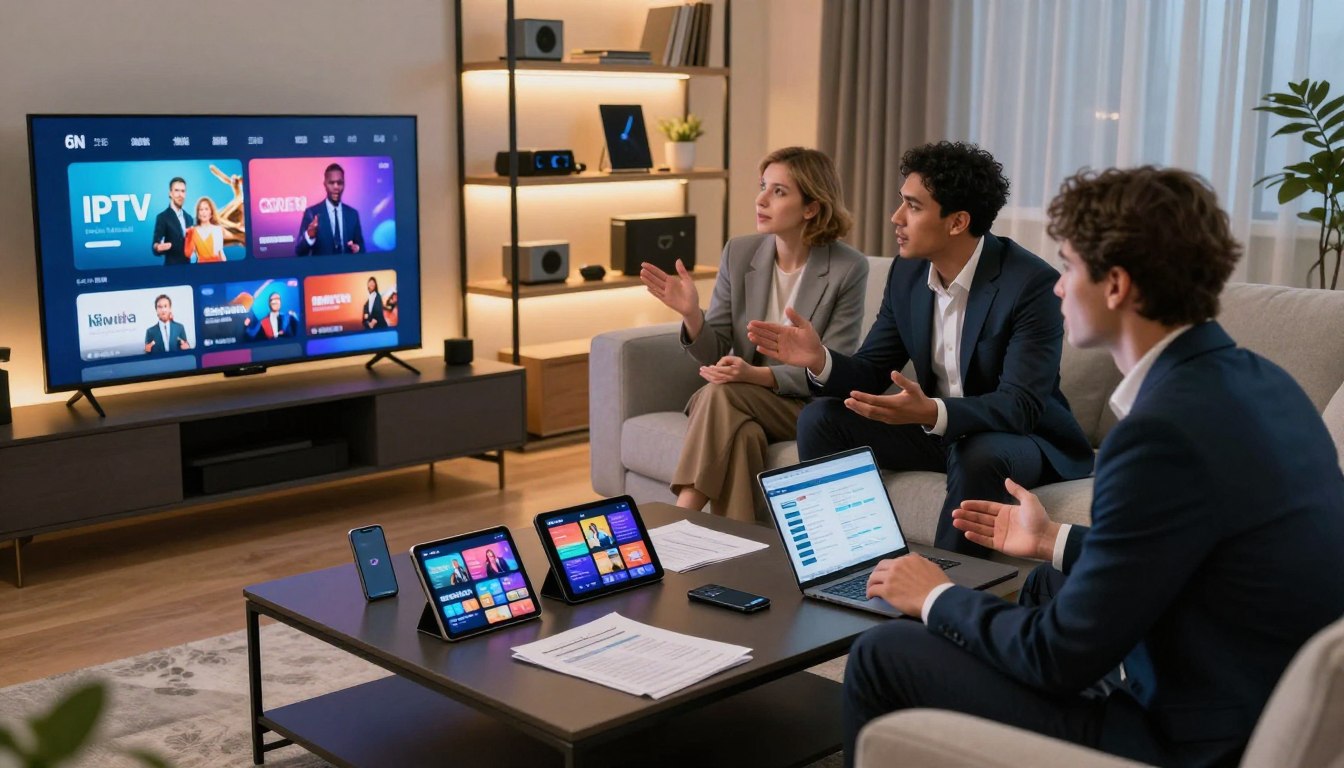
Curious whether switching from cable will really save you money while giving better channel choice?
This short, practical overview explains how internet-delivered TV works and what to check before you commit. You’ll learn which features matter — live channels, VOD, catch-up, PPV — and how to judge performance, device support, and real-world value.
Legality depends on licensing and content rights, so we’ll show how to spot reputable providers and avoid risky offers. In the United States, pay attention to internet speed, peak-time sports demands, and the need for responsive customer support when issues arise.
By the end, you’ll know what “good” looks like in a service: stable streaming, a usable EPG, honest quality claims, and clear terms. For a quick comparison and a legal offer you can test, consider checking GetMaxTV’s options for activation and trials.
For deeper context and market trends, see this detailed overview and a provider example.
full market overview · GetMaxTV details
Key Takeaways
- Internet TV delivers channels and VOD over your home connection; judge providers by uptime and support.
- Watch for licensed content and transparent terms to avoid legal risk.
- Compare features: live, catch-up, cloud DVR, and device compatibility matter most.
- In the US, ensure your plan matches peak sports and household bandwidth needs.
- Look for realistic quality claims (HD/4K), a usable EPG, and quick customer help.
- Test options with a trial or short-term plan before committing long-term.
- Check GetMaxTV’s legal offer if you want a fast activation and a wide channel/VOD library.
What IPTV Is and How Internet Protocol Television Works
Think of internet protocol television as regular TV, but delivered over your home network instead of a broadcast or satellite signal. This means live channels, movies, and catch-up shows arrive as data over your broadband connection.
IPTV vs cable and satellite: what changes for you
You often need less dedicated hardware. Many smart TVs, sticks, and apps handle iptv streaming without a traditional set-top box.
That also means your router and home network matter. Poor Wi‑Fi can cause buffering or quality drops that cable users rarely see.
Live channels vs VOD library vs catch-up TV
Live channels work like broadcast TV but through streaming servers. A VOD library stores movies and shows you can watch anytime. Catch-up lets you replay recent broadcasts for a limited period.
How IPTV streaming is delivered over internet protocol
Protocol television streams send video in packets across the internet. Speed, routing, and server load affect picture and reliability.
Terms to know: EPG (program guide), connections (devices and links), buffering (playback pauses), throttling (slowed data by ISPs).
| Feature | What it means | Why it matters |
|---|---|---|
| Live channels | Real-time broadcasts via streaming servers | Good for sports and news; needs low latency |
| VOD library | On-demand movies and series | Flexible viewing; depends on catalog size and updates |
| Catch-up TV | Replay recent shows for a set window | Useful if you miss live airing; storage depends on provider |
Why More US Viewers Are Switching From Cable to IPTV Streaming
Switching from cable often means more channels, lower monthly cost, and fewer hardware hassles. That combination has pushed many households to rethink traditional TV.
More channels for less cost
You can get a much wider channel mix for a lower monthly outlay compared with large cable bundles.
Practical tip: Verify the real lineup before you buy so the channels you want are included.
Global access to entertainment, sports, and regional networks
Global access means international news, regional networks, and overseas sports that cable may not carry.
This is useful if you follow foreign leagues or want diverse entertainment choices from other countries.
Multi-device viewing on smart TVs, phones, and streaming sticks
Your living room TV, a bedroom streaming stick, and phones or tablets all work together.
That flexibility fits how families watch today and helps when you travel or use multiple devices at once.
HD, Full HD, and 4K quality expectations
In practice, HD and Full HD are common; 4K depends on the provider and your internet speed.
Peak times—especially live sports—can expose weak servers. So cheap, huge claims sometimes fail in real viewing.
- Bottom line: This change is about flexibility and value, not magic. Choose a service that proves uptime and steady quality.
Key Features to Compare Across the Best IPTV Services
https://www.youtube.com/watch?v=iJk1ZfGSUpY
Start with a simple checklist that proves a provider delivers what you actually watch. Use verifiable channel lineups and short trials to confirm real coverage, not just headline counts.
Channel variety and lineups
Check for regional, sports, kids, and international channels you need. Look for duplicates or dead links in lists; they inflate counts without value.
VOD libraries, movies, and shows
A strong vod library is easy to search, updated often, and organized by category. Depth matters more than total titles.
Catch-up, PPV, and live sports
Expect pause, rewind, and replay windows (commonly ~72 hours). Test big-event streams—PPV and live sports reveal server strength under load.
EPG quality and device limits
Usable EPGs show accurate time zones, fast loading, and correct schedules. Also verify how many devices can stream at once so your household doesn’t hit limits.
- Use the checklist to compare providers on real features, not claims.
- Prioritize reliable channels and searchable content over inflated numbers.
| Feature | What to test | Why it matters |
|---|---|---|
| Channels | Live lineup accuracy | Ensures you get the channels you watch |
| VOD | Search & updates | Finds movies and shows quickly |
| Live events | PPV & sports during peak | Shows real stability under load |
IPTV Subscription Guide 2025: What to Look For Before You Buy
Before you hit buy, learn which signals show a stable streaming service and which are just marketing noise. Focus on uptime claims, peak-time tests, and real customer reports so you can choose with confidence.
Reliability signals
Look for measurable uptime, clear notes on peak-time performance, and straightforward language about anti-freeze features. Legitimate iptv providers publish uptime stats or let you test heavy-use events.
Free trial vs money-back guarantee
A free trial is quick—often 24 hours—and good for basic checks. A money-back guarantee protects you if problems appear after setup. Use both wisely: test channels, VOD, and EPG during your trial window.
Customer support standards
Good customer support answers fast and solves setup issues. Real 24/7 help means quick chat or ticket responses, clear setup docs, and helpful troubleshooting when streams fail.
Device compatibility
Confirm support for smart tvs, Fire TV Stick, Android, iOS, and desktop before you pay. Check simultaneous streams, login types (Xtream/M3U), and EPG availability so the device mix in your home works.
| What to test | Why it matters | During a trial |
|---|---|---|
| Peak sports stream | Shows true stability | Verify at prime time |
| VOD playback | Checks quality and seek | Play several titles |
| EPG & multi-device | Usability and limits | Open guide on each device |
Legal and Safety Considerations for IPTV Providers in the United States
Streaming technology is legal; the legality of a service depends on whether the provider holds distribution rights for its content.
Know what to check:
When a service is legal: licensing and content rights
A lawful provider will list licensing details, copyright notices, or partner studios. That shows they pay for content access and deliver it legitimately.
Ask for clear terms of service and a verifiable company address. Those are strong signals you can trust the service and the people behind it.
Risk flags: imitator sites and “too good to be true” pricing
Beware offers with impossible price points or vague company details. Those often hide incomplete rights or unstable streams.
Also watch for copied checkout pages, missing terms, or no support trail. These are common signs of imitator or lookalike sites.
Safer payments and account hygiene
Prefer credit cards or PayPal-style payments for buyer protection. Avoid wire transfers or crypto-only checkouts when possible.
Use unique passwords, enable two-factor auth when offered, and limit personal details at signup. That protects your data and reduces fraud risk.
- Quick checklist: verify domain, confirm contact info, test support response, and check payment safety.
- Expectation: “unlimited everything” often trades reliability and solid support for low price and uncertain access.
| What to verify | Why it matters | Action |
|---|---|---|
| Licensing info | Shows legal rights to distribute | Find notices or partner pages |
| Support & company details | Proves accountability | Contact support with a question first |
| Payment methods | Protects customers | Use credit card or PayPal where available |
How to Start Watching IPTV: The Setup You Need at Home

Getting reliable streaming at home starts with checking speeds, devices, and simple login details.
Four essentials: a stable internet connection, a chosen iptv provider, an IPTV player app, and a compatible device to play on.
Internet connection requirements for HD and 4K
Plan for at least ~10 Mbps per stream for HD and ~25 Mbps or higher for 4K. Consistency matters as much as peak speed.
Run a speed test at prime time to see real-world performance. If multiple users stream at once, add headroom for each extra device.
Choosing a provider and getting credentials
When you buy, credentials usually arrive as an Xtream Codes API or an M3U playlist URL with a username and password.
Keep those details handy. You’ll paste them into your player app to gain access to live channels, VOD, and EPG data.
Picking an IPTV player app
Choose an app that matches your devices and taste. Popular choices include IPTV Smarters Pro for setup flexibility and TiviMate for large channel lists.
Look for apps that support EPG import, multiple profiles, and easy favorites so your viewing stays organized.
Best devices to use at home
Smart TVs work well for living rooms; Fire TV and Android sticks are budget-friendly and fast. Tablets and phones give portable access for users on the move.
Prefer Ethernet for main set-top devices where possible to reduce buffering. Wi‑Fi is fine for handheld devices if your router is well placed.
“Test one device first, then scale—fixing a single setup is faster than troubleshooting every TV at once.”
| Item | Why it matters | Action |
|---|---|---|
| Internet speed | Determines picture quality and stability | Run speed tests at peak time |
| Credentials (Xtream/M3U) | Needed to log into your service | Store securely and paste into app |
| Player app | Controls EPG, VOD, and playback | Pick based on device support |
| Device type | Impacts performance and UX | Use Ethernet for main TVs; Wi‑Fi for mobile |
How to Set Up IPTV Smarters and Other Popular IPTV Player Apps
Start here: a clear player setup saves you hours of frustration and gets channels playing fast.
IPTV Smarters is popular because it’s simple, works across devices, and keeps your lists organized. Remember: the player is the app you use to view content, not the service that provides channels.
Xtream Codes API vs M3U playlist URL: which login is easier
Use Xtream Codes API when available. It often imports live channels, VOD, and the EPG in one step. M3U works too, but may need manual EPG pairing.
Loading live channels, VOD, and EPG correctly
Loading correctly means channels populate, the vod library shows posters, and the program guide matches your time zone. If anything is blank, check the URL and credentials first.
Organizing favorites and simplifying huge channel lists
- Create a short favorites list for daily viewing to avoid scrolling thousands of channels.
- Hide or collapse groups you never use to keep the app fast for all users.
- Use search and custom categories to save shows and reduce clutter.
| Login type | Pros | Common issue |
|---|---|---|
| Xtream Codes API | Auto EPG & VOD | Expired credentials |
| M3U URL | Wide compatibility | Missing guide data |
| Troubleshoot | Quick fixes | Extra spaces or wrong format |
“First tests: open a few live channels, play one VOD title, confirm the guide updates before contacting support.”
Streaming Quality and Buffering: How to Get a Smooth IPTV Experience
Buffering is usually a clue, not the final problem — it points to slow lines, a crowded server, or ISP interference. Start with simple checks so you can fix the right issue without guessing.
Why buffering happens: slow or unstable internet, ISP throttling during peak hours, and overloaded streaming servers all cause pauses. Run a speed test during the freeze to see if speeds drop. If your speed is steady, the provider or their server route is likely the cause.
Wi‑Fi vs Ethernet for 4K streaming
Use Ethernet where you can. A wired connection cuts packet loss and keeps 4K steady, especially in apartments with many Wi‑Fi networks.
Wi‑Fi is fine for phones or tablets, but for big screens and live sports you want the consistency of a cable.
How to reduce lag during big sports events
- Test your stream well before kickoff to confirm quality.
- Stop heavy downloads and pause other streams in your home.
- If hiccups persist, switch to a lower resolution to keep audio and play intact.
- Keep an alternate channel or stream ready in case one server overloads.
“If playback stalls, report the time and channel to support — that helps them find and fix the server line faster.”
| Cause | What to check | Quick fix |
|---|---|---|
| Slow home network | Run a speed test on the device | Use Ethernet or move closer to router |
| ISP throttling | Compare speeds at different times | Try a VPN for privacy; note it won’t legalize unlicensed content |
| Overloaded servers | Test alternate channels or times | Ask your provider for another stream or server line |
What to ask support: request an alternate stream line, a different server, or an updated playlist/EPG. Give them timestamps and device details so they can act fast.
Set realistic expectations: even the best service can struggle if your home network is weak or providers face huge demand during major events. For practical tips on improving image quality and stream handling, consider checking how to improve stream image quality.
Best IPTV Services for 2025: A Smart Way to Shortlist Providers

Not every “top” list uses the same rules—understand the method before you trust a ranking.
How reviewer lists are built: Most roundups score performance, channel lineup, reliability, and customer experience. They test playback at peak times and count how many devices a service supports. What these lists often miss is legal clarity and real-world EPG accuracy.
Shortlist framework you can use
Start with legality signals: clear licensing or company details. Next, match the channels and the vod library to what you actually watch. Then test performance at peak time. Finally, check how fast support responds before committing long-term.
Questions to ask any provider
- Do you publish licensing or distribution details?
- What are the exact terms of your free trial or refund policy?
- How many simultaneous connections does each account allow?
- Which apps and devices are officially supported?
- Is the EPG accurate in my time zone and during live sports?
How to validate channel and VOD claims
During a short trial, play 5 channels you care about, check EPG accuracy, and stream a few VOD titles to test search and playback. Note buffering times at 8–10 PM and any dropped streams.
Spot inflated numbers: Huge channel counts often hide duplicates or dead links. A smaller, stable service with fast support will usually beat an unstable behemoth.
“Document test results—timestamps, channels, and device used—so your choice is based on evidence.”
For a deeper checklist and a vetted shortlist, you can review a practical comparison at the ultimate shortlist.
Evaluating Channel Lineups: Live Sports, News, Movies, and Local Favorites
Start by matching a lineup to what you actually watch—this saves money and avoids clutter.
Pick categories that matter to your household: sports, news, movies, local channels, and international access.
Sports-first viewers should check season coverage, PPV availability, and whether big-event streams stay stable under load.
Sports-first viewing: season coverage, PPV, and big-event reliability
Look for consistent sport coverage across an entire season, not just select matches.
Verify PPV events and confirm the provider keeps multiple server lines for high-demand games.
Test during a real event if possible — that reveals true reliability.
Movie and series fans: VOD depth, updates, and search experience
Assess the vod library for depth and freshness. Play several movies and shows to check load times.
Check subtitle and language options if you need them. A fast, accurate search matters more than total title count.
International channels: what “global access” looks like in practice
Global access should include regional groups that load reliably and keep audio/video in sync.
Confirm the EPG matches the correct time zone for those channels so schedules line up when you watch.
“Pick 10 must-have channels and 10 nice-to-have ones, then verify each during your trial window.”
- Evaluate lineups by the categories you use so you don’t overpay for unused channels.
- For sports, confirm season-long coverage, PPV support, and event stress tests.
- For movies and shows, test VOD updates, search quality, and subtitle support.
- For global access, check regional groups, sync quality, and EPG accuracy.
| Category | What to check | Quick validation |
|---|---|---|
| Sports | Season coverage, PPV, multiple server lines | Stream a live match at peak time |
| Movies & Shows | VOD depth, update cadence, search | Play 3 recent titles and test search speed |
| International | Regional groups, audio sync, correct EPG | Open several regional channels and verify guide |
| Local News | Market coverage and local affiliates | Confirm morning news and evening broadcasts |
Pricing, Plans, and Value: What an IPTV Subscription Should Cost in 2025
Price reflects more than a number — it reveals how well a service performs under real-world stress.
Expect to pay for measurable reliability: stable streams at peak time, quick support, and a usable channel list. A low monthly fee can save money up front but may cost you in buffering, missing channels, or weak EPG data.
Free trials and common limits
Most providers offer a short free trial, often about 24 hours. Trials may restrict channels, limit VOD access, or cap the number of concurrent streams.
Plans, commitments, and multi-connection pricing
Compare monthly vs longer terms only after you test stability and legality signals. If your household streams on many devices, buy multiple connections or a family plan to avoid service blocks.
Quick value checklist
- Verify peak-time streams and EPG accuracy before you pay the listed price.
- Confirm the trial covers the channels you care about.
- Check how many connections are allowed and which devices are supported.
- Prefer providers with clear terms and reachable customer support.
“A slightly higher monthly fee often buys the uptime and help that matter most.”
Customer Support and Service Quality: The Hidden Differentiators
A helpful team and simple tools make the difference between a smooth switch and constant frustration. When login, EPG, or buffering issues appear, fast help keeps you watching instead of troubleshooting all night.
Support channels to expect
You should see live chat, email/ticketing, and clear setup guides. Onboarding help often means step-by-step login, EPG pairing, and a quick test stream so new users get working access fast.
Response times and escalation
Expect an initial reply within hours for email and within minutes for chat. If a technical issue persists, the team should escalate to a specialist and give a clear ETA.
Self-serve dashboards vs support-only changes
A dashboard should let you refresh credentials, add users, or view connection status instantly. Reserve support tickets for account merges, plan changes, or server-side fixes.
- Test support during a trial: ask a real setup question and note how specific and quick the answer is.
- Prefer providers with clear refund and access policies—this reduces your buyer risk.
“Fast, accurate support and transparent policies are often the best sign of a trustworthy service.”
| What to expect | Why it matters | Quick check |
|---|---|---|
| Live chat & email | Fast help for setup | Message one channel during trial |
| Onboarding guide | Saves time and errors | Follow the guide to first stream |
| Dashboard tools | Instant fixes for users | Try refreshing credentials |
Common IPTV Subscription Mistakes to Avoid as a New User
New users often rush to a low price and overlook the real tests that show a provider’s day-to-day performance.
Be cautious and test before you commit. Small checks now save hours of frustration later.
Choosing the cheapest provider without checking performance
Price alone is a poor signal. A bargain plan can buffer during big games or show missing channels. Use a short trial or free trial to test evening loads and the channels you care about.
Ignoring your internet speed and home network setup
Poor Wi‑Fi or low bandwidth often feels like a broken service. Run a speed test during prime time and try Ethernet on main devices to spot local issues before blaming the provider.
Using outdated apps and skipping updates
Old player apps cause login errors, missing EPG data, and security gaps. Keep each app on every device updated and note the player version when you ask for help.
Signing up on lookalike sites and missing basic verification steps
Clone domains and copycat checkouts are common. Verify company contact info, test support with a question, and prefer credit-card or PayPal payments for buyer protection.
“Use the trial window to simulate real use: evening streams, sports, and multiple devices. Document app version and device model so support can act fast.”
| Common mistake | Why it matters | Quick fix |
|---|---|---|
| Buying on price alone | Leads to buffering and missing channels | Use a free trial and test at peak time |
| Ignoring home network | Local issues mimic service faults | Run speed tests and use Ethernet |
| Outdated app | Causes playback and security problems | Update apps on all devices |
| Unverified provider site | Risk of scams or unstable access | Confirm contact info and payment options |
Troubleshooting IPTV Streaming Problems Without Guesswork
When a channel won’t load or a VOD title skips, a calm, step-by-step check usually finds the fault fast.
Quick login and playlist checks
First, verify your credentials. Copying a username or URL can add an extra space and break the playlist. Re-enter the login info exactly as provided.
If login fails, confirm the account status — an expired plan or server-side block often looks like a local error.
EPG failures, missing channels, and VOD problems
If the program guide is blank, enable the EPG source in your app, then refresh or reimport the guide file. Check the time zone setting; mismatched zones hide schedules.
Missing channels: refresh the playlist and clear the app cache. Test the same channel on a second device to see if the issue is global or device-specific.
For VOD playback errors, try a different title. If multiple items fail, clear cache, update the app, and test on another device.
When to switch players or contact support
Switch players to separate UI issues from stream problems. For example, test the same credentials in two apps to see whether streams load differently.
Contact customer support when checks fail. Include these details to speed help: device model, app name and version, login type (M3U/Xtream), channel name, and a timestamp of the problem.
| Symptom | What to check first | Quick action |
|---|---|---|
| Login error | Wrong credentials or expired account | Re-enter credentials, check account status |
| Blank EPG | EPG source disabled or wrong time zone | Enable EPG, refresh, set correct time zone |
| Missing channels | Outdated playlist or server change | Refresh playlist, clear cache, test another device |
| VOD won’t play | App cache, codec or server issue | Clear cache, update app, try alternate player |
“If a quick player swap fixes playback, the problem is likely app-side; if several apps fail, the service or server route is the culprit.”
Final tip: log your tests with times, channel names, and device details before contacting support. That lets the team act fast and resolve issues with less back-and-forth.
For reseller or partner information, see this practical resource on becoming a reseller: become a reseller.
Who IPTV Is Best For in 2025 and When It’s a Great Choice
Deciding if streaming over your internet is a great choice starts with matching how you watch to what your home network can reliably deliver.
Cord-cutters who want live channels and on-demand content in a single app often find this model liberating. You get channels, movies, and shows without a long cable contract or extra set-top boxes.
Cord-cutters who want live channels and on-demand in one place
If you mostly watch scheduled programs plus a few on-demand titles, this service can simplify your setup. Confirm the channel lineup includes your must-haves before you buy.
Sports fans who need consistent live event access
If you follow live sports or major events, prioritize providers that prove stability during big games. Reliable streams and multiple server lines matter more than raw channel counts.
Households that watch across multiple devices
Families benefit when a provider supports many devices and offers multiple simultaneous streams. That prevents fights over the living room TV and keeps everyone watching their chosen content.
- Help yourself decide: list your must-have channels and test them during peak time.
- Not ideal if your internet is unstable or you don’t want any device setup or troubleshooting.
- Prioritize lineup fit, stability, fast support, and clear legality signals when you compare services.
“Match your viewing habits to the network and device reality in your home—then pick the service that meets those needs.”
| Profile | Top priority | Quick check |
|---|---|---|
| Cord-cutters | Channel lineup & VOD | Play 5 must-have channels during evening hours |
| Sports fans | Live sports stability | Test a live event or big match at peak time |
| Multi-device homes | Simultaneous connections | Stream on two or more devices at once |
For a practical, affordable, tested option to compare, see this affordable, tested service that lets you validate channels and performance before you commit.
Choosing a Trustworthy Option: What to Expect From a Legal IPTV Subscription
A safe, long-term service begins with transparent business details and straightforward customer protections. Start here and you’ll avoid many common risks when choosing an iptv provider.
Checklist for legitimacy, transparency, and dependable service
- Clear business identity: a company address, contact channels, and published terms.
- Transparent pricing: exact costs, trial or refund rules, and any device limits.
- Secure checkout: credit card or trusted payment gateways and privacy notices.
- Responsive support: test chat or email and note how quickly a real answer arrives.
What dependable service looks like in practice
Dependable means stable streaming at peak time, an accurate program guide, and clear rules for devices and parallel streams.
Also expect quick fixes from support and consistent customer access across the apps you use.
Notes on GetMaxTV and next steps
Apply the same checklist to any provider, including GetMaxTV. For a contextual next step, you can explore GetMaxTV and verify licensing, payment safety, and support responsiveness before you commit.
For a legal overview in another market, see this clear explanation on rights and rules: is it legal in Canada.
“Choose transparency first—then test performance during a real evening to confirm the service meets your needs.”
Conclusion
The right choice is simple: prefer a service that proves it delivers the channels, sports, and on‑demand content you actually watch, on the devices you use, with real support when things go wrong.
Use this checklist: verify the lineup, validate VOD and EPG accuracy, test peak‑time performance, and confirm connection limits before you commit.
Leverage short trials and money‑back options to test evening playback, buffering, and usability in your own home network.
Remember: the technology is legitimate, but pick providers that operate transparently and respect licensing and rights in the United States.
If you want a legal option to test, check GetMaxTV’s offer at https://getmaxtv.com as a next step.
FAQ
What is Internet Protocol Television and how does it work?
Internet Protocol Television delivers live channels and on-demand shows over your internet connection instead of through cable or satellite. Content is packaged as data, sent over networks, and played back by an app on your smart TV, streaming stick, phone, or computer. You’ll log in with credentials or load a playlist URL and then stream live events, catch-up programming, and VOD libraries.
How does this differ from cable or satellite for your household?
It replaces a physical feed with internet delivery, so you get more flexibility in device choice and often a broader channel mix. You won’t need a satellite dish or set-top box from a cable company, but you do rely on stable broadband and a compatible player app for smooth playback.
What should you expect from live channels, VOD, and catch-up TV?
Live channels provide real-time broadcasts like news and sports. VOD libraries house movies and series you can start on demand. Catch-up lets you rewind or replay recent programs. Verify how long catch-up windows last and whether the platform offers reliable EPG data for easy navigation.
How much internet speed do you need for HD and 4K streaming?
For consistent HD streaming, aim for at least 10–15 Mbps per stream. For 4K, plan on 25 Mbps or more per device. For households with multiple viewers, add bandwidth for each simultaneous stream and prefer a wired Ethernet connection for critical 4K viewing.
What features should you compare across top services before signing up?
Check channel variety, size of the VOD library, EPG quality, multi-device support, PPV event availability, and uptime claims. Also review free trial or money-back guarantees, customer support responsiveness, and clear device compatibility for smart TVs, Fire TV Stick, Android, and iOS.
What’s the difference between a free trial and a money-back guarantee?
A free trial lets you test live channels and VOD before paying, so you can evaluate reliability and content. A money-back guarantee refunds you after purchase if the service fails to meet expectations. Free trials usually provide the clearest short-term protection.
How do you pick a good player app like IPTV Smarters or alternatives?
Choose an app that supports your login method (M3U playlist or Xtream Codes API), offers EPG and favorites organization, and runs reliably on your device. Look for apps with regular updates, clear setup instructions, and positive reviews for stability and layout.
Xtream Codes API vs M3U playlist — which is easier to use?
Xtream Codes API usually provides structured login (username, password, server) and integrated EPG, making setup quicker. M3U playlist URLs are simple and portable but may require manual EPG linking. Pick the method your provider supports and that works best with your player.
How can you reduce buffering and lag during big live sports events?
Use Ethernet when possible, upgrade to a higher-speed plan, close background apps, and choose providers with strong peak-time infrastructure. If you suspect ISP throttling, test speeds during events and consider a higher-tier internet plan or a wired connection for the event device.
What are red flags when evaluating a provider’s legality and safety?
Watch for suspiciously low prices, websites with vague company details, payment options limited to anonymous methods, and missing licensing or rights information. Real providers display clear contact channels, transparent billing, and documented channel rights for major content.
How should you protect payment and account details?
Use secure payment methods such as credit cards or reputable payment processors, enable strong passwords, and avoid reusing credentials. Keep billing receipts, monitor for unexpected charges, and use two-factor authentication if the provider offers it.
What devices work best for a reliable experience?
Smart TVs (Samsung, LG, Android TV), Fire TV Stick, Apple TV for some players, Android phones and tablets, iPhones, and PCs all work well. For the best stability on 4K, prefer a wired connection and a modern streaming device that supports hardware decoding.
How do you validate a provider’s channel lineup and VOD claims?
Ask for a trial or sample playlist, check recent user reviews, and confirm popular channels and sports feeds with support. Verify that EPG entries match scheduled programming and test peak-time performance where possible.
What level of customer support should you expect?
Expect multiple contact methods (live chat, email, knowledge base), clear onboarding help, and timely replies. “24/7 support” should mean a reliable first response and effective troubleshooting steps rather than canned answers.
When should you switch players or providers due to ongoing issues?
If you consistently face login errors, missing channels, frequent buffering, or unhelpful support, try switching the player app first. If problems persist, contact support for a fix and consider moving to a different provider with proven uptime and responsiveness.
How much should a dependable service cost and what affects value?
Expect a balance between price and reliability. Very cheap offers may cut corners on servers and support. Look for transparent pricing for multi-connection plans, clear trial terms, and providers that list channel and VOD details so you know what you’re paying for.
Is it better to use Wi‑Fi or Ethernet for streaming?
Ethernet delivers the most stable signal, especially for 4K or multi-device households. Use Wi‑Fi for convenience, but pick 5 GHz bands and place your router close to the streaming device. For sports or PPV events, wired is preferable.
What quick checks fix common playback issues?
Restart the app and device, verify your subscription credentials or playlist URL, test your internet speed, clear app cache, and ensure the player is updated. If EPG or VOD fails, request fresh playlist files or ask support to re-provision your account.
The GetMaxTV Blog Team is a group of IPTV technology writers and cord-cutting researchers who have been reviewing streaming services since 2023. We publish independent device setup guides, troubleshooting articles, and honest service comparisons. Every tutorial on this blog is tested on real devices — Fire Stick 4K Max, Roku Ultra, Samsung Smart TV, Apple TV 4K, and Android phones. We verify every step before publishing and update our content quarterly.