
Curious which option saves you money and still gives the channels you care about? This practical, US-focused comparison cuts through hype to show real-world costs, day-to-day usability, and legal trust signals for 2025.
Live TV bills have ballooned into the $75–$150/month range for many households. That shift makes value about more than a short promo rate.
This guide previews the main decision drivers you care about: monthly bill reality, channel variety, sports access, setup time, and how much equipment your living room needs.
One modern IPTV option lists a $6.95/month plan with 19,000+ live channels and 97,000+ VOD, instant activation in about two minutes, 24/7 support, and broad device compatibility.
You’ll get a side-by-side breakdown of costs (including fees), feature checks, performance expectations, and a simple legal checklist so you know what to verify before you pay.
For deeper context on IPTV trends and what to watch in streaming services for 2025, see this short industry overview: IPTV trends 2025.
Key Takeaways
- Live TV often costs $75–$150/month today; value means long-term reliability, not just promos.
- This guide focuses on real costs, channel selection, sports access, and setup effort for US viewers.
- Compare total monthly bills, including taxes and equipment fees, before switching services.
- Expect big differences in channel count, stream reliability, and device support across services.
- Use a legal checklist to confirm licensing and support before you subscribe to any IPTV plan.
- Performance testing should include prime-time checks for buffering and channel switching speed.
Your cord-cutting decision in 2025: why this comparison matters in the US
In 2025, your choice between internet-delivered TV and traditional dish service hinges on real household costs. Many mainstream streaming services now push monthly rates into the $75–$150 range, so hidden fees and equipment charges matter more than ever.
What “value” really means now
Value is how your family feels the bill each month, not just the advertised base price. Think about the total monthly cost, how many channels you actually watch, and how often you need help with setup or buffering.
Even small extra fees add up. If a plan ticks all boxes but costs $5–$10 more monthly, that adds $60–$120 a year. That matters when multiple services overlap.
When a dish still makes sense and when internet wins
Traditional dish setups still suit rural homes with poor broadband or people who want an installer to handle everything. They also appeal if you prefer a familiar provider ecosystem and bundled phone or internet deals.
Internet-based services tend to win for renters, frequent travelers, and multi-device households. You get faster activation, fewer hardware hassles, and often greater mobility between devices.
“Compare total cost, content depth, and flexibility before you decide.”
| Factor | Typical Dish Setup | Internet-Based Service |
|---|---|---|
| Total monthly cost | $80–$150+ (promos then fees) | $6.95 month positioning to high-tier streaming options |
| Setup | Installer, equipment, scheduled appointment | Instant activation, app installs, no dish |
| Best for | Rural areas, installer preference | Renters, travelers, multi-device homes |
| Support | Business hours, escalations | Often 24/7 chat and faster first-step fixes |
Key takeaways: Compare the total bill, the channels and on-demand depth you need, and the flexibility you want before you decide. For a practical review of an internet-first option, see this service review.
What you’re actually choosing: IPTV vs satellite TV explained
Deciding how your home gets live TV changes how fast you can start watching and what gear you need. Below, you’ll get a plain-English look at both delivery methods and what they mean for daily life.
How IPTV sends live channels and on-demand titles
IPTV delivers channels and VOD over your internet connection to apps on smart TVs, streaming sticks, phones, and computers. Streams arrive through apps or a web player, so you can often sign in and be up and running in minutes.
Device compatibility matters here: if you already use Smart TVs, Fire TV, iOS, or Android, IPTV can avoid extra boxes. Good services also list clear device support and universal compatibility across common platforms.
How dish-based TV delivers programming
Dish-based service sends signals from an outdoor dish to a receiver inside your home. That usually requires professional installation, mounted hardware, and a specific receiver per TV.
Because the dish ties to a fixed address, viewing tends to stay home-first. Moving the service or adding a TV often means more hardware and appointments.
What this means for setup, mobility, and cost
IPTV often wins on speed and mobility: you can start watching quickly on multiple devices and take the service on trips. Dish-based setups may give stable local reception but add installation time and equipment fees.
- Start fast: IPTV — just install an app and log in.
- Fixed home setup: Dish — installer, hardware, and in-home receivers.
- Device choices: IPTV favors universal compatibility; dish ties you to provider receivers.
Remember: the best iptv choice isn’t only about raw channel counts. Look for clear pricing, reliable streams, and real support when something breaks. For a technical primer on how IPTV works, see this guide: how IPTV works.
getmaxtv vs satellite: quick snapshot of the biggest differences
Below is a short, practical summary so you can see price, channel depth, activation speed, and support at a glance. This is informational only and not legal advice.
Price headline
$6.95 month for a single internet-based plan contrasts with typical dish-style monthly ranges that often sit far higher once fees and add-ons are included.
Content scale
19,000 live channels and 97,000+ VOD titles deliver massive variety compared with the curated channel lineups common to installed packages.
Activation
Instant activation is common for app-first services. You can often complete activation in about two minutes, versus scheduled installs and hardware setup for a dish plan.
Support expectations
24/7 support is offered on many internet services, which changes the troubleshooting flow. Traditional providers usually work set hours and may require escalation for complex issues.
“Compare total monthly cost, channel fit, and real-world reliability before you decide.”
- Snapshot: Price, channels, activation speed, and support are the biggest practical differences.
- Next steps: Use the rest of this guide to check total bill, sports access, device fit, and peak-time reliability.
Real monthly cost comparison: base price vs the bill you actually pay
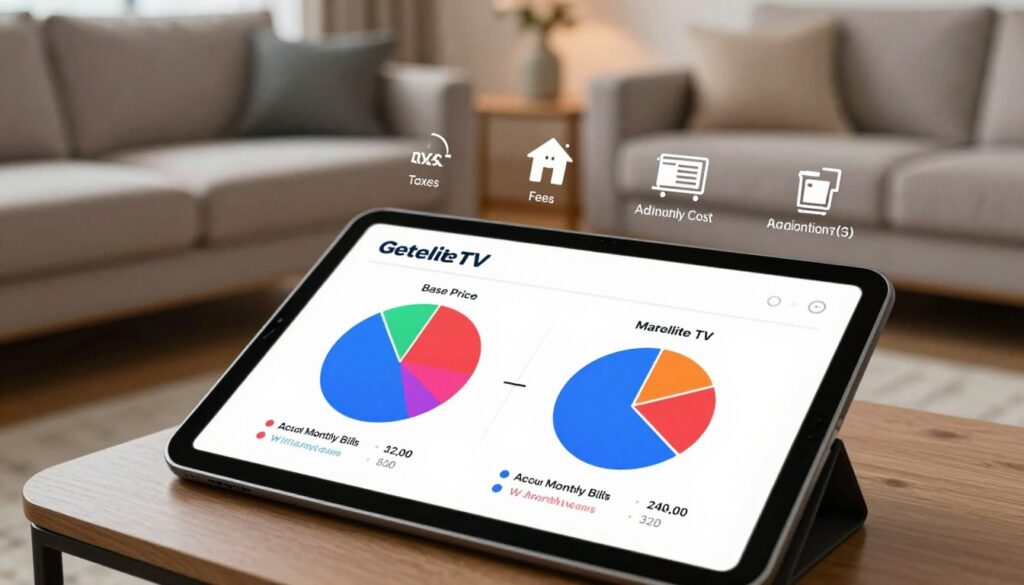
A listed base price rarely equals what you actually pay every billing cycle.
Promos and short-term discounts can mask your true monthly cost. You might see a low headline rate for a few months, then face higher bills once that period ends.
Typical ranges and what pushes them higher
Many live TV plans land in the $75–$150/month range after promos expire. Extra hardware, premium channels, and regional sports fees often raise that number.
Common surprise line items
Watch for these recurring charges that add up:
- Regional sports fees (often around $13.99) that affect local sports channels.
- Equipment rental or extra receiver costs for additional TVs.
- HD/4K add-ons and premium movie bundles—movie packages extra can be common.
- Service fees, taxes, and other account charges that appear on each bill.
How to build a true monthly plan for fair comparison
- Start with the base price shown in the ad.
- Add every recurring fee: equipment, RSN/regional sports, HD/4K, and premium channels.
- Include taxes and any automated add-ons you may accept.
- Compare that total to predictable alternatives and factor in customer support and downtime risk.
| Cost Item | Typical Range | How it adds up |
|---|---|---|
| Base monthly rate | $6.95 — $154.99 | Starting point; promos often expire |
| Regional sports fee | ~$13.99 | Affects local sports channels |
| Equipment / extra boxes | $5–$20+/mo | One per extra TV or advanced receiver |
| Premium movie bundles | $10–$25+/mo | Often makes movie packages extra |
Predictable billing matters. A single flat rate like 6.95 month makes budgeting easy and removes many surprise charges. But also check real-world support: cheap plans lose value if outages last and support is slow.
“Compare the advertised rate plus all recurring fees to know what your bank will actually see.”
For a deeper look into device-ready 4K options, see this guide to 4K IPTV providers. If you care about outdoor and niche channel packages, this roundup may help: outdoor channel options.
True annual cost: how small monthly gaps add up fast
Small monthly differences feel minor until you add them up over a year. Run the simple math and the picture gets clear quickly.
Yearly math you can do in under a minute
If a plan costs $80/month, multiply by 12 and you get $960/year. At $120/month, that becomes $1,440/year. Those totals are before taxes and recurring fees.
Compare that to a low flat rate
A low, flat option at 6.95 month is about $83.40/year. That contrast shows how small monthly gaps turn into large annual differences.
How extra cost sneaks in
Seasonal add-ons for sports packages, premium movie months, or regional fees often start “just for the season” and stay on your bill. Over a year, those add-ons can exceed the cost of a whole plan.
- Multiply monthly price by 12.
- Add predictable recurring fees you use during the year.
- Compare totals based on the channels you watch and your internet setup.
“Small monthly choices become large yearly bills — do the math before you decide.”
| Monthly | Annual (12×) | Notes |
|---|---|---|
| $80 | $960 | Base plan, no add-ons |
| $120 | $1,440 | Includes likely premiums or RSNs |
| $6.95 | $83.40 | Example low flat-rate reference |
Channels and on-demand depth: what you can watch day to day

Everyday viewing value comes down to how quickly you find news, kids’ shows, sports, or a movie without juggling apps. That ease matters more than raw counts when you want something on tonight.
GetMaxTV’s library: 19,000 live channels and 97,000+ VOD titles
19,000 live channels and 97,000 vod mean lots of international feeds, niche genres, and deep back catalogs. More VOD titles often equals fewer extra subscriptions and less app-hopping on your smart tvs.
How satellite channel lineups compare for variety, niche, and international
Traditional lineups are curated and tiered. To get niche or international content you often upgrade packages or add bundles. That can raise your monthly bill fast.
Why VOD size matters for families, bingeing, and “always something on”
Large VOD libraries help in three ways:
- Younger kids rewatch favorites without extra fees.
- Adults can binge full seasons without hunting across apps.
- Households get “always something on” without flipping services.
“Channel counts look big on paper — always verify the specific networks you need before you subscribe.”
| Feature | Internet-first option | Traditional lineups |
|---|---|---|
| Live channel scale | 19,000 live | Curated, tiered packs |
| VOD depth | 97,000+ VOD titles | Smaller on-demand catalogs; movie packages often extra |
| Device fit | Works on smart tvs and common apps | Requires receivers or app logins per provider |
For a practical checklist on choosing a service and the best options, see this guide to best IPTV subscriptions.
Sports and movies: included packages vs extra-cost add-ons
What you watch for fun — sports and films — can quietly be the biggest budget drivers. Sports lineups often sit behind extra fees, and movie bundles can turn a low monthly price into something much higher.
Why sports inflate bills
Regional sports networks (RSNs), league passes, and premium sports tiers commonly come as add-ons. An RSN fee can tack on roughly $13.99 a month in some plans.
That means two neighbors in different ZIP codes may pay different totals for the same local team due to regional rules and rights.
Included packages and what to check
GetMaxTV states it includes sports and movie packages with no extra cost, which simplifies budgeting compared to plans that charge for premium sports or movie packages.
Pre-game checklist for live sports reliability
- Test your Wi‑Fi and reboot your router a day before.
- Update the app or device firmware and try the channel early.
- Use Ethernet as a fallback if possible.
- Have one backup service listed so you don’t miss big events.
Avoid paying twice
List every service you pay for and mark which you keep only for sports or movies. Compare whether a single plan with included sports movies can replace that stack and remove duplicate channels.
| Feature | Typical add-on cost | Why it matters |
|---|---|---|
| RSN / regional fee | $10–$15/mo | Affects local team access by ZIP code |
| League pass / premium sports | $10–$30/mo | Often sold separately from base channels |
| Movie bundles | $5–$20/mo | Can be “movie packages extra” beyond base |
“Prepare your gear and verify channel access before game day to reduce avoidable problems.”
Streaming performance and picture quality: what affects buffering and clarity
Picture your living room during the big game: buffering or crisp action depends on a few simple factors.
Adaptive streaming and peak-time congestion
Adaptive bitrate streaming means the player adjusts quality up or down to keep playback going. That is why picture clarity can shift during busy hours.
Peak-time congestion is the usual cause of buffering, especially on live channels like sports or breaking news. When many people tune in, streams may drop quality to avoid pauses.
Realistic HD and 4K expectations
Not every program is produced in 4K and not every home network can sustain it. Expect HD to be common, but 4K needs steady bandwidth and a compatible source.
Devices, streams, and fixes you control
Older streaming sticks, overloaded smart tvs, and weak routers can bottleneck even fast plans. Device support matters for stable playback.
Remember that simultaneous streams use extra bandwidth. The more people watching at once, the more you need router stability.
“Use Ethernet, place the router centrally, and prefer 5 GHz or Wi‑Fi 6/6E to reduce interruptions.”
For compatible hardware, check this guide to the best devices. For tips to watch without drops, follow the simple router and wiring steps above.
Internet requirements in 2025: speeds and data you should plan for
Before you sign up, check that your home connection can handle the kind of viewing you want. A quick test now saves frustration later and helps you pick the right plan for live channels and on-demand use.
Bandwidth cheat sheet per stream
SD: around 3 Mbps.
HD: plan for 5–8 Mbps per stream.
4K: expect 16–25+ Mbps for a reliable feed.
Multi-device households: aim for headroom
If your family streams on multiple TVs, phones, or game consoles, target at least 50 Mbps+. That gives room for a few HD streams plus background tasks like video calls or downloads.
Data usage reality check
HD viewing often uses about 1–3 GB per hour. If your ISP has monthly caps or throttling, a few long games or movie nights can add up fast.
“Run a speed test at night, check Wi‑Fi in the room you watch, and confirm your router supports modern standards.”
Quick pre-subscription routine
- Run at least one speed test (evening peak) to see real-world Mbps.
- Test Wi‑Fi where you watch and try Ethernet if possible.
- Check your router age and Wi‑Fi standard (Wi‑Fi 5/6 recommended).
- Plan for worst-case: others may stream, game, or download while you watch channels.
| Use case | Recommended speed | Typical hourly data |
|---|---|---|
| Single SD stream | ~3 Mbps | ~0.5–1 GB/hr |
| Single HD stream | 5–8 Mbps | ~1–3 GB/hr |
| Single 4K stream | 16–25+ Mbps | ~7–10+ GB/hr |
| Family / multi-device | 50 Mbps+ | Varies — plan for peak overlap |
With a solid connection, you can often start watching quickly—sometimes in two minutes on instant-activation services. But weak Wi‑Fi will make even cheap plans feel slow.
For a broader look at how internet options compare, see this internet vs traditional comparison.
Devices and compatibility: start watching on what you already own
Start by checking what devices you already own—it’s the fastest way to lower upfront costs and start watching quickly.
Universal compatibility across common gear
Smart TVs, Firestick, Android phones and tablets, iOS devices, Mac, and Windows all work with many streaming services. This universal compatibility means you often avoid rental fees and extra boxes.
Hardware trade-offs for fixed-dish setups
Dish-based installs require a mounted unit and a receiver per TV. That adds installation time and recurring costs when you add rooms.
Extra receivers can be $5–$20/month each or a one-time equipment fee. Those costs add up even if you rarely use the extra channels.
Travel, multi-room viewing, and device support
Device compatibility matters for travel and busy households. IPTV-style services let you watch on many platforms and move accounts between devices.
Check how many simultaneous streams a plan allows. In a common scenario, one person watches sports on a living-room TV while another uses a tablet and a third streams VOD on a laptop—without extra boxes.
| What you own | Benefit | Why it matters |
|---|---|---|
| Smart TVs / Firestick | No new hardware | Lower upfront cost, instant setup |
| Phones / Laptops | Watch anywhere | Good for travel and second screens |
| Extra TVs | May need receiver | Can add monthly fees with fixed installs |
“Use the devices you already own to test a service before buying extra hardware.”
For a technical look at protocols and compatibility choices like m3u, Stalker, or API/XC, see this comparison: m3u, Stalker or API/XC.
Activation speed and customer support: what happens when you need help
When you need to actually watch TV tonight, activation speed and help make the difference. Time to first stream and real support affect whether you start watching right away or spend hours on hold.
Instant activation in about two minutes
Instant activation can mean paying, getting credentials, and logging in within about two minutes. In practice you receive clear steps, enter your info on a device, and confirm a channel plays.
This short flow gets you watching the same night without equipment pickups or appointments.
Why 24/7 support changes your experience
24/7 support matters because outages and login problems rarely stick to business hours. Fast help during a live event can be the difference between missing and enjoying a game.
- What support often fixes: login issues, playlist or app setup, and basic device support.
- What support can guide you through: buffering troubleshooting, router tips, and stream testing.
“When prime time hits, 24/7 help keeps you watching without long waits.”
Installation timelines and troubleshooting flow for fixed installs
Traditional installs typically need scheduled appointments, hardware swaps, and sometimes a technician visit. That adds days or weeks before full service works on every TV.
When problems arise, you may face call queues and appointment windows instead of instant fixes.
| Scenario | Internet-first services | Fixed-dish style installs |
|---|---|---|
| Time to first stream | About two minutes (instant activation) | Hours to days (appointment + install) |
| Troubleshooting | Chat/remote help and device support now | Call center, ticketing, on-site tech |
| Best for | Speed, travel, multiple devices | Sites needing hardware, installer preference |
If speed and flexible support matter to your lifestyle, activation and reliable customer support should be core selection points. For help picking portable gear that pairs with fast activation, see this travel guide: portable projector guide.
Legal and trust checklist: how to choose IPTV responsibly
Legal clarity matters: the delivery method isn’t the same as legal permission to stream. You should confirm how a provider secures rights for the channels you want before you pay.
Technology vs licensing
IPTV is a delivery technology. Whether a service is lawful depends on licensing and business practices, not on the app or player it uses.
Ask a provider to explain licensing, refunds, and how they handle complaints. If answers are vague, treat that as a red flag.
What to look for
- Clear terms: readable terms of service and refund policy.
- Upfront pricing: no surprise fees appearing after checkout.
- Responsive support: 24/7 chat or fast email response so issues get fixed.
- Real contact paths: verifiable email, phone, and support logs.
Where to start
If you want a legal IPTV subscription, consider providers that list licensing, offer a free trial, and run 24/7 support across many platforms. For a practical starting point, you can review getmaxtv offers as one example of services that advertise broad channel access, multi-device apps, and trial periods.
“Use a free trial to test peak-time performance and support responsiveness before committing.”
| Trust signal | Why it matters | Quick check |
|---|---|---|
| Terms & licensing | Shows legal footing | Readable TOS and licensing note |
| Support | Fixes outages and login problems | Response time under 24 hours |
| Trial | Lets you verify channels and performance | At least 24–48 hours of real use |
Conclusion
Pick a service that fits your household habits—setup speed, costs, and must-have channels matter most.
In plain terms: a fixed-dish install can still suit rural setups, but internet-first plans usually win for lower cost, faster setup, and flexible device support.
Compare the full monthly plan, then multiply by 12 so the real annual gap is obvious. Channel depth and VOD titles shape daily satisfaction more than a short promo.
If sports and movies included in one subscription replace multiple apps, you avoid paying twice and simplify your bill. Confirm your internet speed and a provider with reliable 24/7 support before you switch.
Key takeaways: verify must-have channels, test peak-time playback, and pick a plan with clear fees and fast instant activation.
If you want a legal IPTV subscription with instant activation, 24/7 support, and a $6.95 month option, check this offer: https://getmaxtv.com.
FAQ
What is the main difference between IPTV services like GetMaxTV and traditional satellite TV?
IPTV delivers live channels and on-demand titles over the internet, so you stream through apps on Smart TVs, Fire TV, Android, iOS, Mac, or Windows. Satellite uses a dish and receiver to bring programming to your home. That difference affects installation time, mobility, and recurring costs.
How quickly can I start watching after I subscribe?
You can often be watching in about two minutes with instant activation on IPTV. Satellite setups typically require a scheduled installation and hardware activation, which takes hours to days.
How many channels and VOD titles do I get with GetMaxTV?
The service offers large scale content—around 19,000 live channels and roughly 97,000 VOD titles—covering sports, movies, international feeds, and niche channels for broad day-to-day choice.
Are sports and movies included or extra-cost add-ons?
Many IPTV plans include sports and movie packages as part of the base offering, while satellite providers often charge separately for premium sports tiers and regional sports networks. Always check package details for big events.
What does the pricing look like compared to satellite?
IPTV headline pricing can be as low as .95 per month for a basic plan. Traditional satellite plans frequently run –0+ per month after promos, and add-ons like equipment fees and sports packages raise the true monthly cost.
Will streaming quality match satellite picture clarity?
Quality depends on your internet connection and the provider’s adaptive streaming. With sufficient speed, you can get reliable HD and even 4K. Satellite delivers consistent signal quality but lacks the flexibility of internet-based streaming.
What internet speeds do I need for good performance?
Plan for roughly 3 Mbps per SD stream, 5–8 Mbps per HD stream, and 16–25+ Mbps for 4K. For multi-device households, target at least 50 Mbps to avoid congestion during peak times.
How much data will streaming consume each month?
Data usage varies by quality. HD streaming can use several GB per hour, and 4K uses much more. If you have a monthly data cap, monitor usage or choose a plan that fits your viewing habits.
Which devices are supported for instant streaming?
Most IPTV services support a wide range: Smart TVs (Roku, Samsung, LG), Amazon Fire TV, Android TV boxes, Android and iOS phones/tablets, plus Mac and Windows. That universal compatibility makes travel and multi-room viewing easier.
How many simultaneous streams can I run?
Simultaneous stream limits vary by plan. Many providers offer multiple concurrent streams for family use; confirm the exact number with customer support before subscribing if you need several devices at once.
What kind of customer support is available?
Look for 24/7 activation and support to resolve issues fast. Round‑the‑clock help matters when you face buffering, login, or device problems, and it shortens downtime during big sports events.
Is using IPTV legal and safe?
Legality depends on licensing and the provider’s practices. Choose services with transparent terms, clear pricing, and verifiable support. A trustworthy provider will clarify content licensing and supply reliable customer service.
Are there hidden fees I should expect?
IPTV often provides predictable monthly billing, but always check for extras like premium sports packages, movie bundles, or additional simultaneous-stream upgrades. Satellite bills commonly include equipment rental, regional fees, and installation charges.
Can I watch big live events reliably on an IPTV service?
Many IPTV providers handle big events well, but you should check network reliability, peak-time performance, and whether premium sports are included or require upgrades. Fast internet and 24/7 support help ensure a smooth experience.
Is there a free trial so I can test streaming performance and channel lineups?
Some services offer a free trial or short-term access so you can test device compatibility, picture quality, and channel lineups before committing. Use the trial period to check live sports, VOD library depth, and simultaneous streaming.
How does device compatibility affect travel and watching on multiple TVs?
Broad device compatibility means you can use the same subscription on phones, tablets, laptops, and TVs while traveling. It also enables flexible multi-room viewing without extra satellite receivers.
The GetMaxTV Blog Team is a group of IPTV technology writers and cord-cutting researchers who have been reviewing streaming services since 2023. We publish independent device setup guides, troubleshooting articles, and honest service comparisons. Every tutorial on this blog is tested on real devices — Fire Stick 4K Max, Roku Ultra, Samsung Smart TV, Apple TV 4K, and Android phones. We verify every step before publishing and update our content quarterly.