
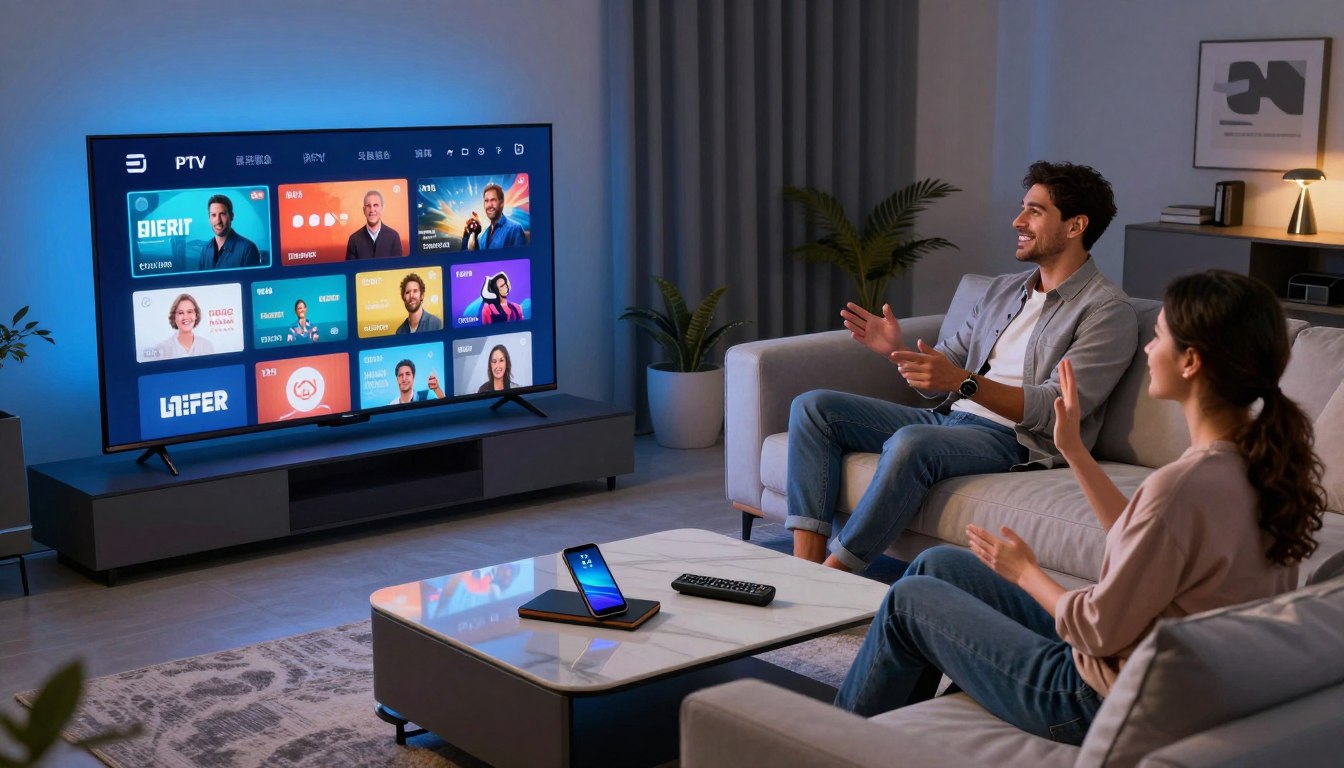
Want to know if you can cut your cable bill without losing live channels and sports? This guide helps you weigh the real cost and value of switching from traditional cable to internet-based streaming services.
You’ll learn what the term means at a high level, why people in the U.S. are moving from cable boxes to streaming, and which differences matter for legality and reliability.
We’ll compare monthly price, equipment fees, contracts, and add-ons, and show what you actually get for your money. You’ll also get a practical checklist to evaluate channel access, DVR features, live sports expectations, and device compatibility before you switch.
The guide covers risks like outages, privacy, and quality, and shares market pricing examples and trial-style offers so you can benchmark value. If you prefer a streamlined, legal streaming subscription to evaluate later, consider checking GetMaxTV’s offer for a quick trial: GetMaxTV trial details.
Key Takeaways
- Streaming can cut typical cable cost while keeping live channels and on-demand titles.
- “IPTV” covers licensed services and playlist-based providers—legality affects reliability.
- Compare monthly bill, hardware fees, contracts, and add-ons for real cost comparison.
- Check device compatibility, DVR features, and sports coverage before you switch.
- Watch for service risks like quality, outages, and privacy when shopping options.
Why you’re looking beyond Spectrum Cable right now
Rising bills and confusing bundles push many households to rethink how they get TV. You want fair value for your money and TV that fits your life, not the other way around.
Rising cable costs and package complexity
Promo pricing ends, add-ons pile up, and bundles include networks you never watch. That fuels steady monthly increases and hidden fees for equipment or regional charges.
What “cord-cutting” looks like in the United States today
Cord-cutting means replacing pay TV with internet-based services and mixing subscriptions to match what you actually watch.
“Millions of users have left traditional pay TV in recent years, choosing flexible streaming mixes.”
How your viewing habits shape the best choice
List your must-haves: local news, a few sports channels, or select networks. Then drop the rest.
If you mainly watch live sports, you pick different services than a movie binge household.
| Household type | Must-haves | Best fit |
|---|---|---|
| Sports-first | Live channels, regional networks | Packages with strong live coverage |
| Binge watcher | On-demand libraries | Streaming services with big catalogs |
| Simple live channels | Local news, basic networks | Low-cost live TV options |
How IPTV works compared to cable and satellite
Think of modern TV as data packets traveling over your home internet instead of signals from a cable line or a rooftop dish. That simple swap changes how channels arrive, how recordings work, and what affects playback quality.
What “Internet Protocol Television” means in plain English
Internet Protocol Television delivers live channels and on‑demand content over broadband. A licensed iptv service stores shows on servers and sends them when you press play, rather than routing through a managed cable network or satellite beam.
Live channels, on‑demand content, and cloud DVR
Live channels play like traditional TV but travel over the internet. On‑demand content lets you pick shows anytime from a library.
Cloud DVR records to the provider’s servers instead of a physical box in your home. That makes recorded shows available on multiple devices, but retention and simultaneous recording limits vary by provider.
Why stream quality depends on connection and provider uptime
Quality can reach HD, Full HD, or 4K if your connection and the provider’s infrastructure support it.
- EPG (electronic program guide) helps you browse live programming much like cable.
- “Uptime” means the provider’s servers are running; low uptime causes buffering or channel dropouts.
- Your router, Wi‑Fi strength, and using Ethernet on main TVs directly affect stability.
If reliability matters most, favor licensed services with strong networks and good uptime guarantees. That approach balances cost and everyday viewing expectations so you get the channels and quality you need.
iptv spectrum alternative: what you gain and what you give up
A streaming-first setup can change how you watch live TV. You often get broader lineups, remote access around the world, and the freedom to use multiple devices without renting boxes.
Potential advantages: more channels, global access, and flexible streaming
More channels and choices. Many services offer larger international lineups, niche networks, and on-demand libraries at lower monthly cost.
Multi-device access. You can watch on phones, smart TVs, and streaming sticks with one account.
Potential tradeoffs: local network availability and reliability differences
Local networks and news may be limited. Some providers don’t carry every local affiliate, which affects live news and regional sports.
Reliability varies. Cable-style consistency can beat internet streams during peak hours or outages.
Why legality matters more in the present market
Trust and licensing protect your viewing experience. Unlicensed services risk shutdowns, sudden outages, and legal trouble for users.
Prioritize providers that clearly state licensing, billing, and support policies. Next, we’ll compare real costs and features so you can make an informed choice.
| Gain | Typical impact | What to check |
|---|---|---|
| Broader lineups | More international and niche channels | Channel list and device apps |
| Multi-device use | Watch on phones, TVs, tablets | Simultaneous streams and app stability |
| Cost savings | Lower monthly fees possible | Billing transparency and trial policy |
Cost comparison: Spectrum Cable vs IPTV services

Compare what you pay today on a cable bill to the real monthly expense of streaming services and playlist-style plans. This helps you decide if a move saves money without losing the channels and live sports you value.
What you’re really paying for with cable
Typical bills bundle a base plan, broadcast and RSN fees, taxes, and equipment rentals for set-top boxes or DVRs. Add-ons and regional fees push the total well above the advertised promo.
Cable convenience buys stable delivery, local channels, one monthly bill, and in-home support — all part of the value equation.
Typical IPTV pricing tiers
- Free ad-supported services (Pluto TV, Roku Channel, Xumo, Plex).
- Budget live TV and mid-tier subscriptions around $30–$50.
- Premium legal services often run $50–$100+ for full lineups and better quality.
How to compare price-to-value
Match what you pay to the channels you use, must-have sports coverage, DVR needs, and device support. Thousands of channels mean little if you watch 25 and a handful of events.
Example: playlist-style pricing snapshot
| Plan | Price | Note |
|---|---|---|
| 24‑hour trial | $3 | Short test window |
| Monthly | $14 | Budget option |
| 3 months | $29 | Pay less per month |
| 6 months | $49 | Mid-term value |
| 12 months | $75 | Yearly savings |
| Lifetime | $230 | One-time subscription |
Note: Playlist-style pricing can look attractive, but your risk profile for legality and reliability changes. Learn how to spot red flags in later sections or read a practical streaming vs cable budget guide.
What to compare before you switch: features that affect your daily experience
Make a short inventory first. List the channels, networks, and shows you watch most. Use that list as your test plan when trying any new service.
Channel lineup and networks you actually watch
Verify real inclusion: confirm those channels are in the package, not marked “sometimes available.” Local news and regional sports networks often decide a switch.
Live sports and event coverage expectations
Big events stress every platform. Check who owns rights for your teams and test during similar live windows whenever possible.
On-demand libraries for movies, series, and shows
Look for updated catalogs, easy search, and true VOD access—not just a long uncurated list.
EPG, catch-up TV, and recording options
Know whether recordings are cloud-based, how long catch-up lasts, and simultaneous recording limits.
Simultaneous streams and device access
Match simultaneous streams to household size. Confirm apps work on your phones, smart TVs, and other devices.
Customer support and trial/refund policies
Test response speed, live chat availability, and clear refund rules. Use trials to watch your top channels at the times you usually view.
“Always run a trial and watch the channels you depend on at peak times; that tells you more than channel counts.”
| Check | Why it matters | Quick test |
|---|---|---|
| Channel list | Ensures your everyday viewing | Scan and watch 3 favorites |
| Sports coverage | Rights affect event access | Stream a live game in trial |
| EPG & DVR | Replaces cable recording | Schedule and play a recording |
| Devices & streams | Family sharing needs | Play on two devices at once |
| Support & refund | Fixes and returns matter | Contact support and time response |
Device compatibility checklist for Smart TVs and streaming devices

Not all devices deliver the same speed or app support, so your choice affects daily viewing more than you think. Start with a few quick checks before you subscribe or buy hardware.
Best experiences on built-in Smart platforms vs dedicated players
Dedicated streaming devices often feel faster and get updates longer than built-in tvs. They usually boot quicker, switch channels faster, and avoid vendor bloat.
Compatibility rundown
- Fire TV & Android TV: Broad player support and flexible app installs.
- Apple TV & Roku: Strong official app libraries and stable, licensed services.
- Phones & computers: Great for testing before committing; handy for travel.
App quality, updates, and sideloading risks
Confirm official app store presence, check recent update dates, and read a few reviews. Sideloading means installing unofficial apps and can introduce security or malware risks.
Mini-checklist before you buy:
- Remote-friendly UI and fast channel switching
- EPG support and clear login method
- Multi-device sign-in and household limits
Match your pick to kids, shared viewing, and how many screens you need. For a guide to top models, see the best smart TVs for streaming.
Streaming quality: HD, Full HD, and 4K realities
Picture watching your favorite game in crisp detail — but only if your connection and the provider hold up.
What 4K claims often mean
HD, Full HD, and 4K refer to resolution, but marketing labels don’t ensure constant resolution. A service may upscale a feed or switch quality based on bandwidth. Expect peaks of true 4K only when both the provider and your connection support it.
Common causes of buffering
- Wi‑Fi interference or weak signal in the room where you watch.
- ISP congestion during prime time, which slows your throughput.
- Provider server load — many viewers at once can cause drop in quality.
How to validate quality during a trial
Test like you live: pick your top 10 channels and watch them at prime time. Check channel switching speed and stream stability during a full live event.
Quality checkpoints: listen for audio sync issues, watch for frame drops or stuttering in action scenes, and note whether the stream holds through commercials and transitions.
Test on your main living-room TV and on a phone or tablet so you evaluate real-device performance. For a roundup of reliable options, see this list of best live TV services, or consult a concise setup guide like this setup guide for Apple TV 4K.
Bottom line: cheaper monthly price loses value if streams buffer during the events you care about. Verify uptime and test during peak time to protect your viewing experience.
Legal IPTV vs unlicensed IPTV in the United States
Not all streaming providers play by the same rules — that difference matters for your viewing and your wallet.
What “licensed” means and why it protects you
Licensed means a service has formal rights agreements to distribute the channels and content it offers. That makes shutdowns rare, support predictable, and billing transparent.
Why enforcement is rising and what it means for users
Rapid market growth ($72.24B in 2020 to a projected $194.21B by 2026) attracts bad actors. Broadcasters and governments now push back.
“Crackdowns in Europe and UK arrests show consequences are real.”
That activity increases risk for users: sudden service loss, no refunds, and interrupted access to favorite channels.
Common red flags to watch for
- Crypto‑only payment or no clear company identity.
- Impossible channel counts or extremely low price for big lineups.
- No terms, no refund policy, and constant domain switching.
Bottom line: If a deal looks too good, you often trade legality and stability for a lower monthly price. Next, learn about safety and privacy risks, including malware and data theft.
For tips on securing your connection before trying any new service, see secure your connection.
Safety and privacy risks you should understand before buying
Security and stability matter as much as channel counts when you shop for streaming. Know the real risks so you can pick a service that saves money without costing privacy or reliability.
Service shutdowns and no-refund scenarios
Unlicensed services can disappear overnight. When a provider vanishes, you may lose access and get no refund.
Always read refund and refund policy terms before you pay. Traceable payments and clear company info reduce this risk.
Malware, data theft, and risky apps
Unofficial apps and “loaded” devices often carry malware or steal credentials. That harms your devices and payment details.
Stick to apps in official stores and avoid unknown APKs. Keep device OS updates current and limit app permissions.
Why a VPN helps privacy but not legality
A VPN hides traffic from your ISP and boosts privacy for users. It does not make illegal streaming legal or protect against copyright enforcement.
Choose traceable providers, read terms, and test channels during a trial. Your goal is a cheap option that keeps service, security, and viewing quality intact.
| Risk | What to check | Practical step |
|---|---|---|
| Shutdowns | Refund policy, company identity | Pay with traceable cards; test short trial |
| Malware | App origin, update history | Use official app stores; avoid unknown APKs |
| Data theft | Payment methods, contact info | Use limited cards; monitor statements |
| Legal risk | Licensing statements, rights claims | Prefer licensed services; VPN only for privacy |
Best legal IPTV-style live TV services that compete with Spectrum
Not all live TV services are built the same; pick one that matches your viewing habits and device setup.
YouTube TV — full lineup and reliable DVR
Who it’s for: households that want a cable-like lineup and minimal fuss.
What you get: broad channel coverage, strong news and regional networks, and an unlimited cloud DVR.
What you miss: price is higher than budget plans, but quality and uptime are top‑tier.
fuboTV — when live sports lead your nights
Who it’s for: sports fans and those who tune in for live events.
What you get: deep sports networks, event coverage, and solid streaming quality on supported devices.
What you miss: less emphasis on low-cost entertainment bundles; pricing reflects sports focus.
Hulu + Live TV — live channels with a large on-demand library
Who it’s for: viewers who want live channels and a strong movies and series catalog in one app.
What you get: combined live and on‑demand access, useful for mixed households.
What you miss: cloud DVR limits vary by plan; check pricing and add-ons before you commit.
Sling TV — build a package and control pricing
Who it’s for: budget-minded users who want to pick and choose channels.
What you get: modular packages, low entry pricing, and many optional add-ons.
What you miss: fewer simultaneous streams and a less cable-like total lineup without add-ons.
DirecTV Stream — a traditional cable replacement feel
Who it’s for: people who want the most familiar channel lineup and network reach.
What you get: broad networks, packages that mimic cable tiers, and strong device support.
What you miss: pricing and bundles can approach traditional cable costs for full lineups.
Philo — low-cost entertainment without sports
Who it’s for: viewers who value entertainment and lifestyle channels over sports.
What you get: very low subscription pricing and a focused channel mix for movies, shows, and lifestyle content.
What you miss: no sports networks and limited news coverage.
“Match your must-have channels and devices, then test a short trial to confirm picture quality and channel access.”
| Service | Strength | Best for |
|---|---|---|
| YouTube TV | Lineup & DVR | Families wanting “it just works” |
| fuboTV | Sports coverage | Live sports viewers |
| Hulu + Live TV | On-demand bundle | Mixed live & streaming libraries |
| Sling TV | Flexible packages | Budget control |
| DirecTV Stream | Cable-like feel | Traditional channel fans |
| Philo | Low cost | Entertainment-only viewers |
Final tip: list your must-have networks and try the service during peak hours. If you want a quick comparison of licensed options, see this top services list.
Best free legal options to reduce your monthly bill
Mixing free services with a small paid plan is a low-risk way to cut costs and keep the channels you watch most. You replace background viewing and casual channels with ad-supported content, then add a targeted subscription for must-have live sports or local networks.
Pluto TV: ad-supported live channels and on-demand titles
Pluto TV offers a large set of curated live channels and on-demand movies and shows. It’s great for genre surfing, quick movie nights, and catching themed channels without any pricing or signup barriers.
The Roku Channel, Xumo Play, and Plex Live TV as add-on choices
The Roku Channel, Xumo Play, and Plex Live TV work well as complements. If you already use these devices or apps, adding them costs nothing and expands your access to free channels and VOD content.
Set realistic expectations: you won’t get every local news affiliate or major sports rights from free services alone. But you can cover a lot of entertainment for no cost.
Bundling examples: pair Pluto TV and The Roku Channel with a low-cost paid plan like Sling or Philo to fill gaps in sports or local coverage.
“Use favorites and watchlists to keep your home screen tidy; that simple step helps you actually use free options and lowers your paid bill.”
- How free services lower bills: replace casual viewing and reduce hours on paid plans.
- Usability tips: create favorites, maintain a short watchlist, and test channels at peak times.
- Practical mix: free services + small paid package = broad channels and better overall experience.
Premium playlist-based IPTV services: what you should know before considering them
Playlist-style services deliver large channel lists and VOD catalogs by giving you a playlist or login that you load into a player app on your devices. That setup can look very attractive on price, but it comes with tradeoffs you should weigh before subscribing.
Why “channel counts” and VOD libraries can be misleading
High channel totals don’t guarantee value. Many listings include duplicates, inactive feeds, or regional channels you can’t reliably watch. A huge VOD library can be poorly labeled or outdated, so you may spend time hunting content that isn’t actually available.
Common formats and apps you’ll see: M3U, Xtream, EPG players
Playlist-based providers often use M3U or Xtream URLs that you paste into an app. EPG-capable players add a guide view, but guide mismatches and broken EPG links are common.
Realistic expectations for sports and major events during peak demand
Live sports and big events expose weak infrastructure. During peak demand you may see buffering, lower quality, or dropped streams. If sports are a must, verify event performance in a trial at the same time you typically watch.
Example feature set and pricing structure seen in the market
Many market offerings advertise EPG, parental controls, 24/7 support, and tiered pricing. A common snapshot you’ll see: a cheap trial ($3), a low monthly plan ($14), a yearly price ($75), and a one-time lifetime option (~$230). Compare those numbers to licensed services and factor in legal and reliability risk.
Clear caution: legal status varies widely. In the U.S., verify licensing, check refund policies, and prefer traceable payment methods before you pay.
Spectrum TV App and hybrid setups if you want a middle-ground option
Many households choose a mixed approach: keep the internet, simplify hardware, and add focused streaming services for sports and movies.
When the app makes sense
When Spectrum’s streaming app makes sense for your household
If you want fewer set‑top boxes and a single billing relationship, using your ISP’s TV app can be a simple compromise.
The app is a good option when local networks and live channels you rely on are included and you prefer built‑in support from the same provider.
Hybrid strategy: keep internet, replace TV, and add targeted sports or movies
Hybrid setups let you keep fast broadband while moving TV to streaming services that match your viewing habits.
Use one live TV service for core channels, then add a sports or movies subscription only for nights you need them.
A simple migration plan that minimizes downtime
Confirm your internet speed first and pick the replacement service to test on your main TV.
Run a one‑month overlap: keep the old service while you test channels at peak times.
After you validate must‑have channels, cancel the cable package and keep your internet plan in place.
Practical tips to avoid friction
- Overlap billing for one month to prevent service gaps.
- Set up profiles and favorites so family members find channels fast.
- Teach basic navigation and channel shortcuts before the switch day.
Where GetMaxTV fits if you want a streamlined subscription experience
If you’re exploring a legal IPTV‑style service for a cable‑like lineup without boxes, consider a trial to check live channels and sports performance.
If you want to compare a legal subscription option, you can review GetMaxTV’s offer here: https://getmaxtv.com.
“Test everything on your main TV during peak times; that tells you more than channel counts.”
Conclusion
Your best TV choice depends on what you actually watch, how much you want to pay, and how reliable you need your service to be.
Focus on the essentials: monthly cost, the specific channels you use, DVR/EPG features, device compatibility, and real-world quality at peak times.
Legality and uptime matter more than flashy channel counts. Licensed services reduce disruption and protect your access to live channels and sports.
Take a low‑risk path: run short trials, verify must‑have feeds during peak hours, and mix free legal live TV with a focused paid subscription to lower cost without losing content.
If you want a legal subscription to test, check GetMaxTV’s current offer and read the VOD setup details here: VOD guide.
FAQ
What are the main cost differences between Spectrum cable and streaming live channels?
You’ll usually pay more for a traditional cable bundle because it includes equipment fees, regional sports packages, and local network carriage. Streaming services and playlist-style offerings often break pricing into tiers — basic live channels, sports add-ons, and premium movie packages — so you can pick only the content you want and often save on monthly bills.
Why might you be looking beyond Spectrum Cable right now?
Rising cable costs and complicated bundles push many people to consider other options. If you want more flexible channel choice, easier device compatibility with Smart TVs and streaming sticks, or lower monthly cost for sports and on-demand shows, exploring live streaming and app-based services makes sense.
What does “cord-cutting” look like in the United States today?
Cord-cutting usually means replacing a cable or satellite subscription with a mix of streaming apps, live TV services, and free ad-supported channels. You’ll often combine a live TV service for sports and news with on-demand apps for movies and series to match your viewing habits.
How does Internet Protocol Television work compared to cable and satellite?
In plain terms, internet-delivered TV sends video over your broadband connection instead of dedicated coax or satellite signals. That lets you stream live channels, on-demand libraries, and cloud DVR to many devices, but stream quality depends on your internet speed and the provider’s server uptime.
How do live channels, on-demand content, and cloud DVR differ?
Live channels mirror traditional broadcasts in real time. On-demand libraries let you watch movies and full seasons whenever you want. Cloud DVR records live shows to a remote server so you can play them back later without needing local storage on your device.
What do you gain and give up when switching from cable to streaming services?
You may gain flexible pricing, global access to channels, and better device support for Smart TVs and phones. You might give up guaranteed local network availability, consistent reliability during big live events, and some of the convenience of bundled cable packages.
How important is legality when choosing a playlist-based or premium live service?
Legal licensing matters because licensed services offer stable access, predictable billing, and fewer shutdown risks. Unlicensed providers can disappear overnight, leaving you without channels or refunds — and they may expose you to privacy and legal risks.
What are typical pricing tiers from free to premium for live streaming?
Free options provide ad-supported live channels and limited on-demand titles. Mid-tier services offer broader channel lineups, cloud DVR, and some sports. Premium tiers add national sports packages, 4K streams, and larger on-demand libraries. Compare channels, sports access, and DVR to judge value.
How should you compare price-to-value using channels, sports, and DVR?
List the networks and sports you regularly watch, then check which services include them, how many simultaneous streams you need, and if cloud DVR is included. Factor in device compatibility for your Smart TV or streaming stick to avoid hidden costs for equipment or apps.
What device compatibility should you check before switching?
Confirm support for your Smart TV brand, Fire TV, Android TV, Apple TV, Roku, and mobile devices. App quality, update frequency, and official store availability matter — sideloading unofficial apps risks malware and poor performance.
How do HD, Full HD, and 4K claims translate to real-world quality?
“4K” can require higher bandwidth and depends on the provider’s encoder and your connection. Peak-time congestion or provider limitations can drop streams to HD or lower. Test streams during a trial to confirm actual resolution, bitrate, and stability.
What signs indicate a legal vs unlicensed service in the United States?
Licensed services display official network logos, clear billing via major payment processors, and proper content rights. Red flags include crypto-only billing, impossibly large channel counts for low prices, and apps distributed only outside official app stores.
What safety and privacy risks should you watch for?
Unofficial apps and rogue providers can carry malware, collect data without consent, or vanish without refunds. A VPN protects privacy but doesn’t legalize unlicensed streaming. Choose trusted services and review refund and trial policies first.
Which legal live TV services compete well with Spectrum?
YouTube TV, fuboTV, Hulu + Live TV, Sling TV, DirecTV Stream, and Philo each target different needs — full cable-like lineups, sports focus, bundled on-demand content, or budget entertainment. Compare channel lineups, DVR, device support, and price to choose what fits your household.
Are there free legal options to lower my monthly bill?
Yes. Pluto TV, The Roku Channel, Xumo Play, and Plex Live TV offer ad-supported live channels and on-demand titles that can cut costs when paired with a targeted live subscription for sports or news.
What should you know about playlist-based premium services before considering them?
Channel counts and VOD libraries can be misleading. Formats like M3U and Xtream vary by app support. Expect limitations for major live sports during peak demand and verify reliability, refund policies, and realistic pricing before subscribing.
When does Spectrum’s TV app make sense as a middle ground?
If you want to keep a home internet plan with familiar local channels and pay-per-view access, Spectrum’s app can be a hybrid option. You might keep internet from Spectrum, replace a separate cable box, and add targeted streaming for sports or movies.
How can you migrate with minimal downtime?
Plan by listing must-have channels, test services with free trials, export recordings if possible, and set up apps on all your devices before canceling cable. Schedule the cutover outside major events to avoid missing live sports or shows.
How do you test streaming quality during a trial?
Stream live events and on-demand movies at different times of day, check resolution and buffering on your Smart TV and phone, and test simultaneous streams. Confirm cloud DVR behavior and how quickly you can resume playback after pauses or rewinds.
The GetMaxTV Blog Team is a group of IPTV technology writers and cord-cutting researchers who have been reviewing streaming services since 2023. We publish independent device setup guides, troubleshooting articles, and honest service comparisons. Every tutorial on this blog is tested on real devices — Fire Stick 4K Max, Roku Ultra, Samsung Smart TV, Apple TV 4K, and Android phones. We verify every step before publishing and update our content quarterly.