
Can your TV finally sound like a movie theater without blowing your budget?
You deserve cinematic, room‑filling sound that just works. This guide shows how to pair an IPTV service and Sonos gear so your dialogue, explosions, and music stay tight and natural.
We’ll explain why dedicated Sonos soundbar models (Ray, Beam Gen 2, Arc, Arc Ultra) are the best choice for TV audio and how HDMI ARC/eARC delivers stable volume control and Dolby Atmos when your hardware supports it.
Along the way, you’ll see how to avoid common audio lag and thin sound, how Era speakers shine as surrounds rather than direct TV outputs, and how a simple setup can transform your viewing experience.
Ready to cut costs while expanding your channels and VOD library? Learn more and follow a step‑by‑step path that gets you watching in minutes, backed by 24/7 support and an easy activation on the official help page.
Key Takeaways
- Use a Sonos soundbar for the most reliable TV audio and HDMI ARC/eARC for volume control and Dolby Atmos.
- Avoid using Era models as primary TV speakers; they work best as rear surrounds.
- Follow a clear setup to prevent audio lag and thin sound, ensuring a cinematic experience.
- GetMaxTV offers vast channels and VOD at a low monthly price, with instant activation and 24/7 support.
- This guide gives a step‑by‑step plan so you can match your speakers and streaming service with confidence.
Why your IPTV audio doesn’t always match your Sonos potential—and how GetMaxTV makes it easy
Many setups fail at the app layer, not the speakers. A player that forces stereo or ignores system routing can ruin a movie night even when your soundbar and speakers are capable.
Common causes include apps that override device settings, content that only has stereo tracks, and custom players on Apple TV that bypass AirPlay. Netflix and other services also lock Dolby Atmos behind plan and playback choices.
The easy path
GetMaxTV removes the guesswork. You get 19,000+ channels and 97,000+ VOD for $6.95/month, instant activation, no contract, and 24/7 support. Pick your device, install an app that respects system audio, and connect your soundbar and speakers. Done.
- Some apps force stereo; choose a player that routes correctly.
- Confirm the content track — “5.1” in settings isn’t proof of multichannel audio.
- If you use an era 100, position it as a surround, not the main TV speaker.
This option keeps you streaming and fixes output conflicts so your listening experience finally matches your hardware.
IPTV with sonos setup: Fire TV, Apple TV, and HDMI ARC/eARC
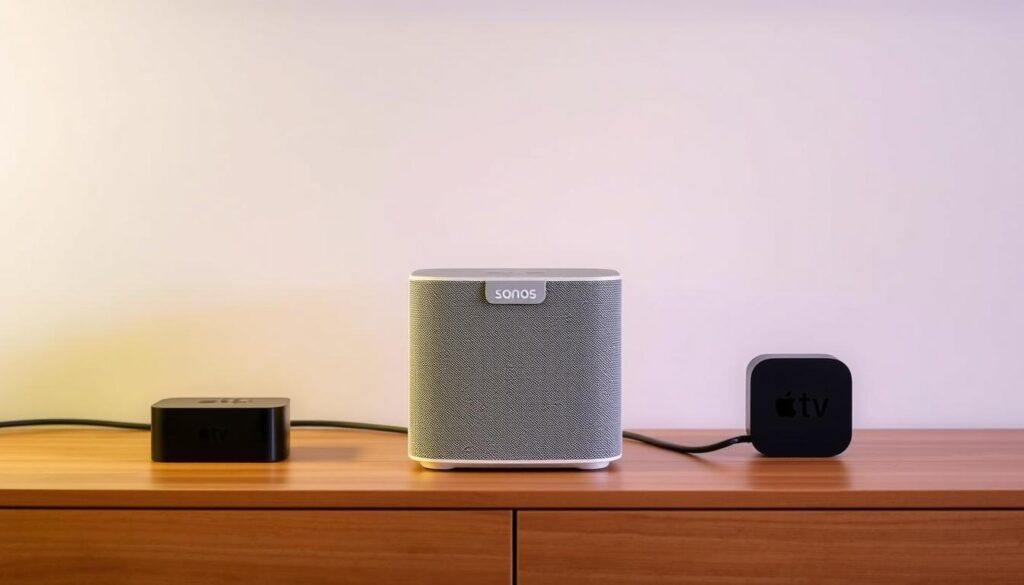
A reliable chain keeps audio, video, and controls working together. Follow the best-practice audio chain: run your iptv app on a streaming device, send video to the TV, and return multichannel audio over HDMI ARC/eARC to your soundbar.
Fire TV tips: check audio settings for DD+/5.1 on your device and in the app. Many iptv app streams still deliver stereo even when your device shows “5.1.” If that happens, try a different player that passes multichannel tracks cleanly.
Apple TV and era 100 speakers: prefer apps that use Apple’s system player so audio routes to AirPlay and your era 100 speakers. If an app bypasses system audio, swap to one that respects AirPlay output to avoid thin sound.
Soundbar, ARC/eARC, and workarounds
Use a Beam Gen 2 or Arc soundbar via HDMI ARC/eARC to unlock Dolby Atmos and let your TV remote control volume via HDMI‑CEC. If your display lacks ARC/eARC, an HDMI ARC injector is a practical option to add the needed port without replacing the TV.
| Device | Best audio path | Common issue |
|---|---|---|
| Firestick / Fire TV | App → device → TV → HDMI ARC/eARC | App may force stereo |
| Apple TV | System player → AirPlay → era 100 speakers | Third‑party apps may bypass system audio |
| No ARC port | Add ARC injector / extractor | Requires extra adapter but keeps Atmos |
What not to rely on: era 100 line‑in or via bluetooth for primary TV audio. Expect ~75ms latency, so use those speakers as surrounds, not the main speaker. For universal compatibility, GetMaxTV works on Firestick, Smart TV, Android, Mac, and Windows—pick the device you prefer and match app and setting choices to your room.
Troubleshooting audio formats, lip-sync, and app-specific issues
Start troubleshooting by confirming whether the stream actually includes multichannel audio or just stereo. That saves time and avoids needless gear changes.
DD 5.1 vs DD+ 2.0
Some streams report DD 5.1 but deliver DD+ 2.0 or stereo. Check the player’s audio badge and test a known multichannel title.
Netflix, Prime, and playback prerequisites
Netflix often needs Premium, the original language track, and Playback set to High to enable Dolby Atmos. Confirm those before blaming your speaker chain.
When an app forces stereo
If an iptv app forces stereo, switch to a version that uses the platform’s native player or AirPlay output on Apple devices. Many users fix routing by trying a different app.
Fine-tuning Apple TV and Fire TV
On Fire TV, verify Audio settings for DD+/5.1. On Apple TV, prefer apps that respect system audio so era 100 speakers and surrounds work correctly.
- Prefer ARC/eARC over via bluetooth to prevent ~75ms lip‑sync delay.
- Run Trueplay, use Wi‑Fi for stability, and keep your ARC/eARC port prioritized.
- If you still have an issue, test a known Atmos/5.1 title and check output in the Sonos app or soundbar menu.
If this guide doesn’t fix it, GetMaxTV’s 24/7 support can troubleshoot your device, app, and playback details fast.
For lip‑sync causes and fixes, see a concise primer on lip‑sync errors and practical steps in this sync troubleshooting guide.
Conclusion
The simplest way to secure great theater‑style sound is to match your device, player, and speaker roles correctly.
Do this and your speakers will deliver clear dialogue, deep impact, and balanced music every time. Treat your soundbar as the primary speaker and use rear units as surrounds for best results.
GetMaxTV pairs this setup with unbeatable value: 19,000+ live channels and 97,000+ VOD for just $6.95/month, no contract, instant activation, and 24/7 support.
Ready to subscribe now? Visit the official page at https://getmaxtv.com/ and start streaming in minutes. Prefer to test first? Message support on WhatsApp for a free trial at +1 (613) 902‑8620.
FAQ
Why does my IPTV audio sometimes sound worse than expected on my Sonos gear?
Many streaming apps downmix multichannel tracks to stereo or use low-bitrate streams. Check your app’s audio output setting, use a player that preserves the original track, and route audio through HDMI ARC/eARC to your soundbar for the best result. Also confirm the content actually includes Dolby Atmos or 5.1 rather than only stereo.
How should you chain devices for optimal audio: app, streaming device, TV, and Sonos?
The best-practice chain is app on your streaming device (Fire TV, Apple TV, Smart TV) → TV via HDMI ARC/eARC → Sonos soundbar. This preserves multichannel formats, enables Dolby Atmos when supported, and keeps lip-sync tight. If your TV or player supports passthrough, enable it in settings.
Can I use Fire TV with Sonos Beam, Arc, or Ray and get 5.1 or Atmos?
Yes. Set Fire TV audio to Dolby Digital Plus or passthrough where available, enable Dolby Atmos on supported apps and content, and connect via HDMI ARC/eARC. Note that some third-party apps force stereo, so you may need an alternative IPTV app or player that honors device audio capabilities.
How does Apple TV work with Era 100 speakers and AirPlay compared to using an app?
Apple TV can output multichannel to a compatible soundbar, but portable Era 100 speakers over AirPlay often receive stereo audio only. Use AirPlay for music and casting, but prefer the Apple TV app or a native player that respects the TV’s HDMI ARC/eARC chain for full TV audio and surround formats.
Will a Sonos soundbar support Dolby Atmos and let me use my TV remote?
Sonos Arc supports Dolby Atmos when connected via eARC to a TV that sends Atmos. HDMI CEC typically lets your TV remote control volume and basic playback. Ensure eARC is enabled in the TV settings and that the streaming app outputs Atmos-capable audio.
What if my display doesn’t have ARC or eARC — is there a workaround?
Yes. Use an HDMI audio extractor or ARC injector that supports Dolby Digital passthrough. Those devices can take HDMI input from your player, extract audio to optical or ARC-enabled output, and route sound to your Sonos soundbar. Choose a model that supports the formats you need.
Can I rely on Era 100 line-in or Bluetooth for TV audio?
Portable speakers like Era 100 work well for music, but they introduce latency and usually deliver stereo only over Bluetooth. For TV and movie playback, you’ll get far better sync and surround support by using a soundbar connected via ARC/eARC.
Are Firestick, Smart TV, Android, Mac, and Windows all compatible with GetMaxTV?
GetMaxTV supports a wide range of devices, including Fire TV, Android boxes, Apple devices, Mac, and Windows. Compatibility varies by app version and player; choose the platform that allows native audio passthrough or AirPlay for the best experience with your speaker system.
How do I confirm whether content actually contains Dolby Digital Plus or true 5.1?
Look for audio info within the app or player metadata, or check the content’s technical details before playback. Your player or TV may display the active audio format during playback. If it shows stereo, the stream likely doesn’t include multichannel audio.
Why do Netflix and Prime sometimes not output Atmos even with a good setup?
Both services require the right subscription tier, supported devices, and compatible content. Also ensure your TV and soundbar negotiate Atmos via eARC. If any link in the chain uses stereo-only output or the app restricts passthrough, Atmos won’t activate.
What should you do if an app forces stereo audio on your system?
Try using an alternate IPTV app or a player that uses the platform’s native audio pipeline. On Apple devices, prefer AirPlay-compatible players that honor system audio. On Fire TV, pick apps that support Dolby Digital Plus passthrough.
How can you fine-tune Apple TV and Fire TV output settings for best results?
On Apple TV, set audio format to Auto and enable passthrough where available. On Fire TV, choose Dolby Digital Plus or Auto for audio output and turn on passthrough for multichannel formats. Also select the original language track and highest quality playback option in app settings.
How do you prevent audio lag and keep lip-sync accurate?
Prefer HDMI ARC/eARC over Bluetooth, ensure your TV’s audio delay (lip-sync) is set to zero or adjusted to match, and avoid routing sound through multiple converters. Wi‑Fi-connected speakers provide better stability than Bluetooth for streaming setups.
What role does room tuning and network stability play in audio quality?
Room tuning tools like Trueplay optimize speaker sound for your space. Use stable Wi‑Fi for Sonos speakers rather than Bluetooth, keep your router and devices updated, and prioritize HDMI ARC/eARC ports on the TV to reduce dropouts and sync problems.
Where can you get support or help with channel, playback, or app-specific issues?
Check the app’s support pages, consult Sonos help for speaker and soundbar setup, and look for device-specific guides for Fire TV or Apple TV. If playback issues persist, test another app or player, try different HDMI ports, and contact GetMaxTV support for account or stream troubleshooting.

The GetMaxTV Blog Team is a group of IPTV technology writers and cord-cutting researchers who have been reviewing streaming services since 2023. We publish independent device setup guides, troubleshooting articles, and honest service comparisons. Every tutorial on this blog is tested on real devices — Fire Stick 4K Max, Roku Ultra, Samsung Smart TV, Apple TV 4K, and Android phones. We verify every step before publishing and update our content quarterly.