
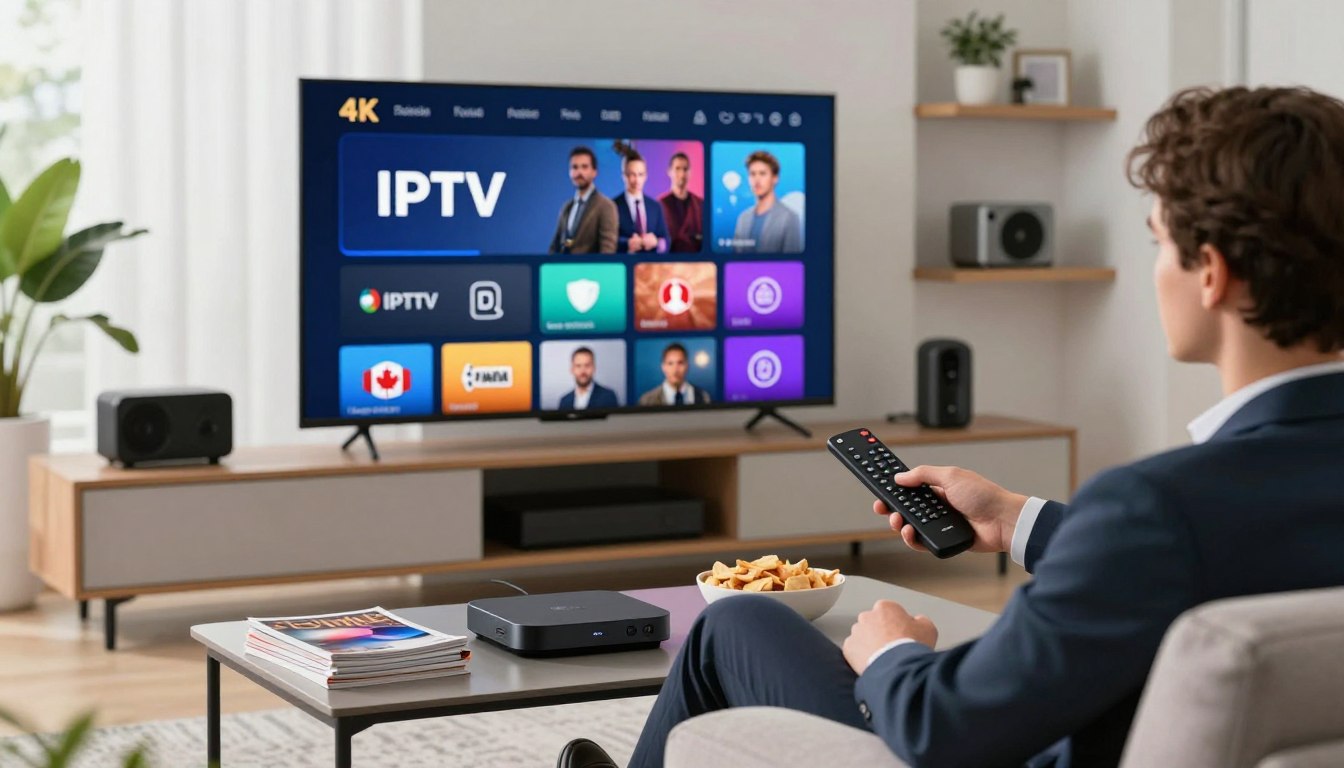
Curious whether that “4K” subscription will actually deliver smooth streaming in your living room? You’re about to learn what the provider won’t advertise and what you must check before you buy.
Instant activation often promises 2–10 minutes, but real-world playback depends on more than a seller’s claim. Confirm your internet speed, the decoding power of your devices, and the player app’s settings before you commit.
This guide sets clear expectations: you’ll get an expert walkthrough of how IPTV works, which devices support it, and the setup path you’ll follow — device → player app → playlist/login → EPG → quality tuning. We’ll also compare content library, channels, sports/PPV, reliability, customer support, and pricing transparency.
Trust first: activation times and playback stability vary by provider and home network, so use a checklist approach. For router and mesh tips that help keep streams stable across rooms, see the Deco X55 mesh guide linked in context here.
Key Takeaways
- Verify internet speed and device decoding before buying a subscription.
- “4K” depends on network, device, and player settings as much as the service.
- You’ll follow a clear setup path: device, app, playlist, EPG, tuning.
- Compare library, reliability, support, and pricing transparency.
- Use a checklist approach rather than marketing claims to avoid buffering.
Why 4K IPTV Is Replacing Traditional Cable for Many Viewers
If you want more control over where and how you watch, streaming services have become a popular alternative to cable. You gain portability, flexible plans, and a wider content catalog without being tied to a single box or address.
What you gain versus traditional cable
You get fewer long contracts and more viewing options across devices. That means you can watch on a phone, tablet, laptop, or a second TV without a dedicated box.
What “4K” really means for streaming
4K implies higher resolution, but perceived quality depends on bitrate, compression, and connection stability. Two 4K streams can look different if one uses aggressive compression or low bitrate.
| Aspect | Cable | Streaming |
|---|---|---|
| Device access | One box per address | Multiple devices, mobile friendly |
| Content variety | Local channels + pay packs | International channels, VOD, niche content |
| Flexibility | Fixed plans, contracts | Month-to-month or trials |
Who benefits most: sports fans, frequent travelers, families with many devices, and anyone wanting broader content access.
abonnement iptv 4k canada: What You Need Before You Buy
Before you click Buy, make sure your home setup can actually handle high-resolution streaming.
Internet requirements for smooth 4K streaming and fewer buffering issues
Run a realistic speed test during peak hours. You want steady throughput, not just a high peak number.
Speed vs. stability: speed shows capacity. Stability shows consistent delivery. Stability reduces buffering more than a single fast test.
Compatible devices
Most providers list Smart TVs, Firestick, Android TV/boxes, iPhone/iPad, MAG, Windows, and Mac.
- Check OS version and whether a player app is available for your device.
- Confirm the device supports 4K decoding and has enough free storage for app cache.
- For multi-room use, verify the number of simultaneous connections allowed.
Account and activation expectations
Activation commonly means you receive login credentials or a playlist/URL. Add those to your chosen player, then wait for channels and the EPG to populate.
Instant activation can be true if payment clears and a player is already installed. First-time setup often takes longer.
| Item | What to verify | Why it matters |
|---|---|---|
| Internet | Stability during peak hours | Prevents buffering and quality drops |
| Device | OS version, 4K decoding, app availability | Ensures smooth playback and app compatibility |
| Account | Number of connections, EPG, PPV access | Matches your household needs and viewing habits |
Ask sellers about device limits, EPG/catch-up, and whether live support helps with configuration. Watch for red flags: vague limits, no clear support, or unclear renewal terms.
For a deeper walkthrough, see your ultimate guide.
Understanding IPTV Canada Service Basics and How IPTV Canada Work
Live TV and on-demand libraries reach your screen as internet streams, not through a coaxial cable box. This means your router and device matter as much as the provider.
How live channels, VOD, and series arrive
When you select a live channel or a series episode, the provider sends a stream to your player app. The stream travels over public networks and your home network to the device you use.
Key plan features made simple
VOD (video on demand) is a library of movies and series you pick anytime. Live channel streams play at scheduled times, like traditional TV.
EPG is the on-screen guide that shows programs and start times. Good EPG makes navigation fast and feels like cable.
Catch-up lets you replay recent shows. Ask how many days are stored and which channels support replay.
Multi-screen tells you how many devices can stream at once. More simultaneous connections usually cost more.
“Reliable playback is a shared job: provider servers and your home network both must be solid.”
| Term | What it means | Why it matters |
|---|---|---|
| EPG | Electronic Program Guide | Makes channel navigation quick and familiar |
| Catch-up | Replay recent broadcasts | Check days available and performance impact |
| Multi-screen | Simultaneous device streams | Matches household viewing needs |
| VOD | On-demand movies and series | Organized by category, language, or network |
4K Streaming Setup on Popular Devices
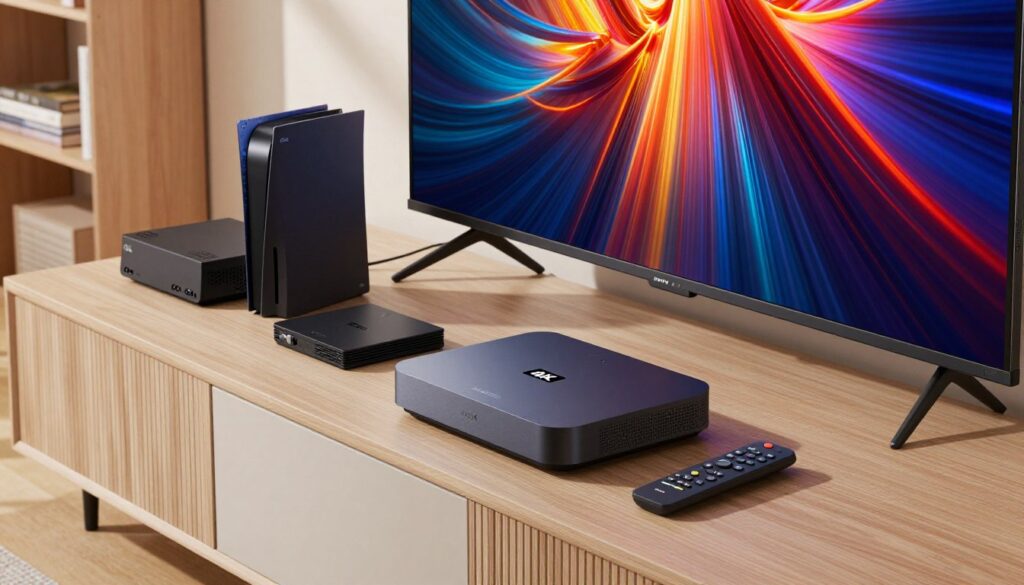
Pick your primary device first — then tune the app and network for consistent high-quality streams.
Smart TVs and Android TV
When using smart tvs or Android TV, prefer Ethernet over Wi‑Fi for stability.
Enable hardware decoding in the player app and set the output resolution to match your screen. Reduce background apps to free memory.
Firestick and streaming sticks
Install a reputable player app, grant needed permissions, then enter your playlist or credentials.
Watch for weak Wi‑Fi, low storage, or overheating. If playback stutters, restart the stick and clear the app cache.
Mobile and desktop viewing
Use mobile devices for travel or a second screen. On cellular, limit bitrate to avoid data drops.
On Windows or Mac, test over wired Ethernet to isolate network issues. Desktop playback helps confirm playlist loading and EPG sync.
Playlists and player apps
Playlists are usually M3U URLs or credential files that grant access. Store them securely and never share login details.
“If a stream fails, try a different player, clear cache, or switch stream format before changing hardware.”
For broader trends and setup tips, see streaming trends and device guidance.
How to Choose the Best IPTV Canada Subscription Plan for Your Household
Begin with a quick headcount: who streams at the same time and on what screens? This simple check narrows your options fast.
Single device vs multi-device
If you live alone and watch on one TV, a single-device plan lowers the monthly cost. A solo apartment often gets by with one connection and a basic player app.
In a family home, choose multi-device plans so several streams run without clashes during dinner or prime time. More simultaneous connections prevent buffering when multiple people watch sports or series.
Short-term vs annual commitment
Short-term subscriptions give you low risk and a chance to test stability and support.
Annual plans usually cut the monthly price but lock you in. Validate uptime and customer help before opting for a long-term deal.
Match the plan to your viewing habits
Sports-first households need uptime, low latency, and quick channel access.
Movie and series fans should prioritize a deep VOD catalog and a usable EPG. News viewers want reliable local and national feeds.
“Best iptv and best iptv canada should mean consistent quality, clear device rules, and responsive customer support.”
- Devices → count simultaneous streams.
- Content priorities → sports, movies, series, news.
- Plan length → short-term test or annual savings.
- Support expectations → fast activation and live help.
- Checkout → confirm device limits and price.
Brands such as GetMaxTV promote fast activation and multi-device options; verify those claims and read customer reviews. For a deeper buyer’s guide, see best iptv guide and local channel access tips.
Channel Lineups, Local Channels, and Content Libraries to Look For

Look past headline numbers and focus on what you’ll actually watch every week. Big catalogs often mix live channels and huge VOD libraries. That can be useful, but quantity alone is not quality.
What a large catalog usually includes
Live channels plus on-demand movies and series. Verify specific networks and search for names you know. If the provider lists thousands of entries, spot-check categories you care about.
Local and international options
Confirm local channels for your region. Local news and local sports affiliates matter for timely coverage. Also check language packs and international networks if you need specific foreign content.
Sports and PPV expectations
Sports fans should ask about league access, stream quality during peak games, and how PPV events are handled. “PPV included” can still mean extra fees or limited streams — verify before you buy.
“Stable channels with accurate EPG beat a massive, disorganized list every time.”
- Search for named channels you watch.
- Check EPG accuracy and update speed.
- Test channel stability during big events.
For comparisons and regional provider notes, see a roundup of best iptv canada and a review of top providers to confirm real channel access and service claims.
Streaming Performance: Avoiding Buffering, Freezing, and Quality Drops
Good playback starts with two facts: provider servers and your home network share the load.
Three common causes of playback problems are provider-side server load/latency, your home network, and player/app settings. Each can break a stream on its own or combine to cause freezes and drops.
Why server quality matters
Terms like anti-freeze and peak-hour stability usually mean the provider built capacity, routing options, and redundancy to handle busy times.
That matters most during live sports and prime time. Even a good service can falter if servers are overloaded or poorly routed.
Home network checklist for better streaming
- Prefer Ethernet for your main device when possible.
- Place the router centrally and keep it away from thick walls or appliances.
- Use 5 GHz Wi‑Fi for less interference; reserve 2.4 GHz for distant devices.
- Limit background downloads on other devices during peak viewing.
Playback tweaks and testing
If a stream stutters, try switching decoding modes, lowering bitrate/quality, or changing buffer settings in your player app.
Test stability at peak hours, compare wired vs wireless, and try a second device to isolate the problem.
“Consistent performance at peak hours is a stronger signal than a huge channel count.”
Contact support when channels repeatedly fail, the playlist or EPG won’t load, or freezing happens across multiple networks and devices. For step-by-step fixes, check a guide to fix common streaming problems.
Customer Support and Reliability: What “Premium Service” Should Include
Good support turns a confusing setup into a fast, working system you trust. When a channel, EPG, or playlist fails, you want clear steps and quick answers. A premium service pairs reliable systems with helpful people.
What real customer support looks like
Fast response times and step-by-step setup help are baseline expectations. You should get guidance for player/app issues, playlist loading, and EPG sync.
Ask for live troubleshooting that walks you through device settings, cache clears, and decoding options. Test response quality via chat or ticket before committing.
Signals of a stable, trustworthy service
- Secure checkout (SSL) and clear payment steps.
- Transparent refund and renewal policies.
- Published device and connection limits.
- Consistent uptime claims and outage notifications.
“You’re paying for stability and help, not just a huge channel list.”
Buyer checklist to test support before you buy
- How fast is activation, and how is it delivered?
- Does support assist with EPG and catch-up setup?
- How are outages communicated to users?
- What counts as a multi-screen or device connection?
- Is pricing, renewal, and refund policy clearly stated?
| Signal | Why it matters | What to ask |
|---|---|---|
| 24/7 support | Faster fixes during live events | Ask for average response time |
| Secure payments | Protects your account and billing | Confirm SSL and payment provider |
| Clear device limits | Avoids sudden stream cuts | Verify simultaneous streams allowed |
Final tip: a reputable service will document steps, show clear policies, and offer live help for different devices. That reduces headaches and gives you a better viewing experience.
Pricing, Plans, and What’s Actually Included in the Price
How a plan is priced often tells you more about service quality than marketing copy. Look beyond the sticker and compare what each plan really delivers for your household.
Monthly vs yearly models
Monthly plans give flexibility and a low short-term cost. Choose them if you want to test stability or avoid long commitments.
Yearly plans lower your effective monthly price but lock you in. If uptime and support are proven, a yearly plan can save money long term.
Hidden-cost checklist
- PPV and sports: confirm whether major events carry extra fees or blackout rules.
- Multi-connection fees: check how many simultaneous streams are included and the cost to add more.
- Device limits: find out if device registration caps apply or if additional devices require upgrades.
Compare offers apples-to-apples
Match these items when you compare plans: number of connections, EPG/catch-up, channel and content depth, and real-world quality at peak hours.
“Prioritize consistent quality and clear device rules over the lowest price.”
Test short plans during a big game to judge peak-hour performance. Use trials, read uptime reports, and interact with support to rate responsiveness. For broader market context and pricing trends, see pricing trends.
Conclusion
Your streaming satisfaction depends less on promises and more on real performance at home.
To recap: 4K playback hinges on a steady internet, compatible devices, a tuned player, and a provider with solid servers and live support. Match a subscription to your device count, prioritize the channels and sports you watch, and confirm EPG and multi‑screen access.
Performance first: stable streams beat huge channel lists when you want a smooth viewing experience. Compare pricing, device limits, PPV rules, and support so you won’t face surprises after checkout.
Ready to explore legal options? Review GetMaxTV’s current offer and plan details at GetMaxTV or check this setup guide for step‑by‑step help.
FAQ
What do I need to stream 4K content reliably?
You should have a wired connection or a strong Wi‑Fi 5GHz signal, a plan offering at least 25 Mbps per 4K stream, a modern router, and a compatible device such as a Smart TV, Android TV, Fire TV Stick, recent iPhone or Android phone, Windows PC, or Mac. Also check your player app supports high-bitrate streams and hardware decoding to reduce buffering.
How does this service differ from traditional cable?
You get flexibility to watch on multiple devices, on demand libraries, and portability outside the living room. Instead of fixed channel lineups, you access a broader catalog, catch‑up features, and often lower costs. Traditional cable still offers certain local channel stability and bundled services, but streaming gives you more choice and portability.
Which devices are best for 4K playback?
Native 4K Smart TVs and Android TV sets provide the most seamless experience. High‑end Fire TV Sticks and Nvidia Shield also perform well. For mobile, use recent iOS or Android devices; for desktop, ensure your browser and GPU support HEVC or VP9 decoding. MAG boxes and purpose‑built set‑top devices can be good if they support the required codecs and enough processing power.
How quickly will my account be ready after purchase?
Most reputable services activate accounts within minutes. You’ll receive login details or a playlist/EPG link. Some setups require app installation or MAC/IP binding for security, which can add a few extra minutes to the process.
What do terms like EPG, catch‑up, and multi‑screen mean?
EPG is an electronic program guide that shows schedules. Catch‑up lets you watch past broadcasts for a set window. Multi‑screen or multi‑connection indicates how many devices can stream simultaneously under one subscription.
Can I watch local channels and major networks?
Many services include local channels and international networks, but availability varies by provider and rights. Verify the channel list before subscribing if local news, regional sports, or specific networks are critical to you.
Will I get sports and PPV events through these services?
You can get live sports and pay‑per‑view events, but not every provider carries every league or PPV. Confirm coverage for the events you care about and whether there are extra fees for big live events.
How do playlists and player apps work?
Providers usually supply an M3U or Xtream Codes URL that you load into a compatible player app (such as VLC, TiviMate, or IPTV Smarters). The app reads the playlist and EPG to present channels and VOD; some apps also offer caching and quality controls to improve playback.
What should I check to avoid buffering and freezing?
Choose a provider with low‑latency servers and good peak‑hour capacity, use Ethernet where possible, optimize router placement for Wi‑Fi, close background apps that use bandwidth, and select a lower bitrate in the player if your network varies. A quality server network reduces dropped streams.
How many devices can stream at once on a single plan?
That depends on the plan: single‑device plans allow one stream, while family or premium plans offer multiple simultaneous connections. Check the provider’s concurrent stream limit before subscribing if several people in your home watch at once.
What kind of customer support should you expect?
Look for 24/7 chat or ticket support, setup assistance, clear activation instructions, and troubleshooting help for device compatibility. Fast, knowledgeable support matters more than flashy marketing when you need help during setup or technical issues.
Are there hidden costs I should watch for?
Watch for extra charges for PPV events, additional connection fees, device licensing, or add‑on channel packages. Read payment policies for refunds, and confirm whether taxes or one‑time setup fees apply.
How do I compare pricing and find the best value?
Compare features, channel lists, VOD library size, simultaneous connections, server reliability, and support quality—not just the monthly price. Look for trial periods or short‑term plans to test service before committing to a longer subscription.
Will my current internet plan support multiple 4K streams?
Multiply 25 Mbps per 4K stream by the number of simultaneous users. If two people watch 4K at once, aim for 50+ Mbps consistent bandwidth plus overhead for other household devices. Upgrading to a higher‑tier internet plan may be necessary.
Is content quality affected by my player or device?
Yes. Older devices may lack hardware decoding for modern codecs, causing higher CPU use, stuttering, or lower resolution. Use updated apps and devices that support HEVC/VP9 and HDR if you want the best picture.
How secure and reliable are payments and account policies?
Choose services that offer secure payment methods, clear refund policies, and transparent terms of service. Reliable providers use encrypted checkout and publish uptime commitments or SLA details to demonstrate stability.
Can I use the service while traveling or outside my country?
Some providers allow access from different locations, but geo‑restrictions or content licensing can limit channels abroad. Check roaming policies and whether the service needs IP/MAC binding that restricts access to one location.
The GetMaxTV Blog Team is a group of IPTV technology writers and cord-cutting researchers who have been reviewing streaming services since 2023. We publish independent device setup guides, troubleshooting articles, and honest service comparisons. Every tutorial on this blog is tested on real devices — Fire Stick 4K Max, Roku Ultra, Samsung Smart TV, Apple TV 4K, and Android phones. We verify every step before publishing and update our content quarterly.