
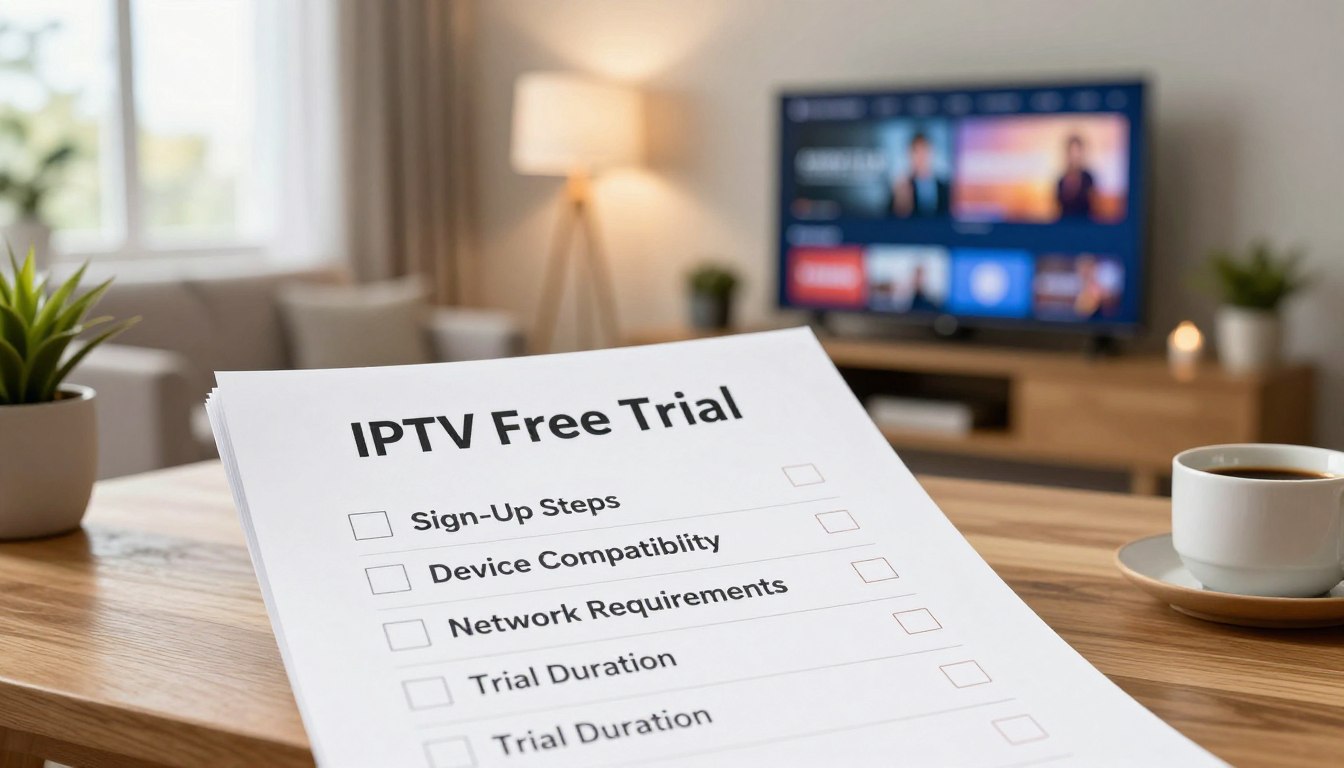
Curious whether an IPTV trial can really save you money and time? You’ll learn how a short trial helps you spot real performance, not one-off glitches.
In this guide, you’ll get a clear definition: a trial is a brief test period—often 24–72 hours—meant to let you evaluate channels, streaming quality, and device support before you pay for a subscription.
We’ll show you a practical checklist to judge content, channel lineup, picture stability, and customer support. Aim for ~25 Mbps for reliable HD streaming and watch peak hours to see true performance.
GetMaxTV is one option you can test and compare without hype. You’ll also learn why verifying legality and provider transparency matters in the US.
By the end, you’ll know how to run a fair test, what counts as a pass/fail, and when to walk away—so you can confidently choose a legal IPTV subscription like GetMaxTV.
Key Takeaways
- Define a trial as a short test period (24–72 hours) to evaluate the service.
- Use a checklist covering channels, video quality, devices, and support.
- Test during peak evening hours; aim for ~25 Mbps for HD streams.
- Distinguish one-off issues from consistent problems when judging performance.
- Verify provider legitimacy and clear terms to avoid legal risks in the US.
- Compare options and learn how to run a pass/fail trial before subscribing.
- See trends and context for IPTV testing in this short guide: IPTV trends and testing tips.
Why IPTV Free Trials Matter for Your Streaming Choice in 2025
Before you pay, a 24–48 hour trial lets you see real performance during the times you actually watch. A brief, hands-on window helps you make a practical choice without committing money or time to a full plan.
How a trial reduces risk before you commit
Try before you buy: a short trial is the safest way to evaluate IPTV services when you’re unsure about reliability or channel availability.
It protects your money by letting you confirm stream stability, picture quality, and whether the apps support your devices.
What you can learn in a 24–48 hour test window
- Peak-hour performance: spot buffering and drops during evening viewing.
- Core usability: app speed, channel switching, and VOD navigation.
- Setup friction: how long it takes to sign in and get streaming on your devices.
- Support responsiveness: quick help is a strong sign of good service.
Plan your trial around what you actually watch—news in the morning, prime time at night, or weekend sports. For most users, a good experience means stable playback, fast support responses, and a channel lineup that matches what you care about.
What IPTV Is and How It Works for Live TV and On-Demand Content
Think of IPTV as TV that travels as data packets across the internet to your device. It delivers live channels and on-demand content over your home network rather than through cable or satellite infrastructure.
IPTV breaks each channel or show into small data segments. Your player reassembles those segments into continuous video. That means your internet speed and router quality directly affect playback stability.
IPTV vs cable and satellite: what changes for you
You gain flexibility: IPTV lets you view channels on phones, smart TVs, and streaming boxes with the same account.
You also trade dependence: poor Wi-Fi or low bandwidth can cause buffering that cable rarely shows.
Common IPTV formats: live TV, VOD, and program guides (EPG)
During a trial, check three main formats: live TV streams, VOD libraries for movies and series, and an EPG to browse schedules. Platforms and apps can change navigation speed and search quality even when the underlying service is identical.
“Reliable playback, accurate program info, and quick navigation matter most when you test an IPTV service.”
- Live channels: check channel switching and latency.
- VOD: test search and video start times.
- EPG: confirm accurate times and easy scheduling.
| Format | What to check | Why it matters | Real-world tip |
|---|---|---|---|
| Live TV | Channel change speed, delay | Shows real-time events reliably | Test during prime-time |
| VOD | Search, start time, quality | On-demand viewing of movies and shows | Search for a recent title you know |
| EPG | Accuracy, time zones, layout | Helps you plan and record | Compare EPG to live broadcast times |
For a practical primer on service design and delivery, see how IPTV works simply.
essai gratuit getmaxtv: What You Get and What to Check First
Begin by confirming the service gives you real access to the channels, VOD, and language options you need. Use the trial to verify what you personally get in practice, not just what the provider advertises.
Content access: live channels, VOD libraries, and international options
Open multiple channels across news, entertainment, and kids sections. Confirm audio tracks and whether VOD titles actually play.
Performance expectations: HD/1080p and uptime
Aim for stable 1080p playback when offered. Watch during prime time to see if streams drop or buffer. Uptime matters more than channel count—consistent streams beat a long but flaky lineup.
Support readiness: how fast help should be
Test support with a setup or playback question. Good services reply quickly and give clear device guidance. Use response time and helpfulness as pass/fail criteria.
- Position the example service as one you test practically.
- Check category access, channel lists, and language options.
- Validate VOD by playing several titles, not just one.
- Compare your findings to other providers using the same checklist.
| Check | What to do | Why it matters |
|---|---|---|
| Channels & access | Open multiple live channels and confirm regional feeds | Ensures the lineup matches your needs |
| VOD playback | Play different movies/episodes and test audio options | Confirms content is accessible and searchable |
| Performance | Test 1080p streams during peak hours | Validates real-world quality and uptime |
| Support | Contact help with a setup issue and note response time | Shows whether you’ll get quick, usable assistance |
If you want to quickly start a trial and follow this checklist, start a trial and run these checks during your busiest viewing hours.
Quick Pre-Check Before You Start: Internet Speed, Hardware, and Home Setup
Run a quick home-network check so your trial evaluates the service, not slow Wi‑Fi. Do a few simple steps and you’ll avoid common issues during peak viewing.
Minimum internet guidance for stable HD streaming
First, run a speed test on the device you’ll use for streaming. This tells you if your internet can handle HD video.
A practical baseline: aim for around 25 Mbps for one HD stream. Higher speeds help when multiple users stream at once.
Router placement, wired connections, and reducing buffering
Place your router centrally and keep it away from thick walls and other electronics. Fewer obstructions lower interference.
Prefer wired connections for smart TVs and streaming boxes. Ethernet gives steady throughput and fewer buffering problems.
- Check upload and latency too—these affect live channel switching and low-lag playback.
- Reboot the router, update firmware, and close heavy apps on other devices during your test.
- Run the trial during your normal prime-time to see realistic performance for all users in your home.
| Check | Action | Why it matters | Quick tip |
|---|---|---|---|
| Speed test | Use a browser or app on the streaming device | Shows if internet can support HD | Test at the time you usually watch |
| Router placement | Move router to a central, open spot | Reduces Wi‑Fi interference | Keep away from microwaves and cordless phones |
| Wired vs Wi‑Fi | Use Ethernet for TVs and boxes | Stable connections lower buffering | Use a short CAT5e/CAT6 cable |
| Network cleanup | Reboot, update, close background apps | Frees bandwidth for streaming | Do this right before the trial |
These steps help you judge the service fairly. If you still see poor quality after this, the problem likely lies with the provider and not your home technology.
Device Compatibility: Where You Can Stream and What Works Best
Device support determines whether your trial feels smooth or frustrating from day one. Before you start, check the exact devices and platforms you plan to use so your test reflects daily viewing.
Android TV and streaming boxes
Android TV devices like Amazon Fire Stick and NVIDIA Shield often give the best playback. They support a wide range of apps, handle higher bitrates, and switch channels faster.
Tip: If you use a streaming box, test video quality and channel switching on that box—not just on your phone.
Smart TVs and OS limitations
Smart TV systems vary widely. Some platforms have fewer apps, weaker processors, or quirks that cause rebuffering and slow navigation.
Buyer’s caveat: Verify the app is available for your TV model, and test long playback sessions to spot issues that short tests miss.
iOS and mobile viewing checklist
On iPhone and iPad, confirm the player, login method, and whether you can cast or AirPlay to a larger screen.
- Confirm the app name and version on your device.
- Test login and playback before peak hours.
- Try casting to your TV to ensure smooth access for guests or family.
“Test on the exact devices you use daily—multi-device households should check simultaneous streaming to spot real limitations.”
For a quick guide on compatible hardware and suggested boxes, see the list of best Android TV boxes.
How to Start Your GetMaxTV Trial Without Getting Stuck
Start your trial on a clear plan so you can judge streaming quality instead of stumbling through setup.
Create your account, confirm activation, and log in on your main device right away. This verifies you have proper access and avoids wasting limited trial time.
Signup flow, activation, and common setup mistakes
- Create the account and save activation details where you can find them.
- Verify portal or playlist entries carefully—typos cause instant login issues.
- Check your device clock and time zone to avoid EPG mismatches and playback errors.
- Avoid using an overloaded Wi‑Fi network during setup; use Ethernet if possible.
How to organize your test time
Reserve at least one evening peak-hour block and one off-peak block. That gives you a fair view of throughput and stability.
Follow a simple calendar: 30 minutes setup, one 60‑minute peak session, and one 30‑minute off-peak check. Note any repeatable issues and when they happen.
Contact support immediately after the first repeatable problem so you can judge response speed and helpfulness. Many providers offer chat or WhatsApp for quick replies.
| Step | Action | Why it matters |
|---|---|---|
| Account & activation | Create account, confirm email, save details | Ensures quick login and uninterrupted trial access |
| Setup checks | Verify portal, time zone, and device clock | Prevents common playback and EPG issues |
| Test schedule | Plan peak and off-peak sessions | Shows real-world performance before subscription |
For a side-by-side look at alternatives while you test, see a detailed comparison.
How to Evaluate Streaming Quality During the Trial
Treat the trial like an experiment. Note measurable behavior so you can judge streaming performance, not impressions. Record what you see at set times and on the devices you actually use.
Testing during peak hours to spot buffering and stability issues
Prime time reveals real pressure on networks. Watch the same live channel during evening hours to see if buffering, drops, or stuttering appear.
Pro tip: run a short 30–60 minute viewing session at peak, and note when viewers experience stalls or reconnects.
Video resolution targets: 1080p expectations and device-based limits
Many services promise HD/1080p. Confirm whether 1080p stays stable on your TV or box. Older devices may cap resolution or struggle with high bitrates.
Look for sudden resolution changes or macroblocking as signs the service cannot sustain the claimed quality.
Channel switching speed, audio sync, and playback consistency
Flip through several channels in a row and time how long each takes to load. Count failures and reloads. That shows real-world channel agility.
Check audio/video sync on talk shows or sports. Even small delays harm the viewing experience and signal playback problems.
Keep a simple notes list: channel name, time, device, issue observed, and repeat check time. This makes comparisons fair and helps you pick the best provider after the test.
“Measure, record, and repeat—consistent checks beat one-off impressions when judging streaming quality.”
Channel Lineup and “Around the World” Content: What to Look For
Start by checking the exact channels you watch most, not the headline channel count. Make a short “must-have” list of news, entertainment, and kids channels and test each one.
Open and play each channel at least once during prime time and once off-peak. That confirms stream stability and correct audio language for shows your family uses.
Verify regional and international options
For “around the world” bundles, browse regional categories and open several feeds. Confirm that world content shows the right regional versions and works on your home network and on mobile.
Watch for location restrictions that block channels by IP or device. If a channel plays at home but not on mobile data, that signals access limits.
Guide data and side-by-side comparisons
Validate guide names, logos, and schedules. Messy EPG data makes daily use frustrating even if channels work.
- Use your must-have list across multiple providers to compare real options, not just totals.
- Sample kids, news, and entertainment channels at different times to catch regional feeds and language variants.
| Check | How to test | Why it matters | Quick tip |
|---|---|---|---|
| Must-have channels | Play each listed channel during peak hours | Confirms reliability for shows you watch | Start with top 5 you use weekly |
| Around the world bundles | Open regional feeds and verify language | Ensures international content is usable | Test sports and news regional feeds |
| Location access | Test on home Wi‑Fi and mobile | Reveals geo-restrictions or IP blocks | Try VPN only to confirm provider policy |
| EPG accuracy | Check channel names, logos, and schedules | Affects daily navigation and recording | Compare EPG to broadcaster schedule |
“Focus on playable channels, not the headline numbers—real access beats a long-but-useless list.”
VOD Libraries: Movies, Series, and Finding Titles Fast

Don’t judge a VOD offering by headline counts. What matters is whether the library gives you quick access to the movies and series you actually want to watch.
Start smart: make a short list of 10 specific titles you care about. Search each one and note hit rate and whether playback starts and stays stable.
How to assess what matters most
Library size is noise. You buy access to useful content. If your top titles are missing, a big catalog won’t help.
Navigation and watchlist workflow
Check search speed, accuracy, and category organization. See if “recently added” and genre filters make finding video easy.
Test the watchlist: add items, open the list, and play from it. If this feels slow, daily use will frustrate you.
| Check | How to test | Why it matters |
|---|---|---|
| Title hit rate | Search your 10 movies/series | Shows real content relevance |
| Playback reliability | Play several titles on two devices | Reveals cross-device performance gaps |
| Organization | Use genres, filters, recently added | Makes discovery fast for regular users |
| Metadata & subtitles | Check posters, episode labels, subtitle availability | Prevents broken or confusing playback |
Watch for common problems: wrong posters, mislabeled episodes, missing subtitles, or videos that start then fail. These issues harm the viewing experience and show weak platform features.
Finally, test on at least two devices and during peak hours. If VOD works on both your TV and phone, you’ve validated real access and a smoother daily experience.
For a deeper look at delivery methods that affect VOD access, see this IPTV protocol comparison.
Live Sports and PPV: How to Test Game-Day Reliability
Game-day viewing is the clearest way to see how a streaming service performs under pressure. Live sports are the toughest real‑world test because they push bandwidth, latency, and encoder limits at once.
- Delay: compare your stream to a legal broadcast or live updates. Note seconds of delay and decide what you can tolerate for live games.
- Picture quality: watch fast motion—panning, replays, and close-ups expose compression artifacts and resolution drops more than films.
- Stream drops: a five‑minute check can miss problems. Watch at least one full game to catch mid-match disconnects.
Testing PPV and multi-channel sports access
Confirm PPV events show up in the guide and that you can buy or unlock them without glitch. Start the event early and stay through any commercial breaks to test stability.
Don’t rely on a single feed. Test multiple sports channels and different leagues because performance can vary by source feed and encoder.
“If your provider handles a packed stadium night without frequent stalls, it will likely handle everyday viewing well.”
Document every issue—time, channel, device, and the exact problem—and contact support immediately. How quickly and effectively they fix sports issues tells you a lot about ongoing reliability for live sports and games in the US market.
Core Features That Improve Your IPTV Experience
Small conveniences—accurate guides and catch-up—decide whether you keep a service after two weeks. Focus the trial on the actual features that shape daily watching, not headline channel counts.
EPG quality: accuracy, time zones, and ease of browsing
Why it matters: a bad guide makes good content hard to find. Check the EPG for several channels and confirm times match your local broadcast.
Test speed by browsing the guide and opening program details. Note incorrect titles, missing times, or slow loading—these hurt the long-term experience.
Multi-device and multi-screen streaming: what “simultaneous” really means
Check the fine print: plans often advertise simultaneous streams but vary by account and device type. Verify how many streams you can run at once.
Run two streams on different devices in your home. Watch for quality drops, rebuffering, or forced logouts. This shows whether the feature supports real multi-user households.
Catch-up, pause/rewind, and other convenience features to confirm
Test catch-up on a few channels and try pause/rewind during live shows. Confirm these controls work reliably across devices and that your favorites and continue-watching lists return you to recent shows quickly.
Pro tip: prioritize features that match your routine. If fast navigation and catch-up matter to you, make those checks a pass/fail item in your trial.
For testing regional access and local feeds alongside these features, see how to access local channels during your trial.
Customer Support and Troubleshooting: What Good Service Looks Like
How a support team reacts during your trial tells you more than marketing copy.
What good customer support should do: give a fast first reply, offer clear steps, and follow through until the problem is fixed.
Response-time benchmarks and what to ask
During a trial, expect minutes, not days. A chat or live response in 5–30 minutes is ideal for common problems.
Ask these questions to test competence: recommended player apps for your device, optimal settings for your internet speed, and the meaning of any error codes you see.
Fixing common issues
Buffering flow: run a speed test, reduce Wi‑Fi interference, try a wired connection, then retest the same channel.
Login flow: confirm credentials, check portal URL format, clear app cache, and test on a second device to isolate whether the problem is account or device related.
Audio/video mismatch: restart the stream, switch channels, toggle decoder or hardware acceleration in the player, and confirm it isn’t device-specific.
“Your interaction with support is part of the product—good help saves you time and proves the service cares.”
| Issue | First-step | Support follow-up |
|---|---|---|
| Buffering | Speed test, switch to Ethernet | Help read logs, suggest bitrate or server change |
| Login failure | Verify email/password and portal URL | Reset account, resend activation, check server status |
| Audio/video sync | Restart stream, test another device | Offer player settings, firmware or app update guidance |
| App crashes | Clear cache, reinstall app | Escalate to engineers if logs show repeated errors |
Track response times and resolution steps during your trial. This shows whether the customer support and service will keep your connections and viewing experience reliable over time.
Pricing, Plans, and Payment Options: What You Should Compare
Before choosing a plan, learn how to translate sticker prices into true monthly costs so you don’t overpay.
Typical plan lengths and what longer terms really cost you
IPTV plans commonly come as 1, 3, 6, or 12-month options. Convert each offer to a monthly cost and add any setup or tax fees.
Monthly plans give flexibility if service quality drops. Longer plans lower your monthly costs but raise your risk if the provider changes service or shuts down.
Payment methods and what they signal about a provider
Card and mainstream payment options often give you consumer protections and easier refunds. Crypto payments can be private but are harder to reverse.
Check refund policies, trial terms, and guarantees before you pay. Save receipts and order confirmations in case you need a chargeback or a refund.
- Convert every offer to a monthly rate including extra fees.
- Don’t buy a long subscription until your trial proves quality.
- View payment choices as a signal of business reliability and protection.
- Remember: the cheapest price can cost you time and frustration if support is weak.
| Plan length | What it implies | When to choose |
|---|---|---|
| 1 month | Highest monthly cost, low risk | Testing or short-term use |
| 3–6 months | Balanced cost and flexibility | If trial passed and channels match needs |
| 12 months | Lowest monthly cost, highest risk | Only after sustained, reliable service |
Legal vs Unverified IPTV Providers in the United States
When you choose an IPTV service in the U.S., verifying legal distribution should be your first homework.
How to spot legal services and why official distribution matters
Legal generally means the business holds rights to distribute the channels and content it sells you in the U.S.
Look for apps on major app stores, clear company contact details, and written terms that name licensors. Legitimate platforms show transparent billing and a privacy policy that explains what data they collect.
Real-world risks of unverified providers
Unverified providers often vanish, leaving you without support or refunds.
Security risks are real: unknown apps can harvest data and unclear payment flows increase fraud exposure. Poorly run services also suffer outages and sudden shutdowns.
“If you can’t verify legitimacy, treat a low price as a warning sign, not a deal.”
| Check | What to look for | Why it matters |
|---|---|---|
| Official app listing | App Store or Google Play presence | Shows platform approval and basic vetting |
| Company transparency | Contact info, terms, refund policy | Helps you hold the business accountable |
| Payment flow | Mainstream payment methods and receipts | Reduces fraud and eases disputes |
| Technical safeguards | Minimal data collection, secure logins | Protects your data and viewing habits |
When you compare iptv providers, weigh the risk of short-term savings against long-term reliability. If a provider fails these checks, move on and check industry trends and risks before you commit.
Decision Checklist: When the Trial Proves It’s the Right Subscription
Focus on measurable results during your trial so you choose a subscription that actually works at home. Use this short checklist to turn impressions into a clear buy/no-buy choice.
Your pass/fail criteria for quality, content, devices, and support
Pass items: your must-have channels play reliably at peak time, video quality stays stable, and your main devices run the app without crashes.
Fail items: frequent buffering, missing content you need, or devices that require constant re-login. If support can’t fix a repeatable issue quickly, mark it failed.
How to compare IPTV providers without getting distracted by huge channel counts
Run the same tests on each provider at the same times and on the same network. Record results for channels you watch weekly, not totals.
- Open your top 5 channels during prime time.
- Play two VOD titles and one live sports feed.
- Test on your TV box and phone to confirm device parity.
When a money-back guarantee matters more than a “free trial”
If you need more than 24–48 hours to validate stability, choose a provider with a clear money-back guarantee. A guarantee reduces risk when time is short.
Upgrade only when prime-time tests pass and at least one high-demand scenario (sports or popular show) runs without repeatable issues.
| Check | What to expect | Pass/Fail |
|---|---|---|
| Must-have channels | Play during peak and off-peak | Pass if stable |
| Quality | 1080p stable, no frequent downscaling | Pass if steady |
| Devices & support | Main devices run app; support replies quickly | Pass if fixed fast |
“Prioritize the content you watch and the experience of finding it quickly — not headline channel counts.”
Conclusion
Finish the evaluation with a simple pass/fail method focused on real viewing, not marketing claims.
Prepare your home first: confirm ~25 Mbps (or higher) for steady HD, test on the devices you use, and run at least one peak-hour session to spot drops. Validate the channels and content you actually watch and note any repeated faults.
Quality, usability, and support matter more than big numbers. Treat IPTV as a true service choice—check legality, reliable access, and quick support before you subscribe. For setup tips and a legal perspective, see this quick setup guide. If you want a legal IPTV subscription, review GetMaxTV’s current offer at https://getmaxtv.com.
FAQ
What should you check first before starting a trial of an IPTV service?
Check your internet speed (aim for about 25 Mbps for stable HD), confirm your streaming device is supported (Android TV, Fire TV, iOS, smart TV), and ensure you have a reliable router placement or wired Ethernet to reduce buffering.
How long is a realistic test window to evaluate streaming quality?
A 24–48 hour window lets you test peak-hour performance, channel switching, live sports reliability, and basic VOD navigation. If you can, include at least one evening when viewership peaks.
What differences should you expect between IPTV and traditional cable or satellite?
IPTV streams over the internet, so you gain device flexibility and often more international channels, but you rely on your broadband and the provider’s servers for uptime and quality instead of a dedicated broadcast link.
Which core features matter most during a trial?
Prioritize EPG accuracy, multi-device simultaneous streaming, catch-up/rewind, and consistent HD playback. These features directly affect everyday usability and convenience.
How do you evaluate live sports performance during a trial?
Test during an actual game to check delay, picture quality, stream drops, and audio sync. Note any consistent lag compared with official broadcasts and whether PPV events appear reliably.
What channel and content checks should you run?
Verify that the specific news, entertainment, sports, and regional channels you watch are present and play without geolocation errors. Test international and language-specific feeds you rely on.
How do you assess a provider’s VOD library effectively?
Search for the series and movie titles you care about, browse categories, and test the watchlist or resume features. A large library matters less than having the particular content you want.
What device compatibility issues are common?
Some smart TVs and OS versions limit apps or codec support. Confirm app availability on Fire TV, Android TV, iOS, and any media players like NVIDIA Shield. Test playback on each device you plan to use.
What are reasonable expectations for video resolution and stability?
Expect reliable 1080p (HD) on adequate connections; 4K depends on the provider and device. Watch during peak times to confirm consistent bitrates and limited buffering.
How fast should customer support respond during your trial?
Good support replies within minutes to a few hours via live chat or ticket. During setup or outages, quick, helpful responses are a strong sign of reliable service.
What payment and plan details should you compare?
Compare monthly versus longer-term pricing, available payment methods (card, PayPal, sometimes crypto), and whether a money-back guarantee is offered. Consider overall cost, not only channel count.
How do you spot legal versus unverified IPTV providers?
Look for transparent licensing information, official distributor relationships, and reputable payment channels. Unverified services often lack clear licensing and carry risks like shutdowns or security issues.
What should be on your pass/fail checklist after a trial?
Include streaming stability, channel availability (your must-haves), device compatibility, EPG accuracy, support responsiveness, and overall value for price. If several key items fail, move on.
Can you test simultaneous streams and family use during a trial?
Yes—try streaming on multiple devices at once to confirm the provider’s simultaneous stream limits and real-world performance for household viewing.
How does router placement or wired connections affect streaming?
Wired Ethernet or a well-placed router reduces packet loss and buffering. If you use Wi‑Fi, place the router centrally and avoid interference to improve peak-hour stability.
What should you do if channels frequently drop or buffers appear?
Test at different times, switch devices, try wired connections, and contact support. If issues persist across tests and devices, consider that the provider may have uptime or capacity problems.
How important is EPG accuracy and time-zone handling?
Very important—accurate program guides and correct time zones make recording, catch-up, and live navigation reliable. Test EPG entries against known broadcast schedules.
Are refunds or money-back guarantees common and important?
Some providers offer money-back guarantees; these are valuable if you find significant issues after subscribing. Confirm terms before paying to avoid surprises.
What privacy or security concerns should you consider?
Check provider privacy policies, payment security, and account login protections. Unverified services may expose you to data or legal risks, so prefer reputable providers with clear terms.
How should you schedule your testing time to get useful results?
Plan to test during weekday evenings and weekend peak hours, include at least one live sports event if relevant, and spread tests across devices to get a full picture of performance.