

Curious whether you can trust one IPTV provider for prime-time games and family movie nights? You deserve clear answers before you sign up.
Legit here means three things: legal standing in the United States, safe billing, and consistent streaming performance. I’ll walk you through domain and ownership cues, third-party trust signals, basic security checks, day-to-day uptime, and real streaming quality you can verify yourself.
Rather than a single score, I’ll weigh multiple signals so you reduce risk. I’ll verify reliability and quality signs I can confirm and avoid blanket claims I can’t prove. You’ll finish this short review with a simple checklist to decide if it’s safe to test a service and steps to protect your account.
This review looks at GetMaxTV briefly and notes differences between the .com and .org properties where relevant. If you want alternatives or legal subscription guidance after reading, I’ll point you to options to consider.
Key Takeaways
- “Legit” covers legality, billing safety, and uptime—know each before you subscribe.
- We evaluate ownership, third-party signals, security, uptime, and stream quality.
- A single trust score isn’t proof; multiple signals lower your risk.
- You’ll get a practical checklist for safe testing and protection tips.
- See the brief brand assessment and differences between site properties.
- If you want a legal IPTV subscription, compare providers and billing safeguards today.
- For deeper context on IPTV trends and service claims, check this analysis.
Read more on IPTV trends and service to help you decide.
What “legit” means for an IPTV service in the United States
What counts as a trustworthy IPTV provider in the United States combines lawfulness, transparency, and uptime. You want lawful distribution, clear terms, and predictable delivery rather than only a long channel list.
Legal compliance vs. gray-market streaming
Legal IPTV carries licensed content and established rights. That reduces shutdown risk and usually offers documented support channels.
Gray-market streaming may promise low prices but often lacks stable licensing. That raises risk for sudden outages and poor customer protections.
Trust signals that matter: security, transparency, and customer protections
Look for secure checkout, visible contact info, and clear refund rules. Those items protect your payment and make support reachable.
- Compliance: clear terms, consistent branding, and transparent billing.
- Operational reliability: uptime commitments and responsive support during peak events.
- Protection: secure pages and published privacy policies.
| Feature | Legal IPTV | Gray-market | Why it matters |
|---|---|---|---|
| Licensing | Documented rights | Often unclear | Affects long-term access |
| Billing & refunds | Transparent terms | Limited protection | Protects your money |
| Support | Verified contacts | Sparse or anonymous | Helps during outages |
Use these tests as a repeatable checklist when you evaluate any iptv service. For local channel checks and regional access steps, see a helpful guide on accessing local channels via IPTV.
Quick overview of GetMaxTV and what it claims to offer
This quick overview explains the platform’s pitch and the real questions you should ask.
What the platform markets: it positions itself as an IPTV option for viewers who want more flexibility than traditional cable. It promotes a mix of live channels, sports, movies, and on-demand libraries as a single, lower-cost solution for home viewing.
Content scope: live channels, sports, movies, and on-demand libraries
Most IPTV brands list many channel categories. Typical claims include live news, regional channels, major sports feeds, and large movie libraries.
Before you pay, verify that the channels you need are available in your area and that sports streams hold up during peak events.
Who it’s for: cord-cutters, travelers, and families seeking flexibility
Use cases in the United States often include cord-cutters looking to save, travelers who want access across locations, and households that need multiple simultaneous streams for family viewing.
Ask whether local channels truly work where you live and whether multi-device access meets your daily needs.
- Check content claims: focus on the channels you watch most.
- Test sports stability: ensure live events stream without heavy buffering.
- Confirm regional access: local channels may vary by location.
| Claim | Practical question | What to verify |
|---|---|---|
| Live channels | Do my local and national channels appear? | Check EPG listings and sample channel playback. |
| Sports | Will marquee events stream reliably? | Look for peak-time performance reports and trial windows. |
| On-demand library | Are titles current and licensed? | Compare sample catalogs and request a demo if possible. |
To see current plans and details, check the official offer at GetMaxTV plans. For quick checks on third-party ratings and related channel lists, see this review Scamadviser report and a content-focused roundup channel guide.
Next: before entering payment details, start legitimacy checks with basic domain and ownership signals to reduce risk.
is getmaxtv legit based on domain, ownership, and trust-score data?
Domain records and external trust tools give useful clues, but they don’t tell the whole story. Use them to guide follow-up checks rather than to make a final decision.
Domain age comparison: .com vs .org
Age matters, but only a little. The .com was created in 08/20/2023 and shows an “Average” score on ScamDoc with HTTPS active. The .org is much newer (02/12/2025) and carries a zero trust score in a separate report.
WHOIS privacy: hidden owner — normal, until it isn’t
Many site owners hide WHOIS to protect identity. That is normal for privacy-conscious operators.
It becomes a red flag when privacy is combined with other warnings, like multiple low-rated sites on the same server or a registrar used by scammers.
Third-party ratings and low-traffic signals
ScamDoc shows an average score for the .com, while an org-style report flags the other property with a trust score of 0 and Gridinsoft warnings.
Scoring algorithms weigh technical data, DNS patterns, and hosting history. Treat the score as a prompt to dig deeper, not as final proof.
| Feature | getmaxtv.com | getmaxtv.org |
|---|---|---|
| Creation | 08/20/2023 | 02/12/2025 |
| WHOIS | Hidden | Withheld for Privacy ehf |
| Third‑party score | Average | 0 / flagged |
Practical takeaway: mixed signals mean you should slow down. Verify the exact site name, check independent user reviews, and avoid entering payment or credentials until you confirm consistency across trust tools and real user feedback like Trustpilot reviews.
Website security and privacy checks you can verify yourself
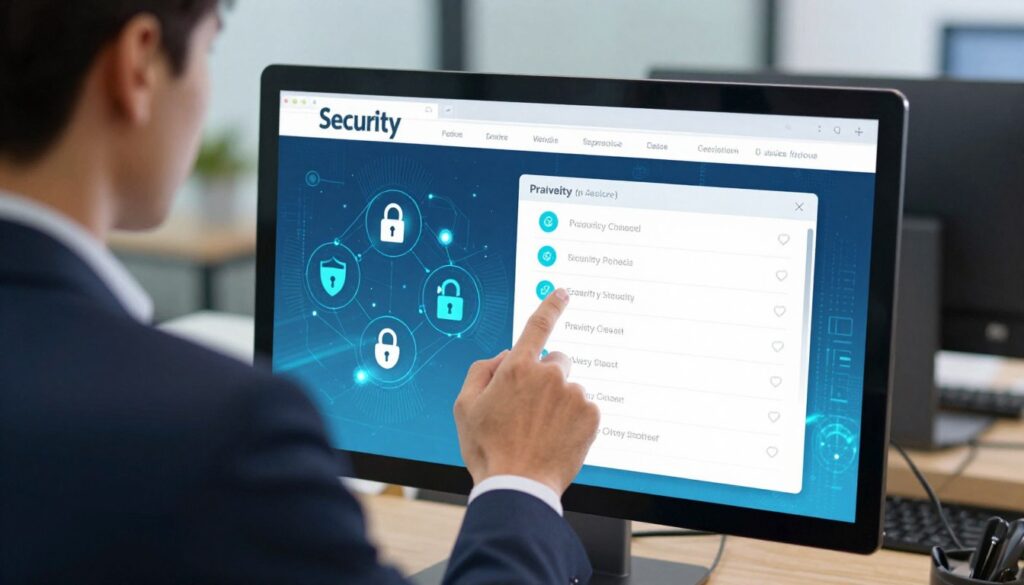
A valid padlock in the address bar protects your data, but it does not prove the business behind the page. Use a few quick checks to judge the site’s actual security and privacy.
What HTTPS and a DV SSL actually do
HTTPS and SSL encrypt the connection between your browser and the server. That prevents casual eavesdropping on login or payment fields.
Domain Validated (DV) SSL certificates prove domain control only. ZeroSSL-issued DV certificates are common and useful, but they are not legal or business identity proof.
Spotting phishing and suspicious pages
Check the exact domain in the address bar. Avoid lookalike spellings or added characters that mimic branding.
Inspect login and payment pages for mismatched domains, odd redirects, or requests for unusual payment types. If an email led you there, confirm the sender and never copy credentials across sites.
Privacy basics and payment red flags
Good privacy means a readable policy that lists what data is collected, how it’s used, and how you can request deletion.
Watch for checkout domains that differ from the main website, unexpected redirects, or pressure to use cryptocurrency only—those are common scam signals.
When a VPN helps—and when it won’t
A VPN can protect your connection on public internet and hide your IP from casual trackers. It does not make an illegitimate service legitimate or give proof of business practices.
If anything feels off, pause. Don’t enter your email or payment details until you verify the site with independent reviews and the steps above.
| Check | What to expect | Warning signs | Action |
|---|---|---|---|
| SSL/HTTPS | Padlock, valid DV or OV certificate | Expired cert or no HTTPS | Use browser cert info and verify issuer |
| Login/payment page | Same domain, secure form | Redirects, mismatched checkout domain | Close page and confirm URL before proceeding |
| Privacy policy | Clear data rules, contact info | Missing or vague policy | Request clarification or avoid signup |
Reliability and uptime: what to expect from GetMaxTV day to day
Daily uptime means the stream starts when you press play, channels don’t drop, and playback holds through peak hours.
Practical checks you can run during a trial include start time, buffering frequency, and whether the same channel fails repeatedly.
Uptime claims and real-world indicators
Run short tests at different times. Try a weekday evening and a weekend afternoon. Note how long the stream takes to start and how often buffering appears.
Peak-time stress: sports, breaking news, and congestion
Major sports nights and breaking news push capacity. If buffering spikes during those events, the service may struggle under load.
Server and hosting clues from scans
Scans showing many low-rated sites on the same server point to shared hosting risks even if the homepage loads fast.
| Check | Why it matters | What to record |
|---|---|---|
| Start time | Shows server responsiveness | Seconds to play |
| Buffering | Reveals congestion | Frequency per hour |
| Repeat failures | Indicates unstable feeds | Channel names and times |
Note: server location affects latency for US viewers. Fast site load or a good speed score does not guarantee reliable streams. Track performance across multiple windows before you decide.
Streaming quality review: HD/4K, buffering, and channel switching

A reliable viewing experience depends on smooth starts, few freezes, and fast switching between channels. Good quality means stable HD or 4K when available, minimal buffering, and consistent channel changes.
Adaptive bitrate and why it helps
Adaptive bitrate streaming adjusts video quality to match your connection in real time. That keeps playback smooth instead of freezing when bandwidth drops.
Video quality factors you control
Check your internet speed first. Run a speed test on the device and compare to the provider’s recommended bitrate.
Try Ethernet rather than Wi‑Fi to rule out router placement or wireless interference. If Ethernet fixes buffering, the issue is home-network related.
Device and app settings that matter
Older smart TVs and budget sticks may not handle high bitrates even with fast internet. Try a different device to compare.
Adjust app settings like buffer size, decoder, and resolution caps. Small tweaks often improve the experience without changing plans.
EPG accuracy as a quality marker
Accurate program guides show attention to maintenance. Broken schedules can signal poor management.
| Factor | What it shows | Action |
|---|---|---|
| Start time | Server responsiveness | Record seconds to play |
| Buffering frequency | Congestion or bandwidth limits | Note channels and times |
| EPG accuracy | Service upkeep (quality marker: score) | Check several channels for correct listings |
Document what you see—which channels buffer, when, and on which device. This information helps support or guides you through the IPTV setup guide and improves your troubleshooting success and overall viewing experience.
Device compatibility and setup experience
You should be able to install and run the service on the devices you already own without awkward workarounds. That simple test saves time and avoids risky tweaks to TVs or boxes.
Common device categories and typical setup
Smart TVs: Many models use a downloadable app or a URL-based installation. Check the website for an app in your TV’s app store.
Fire TV / Firestick: Installation usually means sideloading or an official app. Confirm steps and permissions before you pay.
Android TV boxes: Apps often run natively; some require a third-party IPTV player. Read the setup guide for your box model.
Phones, tablets, and computers: Mobile apps and web players are common. Confirm supported browsers and login formats.
Multi-device support for households
Verify how many simultaneous streams the service allows. That number matters when family members watch at the same time.
| Device | Setup note | What to confirm |
|---|---|---|
| Smart TV | App store install or web app | App availability for your TV model |
| Fire TV/Firestick | Official app or sideload | Side-loading steps and permissions |
| Android TV box | Native app or third-party player | Player compatibility and login type |
| Mobile / PC | App or browser player | Browser support and streaming limits |
Practical tip: test on one device before subscribing for a household. Check the official device guide and read the player protocol options on the protocol comparison.
Payments, refunds, and “money-back” protections
Your payment choice is one of the strongest protections you control when signing up for a streaming service. It determines how easily you can recover money if the service fails to deliver or the website changes terms.
Safer payment methods
Prefer methods that include dispute processes. Credit cards and PayPal offer chargebacks and buyer protection that often let you reclaim money when a service does not match its promises.
These options are not foolproof, but they are better than one-way payments like direct crypto or prepaid transfers. The getmaxtv.org report notes that credit card and PayPal options can help recover funds when you file disputes in time.
What to confirm before you place an order
Before you submit payment, confirm these items on the website:
- Renewal terms: Is billing automatic? How do you cancel?
- Refund policy: Are refunds written and time-limited? Screenshot the exact language.
- Receipt and order record: Will you get an invoice with order details and contact info?
Quick safety tips: avoid urgent pressure timers, never overshare personal data at checkout, and make sure the checkout domain matches the main site. If possible, place a small test purchase to verify service quality before committing larger sums.
| What to check | Why it matters | Action to take |
|---|---|---|
| Payment method | Controls dispute options for recovering money | Use credit card or PayPal when available |
| Renewal & cancellation | Prevents surprise charges after an order | Read terms; set calendar reminder to cancel if needed |
| Receipt & policy text | Provides proof for disputes and record keeping | Save emails and screenshot the policy page |
Customer support and reputation signals (even when reviews are limited)
Before you subscribe, test support channels so you see how the team handles real problems. Send a simple question by email or form and note the reply quality and time.
What to test: response time, helpdesk options, and resolution quality
Try a short, factual question about device setup or billing. Expect a clear answer within a reasonable window.
- Response time: a basic reply within 24–48 hours is reasonable; faster is better.
- Helpdesk options: live chat, ticket system, and an email contact are strong signals.
- Resolution quality: good support gives step‑by‑step fixes and asks follow-up questions.
How to evaluate reputation when third-party user reviews are sparse
Look up third-party trust pages for a trust score and read any available analysis. Use that data as a starting point.
Check for consistent brand names, support page addresses, and matching account info across the domain.
| Check | Expectation | Action |
|---|---|---|
| Reply speed | Under 48 hours | Record timestamps and save email |
| Answer quality | Specific steps, not generic copy | Ask a follow-up and note if they help |
| WHOIS / domain name | Privacy is OK if owners are consistent | Be cautious if the domain is new and reviews are few |
Keep a paper trail: save order confirmations and support tickets so you can show issues months later if needed.
Finally, limited reviews do not prove fraud, but they do mean you should test support, verify trust pages, and consider a small trial or a guarded payment method before committing. For comparison advice on subscriptions, see this guide to best IPTV subscriptions.
Conclusion
Conclusion: validate a site by checking legal footing, clear policies, and steady playback before you hand over money.
Proof of security starts with HTTPS/SSL, but that alone does not confirm a trustworthy website or service. Look at domain history, third-party signals, and readable privacy text for real clues.
Protect your money by using dispute-friendly payment methods, saving receipts, and understanding renewal terms. A VPN can help privacy and reduce throttling, yet it will not fix a bad business model.
Do a short live test: try peak-time channels, note switching speed and EPG accuracy, then decide if the iptv service fits your home. For how privacy tools affect streaming choices, see this guide on privacy tools and streaming.
If you want a legal IPTV subscription, check GetMaxTV’s current offer at https://getmaxtv.com.
FAQ
What does "legit" mean for an IPTV service in the United States?
For you, legitimacy combines legal compliance, transparent ownership, secure payments, and clear user protections. A legitimate IPTV provider should avoid unlicensed channel distribution, publish straightforward terms and privacy policies, use secure payment processors, and show verifiable contact and support options.
How can you tell if a streaming site follows legal rules or operates in a gray market?
Check licensing statements and channel lineups, review third-party notices, and look for partnerships with known rights holders. If channels shown are typically sold by major networks but the provider offers them very cheaply without clear licensing info, treat it as a gray-market signal.
What trust signals should you look for on a streaming website?
Look for an SSL certificate (HTTPS), clear WHOIS or company info, reputable payment options, a published privacy policy, and verifiable customer support channels. Independent reviews and presence on established app stores also add credibility.
What does a domain age comparison reveal about a service’s reliability?
Older domains often indicate more time in service and a track record you can evaluate. A newer registration or frequent domain changes can mean instability or evasive behavior. Compare both domains’ age and historical records to judge continuity.
Is WHOIS privacy always a red flag when the owner is hidden?
WHOIS privacy can be normal for personal or small business operators who want to avoid spam. It becomes a red flag when combined with other issues: no contact method, no business address, or poor reviews. Use it as one factor among several.
How should you interpret third-party ratings like ScamDoc or site-review warnings?
Treat those ratings as indicators, not gospel. An “average” score suggests mixed signals; warnings on another domain require deeper checks. Cross-reference multiple sources, read recent user feedback, and watch for consistent complaints about payments, uptime, or content access.
Does low traffic or a new registration always mean high risk?
Not always. Niche services or regional providers can have low traffic but still operate honestly. However, low traffic plus recent registration and sparse transparency increases uncertainty. If you rely on the service for key events, consider a short trial or a refundable payment method first.
What should you verify about website security yourself?
Confirm HTTPS is active and the certificate matches the domain. Review the privacy policy and terms for data handling. Test account creation and password resets for secure flows. Avoid sites that request weird permissions or ask you to complete payments via unsecured email links.
What does a DV SSL certificate prove, and what doesn’t it prove?
A Domain Validation (DV) SSL shows that the domain owner validated control over the domain and traffic is encrypted. It does not verify the company’s identity, business legitimacy, or content licensing. For identity, look for Organization Validation (OV) or Extended Validation (EV) certificates and clear company data.
How can you spot phishing or lookalike payment pages?
Check the URL carefully for typos, ensure the payment provider is a known processor, and confirm the page uses HTTPS. Beware of pages that ask for unusual personal info, force bank transfers to unknown accounts, or redirect you to nonstandard payment apps.
What privacy policy points matter most for streaming services?
Look for what user data is collected, how long it is stored, whether it’s shared with third parties, and your rights to access or delete data. Clear statements about logging, device identifiers, and analytics are important. Vague or missing policies are a warning sign.
When will using a VPN help protect you?
A VPN helps protect your network traffic and privacy from local observers and ISPs, and it can reduce ISP throttling. It won’t make an unlicensed or fraudulent service legitimate, and it won’t protect you from scams related to payments or stolen content.
What uptime and reliability indicators should you seek before subscribing?
Look for published uptime guarantees, independent monitoring reports, and recent user feedback about outages. Frequent complaints about channel drops, long buffering, or scheduled downtime suggest unstable infrastructure.
How does peak-time streaming affect performance?
Congestion during major sports, breaking news, or primetime can reveal capacity limits. Providers that scale with demand or use robust CDNs generally hold quality during peaks. If many users report buffering during events, expect similar issues for your household.
What technical factors influence streaming quality on your device?
Your internet speed, home network stability, device processing power, and app optimization all matter. Adaptive bitrate streaming helps, but even the best service can struggle if your connection or device can’t keep up.
How important is adaptive bitrate and EPG accuracy?
Adaptive bitrate reduces buffering by adjusting quality to your bandwidth. A reliable EPG (electronic program guide) improves usability and helps you find channels and on-demand content quickly—both are strong quality markers.
Which devices are commonly supported by established IPTV services?
Look for apps or setup guides for Smart TVs (Samsung, LG), Fire TV/Firestick, Android TV boxes, iOS and Android phones, and web players for computers. Native apps on major platforms tend to indicate wider compatibility and better user support.
What does multi-device support mean for household use?
Multi-device support lets different family members stream simultaneously. Check the provider’s concurrent-stream limits and whether streams can run on different networks or must share a single IP address.
Which payment methods are safest for trialing a new service?
Credit cards and PayPal offer refund and chargeback protections. Avoid direct bank transfers, cryptocurrency, or gift cards for first-time payments unless you fully trust the vendor and terms.
What should you confirm before making a payment?
Confirm renewal terms, cancellation policy, refund eligibility, and whether trial periods automatically convert to paid plans. Save receipts and screenshots of any promises made on the site.
How can you judge customer support when reviews are limited?
Test response times with pre-sales questions, note available channels (live chat, email, phone), and evaluate the clarity and helpfulness of replies. Quick, consistent support usually signals a service invested in user experience.
What reputation signals matter when third-party reviews are sparse?
Look for consistent social media presence, accessible contact info, professional app listings, payment processor credibility, and any coverage from trusted tech or streaming sites. Sparse reviews require more hands-on checks before commitment.
How do you protect your family and devices when trying a new IPTV service?
Use a secure payment method, enable device security and parental controls, keep software updated, and avoid granting unnecessary permissions. If you have concerns, run the service on noncritical devices first and monitor behavior closely.
What key red flags should make you cancel an order or avoid a site?
Red flags include requests for unusual payment types, aggressive upsells with no cancellation info, poor or evasive support, inconsistent content claims, and reports of blocked accounts or withheld refunds. Trust your judgment and err on the side of caution.
The GetMaxTV Blog Team is a group of IPTV technology writers and cord-cutting researchers who have been reviewing streaming services since 2023. We publish independent device setup guides, troubleshooting articles, and honest service comparisons. Every tutorial on this blog is tested on real devices — Fire Stick 4K Max, Roku Ultra, Samsung Smart TV, Apple TV 4K, and Android phones. We verify every step before publishing and update our content quarterly.