
What does “4K” really mean for your TV night — and can your home setup deliver on that promise?
Ultra HD is about sharper picture, richer color, and more detail than standard HD. In practical terms, expect higher bitrate video, fewer compression artifacts, and a clearer image—provided your device and internet can keep up.
This page is designed to help you understand the GetMaxTV channel universe: sports, movies, series, 24/7 blocks, and international categories. You’ll learn how to request the full list of categories like Sports HD, Movies+, Family, News 24, Series Max, Kids Time, Arab World, Latino TV, and EU Mix before you buy.
Keep in mind: exact availability changes as libraries update weekly. Your playback also depends on servers, uptime goals, anti-freeze measures, and your network. Later sections cover performance, instant activation, a 48-hour trial, and 24/7 support so you can test stability before committing.
When you’re ready, review current trends and setup notes in our short guide on IPTV trends.
Key Takeaways
- Ultra HD offers clearer pictures but needs sufficient bandwidth and a compatible device.
- This guide maps the provider’s categories and explains how to request the full list.
- Libraries update weekly—exact channel availability can change.
- Playback quality depends on servers, CDN performance, and your network.
- You can try the service with instant activation and a 48-hour trial plus 24/7 support.
What you get with GetMaxTV 4K streaming quality in the United States
Understand how video quality and infrastructure combine to shape your viewing experience in the U.S.
Ultra HD, UHD, FHD, and HD availability
You get a simple quality ladder: HD → FHD → UHD/4K. Each step adds resolution and detail, but availability can vary by source, event, and region within the United States.
Included: live sports, prime-time shows, and many VOD items are labeled by resolution and updated weekly.
Anti-freeze streaming to reduce buffering
Anti-freeze (7.3) is built to cut buffering during peak hours. That means fewer pauses during big games or busy evenings.
You can help: use Ethernet instead of Wi‑Fi, place your router centrally, and limit background downloads on other devices.
Fast & stable servers and uptime goals
Fast & Stable Servers aim for an Always Uptime Server approach. This improves reliability but cannot promise zero interruption 100% of the time.
Uptime targets matter most for long live events and family binges where stability beats raw specs.
What “instant activation” looks like
Instant Activation! means you typically receive credentials or a playlist shortly after purchase. You can start your first stream within minutes, not days.
| Feature | What it means | What you can expect | Tip for best results |
|---|---|---|---|
| Resolution tiers | HD, FHD, UHD/4K | Varies by source and event | Use a compatible device and fast internet |
| Anti-freeze | Reduced buffering tech | Smoother live streams during peaks | Prefer wired connections |
| Server design | Fast & stable with uptime goals | High reliability, not absolute guarantee | Reconnect if needed and report issues |
| Activation | Instant account setup | Start watching quickly | Have device details ready at signup |
The bottom line: service quality depends on the provider, your internet, and your device. When all three align, you get smooth streaming for sports nights, prime-time shows, and family viewing—an overall better viewing experience.
GetMaxTV 4K channels you can watch right now
Use this quick category guide to see what fits your viewing needs in the U.S. and beyond.
Category snapshot: You can choose from major groups—live sports, an on-demand movie vault, series and entertainment blocks, documentaries, kids programming, and international feeds. The service advertises 18,000–20,000+ live offerings and about 70,000 VOD titles with selections from 22 countries.
4K sports coverage and live events
Global sports are a core focus. You’ll find live events and dedicated sports networks that vary by season and region.
Movie vault and on-demand movies
The VOD library is where most viewers spend time replacing traditional pay TV. Expect a large mix of recent and classic titles across languages.
Series and general entertainment
Series-heavy bundles and entertainment blocks deliver serialized viewing and prime-time-style lineups.
Documentaries and cultural programming
Documentary catalogs span many countries and languages, which is useful for multilingual households and curious viewers.
Kids-friendly viewing
Curated kids sections give predictable blocks and reduce random or inappropriate recommendations—handy for parents.
International availability
International feeds cover 22 countries. If you need a specific list, you can request the full channel list by category before you buy.
“You can compare categories quickly and request exact availability to confirm what you need.”
Sports in 4K: channels, events, and a smoother game-day experience
When game day matters, your streaming setup needs to deliver live action with minimal delay and clear detail. Live sports are unforgiving: delays, pixelation, or sudden freezes ruin the biggest moments.
All sports around the world in one IPTV subscription
How coverage works: providers bundle league feeds, network broadcasts, and event-driven streams. Availability shifts by season and broadcast rights, so always ask for a current list before you buy.
Examples to check for: premium packages like NHL Center Ice, NFL Sunday Ticket, and NBA League Pass are the types of offerings many viewers request.
Watching major sports packages and premium sports content
Confirm whether those premium packs are included or available as add-ons. Request the exact listing and test via trial to verify access during live events.
How multi-device streaming helps during big games
Multi-room support matters on big weekends when different family members watch different events. Look for at least six simultaneous streams if your household is active.
- Use Ethernet when possible and avoid background downloads.
- Test performance during peak hours with a trial.
- Choose providers with anti-freeze tech and fast support for quick troubleshooting.
“Stable streams, consistent quality, and responsive support are the marks of the best iptv experience for live sports.”
For a technical comparison and tips on selecting a provider, see this streaming comparison, and for a sports-focused guide check this sports viewing guide.
Movies and series in Ultra HD: entertainment that’s updated regularly
If movies and series are your go-to, expect a deep library that refreshes often.
How the library works: you get a mix of live movie streams and a VOD catalog you browse by title. The platform markets a selection of thousands of on-demand items across multiple languages.
Weekly updates made practical
Weekly updates mean new episodes appear, VOD pages refresh, and curated feeds rotate. Over a few months this keeps the catalog from feeling stale.
What “Movies+” and “Series Max” deliver
Movies+ is for movie-first browsing: premium movie networks and curated film feeds for quick discovery.
Series Max groups binge-ready blocks and serialized runs so you can follow seasons in order.
How to evaluate during a trial
- Search for your must-have titles to confirm availability.
- Test navigation and search speed on your primary device.
- Play a few VOD items to check picture quality and playback stability.
“Consistent updates, reliable playback, and a catalog that stays fresh make for the best long-term entertainment experience.”
For a deeper look at provider comparisons and streaming quality, see the ultimate guide to Ultra HD streaming.
24/7 channels and always-on content for background viewing
Round-the-clock streams give you steady content for work, cooking, or family time. These feeds are theme-based and run continuously so you don’t need to hunt for something to play.
What 24/7 programming usually means
24/7 offerings are continuous, theme-driven blocks. Think news loops, comedy marathons, true-crime runs, or genre stations. They repeat curated lineups so you can join anytime.
Why always-on helps at home
For casual viewing, these streams work like background radio. You can cook, work, or entertain company without choosing a title.
Family, kids, and general entertainment blocks
News 24 gives constant headlines and quick check-ins during the day. Family and Kids Time provide safer, predictable picks for households that want age-appropriate options.
General entertainment blocks help you discover shows without endless scrolling. They recreate the simple, linear habit many people miss from cable.
“Always-on programming is more than filler — it makes TV useful and effortless for daily life.”
Note: 24/7 content changes by category and rotates. Request the full list to confirm current availability before you subscribe.
Channel categories you can request in the full list
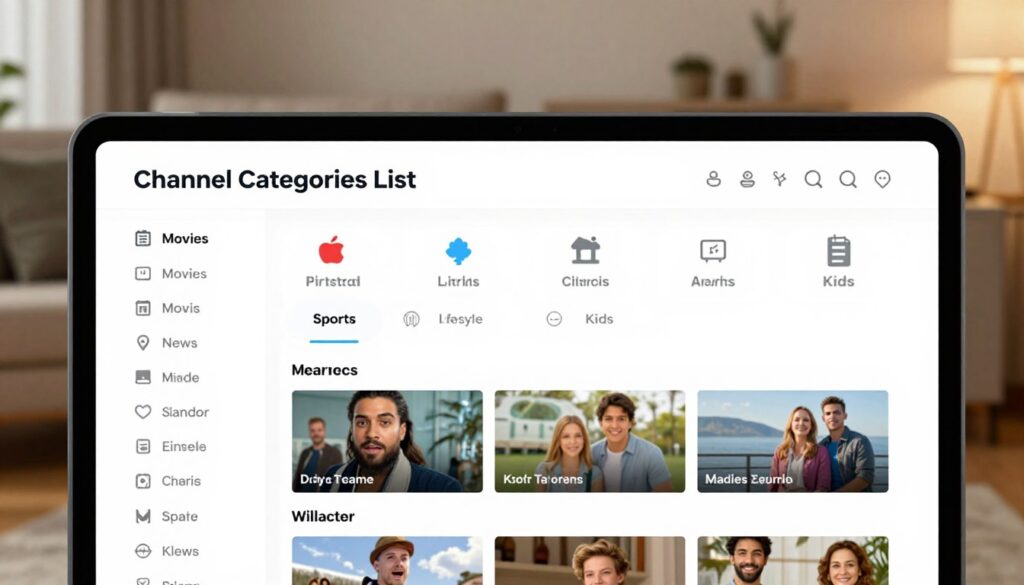
A clear, itemized list makes it easy to compare what the provider actually carries. Requesting the full channel list is the most reliable way to confirm content before you buy.
Sports HD and premium sports groupings
Sports HD and premium groupings include league feeds and event nets. Ask the provider to list must-have sports networks so you can verify live access during big events.
Movies+ and series-focused bundles
Movies+ bundles focus on film networks and VOD picks. Series Max groups serialized runs for binge viewing. Ask to see samples from each so you can judge the library quality.
Kids Time and Family viewing
Kids Time and family blocks offer predictable, age-appropriate content. These categories are useful if you want safe, repeatable viewing for children or casual background TV.
News 24 for always-on updates
News 24 offers round-the-clock headlines and clips. Confirm which news feeds and regional summaries are included so you can rely on them for quick check-ins.
Arab World, Latino TV, and EU Mix for international viewers
International groupings cover regional packages from 22 countries. Ask for specific country feeds or language blocks if you need local or foreign-market content.
“Request the full channel list to verify the exact categories and networks before you subscribe.”
Quick checklist:
- Confirm your must-have sports networks and event feeds.
- Check that Movies+ and Series Max include your preferred genres.
- Verify Kids Time and Family picks for age-appropriate content.
- List any local or international favorites from the 22 countries offered.
Asking for a full list is a sign of a transparent provider and an easy step you can take to choose the best iptv fit. For a simple customization guide, see channel customization.
Device compatibility: how you can watch GetMaxTV on your screens
Start on the TV that matters most, then add phones and tablets for flexible family viewing.
Support for all devices typically means Smart TVs, streaming sticks/boxes, phones, and tablets work with common IPTV apps and playlists.
Support for common setups
Smart TVs and streaming sticks are best for high-quality viewing on large screens.
Phones and tablets are ideal when you travel or need a second screen. Multi-room watching lets the household stream different programs at once.
Day-one setup: simple steps to start today
Have your credentials, playlist or EPG details ready. Instant activation usually delivers everything by email so you can sign in right away.
Start on one primary device to confirm picture and playback. Once stable, add your other devices.
On-the-go expectations
On cellular, expect variable quality; HD or FHD may be more consistent than ultra-high resolutions when bandwidth drops.
On Wi‑Fi, you get the best experience—especially on TVs in the living room where wired or strong Wi‑Fi helps reduce buffering.
- Quick tip: Use Ethernet for the main TV if you want the most stable experience.
- Quick tip: Keep your account organized so you can switch screens without confusion.
- Quick tip: If you want a guided setup for retail or public displays, see the IPTV retail guide here.
“Start small, confirm quality, then expand—setup should feel manageable, not overwhelming.”
Streaming performance and reliability: servers, uptime, and anti-freeze tech

Reliable delivery during prime time comes down to how servers, network design, and failover plans work together. You want streams that start fast, stay steady, and recover quickly when a source hiccups. That is what uptime goals and redundancy aim to deliver.
Fast & stable servers built for streaming quality
Uptime refers to how often streams are available without interruption. Providers that target “Always Uptime Server” use multiple locations and failover to keep content online during load spikes.
Good servers shorten channel start time and reduce drops. In real terms, that means fewer freezes and a steadier picture during U.S. prime time and big games.
Anti-freeze performance for demanding live events
Anti-freeze is an optimization layer (here noted as 7.3) designed to cut buffering during heavy traffic. It can include adaptive bitrates, pre-buffering, and smart CDN routing.
Your home network still matters: wired connections and limiting other downloads help the anti-freeze tech perform as intended.
How multi-room streaming supports multiple viewers at once
Multi-room tests whether the system can serve several streams at the same time. Look for providers that let at least six simultaneous streams so family members can watch different programs.
Use a trial to stress-test this: run live sports on the TV while others stream on phones and tablets to see real-world load handling.
- Test peak-hour performance during prime-time and major events.
- Play a high-demand sports stream and note start time and buffering.
- Simulate multi-room use with 3–6 devices to measure consistency.
“Responsive support shortens downtime — even the best infrastructure needs quick troubleshooting when source feeds change.”
When you try the service, confirm uptime during busy windows and judge how fast support responds to issues. If you want tips on watching Premier League without interruptions, see this guide on how to watch Premier League without.
Support that’s available when you need it
When you need help fast, accessible support makes setup and troubleshooting less stressful. You can reach real people through 24/7 live chat on the website, or use messaging apps when you’re away from your TV.
24/7 live chat and what it can solve
Live chat is the fastest way to get answers for setup questions, playlist/EPG guidance, device compatibility checks, and login or buffering fixes.
Agents can walk you through app settings, suggest network tips, or confirm account details so you spend less time troubleshooting and more time watching.
WhatsApp and Telegram chat options
Chat on WhatsApp or Telegram is useful when you’re setting up on a phone or want screenshots sent quickly. These apps let you share device info and receive step-by-step help without being tied to a desktop.
What “after-sell support” looks like
After-sell support means ongoing help after payment: library updates, migration notices, and guidance when apps or devices change. Support teams help you adapt to updates so your service keeps working.
“Humans typically respond within two minutes on live chat, though response times can vary.”
Before you contact support, have this ready to save time:
- Your device type and OS version
- The app name you’re using
- Internet type (Ethernet, Wi‑Fi, or cellular)
- The exact title or stream you tried to play
These channels and clear expectations help you feel supported rather than stuck. If something doesn’t work on first try, the service has multiple ways to help you resolve it quickly.
Plans, trial, and pricing: choosing the right IPTV subscription
Your best subscription is the one that fits your routine—weekend sports, nightly movies, or casual background TV. The smart move is to validate performance on your home network before committing. Use the trial to confirm signal stability, picture quality, and device support during your peak viewing times.
48-hour trial option for testing quality and channel access
Try before you buy: the 48-hour trial lets you test the service at prime time and on all your devices. Run live sports, play VOD items, and stress-test multi-room streaming to see how the anti-freeze and server setup behave in real conditions.
Monthly plan options and who they’re best for
Simple monthly tiers make it easy to choose: $29, $39, $59, and $99. Pick lower-cost months if you want short-term access or seasonal sports coverage.
Choose mid-tier plans if you watch regularly. Select the top plan if your household needs many simultaneous streams or higher peak reliability for big events.
What’s included across plans: 4K/UHD access, updates, support
Every plan includes instant activation, weekly TV and VOD updates, anti-freeze optimization (7.3), fast & stable servers, and access to 4K/UHD/FHD/HD streams. You also get device support and 24/7 live chat for setup and troubleshooting.
- Who should pick which plan: sports-heavy viewers need higher tiers for simultaneous streams and stability.
- Movie and series fans should pick mid-to-high plans for smoother VOD playback and fewer dropouts.
- Families should prioritize multi-device support and reliable uptime over small differences in monthly price.
“Compare the total experience, not just the sticker price—reliability, updates, and quick support matter most.”
Request the full channel list before you subscribe to ensure the lineup fits your needs. When you’re ready to review current offers and pricing details, check the official subscription page at subscription plans & pricing.
How to set up your subscription and start watching today
Follow this simple flow to activate your account, add credentials to your app, and verify playback today. The process is designed so most people go from signup to first stream in minutes.
Steps from signup to first stream
Get Started: choose a plan or start the 48-hour trial. You’ll get Instant Activation! and a short email with login info or a playlist.
- Pick a plan or trial and complete checkout.
- Receive activation details and add them to your IPTV app or device.
- Test a few streams: one ultra-high option if available, a live sports feed, and a VOD title.
How to request the full channel list before you buy
Before you pay, ask the provider for the full list. Request specific categories so you know what’s included.
- Sports HD
- Movies+
- Series Max
- Family
- News 24
- Kids Time
- Arab World, Latino TV, EU Mix
Getting this list helps you confirm must-have content and avoids surprises after purchase.
Where to view the official offer and when to use chat
Check the official offer page for plan details, inclusions, and current pricing. That page lists instant activation, trial terms, and support options.
Use live chat, WhatsApp, or Telegram when you hit login/playlist problems, EPG errors, or playback settings that need tweaking. Support can push updated playlists or guide app settings quickly.
| Step | What you do | Why it matters |
|---|---|---|
| Choose plan/trial | Select monthly tier or start 48-hour trial | Test real-world performance before committing |
| Activate | Receive credentials and add to app | Instant Activation gets you watching fast |
| Test | Play a high-res stream, live sports, and VOD | Validates live and on-demand playback |
| Confirm list | Request full category list from provider | Ensures the lineup matches your needs |
“Start small, verify quality during peak hours, and use chat if anything blocks playback.”
Conclusion
Before you decide, focus on what really affects your nightly viewing: reliability, content mix, and device support.
Recap: the service offers multi-tier video (4K/UHD/FHD/HD), themed 24/7 blocks, weekly updates, and large international selections across many countries. Pick the categories—sports, movies, series, shows—that match your household habits.
Prioritize uptime, anti-freeze performance, and fast, stable servers. Test multi-room playback on your main TV and other devices using the 48-hour trial to verify real-world streaming quality.
If you want to compare plans, pricing, or monthly options and consider a legal IPTV subscription, review the official offer directly: https://getmaxtv.com. Use live chat, WhatsApp, or Telegram for quick support when you need help.
FAQ
What does GetMaxTV 4K Channels include in its Ultra HD content list?
You get a broad mix of Ultra HD and HD entertainment, including live sports, movie channels, series libraries, documentaries, kids programming, and international feeds. The service emphasizes UHD viewing where available and maintains large on-demand libraries so you can browse thousands of titles across genres.
How does streaming quality perform in the United States?
Streaming quality is designed for stable playback with UHD and FHD options. Fast servers and anti-freeze technology reduce buffering during peak hours, while adaptive bitrates adjust to your internet speed so you keep watching with minimal interruptions.
Which sports are available in Ultra HD and how wide is the coverage?
You can watch major global sports—football (soccer), basketball, baseball, motorsports, boxing, tennis—and regional leagues in premium sports bundles. Live events and tournament coverage are available across many packages to give you a complete game-day experience.
Can I stream movies and series in Ultra HD and how often is content updated?
Yes. The on-demand vault and movie channels offer thousands of movies and series, many in UHD. Libraries receive weekly updates, including new releases and refreshed series categories labeled for quick browsing.
What does “instant activation” mean for my first watch?
Instant activation means your subscription credentials are delivered quickly after purchase so you can sign in and start streaming immediately. Most setups allow first playback within minutes after payment and device configuration.
Are there 24/7 channels for news and background viewing?
Yes. The service includes continuous news feeds, music and lifestyle loops, and family-friendly 24/7 blocks that you can tune to at any time for always-on content.
Which international and language options are available?
You’ll find region-specific packages including Arabic, Latino, European mixes, and other country feeds. Multilingual subtitles and dubbed options vary by title and channel, so check the channel list for specific languages.
What devices are supported for watching on my TV and mobile?
The platform supports a wide range of devices: smart TVs, Android TV boxes, Fire TV, Roku (where supported), iOS and Android phones/tablets, and web players. It also works with common IPTV apps and setups for home or on-the-go viewing.
How does multi-device streaming work during big events?
Multi-device streaming lets several people watch simultaneously, depending on the plan. This is ideal for households or roommates who need separate streams during big games or live events without interruption.
What kind of customer support is available if I have issues?
Support includes 24/7 live chat, plus messaging options via WhatsApp and Telegram. Agents help with setup, playback problems, account questions, and after-sale support to resolve ongoing issues quickly.
Is there a trial period before I commit to a subscription?
A short trial—often 48 hours—is typically available so you can test streaming quality, device compatibility, and channel access before choosing a monthly plan.
What plan options are best for different users?
Monthly plans vary by the number of simultaneous streams, UHD access, and included regional bundles. Casual viewers often choose basic plans, while sports fans and larger households pick plans with more streams and premium sports groups.
How do I request the full channel list before buying?
You can request the complete channel list via live chat or messaging support. The team can send channel lineups, sports packages, and region-specific lists so you can verify availability for your country or language needs.
What steps do I follow to set up my subscription and start watching today?
Sign up on the official offer page, choose a plan, complete payment, receive activation details, then install the recommended app on your device. Log in with the provided credentials and begin streaming immediately.
How reliable are the servers and what uptime can I expect?
The service uses fast, stable servers with an aim for high uptime and anti-freeze features that prioritize live-event performance. While no provider guarantees 100% uptime, infrastructure is built to minimize outages and buffering.
The GetMaxTV Blog Team is a group of IPTV technology writers and cord-cutting researchers who have been reviewing streaming services since 2023. We publish independent device setup guides, troubleshooting articles, and honest service comparisons. Every tutorial on this blog is tested on real devices — Fire Stick 4K Max, Roku Ultra, Samsung Smart TV, Apple TV 4K, and Android phones. We verify every step before publishing and update our content quarterly.