

Have you ever wondered if you can stop juggling apps and build one simple hub that reliably delivers live TV and on-demand content to every screen in your home?
This guide shows you how to move from scattered services to a single, dependable dashboard. You’ll learn the exact setup needed: a gigabit router, a main receiver (smart TV or set-top box), and secondary devices. Wired Ethernet and router features like IGMP Snooping and QoS make streams stable on day one.
We’ll explain how M3U playlists and XMLTV EPGs work, and why proxies such as xTeVe or Threadfin help Plex recognize sources like tuners. You’ll also see when ErsatzTV, Plex, Jellyfin, or Channels DVR are the right fit for your needs.
GetMaxTV is highlighted as a best-value option—19,000+ live channels, 97,000+ VOD, full sports and movie packs, $6.95/month, instant activation, and 24/7 support—so signup feels risk-free and fast.
Key Takeaways
- You can unify live and on-demand feeds into one dashboard for easy playback.
- Use a strong router, wired Ethernet, and QoS to reduce buffering.
- M3U proxies let Plex treat playlists like tuners and map EPG guides.
- Pick Plex, Jellyfin, Emby, Channels DVR, or ErsatzTV based on DVR and channel needs.
- GetMaxTV offers a large, affordable lineup and quick activation for easy testing.
Why integrate IPTV with a media server in 2025
Imagine one dashboard that puts live channels, recordings, and your movies in a single searchable place.
Centralized streaming, DVR, and discovery across all your devices
You bring live TV, recordings, and your personal library into one place so your viewing stays organized. Plex can centralize personal files and IPTV using search, recommendations, and DVR (Plex Pass required). For Plex to treat playlists like tuners, use proxies such as xTeVe or Threadfin. Jellyfin and Emby offer simpler native support for playlist-based feeds.
Cost-effective, flexible channels and VOD compared to cable
Integration is cheaper than traditional cable and removes physical wiring limits. You can pick services that fit your budget and watching habits. For example, GetMaxTV offers over 19,000 live channels and 97,000+ VOD, all sports and movie packages included for only $6.95/month, no contract, instant activation in 2 minutes, and 24/7 customer support.
- Search across live channels, recordings, and movies.
- Record sports and shows inside the same interface.
- Simultaneous viewing on multiple screens without extra wiring.
What you need before you start: devices, accounts, and network
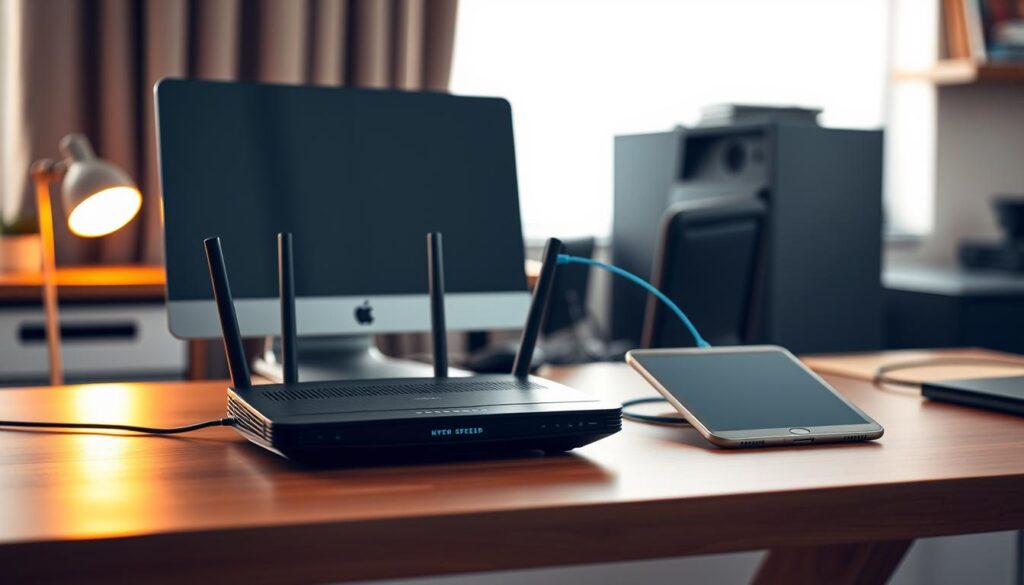
Gathering the right kit first makes setup fast and less frustrating.
Minimum hardware: a gigabit router with dual-band Wi‑Fi, a primary receiver (smart TV, set-top box, or media player), and any secondary devices like tablets or phones.
Enable IGMP Snooping/Multicast on the router and set QoS to prioritize TV traffic. Wired Ethernet is best for heavy streams, but modern Wi‑Fi works for casual rooms.
Pick your media path
Choose Plex plus a proxy (xTeVe or Threadfin) if you want plex media features and DVR. Channels DVR pairs well with HDHomeRun or a proxy for robust DVR chores.
Jellyfin and Emby accept playlist feeds more directly. ErsatzTV is ideal when you want custom 24/7 channels and can emulate HDHomeRun outputs.
Playlists and guide data
Get your credentials and two URLs: an M3U playlist URL for channels and an XMLTV EPG url for guide mapping. Tools like m3u4u.com or IPTVBoss help trim oversized lists before you scan.
Quick checklist before you begin
- Decide which path: Plex (proxy), Channels DVR, Jellyfin/Emby, or ErsatzTV.
- Gather the M3U and XMLTV URLs and test them on a PC first.
- Plan your internet connection and LAN runs; estimate concurrent streams per room.
- Install apps on Firestick, Smart TV, Android, Mac, and Windows and sign in.
- Consider GetMaxTV for an instant playlist and guide that simplifies the rest of the setup: affordable, large lineup, and 24/7 support.
If you pick Plex, follow a Plex tuner guide (Plex tuner guide) to add a proxy so Plex sees feeds like a traditional tuner.
IPTV with media server: step-by-step planning for a smooth setup
Start by picking the right workflow so configuration stays simple and repeatable.
Choose your path: pick Plex plus xTeVe or Threadfin if you want DVR inside Plex, Channels DVR for robust recording, Jellyfin or Emby for direct playlist support, or ErsatzTV for custom 24/7 channel builds. Each path affects how you import and map guide data.
Trim, organize, and test
Import your M3U playlist and XMLTV EPG, then use tools like m3u4u.com or IPTVBoss to trim duplicates and group favorites. Clean lineups speed scans and improve matching.
Prepare clients and validate streams
Install apps on Firestick, Smart TVs, Android, macOS, and Windows. Sign in and confirm each app detects your chosen system before adding more devices.
- Validate a handful of streams first and confirm guide data lines up.
- Document your configuration so you can restore it quickly later.
- Plan concurrent stream capacity: wire primary rooms and keep Wi‑Fi clients in strong-coverage zones.
Pro tip: Start from a reliable playlist and guide source. A provider such as GetMaxTV setup guide gives you a large, stable lineup and EPG, cutting the chance of dead links and missing programs.
Setting up Plex IPTV the right way using xTeVe or Threadfin

To get reliable live channels in Plex, you’ll need a small proxy that emulates tuners.
Why a proxy is mandatory: Plex Live TV & DVR expects broadcast tuners. A proxy tool like xTeVe or Threadfin turns an M3U playlist into a tunable source so Plex can map guide data and record.
Install and prepare the proxy
Run xTeVe or Threadfin on the same machine as your Plex Media Server. Official Docker images make deployment repeatable and easy to update.
Open the proxy web UI, pick an EPG source (XEPG works well), then paste your M3U playlist URL and XMLTV file URL. Trim lists to ~400–480 channels to keep scans fast.
Map guides, add to Plex, and tune buffers
Carefully map channels to the XMLTV guide and remove duplicates. Add the proxy as a tuner inside Plex Live TV & DVR using the provided tuner URL, then run a channel scan.
“Keep ffmpeg buffering enabled for HLS streams to cut buffering and improve playback.”
| Step | Why it matters | Quick tip |
|---|---|---|
| Install via Docker | Stable, portable configuration | Host on Linux for uptime |
| Add M3U & XMLTV | Provides channels and guide data | Use GetMaxTV URLs for wide, reliable lineups |
| Map & trim | Faster scans, accurate guide | Keep naming and logos consistent |
| Scan in Plex | Plex treats proxy as a tuner | Validate a few streams on clients first |
Validate a handful of streams end-to-end before rolling out. If you want a reliable playlist and guide, GetMaxTV supplies thousands of channels and extensive VOD for easy testing.
For a deeper walk-through, follow this Plex IPTV guide to complete your configuration.
Alternative media server workflows that simplify live TV
Not everyone needs Plex: there are easier or more customizable ways to get live channels and DVR features at home. Each path trades setup steps for different kinds of control and convenience.
Channels DVR: rock-solid DVR and playback
Channels DVR runs on macOS, Windows, Linux, Raspberry Pi, and NAS platforms. It pairs cleanly with HDHomeRun or a proxy like xTeVe to import iptv channels and guide data.
Use Channels if you want a local-first DVR engine and familiar grid-style playback across apps.
ErsatzTV: build custom 24/7 lineups
ErsatzTV excels at always-on, themed channels built from your files and collections. It can emulate HDHomeRun, serve MPEG-TS or HLS, and supports hardware transcode via QSV, NVENC, or VAAPI.
Deploy ErsatzTV via docker, mount your libraries, create schedules, then expose M3U/XMLTV to other apps for broad compatibility.
When Jellyfin or Emby is the simpler route
Jellyfin and Emby accept playlist URLs directly, so you skip the proxy step that Plex requires. That lowers friction if your priority is quick onboarding and straightforward playback.
Tip: Keep Plex for library features if you prefer, and use Channels or ErsatzTV for recording and custom playout. No matter which app you pick, a robust provider like GetMaxTV supplies large playlists and VOD—$6.95/month, instant activation, and 24/7 support—to plug straight into any workflow.
Multi-room IPTV at home: network design and playback tips
A clear network plan makes sure everyone can watch their favorite shows without buffering fights.
Wired vs wireless: run Ethernet where you can. A single 100 Mbps drop can carry about ten HD channels, so wired links keep streams steady during busy evenings.
Use mesh nodes to cover dead spots. If coverage is weak, keep mind that forcing SD instead of HD stabilizes playback on those rooms.
Router settings that matter
Enable IGMP Snooping/Multicast to stop packets from being duplicated across the LAN. Then set QoS to prioritize your main TV ports and the device that handles recordings.
Features like multicast support and port prioritization reduce playback drops during downloads or backups.
Device mix and layout
Have one primary receiver in the living room and secondary screens in bedrooms, kitchen, and office. Test each device for smooth playback before final placement.
Keep your streaming devices and players on the same subnet so discovery and multicast work properly. If audio falls out of sync, switch the client audio codec to AAC.
Practical cabling and Powerline tips
During renovations, pull extra Cat‑6 to likely TV spots. It’s cheaper now than fishing cables later and future‑proofs your system.
When you can’t run new cable, Powerline adapters or splitters can bridge tricky runs. Finally, remember GetMaxTV offers 24/7 support if you need help finalizing layout or activating devices.
Troubleshooting streams, EPG, and client playback
Tuning buffers, checking URLs, and verifying subnets often clears most playback problems.
If playback stutters or audio is out of sync, increase buffer sizes in your proxy tool and test AAC audio. AAC handles packet loss better and often fixes desyncs on low‑quality links.
Validate each M3U and XMLTV url and the guide file is reachable from the host. A single typo or expired link can stop guide mapping and block channel scans.
Network and client discovery
Make sure all client devices sit on the same subnet and that your router supports Multicast. Discovery gaps usually trace back to VLANs, mesh placement, or incorrect Wi‑Fi isolation.
Handling channel limits and guides
Keep Plex channel counts under ~400–480 for fast scans. Use tools like m3u4u.com and IPTVBoss to trim lists, then manually map channels when automatic matching fails.
Stability and hosting tips
Host services on Linux and run them in Docker for easier upgrades and rollbacks. Track simultaneous stream limits based on your LAN and CPU—avoid overloading to keep playback stable.
“Maintain a small test group before rolling changes out to every client; it saves time and prevents outages.”
| Issue | Quick fix | Tools |
|---|---|---|
| Buffering / desync | Increase proxy buffer, switch audio to AAC | xTeVe, Threadfin |
| Missing guide or wrong times | Verify XMLTV url and map channels manually | epg.best, XMLTV editors |
| Client not found | Check subnet, disable Wi‑Fi isolation, place mesh node | Router web UI, network scanner |
| Slow scans / too many channels | Trim playlist to 400–480 entries | m3u4u.com, IPTVBoss |
- Limit test changes to a few channels before full rollout.
- Favor Linux hosting and Dockerized services for reliability.
- When stuck, a dependable provider and 24/7 support speeds resolution—GetMaxTV cuts troubleshooting noise and lets you get back to watching fast.
Why GetMaxTV is the best-value source for your IPTV setup
Pick a reliable source first and the rest of your streaming setup becomes painless. GetMaxTV gives you a huge foundation so you can focus on playback, not link hunting.
Massive content library
19,000+ live channels and 97,000+ VOD mean your lineup is always full. That breadth helps guide mapping and reduces dead links during scans.
Low cost, instant activation
At only $6.95/month with no contract, all sports and movie packages are included. Activation takes about two minutes, so you can watch iptv the same night you sign up.
Works everywhere and offers support
GetMaxTV runs on Firestick, Smart TV, Android, Mac, and Windows. If you need help during kickoff or a big game, 24/7 support gets you back to watching fast.
“Start with a better source and every part of your setup becomes simpler, faster, and more enjoyable.”
- Unmatched foundation: huge channel breadth that pairs well with Plex, Jellyfin, Emby, or Channels DVR.
- Budget friendly: fixed low price, no surprise add-ons.
- Quick setup: instant activation and broad device compatibility.
- Live support: 24/7 assistance via site and WhatsApp for fast troubleshooting.
Ready to try? Visit https://getmaxtv.com/ or request a free trial via WhatsApp at +1 (613) 902-8620 to get started.
Conclusion
Follow this short step guide to finish your setup and start watching shows across every device. Trim your playlist, map guide data, and add a proxy as a tuner if you use plex media so scans stay fast.
Host services via Docker where possible, document configuration, and back up your files. Make sure M3U and XMLTV url entries are exact; a single typo breaks channels and guide file mapping.
For multi-room reliability, wire primary rooms, enable IGMP Snooping/Multicast, and prioritize TV traffic to reduce buffering and keep streams smooth.
Ready to subscribe? Visit https://getmaxtv.com/ — only $6.95/month, 19,000+ live channels, 97,000+ VOD, all sports and movies, no contract, instant activation, and 24/7 support.
Not ready yet? Get a free trial by contacting support on WhatsApp: +1 (613) 902-8620 and test the lineup before you commit.
FAQ
What hardware and devices do you need to run a reliable IPTV integration?
You’ll want a capable host for the media server software — a low‑power NAS, mini PC, or home server running Linux or Windows works well. Ensure your router supports gigabit LAN; wired Ethernet is best for primary devices. Streaming clients include Fire TV Stick, Android TV, Smart TVs, macOS and Windows clients, and mobile apps. If you plan heavy DVR or many simultaneous streams, pick a CPU with good single‑thread performance and enough RAM.
Which server apps should you consider for channel streaming and DVR?
Popular choices are Plex (Live TV & DVR), Channels DVR, Jellyfin, Emby, and ErsatzTV. Plex offers broad client support but needs a proxy like xTeVe or Threadfin for playlist handling. Channels DVR gives a strong DVR experience. Jellyfin and Emby are lighter-weight and flexible. ErsatzTV excels at creating 24/7 linear channels from your library.
What files or URLs do you need to add channels and guide data?
You’ll need an M3U playlist URL that lists stream links and an XMLTV (or other EPG) URL for guide data. Some providers supply both; if not, you can use third‑party EPG services or map channels manually. A proxy tool helps reconcile mismatched channel IDs between M3U and XMLTV.
How do xTeVe and Threadfin help Plex or other servers?
These tools act as an M3U proxy and tuner emulator. They take your playlist and EPG, normalize channel IDs, and present a tuner endpoint your server can use. That lets Plex or similar software treat internet streams like a local tuner for Live TV and DVR functions, improving channel mapping and stability.
Can you deploy the proxy and server via Docker?
Yes. Docker is a common, reliable way to host xTeVe, Threadfin, Plex, Channels DVR, Jellyfin, and ErsatzTV. Containers simplify updates and isolate dependencies. Use Docker Compose to define services, mount persistent storage for recordings and config, and expose necessary ports to your LAN.
How should you design your home network for multi‑room streaming?
Prioritize wired connections for servers and primary players. If you use Wi‑Fi, place a mesh or access points to avoid weak spots and set devices to 5 GHz for HD streams. Enable QoS to favor streaming, and turn on IGMP Snooping if using multicast. Segment guest networks away from streaming devices to reduce interference.
What common playback problems will you encounter and how do you fix them?
Buffering and desync often stem from bandwidth or unstable streams; check your ISP speed and reduce concurrent streams. Codec issues may need transcoding or client updates. If channels won’t map to EPG, verify XMLTV timestamps and channel IDs. For discovery issues, confirm client and host are on the same subnet or configure appropriate firewall rules.
How do you optimize channel lists and guide mapping for better performance?
Trim unused channels before importing to reduce load. Group channels by language or genre, and use the proxy to map channel IDs to your EPG. Limit the number of active streams your host will allow and increase buffer sizes only as needed to balance latency and stability.
Is it legal to use internet channel playlists and third‑party content providers?
You must follow local laws and licensing terms. Use legitimate, authorized subscription services or content you own or have rights to stream. Many reputable providers offer M3U and EPG access for authorized customers; verify terms of service before integrating any playlist.
What are best practices for DVR storage and recording quality?
Store recordings on a dedicated drive or NAS with ample space, and use SSDs for the OS or database where practical. Choose appropriate recording codecs and bitrates to manage space — lower bitrates save storage but reduce quality. Implement automated pruning or retention rules to keep storage from filling.
Which guide sources and EPG tools are reliable for accurate listings?
XMLTV from established EPG providers, commercial guide services, and provider‑supplied EPGs are the most reliable. If you use a generic EPG scraper, verify time zones and channel ID alignment. Some apps offer paid EPG packages for improved accuracy and regional coverage.
How do you secure your setup against outside access or leaks?
Keep services behind your router, disable UPnP for servers unless needed, and avoid exposing tuner endpoints to the public internet. Use strong, unique passwords and enable HTTPS for any remote access. If you must allow remote streaming, use VPN or authenticated, rate‑limited portals.
Can you mix local files and live channels in one interface?
Yes. Most modern platforms like Plex, Emby, and Jellyfin let you combine your TV shows, movies, and recorded live channels into unified libraries. ErsatzTV can create linear channels from your on‑disk content, while Plex and Channels DVR integrate playback and DVR guides in one app.
What should you monitor to keep the system stable over time?
Track CPU, memory, and network usage on your host, monitor concurrent stream counts, and watch storage health for recording drives. Schedule updates for OS, Docker, and server apps during low‑use hours. Regularly back up configurations and EPG mappings to speed recovery if needed.
How do you add new devices and clients without disrupting service?
Validate streams and EPG on one client first. Keep the channel list trimmed to reduce server load before adding many clients. If possible, stagger onboarding so the server can cache guide data and warm up transcoders, and ensure your router can handle additional simultaneous connections.
Which software combinations give the best DVR experience for live sports and fast channel switching?
Channels DVR paired with an HDHomeRun emulator or xTeVe often delivers top DVR reliability and quick channel surfing. Plex can work well with a tuned proxy, but you may see longer channel scan times. Use powerful hardware for real‑time transcoding during sports events to avoid dropped frames.
Where can you find reliable playlists and support for setup help?
Use official provider portals and verified subscription services for playlists and EPG access. Community forums, GitHub repos for xTeVe/Threadfin, Plex and Channels DVR support pages, and vendor documentation provide step‑by‑step guidance. For paid options, some vendors offer 24/7 customer support and instant activation.
The GetMaxTV Blog Team is a group of IPTV technology writers and cord-cutting researchers who have been reviewing streaming services since 2023. We publish independent device setup guides, troubleshooting articles, and honest service comparisons. Every tutorial on this blog is tested on real devices — Fire Stick 4K Max, Roku Ultra, Samsung Smart TV, Apple TV 4K, and Android phones. We verify every step before publishing and update our content quarterly.
https://shorturl.fm/V4n47
https://shorturl.fm/VuFSu