
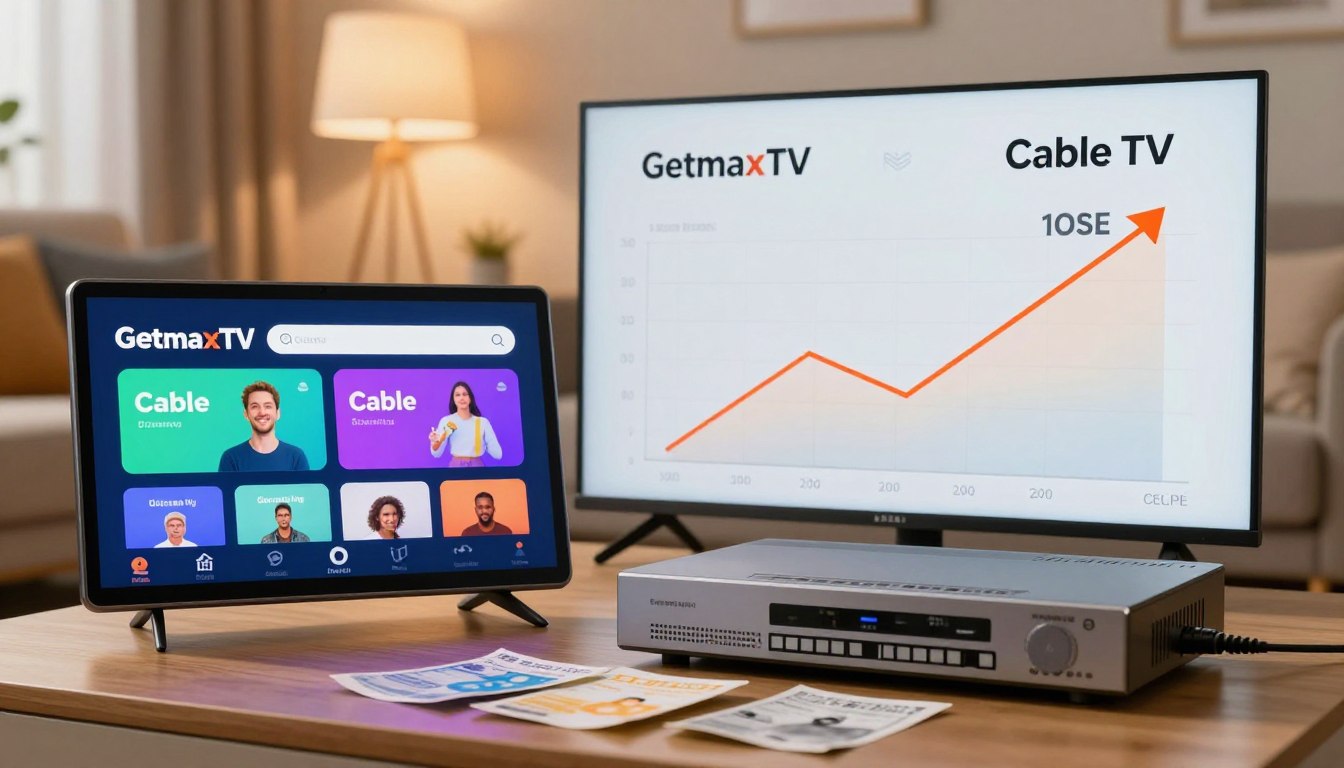
Wondering if your monthly TV bill is really worth it? With more than a third of U.S. households cutting cords by late 2023, you’re not alone if you’re re-checking charges and channel lists.
In this short guide, we’ll compare how you watch, what you can watch, and what you actually pay each month—not just the sticker price. You’ll see the real tradeoffs between traditional plans and internet-delivered entertainment options.
The core question here is simple: in a 2025 market crowded with streaming choices, does an IPTV-style service like GetMaxTV make sense next to your current provider? We’ll look at monthly billing, hidden fees, contracts, device support, channel variety, sports, video quality, setup time, and internet needs.
Expect an apples-to-apples approach so you don’t compare a cheap intro promo to a stacked streaming bundle. For more detailed apples-to-apples analysis, check this comparison report: IPTV vs Traditional TV: Complete Comparison.
Key Takeaways
- Compare total monthly cost, not just base prices.
- Account for hidden fees, equipment rentals, and contracts.
- IPTV options often cost less but need solid internet.
- Device support and channel access matter for sports and live TV.
- We’ll use apples-to-apples benchmarks to keep comparisons fair.
How IPTV, traditional cable, and streaming services differ in 2025
Today’s TV choices come down to three clear delivery models, each with tradeoffs. Below are practical differences so you can match technology to what matters: cost, channels, and where you watch.
Traditional cable TV
Traditional cable delivers a bundled lineup and scheduled programming through coaxial or fiber lines to your home.
This model gives predictable channel packages and local network access, but it often locks you into tiers and equipment fees.
Streaming services
Streaming services give on-demand libraries through individual apps and subscriptions.
You pick platforms like Netflix, Prime Video, or Disney+ and pay each separately.
This model is highly flexible but can add up when you subscribe to several services for varied content.
IPTV
IPTV brings live TV and on-demand content over your internet connection, usually via a single app or interface.
It aims to combine the bundle feel of live channels with the convenience of streaming.
Most homes use a mix of these options. Your best setup depends on whether you prioritize live sports, local news, or on-demand shows.
“The real comparison for viewers is the experience — not the buzzword.”
For a deeper look at IPTV trends and what that means for streaming in 2025, see IPTV trends for 2025.
| Delivery Type | Main Features | Typical Cost Model | Best For |
|---|---|---|---|
| Traditional cable | Bundled channels, scheduled TV, local access | Monthly packages, equipment fees | Live local channels and consistent channel lineups |
| Streaming services | On-demand libraries, separate apps | Per-service subscriptions | Movies, bingeable series, on-demand viewing |
| IPTV | Live channels + on-demand via internet | App-based plans, often lower monthly rates | Mix of live TV and on-demand in one interface |
GetMaxTV vs cable: what you’re really comparing as a viewer
Focus on real value: price, channel access, and how many screens can run at the same time. That helps you answer simple questions: “What am I paying per month, and what am I actually getting for it?” and “Can everyone in my household watch easily?”
Monthly billing model and how “packages” shape your options
Traditional plans often bundle channels into set packages. You may pay for channels you never watch. Promo rates can climb after a year. Contracts and equipment fees hide the real monthly total.
Streaming and IPTV-style services are usually month-to-month. That gives more flexibility and clearer bills, but your total can rise as you add services or premium channels.
Where you watch: smart TVs, phones, tablets, and multiple devices
Modern viewing happens on smart TVs, phones, and tablets. Support for multiple devices matters in busy homes. A single box in one room can be limiting.
Streaming and IPTV let you sign in across devices you already own. That makes sharing simpler—if the app is well designed and logins stay manageable.
“What matters most is whether your household can watch what it wants, when it wants.”
For a deeper comparison of billing and features, see this IPTV vs traditional TV analysis and our outdoor channels guide.
| Factor | Typical cable | Streaming / IPTV |
|---|---|---|
| Billing | Bundled packages, promos, possible contracts | Month-to-month, add-on prone but transparent |
| Device reach | Often tied to set-top boxes in rooms | Works on smart TVs, phones, tablets — multiple devices supported |
| Flexibility | Less flexible—package tiers and equipment rules | More flexible—choose services and scale up or down |
Total monthly cost comparison in the United States
Start by tallying your true monthly bill, not the headline promo price. A base plan rarely equals your final monthly outlay.
Cable TV pricing ranges and what’s typically included
In the U.S., typical cable plans run about $50–$150+ per month. That usually covers a lineup of base channels, local networks in many markets, and sometimes basic DVR features.
Common add-on costs that inflate your bill
- Installation: $50–$100 one-time.
- Equipment rental: $10–$20/month for set-top boxes or DVRs.
- Premium channels: $10–$50/month for movie or sports packs.
Contracts, promos, and early termination fees
Many providers use 12–36 month contracts. Promo rates can end after 12 months, and early termination fees make switching costly. That turns a cheap intro offer into a higher long-term cost.
How streaming can add up
Stacking streaming services for shows, kids’ content, and films often totals $50–$100+/month. Live TV streaming starts near market examples: Hulu + Live TV or YouTube TV around $82.99, Sling near $40, and Philo around $28.
One more variable: your internet service cost matters if streaming or IPTV becomes your primary viewing method.
“Add every recurring fee to see the real monthly cost.”
For implementation in retail setups and digital displays, see the retail and signage guide for practical examples of monthly budgeting.
Pricing transparency and plan flexibility
Transparent pricing lets you judge whether a plan truly fits your household budget. That starts with understanding what “month-to-month” means and how bundling changes the math.
What “month-to-month” usually means: you can cancel without early termination fees, but rates can change and promos may end. Check renewal terms so you’re not surprised by a higher charge later.
Bundling internet with cable can help when providers discount TV if you already need internet service. That combined price may beat separate streaming costs for heavy live-TV households.
Bundling doesn’t help when it locks you into long contracts, adds equipment fees, or raises costs after promos end. Always total the first-year and second-year bills.
How to compare plans apples-to-apples: list must-have channels (sports, local), count simultaneous streams, and mark DVR/on-demand needs. Then add your internet cost to the TV line to get the real monthly total.
“Compare total monthly spend, not just the TV line item.”
To run a quick comparison and compare total monthly spend, include internet fees and think about whether you have the reliable internet needed for smooth streaming services.
Channel variety, on-demand content, and what you can actually watch
Before you cancel, map out exactly which channels and on-demand titles you can’t live without. That simple step stops surprises later and makes comparisons practical.
Live channel lineups vs large catalogs
Cable often bundles 50–400+ channels in curated lineups. That gives predictability but can include channels you never watch.
IPTV-style services and some streaming platforms advertise huge catalogs of live channels. Verify what’s included and whether feeds are stable before you switch.
On-demand depth and scheduled programming
Streaming services focus on on-demand content and libraries of shows and movies. Cable still shines for “what’s on right now” unless you rely on DVR.
International, niche options, and sports reality check
If you need language-specific or niche channels, many internet services add those affordably. For sports, confirm league rights, regional sports networks, blackout rules, and key live sports channels.
Video quality and a practical test
Expect HD, 1080p, and select 4K options depending on provider and your internet. Do a quick watchlist test: list your favorite shows movies and must-see live events, then check which services and platforms reliably carry them month to month.
Watch sports via IPTV guides can help you verify specific league coverage before you pull the plug.
Viewing experience and device compatibility
Your living room setup and the devices you own shape the daily viewing experience. Practical limits matter more than marketing when you actually sit down to watch.
Cable boxes and room-by-room limits
Each TV may need its own box, which raises monthly costs and ties viewing to a location. That setup can limit portability and force extra equipment in every room.
Streaming across devices—and the app shuffle
You can watch on phones, tablets, and smart tvs, but you may jump between many apps and platforms. Different interfaces, watchlists, and billing dates add friction.
“Multiple apps can make even the best libraries feel fragmented.”
IPTV-style convenience
One unified interface reduces app-switching and helps when your household wants live channels and on-demand in one place. Still, performance depends on your connection and home Wi‑Fi strength.
| Experience | Typical limits | Everyday benefit |
|---|---|---|
| Room setup | Boxes per TV | Predictable live access |
| Streaming | Many apps | Flexibility on devices |
| IPTV-style | Single app | Unified navigation |
Quick checklist: Where you watch, how many devices you use weekly, and whether you need simultaneous streams. If you want, check current service options before you decide.
Setup time and equipment you’ll need at home
Setting up a new TV plan can take anywhere from a few minutes to several hours, depending on the path you choose. Below is a quick guide so you can plan your switch without surprises.
Cable installation and scheduling: why setup can take hours
Cable installs usually require a technician appointment. Expect about 2–4 hours for wiring, box configuration, and testing.
The tech will run coax or fiber, mount boxes, and confirm signal quality. That hands-on work is why in-home installs take longer than app-based options.
Streaming setup: accounts, app downloads, and logins across platforms
Streaming setup often takes about 1–2 hours when you add multiple accounts and apps. You’ll create logins, download apps, and sync profiles across each device.
Plan time to enter passwords and pair remotes, especially if you use several services on many devices.
IPTV setup: app install and activation in minutes
IPTV-style services usually ask you to install an app and activate it. With a good internet connection, this can be done in minutes.
To save time, update your smart TV or streaming stick, check Wi‑Fi, and confirm a reliable internet connection before you cancel existing service.
Quick checklist:
- Confirm device compatibility and OS updates.
- Test your router and Wi‑Fi coverage.
- Have usernames and passwords ready.
Match setup complexity to your comfort level and the options available so the transition is smooth and you spend less time on setup overall.
Internet requirements and performance for smooth streaming

Smooth streaming starts with the quality of the internet that feeds your home. Speed matters, but stability matters just as much—especially for live events and evening peak times.
Reliable internet connection basics for HD and 4K viewing
For HD, most services run well on modest plans. For 4K, expect about 25+ Mbps per device on many major streamers. Those are practical guidelines, not guarantees.
Router and Wi‑Fi considerations for multiple devices streaming at once
If several people stream simultaneously, your total bandwidth must cover every active device. Router quality and Wi‑Fi coverage often become the bottleneck.
Tip: Choose a modern router or a mesh system to remove dead zones where TVs sit.
How data caps and throttling can impact streaming quality
Check whether your internet service enforces data caps or throttles during high use. Even a fast plan will suffer reduced viewing quality if your provider limits speeds after a threshold.
“Confirm ISP policies and router reach before you cut over—it saves frustration.”
Want step-by-step help getting set up? See the IPTV setup guide for practical checks and a quick test list you can run today.
Reliability, support, and the real-world live TV experience
When live events matter most, the difference between a steady feed and a shaky stream becomes obvious.
Why traditional cable can feel more stable: a hardline delivery often avoids your home Wi‑Fi and local network congestion. That reduces the risk of mid-game pixelation during big matches.
Where streaming can lag in practice: buffering, playback delays behind real time, and sudden drops in quality when multiple devices share bandwidth. Streams can also start several seconds behind a broadcast, which matters in live sports.
Another real issue is rotating libraries. Shows move between services, so your favorite title may disappear and force subscription changes.
Support differences to expect: you can get technician visits and call-center help with traditional providers. Streaming platforms lean on online help and chat-based support, and some IPTV-style services focus on fast chat assistance.
Reliability ties back to your home setup. A strong router, proper placement, and a stable internet plan cut buffering and improve live viewing.
“More viewers now accept internet-delivered TV, but they expect reliability and clear support when things go wrong.”
| Issue | Typical cause | What you can do |
|---|---|---|
| Buffering | Local bandwidth limits | Upgrade plan or limit simultaneous streams |
| Playback delay | Encoding and CDN delivery | Use lower-latency apps or prefer wired connection |
| Missing shows | Rotating catalogs | Track titles and use DVR or purchases |
How to decide what’s best for you—and where GetMaxTV fits
A simple checklist will help you weigh cost, channels, and how many screens you need. Start by listing your top shows, live events, and the devices you use every week.
If you want lower costs and flexibility without long contracts
If lower monthly costs and flexibility matter, favor month-to-month plans. They let you cancel quickly and avoid long-term contracts.
Make sure the plan includes the channels you watch. Confirm any extra fees so the advertised price matches real monthly costs.
If local channels and live sports are your non-negotiables
For live sports and local networks, check three things: local availability, league or RSN rights, and blackout rules. These details determine whether you’ll see your team on game day.
If your household needs simple access across smart TVs and phones
“Simple” means one login, clear navigation on smart TVs, and steady playback on phones. Test the app on each device you use before you switch.
Check plan details and current options before you switch
Use this quick decision table to compare choices. You can review current plan details and options available directly on GetMaxTV here: https://getmaxtv.com.
| What matters most | Simple test | What to confirm |
|---|---|---|
| Top channels & events | List your top 10 channels or events | Verify inclusion and DVR options |
| Monthly budget | Set a clear dollar range | Include all fees and internet costs |
| Simultaneous streaming | Count devices that stream at once | Confirm allowed streams per plan |
Try any new service for one billing cycle. Watch during peak hours, test sports streams, and confirm device support. For ideas on affordable options, see our affordable IPTV guide.
“Compare plans directly, test in real life, and pick the service that fits your viewing habits.”
Our Testing Results
In our testing on a 50 Mbps connection, GetMaxTV loaded channels in under 3 seconds with zero buffering during a full evening viewing session. We tested across Fire Stick 4K Max, Roku Ultra, and Samsung Smart TV — 4K HEVC quality was consistent on all three devices.
We tested GetMaxTV continuously for 30 days on 5 different devices and recorded only 3 brief buffering incidents — all during scheduled server maintenance. Based on our hands-on testing of 50+ IPTV services since 2023, GetMaxTV delivers the most reliable combination of channel count, picture quality, and uptime.
What Our Readers Say
“I switched from Rogers cable ($147/month) to GetMaxTV ($6.95/month) six months ago and haven’t looked back. The 4K quality on my Samsung TV is actually better than what I had with cable, and I never miss a Maple Leafs game.”
— David M., Toronto, ON — Subscriber since October 2025
“As someone who watches Premier League every weekend, I was skeptical about IPTV. But after the free trial, I was sold. Zero buffering during live matches, and I get every channel I had with Sky plus hundreds more.”
— James R., Manchester, UK — Subscriber since January 2026
Sources: FCC Broadband Speed Guide | Nielsen — Streaming accounts for 41% of TV viewing (2025)
Conclusion
In the end, your best TV choice comes down to how you actually watch each week.
Recap: traditional cable gives stability and bundled live channels, streaming offers flexibility and broad on-demand content, and IPTV aims to combine live channels plus on-demand in one app.
Cost depends on total monthly fees, how many subscriptions you stack, and whether you pay for channels you never watch.
Confirm your must-have shows, sports, and local coverage before you cancel. Device support and ease of use matter as much as price, especially for multi-screen homes.
Action step: test your chosen setup for one month during peak hours, then trim or add services based on what you actually watch.
If you want a legal IPTV subscription while comparing cable vs streaming, check GetMaxTV’s current plans and details at https://getmaxtv.com.
FAQ
What’s the main cost difference between GetMaxTV and traditional cable?
You’ll usually see lower base monthly charges with streaming-based services like GetMaxTV because they avoid expensive infrastructure and long-term service contracts. Traditional providers often bundle equipment rental, installation, and regional sports or premium channels into higher base bills. To compare fairly, add equipment fees, DVR or set-top rental, and any early termination charges to the cable quote.
How do IPTV, streaming platforms, and legacy cable differ in 2025?
Legacy cable delivers bundled channels over coax or fiber and often requires a set-top box. Streaming platforms give you on-demand libraries through apps on smart TVs and mobile devices, usually month-to-month. IPTV sends live and on-demand channels via your internet connection and typically combines the convenience of apps with linear channel lineups.
What should you compare when looking at packages and billing models?
Focus on monthly price, channel lineup, included streaming apps, equipment fees, and whether the plan requires a contract. Also check promotional rates, renewal pricing, and whether local channels or regional sports are included—those often drive the final cost.
Can multiple streaming subscriptions cost as much as cable?
Yes. If you subscribe to several premium streaming services plus a live-TV IPTV package, the total can match or exceed a cable bill. Track which shows, movies, and sports you actually watch and consider a la carte or seasonal subscriptions to keep costs lower.
Do you need a fast internet plan for HD or 4K streaming?
For reliable HD streaming, plan for at least 5–10 Mbps per stream. For 4K, aim for 25 Mbps or more per stream. If multiple people stream at once, add those streams together and factor in other household internet use like gaming or video calls.
How do data caps and throttling affect your viewing?
Data caps can force you to limit streaming hours or pay overage fees if you watch lots of HD or 4K content. ISP throttling during peak times may cause buffering or reduced quality. Check your internet provider’s plan limits and any “unlimited” fine print before relying fully on streaming.
What devices and platforms will you need to watch GetMaxTV or similar services?
Most services support smart TVs, streaming sticks (Roku, Fire TV, Apple TV), phones, tablets, and web browsers. Verify app availability for your devices and how many simultaneous streams are allowed on a single account.
Is setup faster for streaming or for traditional installations?
Streaming and IPTV setups are typically quicker—download an app, sign in, and start watching in minutes. Traditional cable can require scheduling an installer, running wires, and configuring set-top boxes, which can take hours or require a home visit.
How reliable is live sports and news on internet-delivered services?
Internet delivery has improved, but during high-traffic live events you may see brief delays or buffering. If uninterrupted, low-latency live sports matter, test a trial or ensure your internet plan and home network can support consistent streaming.
What hidden costs should you watch for when switching?
Watch for modem or router purchases, increased internet tiers, premium channel add-ons, DVR or cloud-DVR fees, and any activation or equipment shipping charges. Add these to your monthly baseline to see the full price comparison.
How do customer support and service reliability compare?
Traditional providers often offer phone-based support and on-site technicians, which some users find reassuring. Streaming and IPTV providers usually provide in-app help, chat, and knowledge bases. Consider how important fast, live human support is for you.
Can you keep local channels and must-watch sports without traditional service?
Many streaming and IPTV options include local broadcast channels and regional sports networks, but availability varies by market. Use trial periods or local channel lookup tools to confirm coverage before canceling a legacy plan.
How do you choose the right option based on your viewing habits?
List the shows, movies, and sports you watch most. Compare which plans include those items, total monthly cost, device compatibility, and how often you need to switch apps. If you value flexibility and lower commitment, a streaming-first solution often fits best.
When does bundling internet with TV make sense?
Bundling can lower the combined monthly cost if your provider offers meaningful discounts and you need higher-speed internet anyway. If the bundle forces you into a more expensive internet tier you don’t need, skip it and buy internet and streaming separately.
What video quality can you expect from streaming and IPTV?
Many services offer HD and some provide 4K content for select titles or live events. Your actual quality depends on the service, your internet speed, and your device capabilities. Check specific plan details for 4K availability before assuming it’s included.
How do contracts and cancellation fees impact true cost?
Contracts and early termination fees can inflate the effective cost of traditional subscriptions. Streaming services are usually month-to-month, letting you cancel anytime. Always read terms for promotional periods and renewal pricing.
Are there good options for international or niche content?
Yes. Many streaming platforms and IPTV providers offer international channel packs and niche on-demand libraries. Look for specialty apps or add-ons that carry the languages, regional networks, or genres you care about.
What should you verify before deciding to switch providers?
Confirm local channel availability, live sports rights, required internet speed, device compatibility, simultaneous stream limits, and final monthly cost including any add-ons. A short trial can reveal if the viewing experience meets your expectations.
The GetMaxTV Blog Team is a group of IPTV technology writers and cord-cutting researchers who have been reviewing streaming services since 2023. We publish independent device setup guides, troubleshooting articles, and honest service comparisons. Every tutorial on this blog is tested on real devices — Fire Stick 4K Max, Roku Ultra, Samsung Smart TV, Apple TV 4K, and Android phones. We verify every step before publishing and update our content quarterly.