
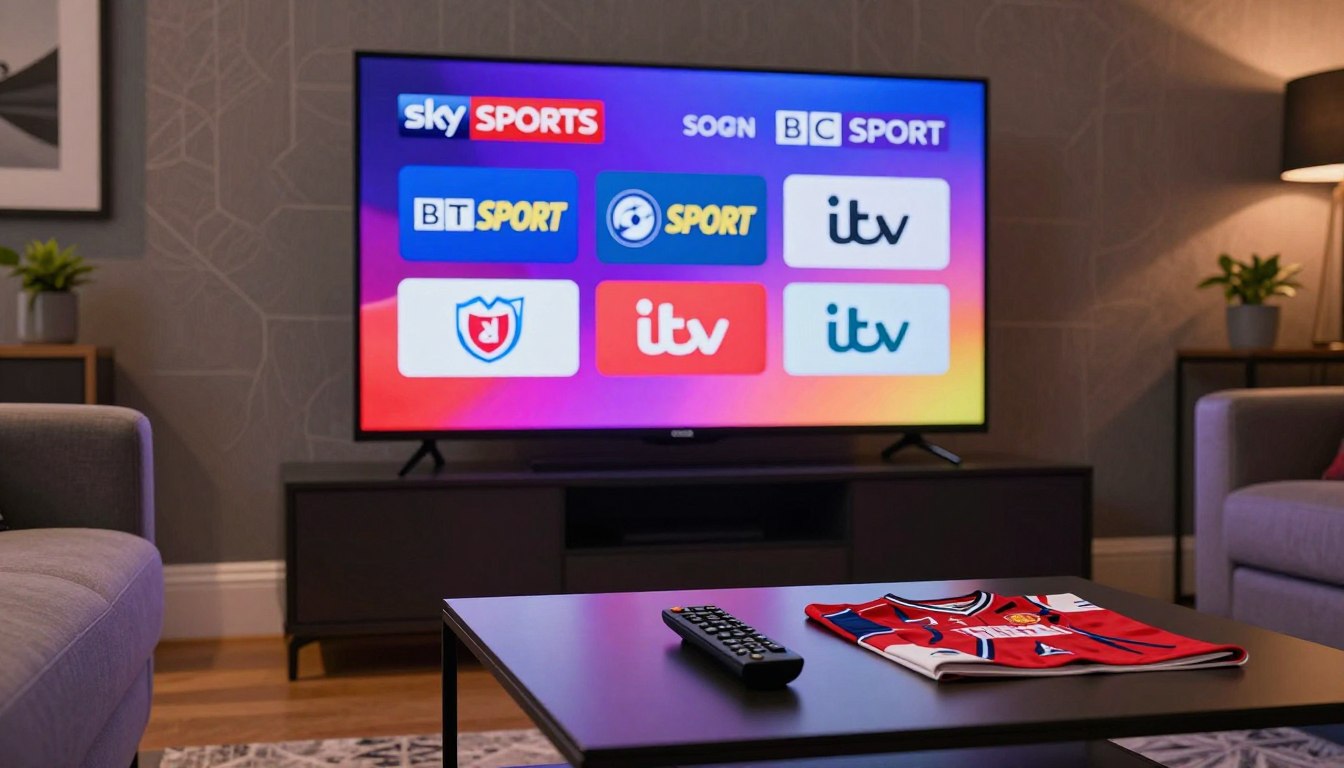
Curious how well a US viewer can stream British sports and broadcasters without missing the big moments?
You want clear guidance, not hype. This short guide explains what typical UK viewing looks like when you stream from the United States and why lineups vary by region and provider.
Learn how to evaluate an IPTV service for UK-focused viewing—especially if you care about major sports, BBC and ITV access, and stable live streams. Expect tips on pricing tiers, device compatibility, and buffering fixes so you can make an informed choice.
GetMaxTV appears here as one example people consider when seeking UK-oriented options and a broad movie and series library. Always confirm the exact lineup before you pay, and prioritize licensed, legal sources when available.
For a deeper look at trends and performance details, see this short analysis on IPTV trends and the future of streaming: IPTV trends and performance.
Key Takeaways
- Streaming UK content from the US requires checking regional lineups and rights.
- Evaluate sports coverage (Sky Sports, BT Sport) and mainstream broadcasters before buying.
- Compare pricing tiers, device support, and low-latency options for live events.
- Confirm what’s included and favor licensed services for legal protection.
- Test performance on your devices and learn basic troubleshooting for buffering.
Why UK Channels Are in Demand in the US Today
You’re seeing more interest in British feeds because live sport, trusted presenters, and distinct entertainment formats travel well.
UK programming draws viewers for marquee matches, familiar shows, and a different news mix. Sports and breaking news create real-time urgency, so reliability matters more than for on-demand content.
What “access” usually includes
Access often means a mix of live streams and VOD, plus an EPG on some apps. That combo gives you scheduled events and catch-up options. Not every provider offers all three.
What to check before you subscribe
- Confirm the exact channel list (BBC, ITV, Sky Sports) and stream quality claims (HD/4K).
- Verify device support: Smart TV, Firestick, mobile, and PC compatibility.
- Understand activation steps and how many simultaneous connections your account allows.
- Check 24/7 support response times and refund or retry policies for failed logins.
| Need | What to verify | Why it matters |
|---|---|---|
| Live reliability | Server stability, low latency | Sports and news need minimal delay |
| Device support | App availability on your devices | Prevents playback and login problems |
| Customer support | Response time and help channels | Quick fixes reduce downtime |
Verify before you pay: ask how many connections you get, what happens if your account fails, and how fast support responds. Common problems include buffering, playlist issues, and expired subscriptions. Prioritize licensed, transparent providers for safety.
For a practical checklist and next steps, see our full streaming guide.
getmaxtv uk channels: What You Can Watch

Find out which British sports feeds, mainstream networks, and on‑demand picks you can realistically expect from an international streaming package.
Sports coverage highlights
Sports make or break many subscriptions. You can typically expect major sports networks presented as multi‑feed streams that mirror Sky Sports and BT Sport style broadcasts: multiple match feeds, score overlays, and event schedules.
Always confirm specific events and feeds before subscribing. Providers often claim “all sports” but event rights and availability vary.
BBC and ITV availability expectations
BBC and ITV are common requests because they carry national news and popular shows. However, availability differs by provider and region due to licensing. Ask for a full lineup and recent EPG to set realistic expectations.
Beyond the UK: international content mix
Most services bundle broader content—EU Mix, Latino TV, and Arab World feeds—to add value for diverse households. This gives you more movies, series, and cultural programs in one subscription.
Requestable content categories and how to choose
Typical requestable packages include Sports HD (live leagues and events), Movies+ (recent films and classics), Series Max (TV dramas and box sets), Kids Time, and News 24. Pick based on your viewing goals today: prioritize sports stability for weekend matches, or VOD depth for nightly entertainment.
For a sample channel list and further reading on practical access, see this compilation of UK lineup options and a guide to watching Premier League matches via IPTV.
GetMaxTV Plans, Price, and What Each Subscription Includes
A clear price vs. commitment view helps you test streams and avoid surprises during live events.
Quick summary: Four practical plans let you test speed and stability before you commit. Each plan includes instant activation, weekly update (TVs and VODs), 7.3 anti-freeze, fast & stable servers, always-uptime server claims, 4K/UHD/FHD/HD channels, support for all devices, and 24/7 live chat support.
$29 — Short-term test drive
Use this plan to check real-world performance on your device and during peak hours. It’s made for short tests and quick activation.
$39 — Better value for regular viewers
Gives more time to evaluate stability, daily use, and channel availability without a long commitment.
$59 — Best monthly value
Ideal if you stream often. The effective monthly cost favors ongoing viewing and frequent use.
$99 — Longer-term “perfect price”
Choose this after you’ve tested the service to lower your per-month price over a longer term.
| Plan | Best for | Key features | Price |
|---|---|---|---|
| Test Drive | Check peak performance | Instant Activation, Weekly update, 7.3 Anti-Freeze | $29 |
| Regular | Day-to-day viewers | All device support, 4K/UHD, 24/7 Live Chat | $39 |
| Monthly Value | Frequent streamers | Fast & Stable Servers, Always Uptime | $59 |
| Long Term | Low effective monthly cost | Full feature set, weekly TVs and VODs | $99 |
What “weekly update (TVs and VODs)” means: the catalog and lineup refresh regularly. Always request the full channel list before you buy to confirm content.
Marketing terms like “7.3 anti-freeze,” “fast & stable servers,” and “always uptime server” are useful claims—verify them with a short test plan and responsive support.
Ready to compare features directly? Review the current packages on GetMaxTV or read our notes on catch-up options and outdoor picks: catch-up features, outdoor package guide.
Streaming Quality, Performance, and How to Reduce Buffering Problems

If you want fewer drops during a big match, start by aligning resolution goals with real bandwidth.
Speed expectations
HD usually needs about 10 Mbps stable. 4K is closer to 25 Mbps under good conditions.
These are minimums. Wi‑Fi congestion or an old router can still cause hiccups even with a fast plan.
Common causes and quick fixes
Typical causes include slow internet, server overload, incorrect M3U playlist setup, expired subscriptions, or wrong credentials.
- Try Ethernet, restart the router, or switch Wi‑Fi bands.
- Reload or re-add the playlist; see M3U playlist tips for guidance: M3U playlist tips.
- Test at peak hours to confirm real-world performance.
Downtime, playlists, and login issues
Server maintenance or regional routing can affect the provider. If a stream vanishes, reload the playlist first.
If you hit a login error, check for expired access, typos, or device limits on your account. If that fails, follow the setup steps in this setup guide and contact support.
Devices, Apps, and Support: Your Setup and Help When You Need It
Start with a sensible device plan and you’ll cut troubleshooting time and enjoy steadier playback today.
Pick devices for how you watch: Smart TVs give the easiest living-room experience. Firestick or Android TV sticks add flexibility and often better app choice. Use your phone or PC for travel, tests, or backup viewing.
Why device choice matters
Better processors and Ethernet-capable hardware improve performance during big events. A modern streaming stick often beats an older smart TV app for smooth channel switching.
Apps, players, and their impact
The same provider can feel different depending on the IPTV player or native app you use. Test an official app and a third‑party player to compare playback and EPG behavior.
Connect for reliability
Use wired Ethernet when possible. Keep firmware and apps updated. These simple steps reduce buffering and speed up channel loading.
Support you should expect
Look for a provider that offers quick activation help, playlist setup, and fast troubleshooting for missing streams or login issues. A 24/7 live chat is a practical benchmark—test it before your subscription.
Support quality checklist you can use today:
- Response time: are answers quick?
- Clarity: do they give step-by-step guidance?
- Willingness: will they try fixes for your device?
- Follow-up: do they confirm the issue is resolved?
For app setup tips and player recommendations, see this guide to a popular IPTV player and a note on retail setups for displays: IPTV Smarters guide, retail & digital signage tips.
Conclusion
Decide with confidence by matching what you watch to a short trial that proves the service in real life.
Start by confirming the exact lineup, especially for live sports and the movies you care about. Test a $29 or $39 plan during peak hours, then consider $59 or $99 if streams stay stable. Instant activation, weekly updates (TVs and VODs), and multi-device support make trials simple.
Value is more than price. It’s whether streams hold up during big events and whether responsive support helps fast. Ask for the current list of available categories before you buy.
If you want a legal IPTV subscription and a direct comparison of packages and availability, check GetMaxTV’s offer at https://getmaxtv.com. For F1-specific streaming options, see the F1 streaming options.
FAQ
What does "GetMaxTV UK Channels: Sky Sports, BT Sport, BBC & ITV Coverage" mean for your viewing?
It means you can expect access to major British broadcasters and top sports feeds through a streaming service. You’ll find live matches, news bulletins, and popular entertainment from Sky Sports, BT Sport, BBC, and ITV alongside other international channels. Availability varies by plan and provider, so check the channel list before you sign up.
Why are UK channels in demand in the US today?
Many viewers want UK-exclusive sports, original dramas, and live news that aren’t available on local services. UK feeds often carry early-release shows, unique commentary, and European sports rights. If you follow Premier League fixtures, UK news coverage, or British entertainment, those channels add real value to your lineup.
What does “UK channel access” typically mean for live sports, news, and entertainment?
It typically means live simulcasts of sports events, continuous news channels, and library access to UK-origin shows. Expect regional scheduling differences and sometimes geo-restricted content. The provider should make clear which feeds are live and which are replay or on-demand copies.
What should you check before subscribing to any IPTV provider?
Verify the channel list, streaming quality (HD/4K), server uptime claims, and refund policy. Confirm device compatibility, payment security, and whether the provider offers customer support. Read recent user feedback about reliability and legal compliance to avoid surprises.
What sports coverage highlights are usually available, including Sky Sports and BT Sport?
Expect top-tier football, rugby, cricket, and motorsport broadcasts from Sky and BT feeds. Coverage often includes league matches, highlight shows, and live commentary. Check for blackout rules and rights; some marquee events may remain region-locked.
What can you expect from BBC and ITV availability on a streaming plan?
BBC and ITV typically offer national news, primetime dramas, and scheduled entertainment. A reliable plan will include live streams and catch-up content where licensing allows. Note that some on-demand BBC iPlayer or ITV Hub features may be limited outside the UK.
Will the service include international content beyond the UK?
Yes. Many packages mix UK feeds with international channels, giving you sports from Europe, US entertainment, global news, and specialty stations. The exact mix depends on the provider and plan level.
What content categories can you request or expect like Sports HD, Movies+, Series Max, Kids Time, and News 24?
Providers often group channels into categories for easier browsing: live sports in HD, movie libraries, serialized dramas, kids’ channels, and 24-hour news. Some plans let you request additions or custom bundles for a tailored experience.
What are the typical subscription plan tiers and prices?
Common options include a short-term test plan around , a mid-tier plan near , a value monthly tier at , and a longer-term “perfect price” option for . Each tier varies by channel count, simultaneous streams, and VOD access. Confirm current pricing and activation speed before subscribing.
What does "weekly update (TVs and VODs)" mean for your subscription?
It means the provider refreshes channel lineups and adds or rotates on-demand titles weekly. This keeps content current, but it can also mean occasional channel churn as rights change. Look for transparency about what’s added and removed each week.
How do quality formats like 4K, UHD, FHD, and HD affect your experience?
Higher formats deliver sharper images and more detail but require faster internet and compatible devices. 4K and UHD need more bandwidth and capable TVs, while HD and FHD work well on most setups with moderate speeds.
What do feature callouts like "7.3 anti-freeze" and "fast & stable servers" mean for reliability?
These are marketing terms indicating buffering mitigation and robust server infrastructure. In practice, reliability depends on server distribution, load management, and your connection. Look for real-world uptime stats and user reports rather than slogans.
What internet speeds should you have for HD versus 4K streaming?
For smooth HD streams plan for at least 10 Mbps per stream. For 4K, aim for around 25 Mbps per stream. If you share your network, multiply those recommendations by the number of simultaneous viewers.
What common causes of buffering should you know, and how can you fix them?
Buffering often stems from slow ISP speeds, Wi-Fi interference, overloaded devices, or distant servers. Fixes include switching to a wired Ethernet connection, reducing simultaneous streams, restarting your router, or choosing a lower resolution in the app.
What usually causes downtime, playlist issues, and account login problems?
Causes include server outages, playlist link breaks, exceeded device limits, or authentication errors. Temporary fixes are logging out and back in, clearing app cache, or using an alternate device. Persistent problems should be reported to support with screenshots and timestamps.
Which devices commonly work with these streaming services?
Compatible devices usually include Smart TVs, Amazon Fire TV Stick, Android TV boxes, iOS and Android phones, tablets, and PCs via web players. Confirm app availability and sideloading instructions for your specific model.
What support standards should you expect, such as 24/7 live chat?
Expect timely response options like 24/7 live chat, email tickets, and a knowledge base. Fast, helpful support should resolve activation, streaming, and billing issues quickly. Test responsiveness during your trial period to judge quality.
The GetMaxTV Blog Team is a group of IPTV technology writers and cord-cutting researchers who have been reviewing streaming services since 2023. We publish independent device setup guides, troubleshooting articles, and honest service comparisons. Every tutorial on this blog is tested on real devices — Fire Stick 4K Max, Roku Ultra, Samsung Smart TV, Apple TV 4K, and Android phones. We verify every step before publishing and update our content quarterly.