
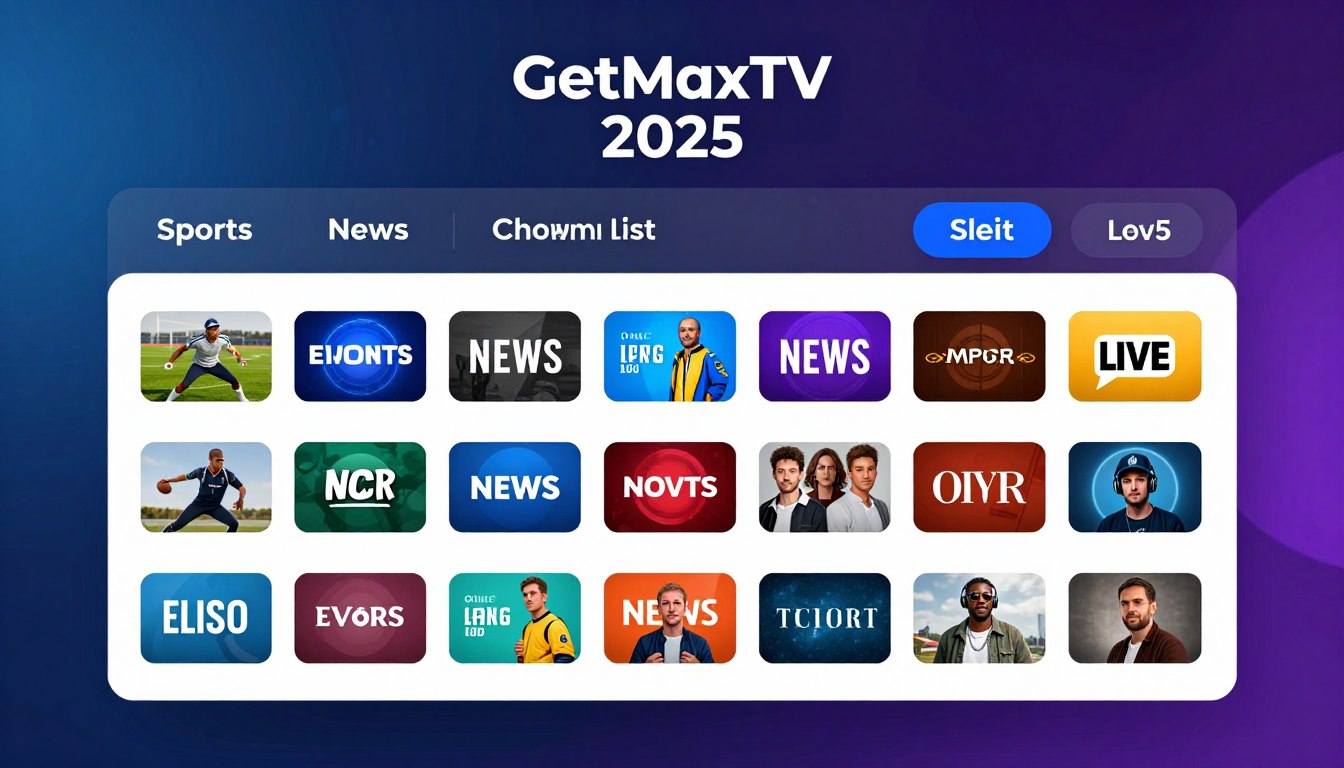
Curious how one subscription can bring thousands of live feeds and tens of thousands of on‑demand titles to your living room? This section explains what the getmaxtv channel list means in 2025 and why people look for a complete, organized view of what’s included.
You’ll learn how the guide groups channels by category, how to find content fast, and what changes you should expect over time. Expect clear notes on catalog size, VOD depth, and typical activation speed.
Quick facts: the service highlights 19,000+ live channels, 97,000+ VOD titles, about a two‑minute activation, broad device support, and 24/7 support — all for a simple monthly fee. This intro sets practical expectations about fit, setup, performance, and legality.
If you want a legal IPTV subscription and a straightforward comparison, check GetMaxTV’s offer to see if it matches your needs.
Key Takeaways
- This guide explains the 2025 channel organization and how to access content quickly.
- Expect large live counts and a huge VOD catalog with fast activation and simple pricing.
- The page helps U.S. viewers decide on fit, setup, and performance needs.
- We cover internet requirements, buffering fixes, and when a VPN helps viewing.
- Information is educational and practical, focused on real viewing outcomes.
What you get with GetMaxTV in 2025
In 2025 one subscription can combine massive live coverage with a deep on‑demand library for everyday viewing.
Quick snapshot: a single plan bundles 19,000+ live channels and 97,000+ VOD titles so you can mix live streaming with on‑demand shows and movies.
That 19,000+ number usually includes U.S. and international feeds grouped by category. Organization matters: good menus and search save time more than raw totals.
$6.95/month means predictable budgeting. There is no contract, so you can change or cancel without penalty.
- Activation takes about two minutes: you get credentials, sign in to the app or playlist, and the content populates immediately.
- Sports and movies are included in the base package, with 24/7 support options if you need help.
- Legal IPTV subscription in practice means transparency about rights, clear terms, and a provider that explains where streams originate.
Think of this as a compact option to compare with other services. Next, you’ll see how the lineup is organized so you can find channels fast without endless scrolling.
getmaxtv channel list: what’s included and how the lineup is organized
We’ll show the menu patterns and tools that let you reach live sports, movies, and shows in seconds.
The catalog is usually grouped into category folders, regional packs, and language sets. This makes large numbers usable instead of overwhelming.
Typical category types include news, entertainment, kids, lifestyle, documentaries, and international feeds. That structure makes it easy to jump to a genre you want.
Live sports and events
Sports and premium events are kept in dedicated sports groups and event rows during big weekends. You’ll find games and pay-per-view-style listings without extra add-ons.
VOD and daily viewing
Movies and series sit alongside live feeds in the app. Use VOD for quick movie nights or to binge shows, then switch back to live streams without leaving the player.
EPG, search, and favorites
EPG means electronic program guide — a simple grid that shows what’s on now and next. A working EPG matters more than raw totals for real usability.
- Use search to jump straight to a title or team.
- Save favorites to reduce scrolling.
- Choose IPTV Smarters Pro or TiviMate for robust navigation features; feature sets vary by app.
| Feature | Why it helps | Common app |
|---|---|---|
| Category folders | Faster browsing by genre | TiviMate |
| Dedicated sports group | Quick access during game days | IPTV Smarters Pro |
| VOD section | On-demand movies and shows in one place | Both apps |
Top channel categories U.S. viewers care about most
The three things U.S. viewers check first are local and national news, sports coverage, and family-friendly entertainment.
Local and national news coverage for staying up to date
News folders usually group local-market feeds, national networks, and 24/7 news streams so you can pick what matters to your area.
Look for: local-market folders, national networks, and continuous news feeds labeled by region.
Sports coverage for game days, playoffs, and PPV-style events
Sports sections help you find live matchups quickly. Use category folders and search to jump to the right game without switching apps.
PPV-style events often appear in a dedicated events row or special listing. They’re scheduled, labeled, and easy to spot on big nights.
Family-friendly picks: kids, education, and all-ages entertainment
Kids and education zones simplify shared home viewing. You’ll find safe defaults, age-appropriate content, and all-ages options grouped for easy access.
“Confirm your must-have categories first; everything else is extra convenience.”
- Check news, sports, and family sections for the depth you need.
- Test the EPG and search during peak hours for stability.
- Verify PPV-style events are clearly labeled and scheduled.
| Category | Why it matters | Quick check |
|---|---|---|
| News | Local updates and national headlines | Find local-market folders |
| Sports | Live games, playoffs, and events | Search for matchups and event listings |
| Family | Kids, learning, and shared viewing | Look for kids and education sections |
Live sports on GetMaxTV: what you can watch without add-ons

Big-game viewing is easiest when live sports are already in your base plan and organized for quick access. Typically this means major leagues and regular-season matchups are available in-app with no extra purchases. That changes monthly planning because you don’t budget for separate sports tiers or surprise fees.
Major leagues and matchups you’ll want in your favorites
Create a game-day favorites list for the teams and leagues you follow most. Use the app’s favorite or bookmark feature so the matchups are one tap away.
Tip: Put upcoming playoff games at the top and test the saved feed before kickoff.
PPV-style events: how they’re typically presented
PPV-style events often appear in event folders or a special events row. You’ll see time-based listings and numbered feeds for redundancy. Check the event time in the EPG and open alternate feeds if one stalls.
Peak-hour performance tips for big games
- Prefer a wired Ethernet connection when you can.
- Limit competing downloads and close unused apps during play.
- Keep your player app updated and clear cache occasionally.
“If a stream falters, switch to another feed, lower resolution, then contact support with app, time, and feed details.”
For a quick pre-check and to compare options, see this short guide: how to watch sports via IPTV.
Device compatibility: watch on Smart TVs, Firestick, mobile, and desktop
Check whether your current gear can run a modern IPTV player or accept an M3U playlist before you buy.
Device compatibility means your device can install a supported app or read a playlist so you get fast access to streams. That choice affects navigation, EPG use, and favorites.
Smart TVs: quick checks for Samsung, LG, and Android TV
On smart tvs verify app availability in the store, the OS version, free storage, and whether the remote handles EPG navigation smoothly.
Firestick and Android boxes: the common living-room setup
Firestick and Android boxes are popular because they run many players and keep apps updated. Update the OS and the player app first for smooth playback.
iOS, Android, Mac, and Windows: flexible viewing
Your phones and laptops let you watch on the go. Use Wi‑Fi or Ethernet for stable streaming and keep the player app current.
Using IPTV apps vs. M3U playlists
Apps often give a friendly EPG and saved favorites. M3U playlists work if you prefer a custom player or advanced playlist tools. Both are valid options based on your device and comfort level.
| Device type | What to check | Best fit |
|---|---|---|
| Smart TVs | Store app, OS, storage, remote | Built-in apps or Android TV |
| Streaming sticks/boxes | OS updates, sideload support, Ethernet | Firestick / Android boxes |
| Mobile & desktop | App install, Wi‑Fi, battery | iOS, Android, Mac, Windows |
Compatibility checklist: OS support, chosen app or playlist, and network type (Ethernet preferred). Use this to confirm your device path before subscribing.
Setup guide: how you start streaming in minutes

A quick setup will move you from zero to watching in about two minutes on most devices.
What you need before you start
Have a stable internet connection, a compatible device, a preferred app, and your login or playlist details ready.
Keep your account email nearby so you can paste credentials without delay.
Simple install flow
- Install the chosen app on your device.
- Open the app and enter the provided credentials or paste the playlist URL.
- Wait briefly as channels populate; this usually takes about two minutes.
- Play a few streams to confirm access.
If credentials don’t arrive, check spam folders and then contact support for help.
Multi-device setup
Repeat the same login on other devices to extend your subscription. Most plans allow multiple simultaneous streams; check your plan rules.
Keep your viewing consistent by using the same app and favorites across your home screens.
- First 10 minutes: confirm the EPG loads, save a favorite, test one sports feed and one VOD movie.
- Security tip: don’t share your login widely and store credentials safely on your primary device.
“Activation is fast — prepare the basics first and you’ll be watching in minutes.”
For a deeper walkthrough, see this complete setup guide.
Streaming quality and internet requirements for a smooth experience
Good playback starts when your internet plan and home setup match the picture you expect.
Speed targets by picture quality
Use these minimum speeds as a guide:
- SD: 5 Mbps per stream.
- HD: 10 Mbps per stream.
- 4K/UHD: 25+ Mbps per stream.
If multiple devices stream at once, add each stream to your total to pick the right internet plan.
Why raw speed isn’t everything
Wi‑Fi strength, router placement, and interference often cause problems even with a fast plan.
Older devices may struggle with HD or 4K decoding, so device upgrades can matter as much as faster service.
Quick buffering fixes you can do in 15 minutes
- Reboot your router and the device playing the stream.
- Update the app and device firmware.
- Clear the app cache or reinstall the player if issues persist.
- Test Ethernet—wired gigabit is more stable than Wi‑Fi.
For deeper cache tips, check an optimization guide to reduce buffering.
When a VPN helps — and when it won’t
A VPN can protect privacy on public Wi‑Fi, keep access consistent while you travel, and sometimes bypass ISP throttling.
It will not fix a weak home network or poor Wi‑Fi coverage. Use VPNs as privacy and travel tools, not a cure for local issues.
“Run a peak-time test: play a live HD stream during evening hours to see how your network really performs.”
| Area | What to check | Quick action |
|---|---|---|
| Speed | Internet plan vs. streams | Run a speed test and compare to targets |
| Wi‑Fi | Signal, interference, placement | Move router, use 5 GHz, minimize obstacles |
| Device | Decoding power and app status | Update firmware or try a newer device |
For 4K-specific bandwidth tips, see this short guide: 4K streaming guide. If you need help, follow the checklist above before contacting support to save time.
How GetMaxTV compares to typical IPTV providers in the United States
Compare like a buyer, not a browser. Start by checking price, real uptime, and how fast support answers when a stream fails.
Price benchmarks: many providers cluster around $15–$19/month because that range balances licensing, server costs, and support labor. Lower prices may cut corners; higher ones usually promise better redundancy or premium feeds.
What matters more than headline counts
Channel totals look impressive, but uptime, stable sources, and a working EPG determine day‑to‑day value. Test during peak hours and track how often streams stall.
Value check: bundles, hidden fees, and add‑ons
Ask whether sports and movies are in the base plan or pushed into paid tiers. Hidden fees and surprise add‑ons reduce real value fast.
- Compare how providers offer trials or short-term access.
- Verify support hours and response methods before you pay.
- Confirm refund and cancellation policies for peace of mind.
“Channel volume helps only when paired with stable delivery and reachable support.”
| Criteria | Why it matters | Quick check |
|---|---|---|
| Price | Predictable monthly cost | Compare total monthly outlay |
| Stability | Playback during peak times | Test evening streams |
| Support | Fixes when you have issues | Message support and time the reply |
Pricing and plans: why $6.95/month changes the value equation
A clear price point changes how you judge a streaming plan: low cost is only useful if performance, ease of use, and support match it.
$6.95 month means one predictable fee for access and basic features. That rate is well below typical market offers, so your focus should shift from price alone to real monthly value.
Price transparency: what “no hidden fees” should look like
No hidden fees means one simple charge each month, no forced upgrades for core features, and no surprise sports or movie add‑ons at checkout.
Look for clear statements about refunds, renewals, and what the base plan includes before you pay.
No contract flexibility: who benefits most from month-to-month
Month-to-month plans fit cord-cutters, seasonal sports viewers, and anyone who wants short-term access without a long commitment.
- Compare total monthly cost, not just headline price.
- Check included content, device support, and how fast support responds.
- Use a pricing checklist before you buy: base price, contract terms, add-ons, trial, and refund clarity.
“A low monthly fee is only meaningful when it buys reliable access, good device support, and responsive help.”
Customer support you can actually reach when you need help
When streaming, fast access to real help keeps small problems from becoming major interruptions.
Why reachable customer support matters: even stable services face device quirks, app login errors, or peak-hour slowdowns. Quick help saves you time and keeps live events enjoyable, especially for big nights.
24/7 options and what each is best for
- Live chat — fastest for urgent fixes like buffering or stream switching.
- WhatsApp — great for screenshots, logs, and step-by-step guidance on your device.
- Email — use for account records or when you need detailed follow-up.
Common issues support solves fast
Support typically resolves playlist loading, app login failures, EPG refresh problems, buffering diagnostics, and device-specific settings.
Before you contact support: a quick checklist
- Device model and OS version.
- App name and version.
- Internet type (Ethernet or Wi‑Fi) and recent speed test result.
- Exactly which stream or app feature shows the issue and the local time it happened.
Pre-event prep to reduce last-minute problems
Update your app, reboot the router and device, test one sports stream during non-peak time, and confirm your favorites are saved.
“Good support is part of the product — it protects your viewing time when it matters most.”
For a short troubleshooting walkthrough before a big match, see this quick guide: how to watch the Premier League without.
Trust and safety: understanding IPTV legality and your responsibilities
Start by checking whether a provider can legally deliver the shows and feeds you want—this single question prevents many problems. IPTV is a delivery method, and whether it’s lawful depends on if the provider has rights to distribute the content.
Legal vs. illegal IPTV: the rights question you should always ask
Ask the provider directly: “Do you have the rights to distribute these streams?” Transparent answers, clear terms, and proof of licensing are trust signals.
If a provider dodges this question or gives vague replies, treat that as a warning. For a deeper checklist on verification, see a short guide to verify if an IPTV service is.
Red flags to avoid when evaluating a service
- Vague ownership or no terms of service.
- No reachable support and hidden billing practices.
- Unrealistic promises like every premium feed for very low cost.
- Frequent outages or feeds that disappear without notice.
Account security basics: passwords, device updates, and safe networks
Your responsibilities matter. Use strong, unique passwords and avoid sharing your account outside the household.
Keep each device updated and never sign in on public Wi‑Fi without protection. Good support and clear billing also indicate a more reliable service.
“Confirm rights and secure your account—those steps protect your privacy and wallet.”
For context on market changes, read about IPTV trends 2025 to see how providers and security expectations are evolving.
Who GetMaxTV is best for
Choose the short profile that fits your viewing habits and see why this plan may suit your budget and devices.
Cord-cutters replacing cable on a predictable budget
If you want simple monthly billing, the 6.95 month price point keeps costs steady without a contract.
Why it helps: predictable month-to-month billing means you can cancel any month and avoid long commitments.
Sports fans who want bundled game access
Sports are included in the base service so you avoid buying separate sports tiers.
Why it helps: favorites, a working EPG, and quick access reduce the time it takes to find live games on match day.
Households needing broad access across devices
Multiple devices and device types are supported so living room and mobile viewing work together.
Why it helps: shared home viewing becomes easier and arguments over what to watch drop when content is available on several screens.
“Match your must-have categories, primary device, and internet capacity before you subscribe.”
| Fit check | What to confirm | Quick action |
|---|---|---|
| Your must-have categories | News, sports, movies, kids | List top 3 must-haves |
| Primary device | Smart TV, Firestick, phone, or PC | Verify app support on that device |
| Internet for simultaneous streams | Calculate required Mbps for your household | Run a speed test during evening hours |
How to try GetMaxTV and start watching today
Ready to try the service? Start with a quick, focused test that proves it works on your setup.
What to test first
Confirm your must-have channels load on your primary device. Test search and EPG speed so you can find shows fast.
During a busy window, verify one live sports stream and at least two other live feeds. Play one VOD title to check on-demand performance.
Peak-hour test plan
- Evening or weekend: play two live channels and one sports feed.
- Open the EPG and run a quick search for a team or show.
- Play a VOD title to confirm consistent streaming across types.
When you’re ready
The activation path is simple: purchase, receive credentials (about two minutes), add them to your app, and verify channels populate correctly.
If anything feels off, use 24/7 support via live chat, WhatsApp, or email. Early help can fix small Smart TVs or Firestick quirks before they become ongoing issues.
“You’re done when favorites are saved, the EPG is visible, and streaming is stable on your main device.”
For a free short trial, test premium access here: try the 24-hour trial.
Conclusion
Let’s close with a clear checklist to confirm value, stability, and legal transparency before you subscribe.
Quick recap: the offering covers 19,000+ live channels and 97,000+ VOD titles, includes sports and movies, and often activates in about two minutes. Pricing is simple at $6.95 and most devices are supported.
Use this guide to check how the lineup is organized, which U.S. categories matter most to you, and how the service performs during peak time. Your key takeaways should be large catalog plus VOD, clear pricing, strong device support, and navigation that reduces scrolling.
Real value comes from stability, a working EPG/search/favorites, and reachable support — not just big numbers. Prioritize legality, verify rights, and secure your account before sharing access.
If you want a legal IPTV subscription, check GetMaxTV’s current offer on https://getmaxtv.com.
FAQ
What devices can I use to stream GetMaxTV?
You can watch on Smart TVs (Samsung Tizen, LG webOS, Android TV), Amazon Fire TV Stick, Android TV boxes, iPhone and iPad, Android phones and tablets, Windows PCs, and macOS. Most setups use a native app or an IPTV player that accepts M3U playlists. Check your Smart TV’s app store and the device’s storage and OS version before installing.
How much does the service cost and are there hidden fees?
The advertised price is .95/month with no contract. Legitimate offers should show any taxes, activation fees, or optional add-ons up front. If a provider adds surprise charges at checkout, that’s a red flag.
How fast does activation usually take?
Activation typically completes within a couple of minutes after purchase. You’ll get login credentials or an activation link; follow the app’s prompts to sign in and begin streaming.
What kind of support options are available if I have an issue?
Support often includes 24/7 live chat, WhatsApp, and email. Common quick fixes include re-entering credentials, updating the app, clearing cache, or switching to Ethernet during peak hours.
Which sports and events are included without extra fees?
The base plan covers many major league games, international matches, and select pay-per-view style events. Availability varies by schedule and rights; always check the in-app guide and event listings for real-time coverage.
What internet speed do I need for reliable streaming?
Recommended speeds are about 5 Mbps for SD, 10 Mbps for HD, and 25+ Mbps for 4K. For multiple simultaneous streams, add roughly the same per stream to your total bandwidth requirement.
How do I reduce buffering during peak sports or prime-time shows?
Improve performance by using Ethernet instead of Wi‑Fi, positioning your router closer to devices, updating apps and firmware, and clearing app cache. If your ISP throttles traffic, try running a VPN to see if performance improves.
Can I use the service on multiple devices at once?
Yes—most plans allow several concurrent streams. Exact device limits depend on the subscription tier. You can set up a Smart TV, a mobile device, and a streaming stick simultaneously, then manage active devices via the account settings.
Is using an IPTV app safer than loading an M3U playlist directly?
A dedicated IPTV app usually provides better EPG integration, account security, and playback controls. M3U playlists work but may lack on-demand features and may expose direct stream links—use trusted apps and secure your network.
How does the EPG and search work for finding shows fast?
The electronic program guide (EPG) organizes live streams by time and category and lets you set favorites. Use search to jump straight to a show title or channel name instead of browsing endlessly.
What should I test first after activating my account?
Start with must-have channels, a live sports event if relevant, and a VOD title to test on-demand playback. Confirm EPG accuracy and try switching between devices to ensure multi-screen access works.
Are there legal concerns I should understand before subscribing?
Make sure the provider has proper distribution rights for the channels and on-demand content in your country. Avoid services that obscure ownership, offer suspiciously low prices with major networks, or block refunds for outages.
What payment methods are supported and is billing secure?
Many providers accept credit/debit cards, PayPal, and sometimes cryptocurrency. Look for HTTPS checkout, clear refund policies, and receipts that match the provider’s business name to confirm legitimacy.
How do I prepare for big events to avoid service interruptions?
Run a quick pre-check: update apps and firmware, test peak-hour streams ahead of time, use Ethernet if possible, and contact live chat for any account or stream issues before game time.
How does this service compare to typical IPTV providers in price and reliability?
At .95/month, it undercuts many competitors that charge –/month. Price is just one factor—prioritize uptime, bitrate consistency, and responsive customer support when comparing value.
What actions should I take if my app won’t load or credential errors appear?
First, restart the device and router. Re-enter your username and password exactly, update the app, clear its cache, and reinstall if needed. If problems persist, reach out to live chat with screenshots and device details.
Can I watch local and national news on the service?
Yes, expect a mix of local affiliates and national news networks in the lineup. Coverage varies by time zone and rights; use the EPG to find live news broadcasts and on-demand clips.
Is there parental control for family viewing?
Many apps include parental controls or PIN protection for specific categories and on-demand titles. Check the app’s settings to enable age filters and restrict purchases or access.
What do I do if streams randomly drop or freeze on Smart TVs?
Switch to Ethernet, reboot the TV, update the TV firmware and app, reduce the number of connected devices, and lower playback quality temporarily. Contact support with error logs if the issue continues.
How long are VOD titles typically available in the library?
Availability varies widely—some movies and series stay for months, others rotate weekly based on licensing. Check the VOD release and expiration dates shown in the app’s details for each title.
Can I stream while traveling internationally, and will a VPN be necessary?
You can often stream abroad, but geo-restrictions may block certain feeds. A VPN can help with privacy and bypassing ISP throttling, but it won’t override regional licensing restrictions for some programs.
Where can I find real-time help during setup or outages?
Use the service’s live chat or WhatsApp for instant responses. If those aren’t available, email support with device details, screenshots, and the exact error message to get faster troubleshooting.
The GetMaxTV Blog Team is a group of IPTV technology writers and cord-cutting researchers who have been reviewing streaming services since 2023. We publish independent device setup guides, troubleshooting articles, and honest service comparisons. Every tutorial on this blog is tested on real devices — Fire Stick 4K Max, Roku Ultra, Samsung Smart TV, Apple TV 4K, and Android phones. We verify every step before publishing and update our content quarterly.