
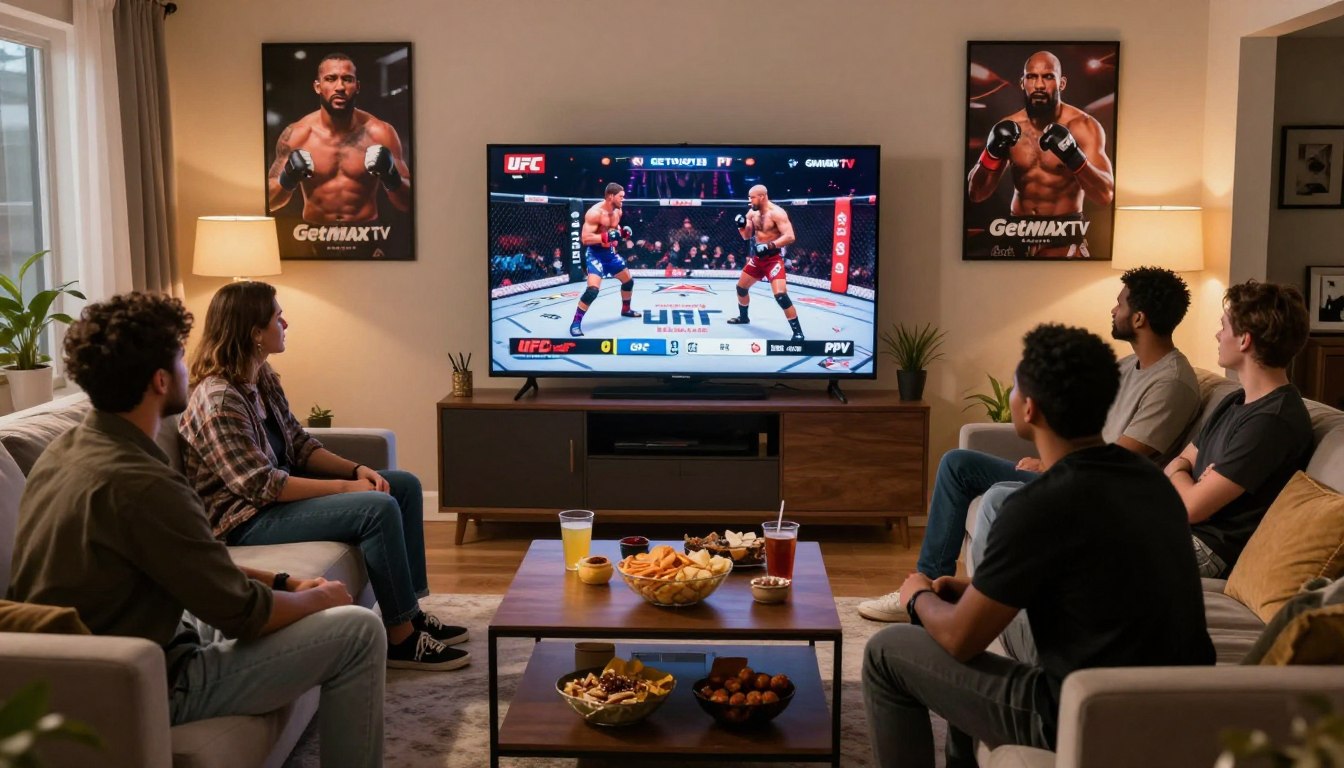
Wondering if you can watch big fight nights without surprise paywalls?
You’re not alone. Many viewers turn to internet-delivered television to avoid separate charges while keeping HD quality and a big channel lineup.
This short guide helps you set realistic expectations: some providers bundle pay-per-view inside a subscription, while others charge per match or lack proper rights.
You’ll learn how bundling works at a high level, what features matter on fight night, and how to test streaming reliability before committing.
Consider providers carefully — for comparison, you can review a detailed example here: compare IPTV services — but remember access depends on licensing and your plan.
Next up: we’ll show how to spot misleading claims, check uptime and EPG quality, and weigh legal risks so you choose a reliable service for your viewing needs.
Key Takeaways
- IPTV can bundle major fight coverage, but verify “pay-per-view included” claims before buying.
- Focus on reliability: uptime, EPG clarity, and buffer-free streams matter most on fight night.
- Use free trials to test streaming stability and customer support during a live card.
- Check internet speed and device compatibility for smooth HD or 4K viewing.
- Legal access and licensing determine what you can watch in the U.S.; unverified services carry risks.
What “PPV Included” Really Means for UFC, Boxing, and WWE
Seeing “no extra cost” on a plan doesn’t guarantee reliable fight-night access. Marketing often bundles pay-per-view into a sports package, but the fine print matters. Read claims closely before you buy.
How bundling usually works
Some iptv services add event channels to a broader channel lineup. You pay one subscription fee for live channels and special match channels instead of buying every card separately.
Why “included” can vary
Rights, region, and selected plans affect what you actually get. A provider may list coverage but limit it to higher tiers or certain countries.
Checks and red flags
- Verify an event schedule and EPG listings before subscribing.
- Look for clear pricing, fast customer support, and uptime targets.
- Avoid vague promises like “all PPV forever” or missing channel guides.
| Claim | What to verify | Real outcome |
|---|---|---|
| “PPV channels included” | EPG, plan tier, region | May work on fight night if rights match your region |
| “No extra cost” | Pricing page, support, historical uptime | Possible limits or degraded quality under peak load |
| “All major coverage guaranteed” | Written rights or official apps | Often unrealistic without clear licensing |
Bottom line: favor transparent services that list included content, show EPG data, and offer fast support so you get usable access and strong quality when it matters.
getmaxtv ppv events: What You Get and Who It’s For
When live match nights matter, choosing a service that prioritizes sports and fast navigation pays off.
Who benefits: fans who watch live sports often, households that want one place for sports, movies, and shows, and viewers who prefer flexible viewing over rigid cable schedules.
Sports-first value: the idea is simple — one subscription that covers live sports plus a deep VOD catalog so you don’t juggle multiple services between games.
What the service highlights
Public claims include 19,000+ live channels, 97,000+ VOD titles, and 24/7 support with fast activation. These numbers aim to show breadth of content and customer help when something goes wrong.
What you should verify
- Channel categories you care about and EPG accuracy for real-time listings.
- Whether customer support is reachable during peak demand and via your preferred contact method.
- Device compatibility, setup steps, zapping speed, stream quality, and reported uptime under load.
Bottom line: treat this as a snapshot, not a verdict. Verify the features that matter to your household before committing so your viewing stays smooth on big nights.
Must-Have IPTV Features for PPV Nights
Big fight nights push every streaming service to its limit — choose features that hold up under pressure.
High-definition streaming and uptime targets
Look for true HD video—stable picture, consistent audio, and minimal drops, not just a 1080p label. Providers that advertise 99.9% uptime aim to keep streams live through the main card and final rounds.
EPG to find the right channel fast
An accurate EPG helps you spot prelims, main card feeds, and international channels quickly. That saves time when multiple channels show similar listings.
Fast zapping and responsive navigation
Fast channel switching lets you jump to backup feeds without missing action. Smooth navigation reduces stress when you need to troubleshoot under heavy demand.
Multi-device support and simultaneous streams
Choose services that allow several streams so family members can watch on different devices. Check device compatibility and real‑world setup on your main TV before you subscribe.
Anti-freeze and adaptive streaming
Adaptive streaming cuts buffering by lowering quality when your network is congested. Anti-freeze tools and player retries keep the picture moving during peak viewing.
- Buyer tip: Verify these features during a live trial and test during peak hours on your device.
- For a deeper look at quality and 4K options, see our 4K IPTV comparison.
Internet Speed and Home Setup to Avoid Buffering During Big Fights

Fight nights strain home networks, so a simple speed check can save you from buffering. Start with a clear speed target and test on the device you’ll use for viewing.
Recommended speeds:
Plan for speeds that match your quality goals
For reliable HD streaming, aim for at least 20–25 Mbps available to the streaming device. If your household has multiple users or you want 4K, allow significantly more—often 50 Mbps or higher.
Wi‑Fi vs Ethernet: reduce drops and peak-time congestion
Ethernet gives lower latency and fewer drops than Wi‑Fi. If possible, plug your main device directly into the router for the best quality.
If Ethernet isn’t an option, move the device closer to the router, use 5 GHz bands when available, and avoid weak extenders. These steps cut interference during high demand.
VPN use: privacy and geo-restrictions without breaking the rules
You may use a VPN for privacy, but follow local laws and your service’s terms. VPNs can add latency, so test speed with the VPN active before the card begins.
- Test before showtime: run a speed test on the exact device and at the same time of day you’ll be watching.
- Watch for advertised vs real speed: neighbors, peak congestion, and Wi‑Fi interference can reduce throughput.
- Outcome: most buffering comes from home network limits or overloaded services — control what you can at home.
| Problem | Quick fix | Expected result |
|---|---|---|
| Low throughput on device | Run a speed test; use Ethernet if possible | Stable HD playback, fewer interruptions |
| Wi‑Fi interference | Switch to 5 GHz, move closer to router | Lower packet loss and reduced buffering |
| Multiple users at peak time | Increase plan speed or limit background usage | Better quality for streaming and other devices |
For more on future streaming trends and planning, see our guide to IPTV trends for 2025. If you prepare your internet and setup ahead of time, you’ll avoid most last-minute problems and enjoy the fight night.
Device Compatibility Checklist Before You Subscribe
Before you subscribe, check that every screen in your home can actually run the service’s app or player. This simple step prevents buying a plan that your device cannot use.
Smart TVs and streaming sticks
Smart TVs vary. Some app stores are limited. A Firestick or Android TV box often solves compatibility and setup headaches.
Mobile and desktop support
Confirm iOS and Android apps exist and whether Windows or macOS can use a player like VLC. That keeps phones and laptops ready on fight night.
Common IPTV player apps
Many services use credentials (M3U or portal links) loaded into apps such as IPTV Smarters Pro, TiviMate, and VLC. Know which player the provider expects.
- Buyer mistake to avoid: subscribing first, then finding your main TV or device is unsupported.
- Make a short checklist of every screen (living room TV, bedroom TV, phone, tablet, laptop) and confirm compatibility before paying.
- Older boxes may struggle with high-bitrate streams — device performance affects quality and your viewing experience.
- Fewer device edge cases mean faster troubleshooting and better support if something breaks.
For compact setups and outdoor viewing ideas, check our guide to outdoor streaming options.
Legal IPTV in the United States: How to Choose a Provider You Can Trust

When you pick an iptv service in the U.S., legality and transparency should be your top filters. A legal service is one that holds distribution rights and shows clear billing, support channels, and honest pricing.
How legal services signal legitimacy
Look for official apps, recognizable billing descriptors, and standard payment gateways like cards or PayPal. Clear refund and trial policies are a good sign.
Customer support that exists beyond anonymous chat—phone, email, or documented help pages—also signals trust. If the provider explains coverage and subscription limits openly, that beats vague claims.
Risks of unverified IPTV services
Sketchy payment requests for irreversible transfers or cryptocurrency only are a red flag. That reduces your protections if the service disappears.
Unverified services can shut down suddenly, expose you to malware, or cause legal trouble. Legal providers tend to invest more in stream quality, uptime, and real support.
- If a provider can’t clearly explain what you’re buying, how you pay, and how to get help, walk away.
- Your goal is steady access and safe purchases, not a temporary workaround that fails when it matters.
Pricing, Plans, and Payment Options: What “Good Value” Looks Like
Pricing should reflect more than a big channel list — it should buy you a reliable viewing experience. Look for plans that promise uptime, responsive support, and clear month-to-month terms.
Typical ranges: expect a range depending on tier. Lower-cost plans often cover basic live channels and fewer simultaneous streams. Higher tiers usually add more channels, larger VOD libraries of movies and shows, and faster support.
What higher tiers usually add
More simultaneous streams, broader channel coverage, and quicker customer response times. Those upgrades matter if your household watches different content at once.
Payment methods that build trust
Use cards or PayPal when possible. Secure payment gateways and credit or PayPal protections give you dispute options if billing problems arise.
- Good value for sports fans: you’re paying for quality, uptime, and support — not just raw channel counts.
- Compare the channels and content you actually use before choosing a higher-cost plan.
- “No contract” means you can leave if the service drops during a big month, which lowers your risk.
- If a subscription is dramatically cheaper than market norms and terms are vague, assume tradeoffs in legality, quality, or support.
IPTV can be cheaper than cable, but your goal should be a dependable experience, not the lowest monthly cost alone. For a closer look at technical setups and plan options, see this Helix IPTV overview: Helix IPTV review.
Free Trial Strategy: How You Test PPV, Live Channels, and Quality Safely
A short free trial is the best way to prove a streaming service works on your home setup. Use a 24–36 hour window to check real-world performance instead of trusting marketing claims.
What to test in a 24–36 hour trial
EPG accuracy: confirm listings match live channels and that you can find the right feed quickly.
Channel stability: load sports channels during peak evening hours to spot freezes or dropouts.
Performance metrics: watch for buffering, startup time, and apparent uptime while you stream.
Trial best practices
Run the trial on your main device and your actual internet connection, not a guest network.
Do a channel switching test: fast-hop between multiple feeds to see if the service recovers or freezes.
Record how quickly customer support responds when you report a problem.
Simple reliability scorecard
- Startup time (seconds)
- Buffering frequency (none, occasional, frequent)
- EPG correctness (accurate / partial / wrong)
- Support response (minutes to reply)
Buyer boundary: if stable streaming fails in the trial, the service likely won’t improve during a big night. For more on choosing a plan, see our best IPTV subscriptions guide.
Customer Support and Activation: The Buyer’s Guide Items People Forget
When kickoff is minutes away, slow response from support turns a small glitch into a missed match. That is why support speed matters more than a long feature list on big viewing nights.
Why 24/7 help matters
Ready help means someone answers immediately when login or playback fails. Fast response preserves uptime and restores access before the main card starts.
What true 24/7 support looks like
- Multiple contact options: chat, email, and a documented help channel.
- Fast first response with clear troubleshooting steps.
- Staff who can resolve device and setup problems, not just send links.
Common urgent issues support should fix
Login and credential errors, EPG not updating, playback failures, app settings on specific devices, and quick network checks for the internet connection.
Instant activation and a buyer-friendly onboarding
Instant activation means you pay, receive credentials immediately, get step-by-step setup, and can test live channels within minutes.
- Choose your primary device.
- Install the player app and add credentials.
- Confirm the EPG loads and test a few live channels.
If you want quick activation and to review legal subscription options and plans, you can review plans. For local channel access and compatibility tips, see this guide: local channel access.
Bottom line: the best service is not the one that never breaks — it’s the one that fixes problems fast. Prioritize strong customer support and clear activation for a smoother viewing experience month to month.
Conclusion
Deciding on a legal streaming option comes down to a few measurable checks you can run today. Focus on uptime, accurate EPG, and device compatibility to avoid surprises on big sports nights.
Remember: verify internet speeds, test on your main devices, and favor services with clear pricing and secure payment. Use a short trial to confirm real-world quality and reduced buffering under demand.
Final buyer steps: compare plans, insist on transparent terms, and check support response before you subscribe. Confirm legal access to protect yourself from shutdowns and security risks.
If you want to review protocol options while you test setups, read our protocol comparison. If you prefer a legal IPTV subscription, check GetMaxTV’s offer on https://getmaxtv.com for pricing and trials.
FAQ
What does "PPV included" mean for UFC, boxing, and WWE on an IPTV service?
“PPV included” generally means your subscription grants access to pay-per-view cards without a separate purchase, but availability depends on licensing, region, and the specific plan you choose. Always check the event listing in the Electronic Program Guide (EPG) and the service’s pricing page to confirm coverage for a given fight or show.
How do IPTV bundles combine live channels, sports, and on-demand libraries?
Bundles usually pair live sports channels with a video-on-demand catalog and replay access. You’ll get linear feeds for live coverage plus VOD for past matches and shows. Look for packages that clearly list sports channels, VOD titles, and simultaneous stream limits so the service meets your viewing habits.
What should I watch for to avoid unreliable or low-quality streams?
Red flags include missing event schedules, unclear access rules, frequent buffering, and limited customer support. Choose providers that publish uptime targets, use adaptive streaming, and offer anti-freeze or CDN-backed delivery. Test during peak hours to verify performance.
What viewing quality and uptime should I expect for big fight nights?
Aim for HD streams at minimum, and services that target 99.9% uptime. For smoother playback, the provider should use adaptive bitrate streaming and anti-freeze measures. If you want 4K, confirm the event is offered in that resolution and that your plan and device support it.
How fast should my internet be to avoid buffering during live sports?
For single HD streams plan for at least 20–25 Mbps. For multiple HD streams or 4K content, you may need 50 Mbps or more. Use Ethernet for critical devices when possible to reduce Wi‑Fi congestion and packet loss during peak hours.
Does using a VPN help with access and privacy for live fights?
A VPN can protect your privacy and help with geo-restrictions, but you should not use it to violate regional rights or terms of service. Pick a reputable VPN with low latency and fast servers near the source to avoid added buffering.
Which devices are commonly compatible with IPTV services?
Most providers support smart TVs, Fire TV Stick, Android TV boxes, and Android/iOS phones and tablets. Desktop access via Windows and macOS is common too. Confirm compatibility on the provider’s device list and test on your main viewing device during any free trial.
Which IPTV player apps are widely used for live channels and VOD?
Popular players include IPTV Smarters Pro, TiviMate, and VLC. These apps handle EPG import, multiple streams, and playlists. Make sure the app you choose supports your device and offers the features you need, like catch-up and subtitle support.
How can I tell if an IPTV provider is operating legally in the U.S.?
Legal providers show official apps on major app stores, provide clear billing and contact details, and accept standard payment methods like credit cards and PayPal. They avoid opaque payment flows and offer terms of service and licensing information.
What are the risks of using an unverified IPTV service?
Unverified services can face shutdowns, lack security updates, and expose you to legal or payment fraud risks. They often have inconsistent uptime, frequent channel drops, and poor customer support. Prioritize reputable vendors with clear policies.
What should I expect from pricing, plans, and payment options?
Expect tiered plans where higher tiers add more channels, VOD hours, or simultaneous streams. Good providers accept secure payments like major credit cards and PayPal, and offer transparent month-to-month or annual pricing with no hidden fees.
How do I make the most of a free trial when testing live sports and pay-per-view inclusion?
Test during a high-traffic period, verify EPG accuracy, watch the specific sports channels you want, and confirm simultaneous stream limits. Use your primary device and network to get a realistic picture of performance during peak times.
What customer support features matter for last-minute event activation?
Look for 24/7 support via live chat, email, or phone and instant activation processes that include clear setup instructions. Fast onboarding, credential delivery, and responsive troubleshooting are critical when a big fight starts soon.
How many simultaneous streams should I expect for family viewing?
That varies by plan, but most household-friendly plans offer 2–4 simultaneous streams. If you need more, choose a higher tier or check whether add-on stream licenses are available.
What setup tips reduce buffering and improve channel switching speed?
Use Ethernet for your main streaming device, keep firmware and apps updated, minimize background network traffic, and choose a router with QoS features. Providers that optimize for fast channel zapping and low-latency streaming help too.
Where can I find an IPTV provider’s channel guide and event schedule?
Check the provider’s EPG or channel list page. Reliable services publish up-to-date guides, searchable schedules, and pay-per-view listings so you can confirm event times and any region-specific restrictions.
What payment practices help protect me as a subscriber?
Use services that offer secure gateways, card or PayPal payments, and clear refund policies. Avoid providers that demand only cryptocurrency or unclear offshore transactions, as those raise refund and legitimacy concerns.
If I need fast activation and a legal IPTV option, where can I review plans?
You can review provider plans on their official site and check plan details, device compatibility, and support options before subscribing. Look for clear activation timelines and user guides to get watching quickly.
The GetMaxTV Blog Team is a group of IPTV technology writers and cord-cutting researchers who have been reviewing streaming services since 2023. We publish independent device setup guides, troubleshooting articles, and honest service comparisons. Every tutorial on this blog is tested on real devices — Fire Stick 4K Max, Roku Ultra, Samsung Smart TV, Apple TV 4K, and Android phones. We verify every step before publishing and update our content quarterly.