
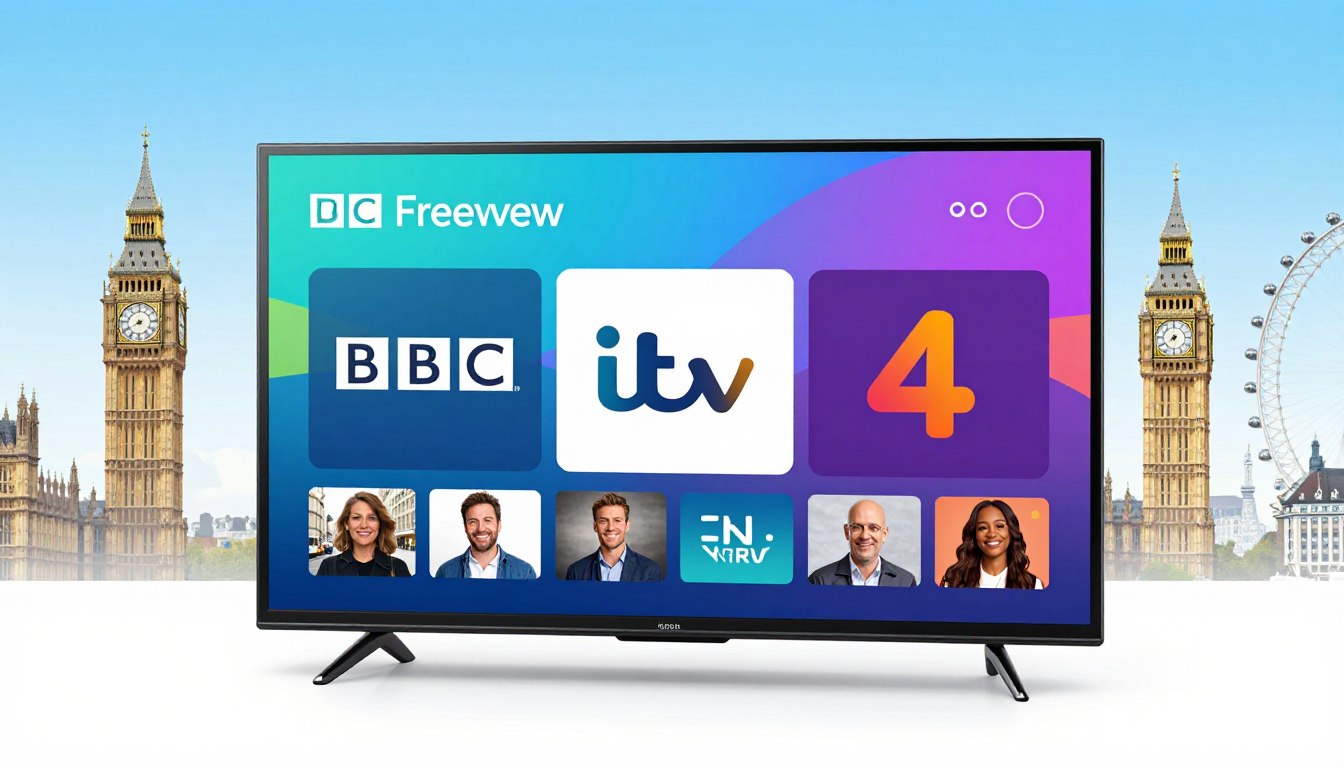
Can a U.S. viewer really get the same Freeview experience from across the pond?
You’ll get a clear, practical guide to what “IPTV with BBC, ITV & Channel 4” actually means and how to judge providers. Live streams and on-demand content travel over the internet, not cable or satellite, and that changes how lineups and catch-up options behave.
In this product-roundup you’ll compare top services, learn which features truly matter, and see how to test a provider before you commit. I’ll point out why verifying exact availability, region locks, and device support matters. You’ll also get tips to check licensing signals and pick reputable services rather than chasing raw lists.
We’ll touch on picture quality, peak-time reliability, EPG usability, device compatibility, trials, and responsive support. Expect a brief mention of GetMaxTV as one option and a clear legal-subscription call to action at the end to help you choose responsibly.
Key Takeaways
- Learn what terms like “Freeview-style” mean for U.S. viewers.
- Compare providers by picture quality, reliability, and device support.
- Verify exact channel availability and regional restrictions via resources like the Freely channel list.
- Test services with trials and check licensing signals before subscribing.
- Choose reputable services and keep a legal-subscription mindset for peace of mind.
Why IPTV is taking off for UK channels right now
Streaming UK TV over your broadband has become a practical option for viewers in the U.S.
Internet protocol television means video travels as data over your internet connection instead of through a dish or a coaxial cable run from a local provider.
How protocol television differs from cable and satellite
With protocol television, your smart TV, stick, phone, or laptop acts as the receiver. You do not need a set-top box tied to a cable or satellite contract.
This gives you more flexibility for where and how you watch shows.
Why many want one place for public channels and big sports
Viewers want BBC and ITV in a single interface alongside pay options like sky sports. That cuts app-jumping and simplifies account management.
But real results depend on licensing, app quality, and live-event performance.
Growth signals and market momentum today
About two-thirds of UK homes use at least one major streaming service, showing internet-first TV is mainstream.
“The global market is expanding fast — from roughly $72B in 2020 to an estimated $194B by 2026.”
This growth explains why many providers and plan types appear now. Expect variety — and the need to vet providers.
- Benefit: Device flexibility and simpler access to shows.
- Trade-off: Availability varies by licensing and app stability.
- Tip: Check reliable reporting on lineup changes, like this streaming changes report.
| Delivery | Receiver | Best for | Notes |
|---|---|---|---|
| Internet protocol television | Smart TV / apps | On-demand and multi-device | Flexible, depends on app and license |
| Cable | Provider set-top box | Linear channels, bundles | Stable but less portable |
| Satellite | Dish + receiver | Wide coverage, live sports | Good for critical live events |
For a plain primer on how internet-delivered services work, you can read a concise explainer here: how these services work.
iptv bbc itv channel 4: what you should expect from a legit lineup
Know what a trustworthy UK lineup looks like before you sign up, and learn how to check the details.
Freeview essentials usually mean the major public broadcasters plus common categories: general entertainment, kids, documentaries, news, and a small movies selection. Exact availability can vary by provider and licensing, so don’t assume every listing includes the same feeds.
Regional feeds and why they matter
Some providers show regional versions for local news and adverts. That means an ITV region you expect may not match the one offered. Verify regional naming or test the feed during a trial to confirm the exact version you need.
Sports add‑ons and live event checks
When a vendor advertises sky sports or Premier League access, you should test match‑day performance. Confirm which event channels are included and watch a live match to check latency and reliability.
VOD, “live channels,” and library size explained
Providers often combine live channels and on-demand titles in one headline number. Live channels are streams you tune into now; a VOD library lists movies and series you can watch later.
VOD size means how many movies and series are indexed. Bigger catalogs can still lack UK‑specific shows or good organization. Use a trial to search for titles you follow, try category sorting, and check EPG numbering so the service matches your viewing habits.
| Check | What to verify | Why it matters |
|---|---|---|
| Public broadcasters | Presence of major UK networks | Core news and entertainment access |
| Regional feed | Specific ITV region or local news | Ensures correct local programming and adverts |
| Sports performance | Live match test (Premier League) | Confirms event quality and included channels |
| VOD search | Find a few movies/series you know | Checks library relevance and organization |
For more verification tips and a provider checklist, see this concise guide: how to vet a service.
Core features that separate the best IPTV service from the rest

A handful of practical features decide whether a streaming plan holds up for family TV nights and big sports events.
Quality tiers: HD (720p) is fine on small screens. Full HD (1080p) looks noticeably better on 40″–55″ TVs. 4K is worth it if you watch on large modern sets and have consistent bandwidth. 8K is niche — only relevant if you own compatible hardware and a very fast connection.
Reliability: uptime and anti-freeze tech
Reliability is a make-or-break feature. Good services maintain high uptime, have scalable servers, and use anti-freeze buffering to reduce drops during evening peaks and big matches.
Nexotts is reported to offer Anti-Freeze tech that helps during peak events; that kind of engineering matters more than marketing claims.
Catch-up, pause and rewind
Catch-up usually means provider-hosted replay for a set window — some vendors offer up to 4 days. This differs from a DVR you own; you depend on the service’s retention policy.
Pause and rewind work like streaming VOD: instant on most devices, but longer replays can depend on server load.
EPG and discovery
A usable EPG shows accurate schedules, respects time zones, offers fast search, and saves favorites. That saves you from endless scrolling through large lineups.
Device support and common players
Your service should run on smart tvs, Fire TV Stick, Android, iOS, and PC. Many users rely on player apps like IPTV Smarters for a consistent interface across devices.
Customer support: what 24/7 should mean
“24/7 support” should give fast first responses, clear setup guides, step-by-step troubleshooting, and honest updates during outages. Good customer support reduces downtime and frustration.
| Feature | What to test | Why it matters |
|---|---|---|
| Quality tiers | Watch the same clip in HD, 1080p, 4K | Shows real visual difference on your TV |
| Reliability | Test during evening peak or live sports | Reveals buffering and uptime limits |
| Catch-up | Play a 48–96 hour replay | Confirms retention and playback speed |
| Device support | Install on your phone and smart TV | Ensures real-world compatibility |
For one practical check on regional access and local feeds, see how to access local feeds before you subscribe.
Top IPTV providers for UK Freeview channels

This short product roundup highlights common providers and what each tends to promise for UK viewing.
Nexotts overview
Nexotts advertises huge scale: 30,000+ live channels and roughly 190,000 VOD entries. You’ll see 4K (and some 8K) claims, a 4‑day catch-up window, anti‑freeze tech, and 24–36 hour free trial access for basic checks.
Use that trial to test access to UK feeds, measure stream start time at peak, and verify catch-up behavior on a live event.
Aris overview
Aris is smaller — about 18,000 channels — with a 24‑hour trial. It fits viewers who want a large international mix but do not need the very biggest library. Confirm HD/4K listings during the short trial.
Xtreme HD, Magical, Fusion Zone
Xtreme HD (≈20,000 channels, ~40,000 VOD) and Magical (≈16,000 channels, ~100,000 VOD) trade off channel counts vs library size. Fusion Zone (≈22,000 channels, ~80,000 VOD) often offers a paid 24‑hour trial for $1.99.
Trial policies vary, so check what the provider promises versus what you actually see on your devices.
Best IPTV UK and market sites
Sites that market to the UK often list plans, device claims, and guarantees. Best IPTV UK advertises 10,000+ channels, HD/4K support, multi‑device access, 24/7 support and a 7‑day money‑back guarantee with example pricing shown on its site.
Read plan pages critically: a lower price may limit simultaneous streams or device support.
- Quick checklist for any trial: EPG accuracy, stream start time, sports stability, VOD search, and customer support responsiveness.
- Always verify lineup details and the licensing posture before you commit to a longer plan.
| Provider | Live channels (approx.) | VOD / library | Trial |
|---|---|---|---|
| Nexotts | 30,000+ | ~190,000 | 24–36h free trial |
| Aris | ~18,000 | moderate | 24h trial |
| Fusion Zone | ~22,000 | ~80,000 | $1.99 / 24h |
How to choose an IPTV service for UK channels from the United States

Picking the right UK streaming plan from the U.S. means balancing speed, device support, and trustworthy business signals.
Internet speed targets for smooth HD and 4K streaming
For reliable HD viewing plan for at least 10 Mbps per stream. If you want 4K, aim for about 25 Mbps per device.
Stability matters more than raw peak numbers. Use Ethernet or a strong Wi‑Fi link and test during evening hours.
Trial vs money-back guarantee: how to test without committing
Use a short free trial to confirm channel availability and peak-time performance. Many providers offer 24–36 hour trials; some have a 7‑day money‑back window for deeper checks.
Follow this simple trial test script:
- Open a few flagship UK feeds and note startup time.
- Navigate the EPG, search, and play a VOD title.
- Start/stop streams and test audio sync and buffering.
Multi-device and simultaneous streaming considerations
Decide how many people will watch at once. Check the provider’s simultaneous stream limits and whether apps run on your primary devices.
Pick a household plan if multiple devices stream in parallel to keep quality steady.
Legality, licensing and reducing risk
IPTV delivers content over the internet, but legality depends on licensing. Look for transparent billing, clear terms, mainstream payment methods, and verifiable support to reduce risk.
Privacy and security basics (and VPNs)
A VPN can help protect privacy on public networks and sometimes avoid ISP throttling, but it does not make an unlicensed service legal. Prioritize reputable providers with clear contact and customer support policies.
Want a place to start? See this best provider guide for options and plan checks before you subscribe.
Where GetMaxTV fits if you want a straightforward, legal IPTV option
If you want a clear, legal path to UK streaming from the U.S., GetMaxTV can be a practical choice.
Who it fits and why
GetMaxTV suits viewers who value simple plans and transparent terms. You get fewer surprises when a provider lists devices, simultaneous streams, and refund rules clearly.
What to verify before you subscribe
- Confirm the exact feeds you need and test them during a trial.
- Check device compatibility so your phone and smart TV both work.
- Verify simultaneous stream limits for your household.
- Read refund and cancellation terms so you know your rights.
Check plans and availability directly
Always confirm current offers on the official offer page. Listings change, and the provider’s site is the best source for up-to-date regions, plans, and support details.
| Focus | What to check | Why it matters |
|---|---|---|
| Plan clarity | Exact features and price | Avoids hidden limits |
| Device support | Apps and players listed | Ensures real-world use |
| Refund policy | Trial or money-back terms | Gives risk-free testing |
Conclusion
Your best move is practical: evaluate the exact UK channels and the single channel feeds you need, then test real performance and clear plans before committing.
Look for strong video quality, quick EPG search, and easy VOD and movies discovery. Prioritize a provider that lists retention and transparent terms so the content you want stays available.
Use short trials and longer guarantees strategically — a 48‑hour trial can catch buffering and EPG issues, while a longer refund window proves weekend sports and multi‑device use. Also read platform rules and prominence changes on designated platforms via this platform rules summary.
Choose services that match licensing and clear support. If you want a legal subscription today, check GetMaxTV’s offer and tips for finding quality plans at finding quality services, or view GetMaxTV’s current offer directly at GetMaxTV.
FAQ
What does "IPTV with BBC, ITV & Channel 4: All UK Freeview Channels" mean for your viewing?
It means you can access the full suite of Freeview networks and popular UK broadcasters through a streamed service rather than traditional aerial or satellite gear. You get live channels, regional picks, and on-demand shows delivered over your internet connection so you can watch on smart TVs, phones, and streaming boxes.
How is internet protocol television different from cable and satellite?
Internet protocol television uses your broadband connection to deliver video, while cable and satellite rely on dedicated coaxial networks or dishes. That makes setup simpler, gives you on-demand libraries and catch-up features, and often reduces hardware clutter. You do depend on stable internet speed for the best experience.
Why do viewers want a single service for BBC, ITV, Channel 4, Sky Sports, and more?
A unified lineup saves you from juggling apps, subscriptions, and remotes. You get instant access to national channels, regional variants, premium sports, and big-event streams from one interface. That convenience matters most if you share access across multiple devices and want easy discovery of shows and matches.
What market signals show streaming is growing now?
Faster home broadband, more powerful smart TVs, and rising demand for flexible viewing all push streaming forward. Rights holders are increasingly licensing content for internet delivery, and consumers favor on-demand libraries and multi-device access over fixed schedules.
What should you expect from a legitimate lineup offering UK Freeview networks?
Expect real regional BBC and ITV feeds, accurate program guides, and clear terms for sports add-ons. A legit provider will list supported devices, show catch-up limits, and offer a trial or refund policy. Transparency around channel availability and licensing is key.
How do regional variations for Freeview affect what you see?
Regional feeds change which local news and regional programming appear in your guide. A provider should match your selected region or let you switch regions if you travel. If regional content matters to you, verify region support before subscribing.
Can streamed services cover major sports like Sky Sports and the Premier League?
Yes — many services offer sports through add-ons or bundled options. Rights and availability vary by provider and country, so check event listings and blackout rules. For big matches, ensure your plan supports peak bandwidth and low-latency streaming.
What does "VOD size" mean when providers advertise on-demand libraries?
VOD size refers to the volume and variety of on-demand titles available — movies, box sets, and catch-up episodes. Bigger libraries offer broader choices, but quality, recent releases, and searchability matter more than raw numbers.
What video quality levels should you expect: HD, Full HD, 4K, 8K?
Most providers deliver HD and Full HD as standard, with 4K for select channels and premium content. 8K is still rare and only useful if you own compatible hardware and super-fast broadband. Check per-channel specs and bitrate claims for realistic expectations.
How do providers ensure reliable streaming during peak times?
Top services use load balancing, CDN networks, and anti-freeze tech to reduce buffering and keep streams stable. Look for uptime guarantees, adaptive bitrate streaming, and positive user reviews about performance during live events.
How does catch-up TV and multi-day replay usually work?
Catch-up typically stores recent episodes for a set window (often 7–30 days). Some services offer multi-day or multi-week replay with integrated playback controls so you can pause, rewind, and resume across devices. Confirm the specific replay window before subscribing.
What should you look for in an electronic program guide (EPG)?
A helpful EPG shows accurate schedules, channel logos, categories, and search functions. Favorites, quick-jump lists, and easy access to on-demand items make discovery smoother when you have a large lineup.
Which devices are commonly supported for streaming UK networks?
Look for broad support: smart TVs (Samsung, LG), Fire TV Stick, Android TV, Android and iOS apps, Windows/Mac, and dedicated Android boxes. Compatibility with popular middleware apps also helps if you use third-party players.
What does true 24/7 customer support look like?
Real 24/7 support includes multiple contact channels — live chat, email, and phone — plus responsive ticketing and helpful setup guides. Fast troubleshooting for device setup and streaming issues is essential, especially during live events.
How do top providers differ in channel scale, 4K support, and trial periods?
Providers vary: some emphasize large channel counts and 4K streams, others focus on stable HD service and extended trials. Compare channel lists, bitrate specs, catch-up terms, and trial lengths to find one that fits your needs.
How should you test a service without committing long-term?
Use a free trial or a short-term subscription with a clear refund policy. Test live streaming during peak hours, try on all your devices, and verify catch-up functions and any sports add-ons before committing.
What internet speeds do you need for smooth HD and 4K streaming?
Aim for at least 5–8 Mbps per stream for HD and 25 Mbps or higher for reliable 4K. If multiple people stream at once, add bandwidth per simultaneous device to avoid buffering.
How many simultaneous streams should you expect for a household?
Plans often allow multiple concurrent streams — typically two to five. Choose a plan based on household size and whether family members watch different content at the same time.
What legal and licensing issues should you consider when subscribing from the United States?
Make sure the service has the right to distribute each UK network in your region. Avoid suppliers that lack clear licensing information; that reduces the risk of service shutdowns and legal problems. Opt for providers that state distribution rights and terms.
When should you use a VPN with a streaming subscription?
A VPN can protect privacy and help when regional restrictions apply, but it won’t legitimize access to content that the provider isn’t licensed to distribute in your area. Follow provider recommendations and terms of service before using a VPN.
Who should consider GetMaxTV as a straightforward, legal option?
GetMaxTV can suit viewers who want licensed UK content with clear plans and device support. Check who it’s best for by reviewing channel lists, available regions, and device compatibility before subscribing.
What final checks should you make before subscribing to any service?
Verify channel availability, device compatibility, trial or refund policies, streaming quality specs, and uptime promises. Confirm support hours and read recent user feedback to ensure the service matches your expectations.