
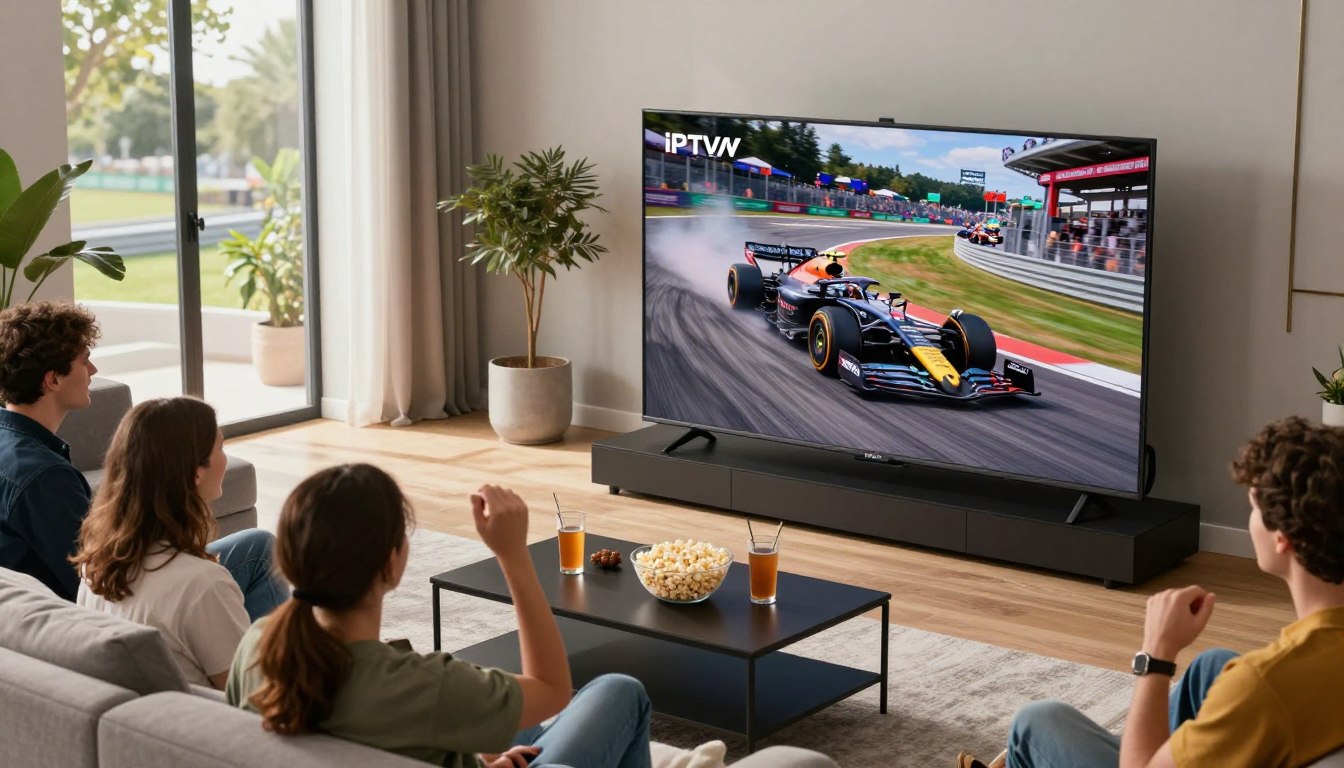
Curious whether you can get UK-style race coverage from the US without cable? If you want Sky Sports-style commentary and full race-day menus, internet delivery now makes that possible on phones, sticks, and smart TVs.
This short buyer’s guide explains what “IPTV for Formula 1 UK” means for a US viewer. You’ll learn how streaming works, what counts as true live coverage, and why bandwidth and service choice matter on race day.
We’ll compare official US options like ESPN and F1 TV with ways to access UK channels, and why legality and licensing should come before price. You’ll also see practical setup tips for common devices and the internet speeds that reduce buffering during peak moments.
Near the end, you’ll get a vetted next step if you want a legal internet-TV subscription to consider — check GetMaxTV’s legal IPTV offer to test reliability before a Grand Prix.
Key Takeaways
- Internet delivery lets you watch races across devices with on-demand options.
- Live race-day traffic needs a reliable service and strong connection to avoid buffering.
- Prioritize licensed providers and official US options for stable, legal coverage.
- Setup is usually quick on Fire TV, Roku, Android, iOS, and smart TVs.
- Consider a risk-free trial from a vetted provider like GetMaxTV to confirm performance.
What “Formula 1 UK” Coverage Means When You’re Watching From the United States
Watching British-style race coverage from the United States usually means you want Sky Sports’ full weekend build-up, the UK commentary team, and race-day features that go beyond the live green flag.
Sky Sports and NOW as the core UK broadcasters
Sky Sports holds rights to every Grand Prix in the UK. NOW offers Sky Sports channels as a standalone streaming route without a Sky subscription. NOW carries a native Fire TV app, costs about £33.99/month, and NOW Boost can move streams from HD (720p) to full HD (1080p) with a 30-day Boost trial.
How US location, blackouts, and regional availability can affect your viewing experience
Your physical location in the United States affects what you can legally subscribe to and what you can access. Some apps may load but the live race channel is blocked due to regional rights.
“The app may be available in your app store, but the live feed can still be restricted depending on licensing rules.”
- Verify access before you pay.
- Prefer licensed services and official channels over risky workarounds.
- Consider a trial to confirm the actual viewing experience; you can test GetMaxTV offer to check performance.
| Provider | What it offers | Notes |
|---|---|---|
| Sky Sports | Full weekend UK coverage | Main UK broadcaster for every Grand Prix |
| NOW | Sky channels via streaming | £33.99/month; Boost trial for 1080p |
| US services | Local rights and commentary | May avoid regional blackouts |
iptv f1 formula one uk: What You Should Look For in a Subscription Before You Buy

Before you buy, know exactly what the subscription promises and how it performs on race day.
Internet-delivered television uses the internet protocol to send live channels and on-demand content. You’re buying access to the right channels and a stream that won’t collapse at lights-out.
Legality first
- Check company info: visible address, clear terms, and lawful payment methods.
- Published support: phone, chat, or email and transparent refund rules.
- Channel licensing: the provider must state which channels it is licensed to distribute in your region.
Channel and content fit
Confirm live races, pre-race shows, replays, and on-demand availability. Make sure the channels that carry the weekend coverage are listed.
Streaming quality targets
Prioritize a steady HD stream over a flaky 4K claim. Look for consistent bitrate, low latency, and minimal buffering during peak moments.
Device and app compatibility
Match the subscription to your device: Smart TV, set-top box, or streaming stick. Verify whether the service provides dedicated apps or requires third-party player apps.
Reliability signals & trials
“Uptime and real support matter more than glossy marketing claims.”
- Watch for uptime history, an accurate EPG, and 24/7 help.
- Choose a subscription with a short trial or clear refund window so you can test race-week performance.
Best Legal Ways to Stream Formula 1 in the United States Without Cable

For US cord-cutters, choosing the right legal streaming path makes race day simple and reliable.
ESPN: the official US rightsholder and what that means for access
ESPN holds the US rights to live race broadcasts. That means you need a service that includes ESPN channels to reliably watch races live in the united states.
Check your provider or app for authenticated channel access before race weekend. Live channel inclusion avoids surprise blackouts.
ESPN+ vs live TV channel bundles: when each option fits
ESPN+ adds value for many sports fans, but it does not always replace a live TV bundle for live race coverage.
If you want a broad live lineup to replace cable, pick a bundle that lists ESPN channels. If you mainly want to watch formula races and extras, lighter plans may be cheaper.
F1 TV plans explained: Access vs Pro
F1 TV Access costs about $29.99/year or $3.49/month and gives delayed replays and live timing. It is best for highlights and timing features.
F1 TV Pro costs $10.99/month or $84.99/year and offers live races, onboard cameras, and team radio for an immersive weekend.
- Buyer fit: Choose F1 TV Pro if you want driver cams and flexible live streams.
- Pick a live TV bundle if you also want many other channels and a cable-like lineup.
Stick with official services for legal, reliable access. Licensed streaming services reduce blackout risk and keep your race weekends stable.
| Service | Main Benefit | Best for |
|---|---|---|
| ESPN (via bundle) | Live race broadcast and commentary | Anyone who wants reliable live channels |
| ESPN+ | Extra sports content, but limited live races | Supplemental sports fans |
| F1 TV Access | Replays and live timing | Fans who want highlights and stats |
| F1 TV Pro | Live races, onboard cams, team radio | Die-hard fans who value driver cams |
How to Watch UK F1 Channels With IPTV: Practical Setup for a Smooth Experience
Getting a smooth race-day stream is mostly about three things you control: your device, the app or player, and your internet connection.
Choosing the right device
Fire TV / FireStick is affordable and supports a wide range of apps and players, making setup fast for most users.
Apple TV gives polished app performance and reliable updates for paid services.
Android TV and Android devices are flexible and let you sideload apps when needed.
Roku is simple for mainstream television users but can be more restrictive for third-party players.
Consoles and mobile work well if you need convenience or viewing on the go.
Installation basics
There are two common ways to install channels. First, use the provider’s official app when it exists. This is the easiest and usually the most stable option.
Second, use an IPTV player app that accepts playlist or login credentials. Follow the provider’s instructions exactly to avoid login or channel mapping errors.
| Setup Step | What to Prepare | Why it Matters |
|---|---|---|
| Account & login | Username, password, subscription ID | Needed to authenticate and avoid locked channels |
| Playlist/EPG | Playlist URL or M3U, EPG link if provided | Keeps channel names accurate and the guide correct |
| Device app | Official app or recommended player | Ensures compatibility and best playback |
Internet speed and connection quality
Minimum baseline: aim for at least 8 Mbps for a single HD stream. For 1080p or to allow multiple streams, choose higher speeds.
Prefer a wired Ethernet connection or place Wi‑Fi close to the device to cut packet loss and reduce buffering.
“Stability and low packet loss matter more than peak speed during the start lap.”
Audio/video settings and a quick pre-race routine
Set the highest stable resolution and match the frame rate when possible. Turn on a “sports” picture mode for clearer motion.
Confirm audio sync and enable commentary tracks if your service offers them.
Pre-race checklist: test the channel 30–60 minutes before the start, verify EPG timing, and reboot the device or router if you see stuttering.
For step-by-step tips on converting a FireStick into a full-featured streaming device, see this short guide on making your FireStick an advanced media. If you want to explore legal streaming options and viewing tips, check this practical how-to guide to watching races online.
How to Compare IPTV Providers and Be Confident You’re Buying the Right Service

Before you subscribe, build a short checklist that separates marketing from proof. Use it to test lineups, uptime claims, and support so you know what to expect on race day.
Channel lineup verification
Demand specifics: ask for exact channel names and regions. Verify the sports channels that actually carry live races and weekend shows.
Get screenshots of the lineup or a sample EPG view. Use a short trial to confirm a channel plays during a live event.
Performance checks
Test peak-time stability by streaming a busy live event. Watch for resolution drops, buffering, and slow channel switches.
“Claims like ‘99.9% uptime’ are marketing until you validate them with a real-world trial.”
Support, troubleshooting, and multi-device rules
Real 24/7 help matters—your provider must offer clear contact channels and response expectations. You can’t replay a live lap if your stream dies.
Confirm simultaneous streams and household limits so multiple users can watch without conflict.
- Legal standing and clear terms
- Verified channels and a functioning EPG
- Proven performance during peak events
- Transparent multi-device policy
- Fair trial or refund option
| Check | What to ask | Why it matters |
|---|---|---|
| Lineup | Exact channel names | Ensures sports channels are included |
| Performance | Trial during peak | Confirms quality and stability |
| Support | 24/7 contact | Fixes live issues fast |
Getting the Most Out of Your F1 Season With IPTV Features Fans Actually Use
Plan a simple season routine now so you catch every session no matter the timezone. A few reliable habits make viewing every race and show easier across a long season.
On-demand replays for missed races and time-zone-friendly viewing
Replay libraries let you watch races on your schedule. They matter when a European or Asian start conflicts with your night.
During a trial, verify how fast replays appear and whether fast-forward works. Smooth trick-play is essential for efficient catch-up.
Multi-device viewing: switching from TV to phone when you’re away
Start watching on your television and pick up on your phone with the same account. App stability matters most when you’re on mobile data or hotel Wi‑Fi.
Test logins, device limits, and simultaneous streams before travel so you won’t be locked out on race day.
EPG and reminders: keeping up with race weekends and start times
A good guide shows practice, qualifying, and race timing in real time. Use EPG reminders to avoid missing the formation lap.
“Accurate time-zone conversion and channel mapping remove last-minute confusion.”
| Feature | Why it helps | What to test |
|---|---|---|
| On-demand replay | Watch missed races at your convenience | Replay speed, availability, trick-play |
| Multi-device sync | Continue viewing on phone or tablet | Login limits, app stability, simultaneous streams |
| EPG & reminders | Keeps weekend schedule organized | Time-zone accuracy, correct channel mapping |
For tips on regional channel access and practical setup, see this short guide to local channel access.
Where GetMaxTV Fits: A Reliable Option to Consider for Live TV, Sports, and More
For a broader live viewing experience beyond single-race apps, consider how GetMaxTV stacks up against full-channel packages.
GetMaxTV can be a solid pick if you want a full live-TV lineup that includes sports and general channels rather than a single racing feed.
What to evaluate in channel and device options before you subscribe
Check channel coverage: confirm the exact channels you need for live race weekends and related shows.
Device compatibility: verify apps or supported players for your TV, stick, and mobile devices.
EPG and user guide: an accurate program guide makes it easy to find sessions and set reminders.
Performance signals: look for uptime claims, typical streaming quality (HD/4K), and a clear refund or trial policy.
“Reliable support and fast response times matter most on race day.”
Check the current offer details directly on GetMaxTV
Use this quick checklist when you review the provider page at GetMaxTV:
- Channels you need for live sports and weekend shows
- Device support and app requirements
- Pricing terms and simultaneous stream limits
- Trial availability and refund terms
If you want a comparative how-to, see this practical guide to watching races online at watching races in streaming services.
Conclusion
Before you subscribe, start with legal access in your region, then match channels, devices, and race-day reliability to your needs.
Pick a service that proves uptime, offers clear support, and lists the exact channels you need for live races. Test performance during a busy event and confirm multi-device rules before committing to a long plan.
Prioritize consistent streaming quality and quick support over flashy features—missing key laps to buffering defeats the point of a paid subscription.
If you want a legal IPTV subscription to test, check GetMaxTV’s current offer. For details on streaming the Las Vegas Grand Prix, see this official guide: how to stream the 2025 Las Vegas Grand, and a practical GetMaxTV VOD guide.
FAQ
What does "Formula 1 UK" coverage mean when you’re watching from the United States?
It means you’re accessing the UK broadcasters’ feed, which typically includes Sky Sports’ full race build-up, commentary, and extras. From the U.S., rights and regional restrictions can change which feed you can legally view. You may see UK-specific pre-race shows, different commentators, and extra onboard or studio features that aren’t always available on U.S. rights-holder streams.
Can U.S. location or blackouts affect your ability to watch UK race coverage?
Yes. Blackouts and geographic restrictions depend on broadcast rights and licensing. Some platforms block access to certain live feeds outside the UK. If you try to view a UK-only channel from the U.S., the stream can be geoblocked or restricted, so always confirm regional availability before subscribing.
How do you recognize a legitimate live TV service versus risky unverified options?
Look for clear licensing, known brand names, and transparent payment and refund policies. Reputable services list channel lineups, provide apps in official app stores, and offer customer support. Avoid providers that guarantee every premium channel at unusually low prices or request payment via anonymous methods.
What channel and content features should you prioritize for race weekends?
Prioritize live race channels, pre-race build-up, post-race analysis, replays, and on-demand clips. Also check for multi-angle feeds, onboard cameras, and team radio if those matter to you. Confirm the provider carries the specific sports channels that broadcast the Grand Prix.
What streaming quality should you expect for a consistent race viewing experience?
Aim for HD as a minimum; 4K is ideal if you have the bandwidth and device support. Stable bitrate, low buffering, and consistent frame rates matter most during fast-action moments. Read uptime and performance claims and test during a trial period when possible.
Which devices and apps work best for watching live races on your TV or mobile?
Common compatible devices include Fire TV/Fire Stick, Apple TV, Android TV, Roku, gaming consoles, and iOS/Android phones. Check whether the provider has a native app in the device’s official store or supports standard media players. Native apps usually give a smoother experience than third-party players.
What signals show a provider is reliable and worth trying?
Look for published uptime statistics, responsive customer support, positive recent reviews, and an accurate electronic program guide (EPG). Providers that offer short trials or money-back guarantees let you test race-day performance without long-term risk.
How should you test a service before committing to a full season subscription?
Use a free trial or short-term plan to test peak-time stability, picture quality, and device compatibility. Check how customer support responds on a weekend and verify that the channels you need appear in the lineup and the EPG displays correct start times.
Who holds the official U.S. rights to live races, and how does that impact your options?
ESPN holds the primary U.S. rights for live races. That means subscribing to ESPN services or bundles that include ESPN channels will give you official access. Third-party services must carry those channels legally to offer the same live coverage.
When does ESPN+ make sense versus a live TV bundle for watching races?
ESPN+ is best for exclusive extras and on-demand content, while a live TV bundle that includes ESPN channels is necessary for full live race access. Choose based on whether you primarily want live races, supplemental content, or both.
How do F1 TV plans differ and which one matches your needs?
F1 TV offers different tiers: one focuses on race replays, highlights, and onboard/team radio, while a Pro-style plan can include live sessions where rights allow. Check current plan specs and U.S. availability to decide if onboard feeds and team radio are worth the extra cost for you.
What internet speed do you need to watch live races without buffering?
For stable HD streaming, aim for at least 10–15 Mbps per stream. For 4K, target 25 Mbps or more. A wired connection or a strong dual-band Wi‑Fi network reduces dropout risk on race day.
What audio and video settings improve race viewing on race weekends?
Use a fixed bitrate or auto quality with a high maximum, enable surround sound or stereo depending on your system, and turn on adaptive frame smoothing if available. Reduce other network traffic during races to keep bandwidth consistent.
How can you confirm a provider actually carries the sports channels that show races?
Ask for an up-to-date channel list, verify channels in the provider’s official app store listings, and check recent user feedback about those specific channels. If possible, test channel streams during a trial period to confirm live race availability.
What performance checks should you run before race day?
Test peak-time streaming, check for buffering or pixelation, and run multiple device streams to simulate family use. Monitor connection drops and response times from customer support to see how quickly issues resolve.
Why is 24/7 support important when a Grand Prix is live?
Race-day issues need quick fixes. Live support reduces the risk of missing key sessions. Providers that offer timely live chat or phone support give you a better chance of resolving outages before the start.
What are common multi-device rules you should check before subscribing?
Confirm how many simultaneous streams the subscription allows and whether device types are restricted. Some services limit concurrent streams per account or mandate additional seats for multiple household viewers.
How do on-demand replays help when you miss a race because of time zones?
On-demand replays let you watch the full race, highlights, and key moments at your convenience. They’re essential if live start times conflict with your schedule and are a good reason to choose a provider with robust catch-up features.
How easy is it to switch from TV to mobile mid-race and keep watching?
Most modern providers let you resume streams on another device if your subscription supports multiple simultaneous streams. Use the provider’s official app for smoother transitions and enable account syncing or watchlist features where available.
What does a good EPG and reminder system offer for race weekends?
A useful EPG shows accurate start times, session types, and countdowns. Reminder features or calendar integration help you track practice, qualifying, and race starts so you don’t miss critical sessions.
What should you evaluate in a provider like GetMaxTV before subscribing?
Confirm the current channel lineup for sports and live race feeds, check device compatibility, read recent user reviews, and verify trial or refund options. Compare performance claims with independent feedback to ensure race-day stability.
Where can you check current offer details for GetMaxTV or similar services?
Visit the provider’s official website or app store listing for up-to-date plans, channel lists, and promotional details. Always read the terms of service and cancellation policy before entering payment information.