
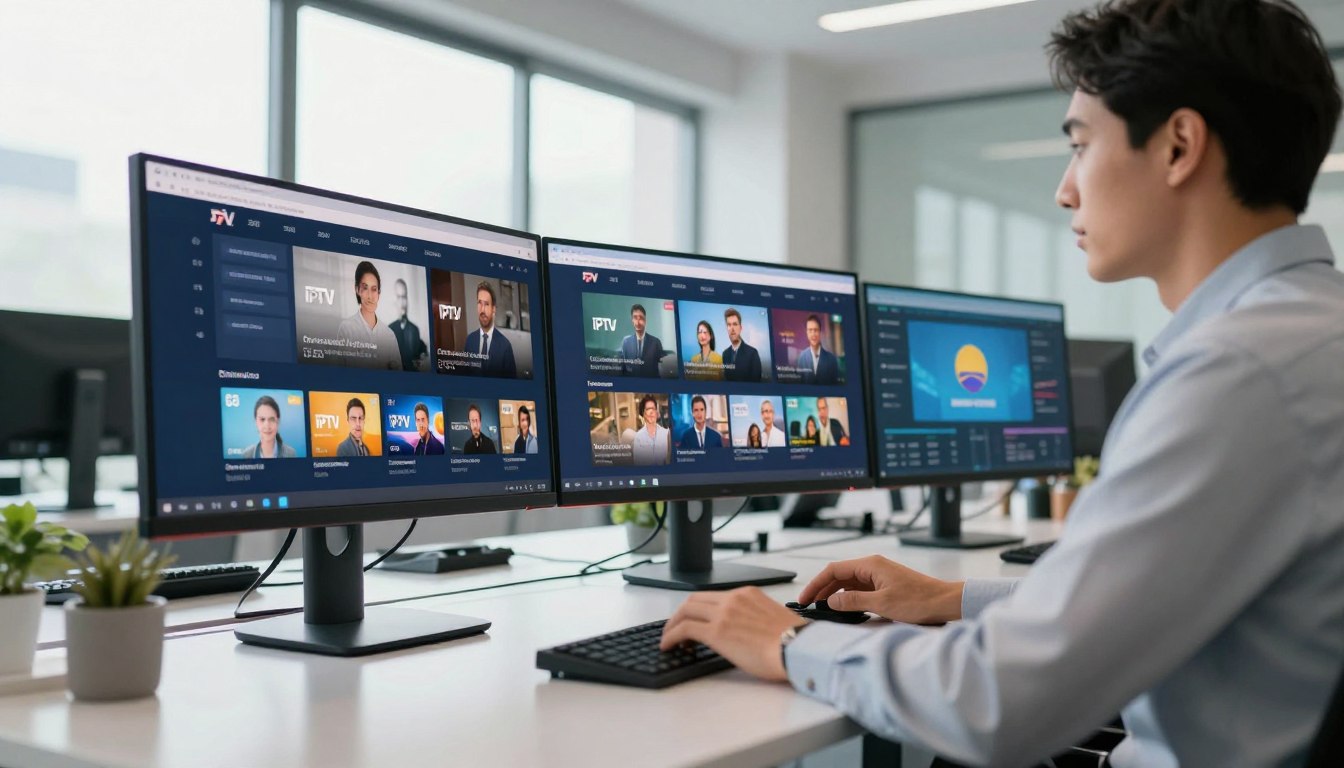
Curious how a purpose-built streaming system can change your customer or staff experience without the usual legal headaches?
You’re not just adding TV. In a commercial setting this service means deploying a managed video platform across screens, departments, and locations so content works like business software.
This section sets clear expectations: you’ll learn practical, IT-friendly guidance on licensing and a multi-screen rollout that meets your goals and keeps content secure.
We’ll preview two big themes — compliance and centralized control — and point to implementation details and vendor questions you should ask. For deeper technical notes, see a launch guide at Flussonic’s launch guide, and regional setup tips at GetMaxTV regional guide.
Promise: plain-English explanations of platform technology, licensing essentials, and what a scalable solution requires so you can pick the right vendor.
If you want a legal subscription option to evaluate, check GetMaxTV.
Key Takeaways
- You’ll deploy a managed video system across multiple screens, not just add a TV.
- Focus on licensing and centralized control to meet legal and operational needs.
- Security and device management matter as much as stream quality.
- You’ll get plain-English info to ask smarter vendor questions.
- Explore verified platforms and legal subscriptions before you sign.
How IPTV platforms work in commercial environments
Let’s walk through how a managed video platform distributes live and on-demand streams in a shared environment.
Distribution, not apps: a dedicated platform sends channels and video over your IP network so every screen behaves the same. That central delivery lets IT control bandwidth, security, and device settings instead of relying on consumer apps and individual logins.
Why it’s different: consumer streaming assumes personal accounts and variable performance. Your sites need predictable playback, device governance, and consistent channel lineups. Vendors like VITEC and Visionary design systems to integrate with IT tools and scale across locations.
Core capabilities to expect today
Look for live channels, a VoD library, recording and time‑shift. Multi-view and archive playback are common. These features move a solution from marketing talk to usable tools.
Broadcast-quality matters: low latency and reliable channel delivery are vital in lobbies, waiting rooms, and during an event.
Signage and communications in one system
When video and digital signage live on the same platform you can run entertainment and operational messages together — menus, emergency alerts, and wayfinding — without juggling separate players. See an example of integrated signage and streaming in this digital signage insight.
Where this fits best
Offices, hospitality, healthcare, venues, and guest areas each use different mixes of live channels, on-demand training, and looping information. Your IT team will focus on network impact and security; operations wants simple playback; leadership looks for scale and measurable outcomes.
“A platform built for shared spaces reduces support calls and keeps viewing predictable.”
For broader trends and what to ask vendors about system scale, review streaming forecasts at future streaming trends and regional changes les 5 tendances.
iptv for business commercial licensing and compliance essentials

Start by confirming that your streaming rights match how you plan to show video in public and shared areas.
Commercial use rights vs. residential subscriptions
Residential plans often forbid public or multi-site use. That risk is more than a dropped channel: it can mean contract breaches and reputational harm.
Validate whether each channel and media asset has explicit distribution rights for guest spaces, lobbies, or staff areas.
What legal distribution should include
Look for clear terms that name authorized channels, describe public-viewing permissions, and show how licensing is documented.
Ask vendors to explain where content comes from and who holds the rights.
Security, account control, and vendor checklist
- Does the provider authorize each channel for public display?
- Are accounts per-device or per-screen, avoiding shared logins?
- Can accounts be wiped remotely on consumer-grade displays?
- Is role-based administration and audit logging available?
- How is distribution documented and updated?
Divide responsibilities: IT verifies access and security; operations checks usability; procurement reviews terms and ongoing services.
“Shared logins can leave credentials on TVs that lack a secure wipe.”
Keep a simple internal record of what you show, where, and who manages access. If you want a legal reseller option to evaluate, see the reseller guide.
Multi-screen IPTV setup: network, hardware, and centralized management

Start with a clear architecture: how sources, headends, and endpoints link across your network.
Keep your design practical. Plan ingest (broadcast or IP), encoding/transcoding, and delivery. Decide when multicast saves bandwidth and when unicast or HLS is simpler for remote sites.
Delivery methods and network requirements
Multicast is efficient when many screens show the same channels on a wired VLAN. Use unicast for individual streams or remote locations. RTSP/RTP give low latency; HLS improves compatibility but adds delay.
| Method | Latency | Bandwidth impact | Best use |
|---|---|---|---|
| Multicast | Low | Low (per channel) | Many wired screens on LAN |
| Unicast | Medium | High (per stream) | Individual streams, remote users |
| RTSP / RTP | Very low | Moderate | Live broadcast, low-latency needs |
| HLS | Higher | Adaptive (varies) | Wide compatibility, CDN delivery |
Endpoints, control, and content workflows
Choose Smart TVs for simplicity, set-top boxes for consistent control, and browser players for kiosks. A central interface should let you push updates, manage accounts via Active Directory, and monitor device health.
Content workflows include creating custom channels, scheduling playlists, and storing recordings for training or events. Digital signage templates and data feeds make it easy to swap messages across screens.
Scalability, integrations, and rollout
Pick a platform that scales without overtaxing IT. Look for open APIs and integrations with Crestron or QSC. Plan installation, staff training, and routine support so your team can operate the system reliably.
- Segment video traffic via VLANs and wired endpoints where possible.
- Use role-based access for safe management and auditing.
- Test signage templates and recordings before wide rollout.
“Centralized control reduces support calls and keeps viewing predictable.”
For legal subscription options and setup details, review IPTV service options and an Apple TV setup guide.
Conclusion
Make your final decision around a platform that balances legal clarity, scalable delivery, and easy daily operations.
Focus on fit. Choose a solution that matches your environment, protects access, and supports multi-screen systems with centralized management.
Confirm commercial rights and authorized distribution before you deploy in guest or public areas. This step prevents contract risk and keeps operations predictable.
Validate three technical points: the network delivery approach, an endpoint strategy that simplifies maintenance, and a management interface that lets your team monitor and update devices.
Next step: compare providers using the checklists in this article and prioritize legal clarity, scalability, and operational simplicity. If you want a legal IPTV subscription option to evaluate, review GetMaxTV’s offer at https://getmaxtv.com.
For additional regional tips and a cost-focused guide, see budget and quality guidance.
FAQ
How do platforms that stream video to multiple screens work in commercial settings?
These platforms ingest live and on-demand sources, transcode content for different devices, and deliver it over your local network or the internet using multicast, unicast, RTSP, or HLS. A central management system handles channel lineups, user permissions, and monitoring so you can push updates and schedule playback across sites without touching each device.
What makes a commercial-grade streaming solution different from a residential service?
Commercial systems include licenses for public or guest viewing, centralized device management, and features like recording, time-shift, and multi-screen distribution. They also prioritize reliability, support for many concurrent viewers, and integrations with business systems such as Active Directory and building control platforms.
What core capabilities should you expect from modern multi-screen solutions?
Look for live channel delivery, video-on-demand libraries, recording and time-shift functions, user access controls, and analytics. The platform should support scheduled playback, custom channel creation, and easy content provisioning so your communications team can update information quickly.
Can you combine content delivery with digital signage on the same system?
Yes. Many platforms merge live channels and signage templates, letting you run news or entertainment alongside targeted messages, menus, and real-time data feeds. That reduces hardware, simplifies scheduling, and keeps guest and employee communications consistent.
Which environments benefit most from a centralized multi-screen system?
Offices, hotels, hospitals, stadiums, and corporate campuses all gain value. You can deliver branded channels, training videos, guest information, or emergency alerts tailored to each location and device type while maintaining central oversight.
Why are commercial use rights important compared to residential subscriptions?
Residential subscriptions typically prohibit public or multi-viewer use. Commercial licenses ensure you’re authorized to display content in guest areas, lobbies, or workplaces, protecting you from copyright claims and ensuring uninterrupted service.
What should “legal” content distribution include?
Authorized source agreements, clear distribution terms, and documented rights for the venues and types of viewers you serve. The provider should offer transparent licensing and support to help you remain compliant with broadcasters and copyright holders.
How do you prevent security risks like shared logins across devices?
Use centralized account control, role-based access, and single sign-on integrations like Active Directory. Limit concurrent sessions per credential, enforce strong passwords, and monitor access logs to detect and stop credential sharing.
What network requirements support reliable multi-screen delivery?
Ensure sufficient bandwidth, VLAN segmentation for video traffic, QoS rules, and support for multicast where appropriate. Consider hybrid delivery (local origin plus cloud) and CDN options for remote sites to reduce latency and packet loss.
How do you choose between smart TVs, set-top boxes, and browser players?
Base your choice on user experience, management needs, and device lifecycle. Smart TVs reduce hardware but vary by manufacturer. Managed set-top boxes offer uniform control and telemetry. Browser players are flexible for kiosks and desktops but may need dedicated players for live channel stability.
What does central control from a single interface provide?
A single interface lets you manage device groups, push updates, configure user roles, monitor uptime, and view analytics. That centralization speeds rollouts, simplifies troubleshooting, and ensures consistent messaging across locations.
How do content management workflows usually operate?
Workflows include ingesting media, tagging assets, creating channel schedules, and assigning playlists to devices or groups. Good systems offer approval processes, version control, and templated layouts to streamline production and reduce errors.
What features are important for digital signage operations?
Templates, dynamic data feeds, zone-based layouts, scheduled playlists, and remote preview tools. Also look for multi-screen synchronization, easy content updates, and compatibility with common data sources like calendars and POS systems.
How do you scale reliably across multiple locations without overloading IT?
Use hierarchical distribution: edge servers or local cache nodes per site, smart bandwidth allocation, and automated device provisioning. Cloud management and APIs let your team deploy changes at scale while limiting hands-on work for local IT.
What integration options should you expect?
Support for Active Directory, RESTful APIs, SNMP, and common building control protocols. These integrations allow single sign-on, automated device enrollment, and third-party automation tools to trigger playlists or alerts.
What should a rollout and support plan include?
A clear installation schedule, hardware staging, training for administrators and content creators, and SLAs for ongoing maintenance. Choose a vendor that offers remote troubleshooting, spare hardware options, and documentation for your IT staff.