

Want a smarter way to watch every match without the cable bill? If you value flexibility, crisp HD or 4K picture, and the ability to catch replays on your phone or TV, this guide is for you.
You’ll learn how streaming works for Premier League 2025 matchdays, what to look for in a provider, and how to set up reliable multi-device viewing in the United States.
Expect clear explanations about uptime, channel quality, EPG accuracy, and simple setup steps so you can be match-ready fast.
Note: “Watch every match” depends on the channels included and your provider’s peak-time reliability. Choose rights-respecting services and legal options for steady access.
For a deeper look at 2025 trends and a service that meets these criteria, check this streaming trends overview and consider GetMaxTV for a legal subscription that fits busy U.S. matchdays.
Key Takeaways
- This guide shows how streaming replaces rigid cable for matchday flexibility.
- Focus on reliability, HD/4K quality, and catch-up features for busy U.S. schedules.
- Watch-every-match depends on your provider’s channel lineup and uptime.
- Prioritize multi-device support and accurate EPGs for easy viewing.
- Choose licensed, reputable services to avoid interruptions on big fixtures.
- GetMaxTV is a recommended legal option to explore for fast setup and broad device support.
What IPTV Means for Premier League Fans in 2025
Watching top-flight matches now often means an app and a fast connection instead of a single set-top box. In plain terms, internet protocol television delivers your TV channels and live sports over your internet link rather than a traditional broadcast signal.
Internet Protocol Television vs. cable and satellite broadcasts
Cable and satellite send channels through coax or a dish. A set-top box decodes those signals for your TV.
By contrast, protocol television works through apps or players that load a playlist or login and stream channels over an internet protocol connection. That means you can move between devices without being tied to one box.
Why IPTV is dominating sports streaming right now
Fans want flexibility: personalized channel lists, no long contracts, and multi-screen access. Improved home networks—fiber and 5G—make stable HD and 4K feeds realistic for many households.
Still, your matchday experience depends on provider server quality and your broadband. Spikes in viewers reveal weak services quickly, so you’re buying reliability and convenience as much as extra channels.
- What you gain: multi-device viewing and catch-up content.
- What to watch for: server uptime, realistic stream quality, and clear device support.
For a deeper setup walkthrough, see the ultimate guide to watching sports via.
Why IPTV Is a Smart Way to Watch the Premier League in the United States
Choose smarter cost and convenience. A streaming subscription often costs less than traditional cable bundles and avoids the extra add-on fees that stack up when you follow a single league.
No long contracts mean you can sign month-to-month. That flexibility lets you change plans mid-season if your needs shift or a better package appears.
Lower monthly cost and no long-term contracts
Many services price plans to compete with cable. You pay monthly, not for a year, and you can cancel between transfer windows or breaks.
Multi-device access for matchdays at home and on the go
You can start a match on your smart TV, then switch to your phone or laptop if you leave the house. Most packages support Firestick, Android TV, and common apps so multi-screen viewing is easy.
HD/4K quality, catch-up, and replays for busy schedules
Full HD should be the baseline you expect; 4K is a bonus when both the feed and your home network handle it.
Catch-up and replays let you watch later without spoilers — essential when kickoff times conflict with work or family plans.
More channel options and commentary choices
Stronger providers include multiple feeds and commentary options. That variety improves your viewing and lets you pick the voice you prefer on matchday.
- Practical: lower bills and shorter commitments.
- Flexible: watch on the devices you already own.
- Reliable: look for services that offer HD, replays, and multiple channels.
For step-by-step setup tips, see how to stream the Premier League on streaming, and to learn about getting local channels via a trusted provider, check local channel access via streaming.
iptv premier league: What You Need to Watch Every Match Live
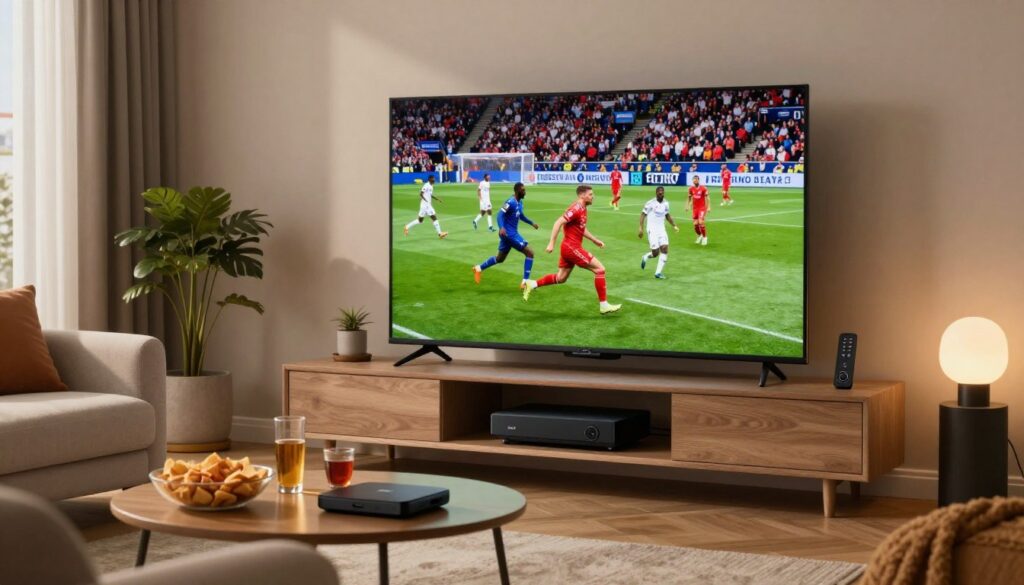
To catch every match live, you need the right channel lineup, steady streams, and a simple way to find each fixture on matchday.
Premier League coverage basics and how match access works
You are not buying the competition itself. You buy access to the broadcasters that hold rights in each market.
That means: confirm which channels a provider carries before you subscribe.
Sports channels and feeds to look for
Many fans look for major sports channels such as Sky Sports and TNT Sports. Availability varies by region and provider.
Good lineups include multiple feeds and commentary options so you can switch if one feed lags.
When Amazon Prime Video-style feeds may be relevant
Where available, event-style feeds like Amazon Prime Video add extra matches. Some providers include similar event channels depending on rights.
- Buyer tip: ask for the current channel list and how matches are labeled in the EPG.
- Backup: multiple sports channels reduce the risk of overload during big fixtures.
- Reality check: “every match” depends on rights, server reliability, and your home network.
How to Choose the Best IPTV Provider for Premier League Streaming

Start with reliability. Before you subscribe, check claims against real uptime numbers and test streams during peak hours. A provider that advertises 99.9% uptime and shows server infrastructure details is preferable to one with vague promises.
Channel lineup quality beats big counts. Look for well-curated sports channels and honest listings instead of inflated “20,000+ channels” claims. A short, stable list with dedicated sports feeds beats noisy catalogs.
EPG and catch-up matter. Verify that program guides show correct time zones, event labels, and that catch-up or 3–7 day replays actually load reliably.
- Set realistic goals: Full HD is the baseline; 4K/HDR is bonus—and depends on source and your connection.
- Confirm simultaneous streams for your household and device limits.
- Test customer support response times; good support offers fast, clear troubleshooting during outages.
Watch pricing and guarantees. Prefer transparent monthly or annual plans with trials. Avoid suspicious lifetime deals and unclear refund policies.
Use a short checklist and scorecard when comparing providers. For more market trends and options, see this trends overview.
Devices and IPTV Apps That Work Best for Premier League Matches
Your matchday setup should favor steady playback, fast channel changes, and simple app navigation. Start by matching a device to how you watch: couch viewing, mobile travel, or long replays.
Fire TV Stick and Fire TV
Fire TV devices are popular because they are compact and support many apps. Keep apps updated, clear unused apps, and leave some free storage to avoid slowdowns.
Tip: Use Ethernet via an adapter on matchday for the most stable connection.
Android TV and Nvidia Shield
Choose Android TV or Nvidia Shield when you want top performance. These handle faster channel loading and long sessions with less overheating.
They also run advanced players smoothly and support 4K where available.
Smart TVs and IBO Player
Smart TVs (Tizen, webOS) can work fine for most matches. If native apps feel sluggish, use an external device or install IBO Player for a cleaner channel list.
Popular players: TiviMate, IPTV Smarters, and others
TiviMate is great for power users who want a custom guide and fast channel switching.
IPTV Smarters works across many devices and is easy to set up with M3U or Xtream credentials.
Mobile and desktop viewing for traveling fans
When you watch on the go, secure your login and use stable Wi‑Fi or a strong mobile link. Headphones help in noisy spots and preserve battery life.
For more app recommendations for phones and tablets, see this list of best apps for Android devices.
- Quick matchday checklist: pick a reliable device, use Ethernet if possible, choose a tuned player, and confirm provider support before kickoff.
- Remember: device choice helps, but stream stability still depends on your connection and the provider’s server quality.
For curated service reviews and subscription comparisons, check this review roundup.
How to Set Up IPTV for Premier League: A Simple Start-to-Stream Checklist
Start with a clear plan so you can move from purchase to kickoff without guesswork.
Picking a plan and getting M3U or Xtream credentials
Choose a subscription that lists the sports channels you need. After purchase you typically receive either an M3U playlist URL or Xtream Codes credentials (server URL, username, password).
Installing a player and loading your playlist or login details
Install a recommended player app on your device. Popular choices are TiviMate, IPTV Smarters, and IBO Player.
Open the player, choose “Add playlist” or “Login with Xtream,” then paste the M3U link or enter the server URL, username, and password. Save settings to avoid reloads.
Turning on EPG and finding live channels fast on matchday
Enable EPG in the player and set the correct time zone. Let the guide load fully; channel lists can take a minute to populate.
Use favorites, recent, or a sports group to jump to live channels quickly. If one stream fails, try an alternate feed or test another channel to check your access.
| Step | What you receive | Typical time | Quick tip |
|---|---|---|---|
| Choose plan | Channel list & trial info | 5–10 min | Prefer trials where possible |
| Get credentials | M3U URL or Xtream login | Instant after purchase | Copy details exactly |
| Install player | App (TiviMate/Smarters/IBO) | 2–5 min | Use Ethernet for stability |
| Load EPG & watch | Guide + live channels | 1–3 min to populate | Set time zone and favorites |
Pricing and Value: IPTV Subscription vs. Satellite or Cable Sports Packages
A fair cost comparison must balance monthly fees with reliability, device support, and replay access.
What you typically pay for traditional sports TV bundles
Traditional cable and satellite bundles often come with higher monthly bills and long contracts. Add‑ons for regional channels and premium channels drive costs up.
What many subscription plans include for a lower monthly cost
Modern streaming plans commonly bundle multiple sports channels, multi‑device support, and occasional catch‑up or replays. That can cut your season spend while keeping access flexible.
How to evaluate packages based on sports channels, devices, and replays
Use a short checklist when you compare providers:
- Confirm the exact channels you need for match coverage.
- Verify device compatibility and simultaneous streams.
- Check whether replays and EPG are reliable in practice.
| Compare Point | Traditional Bundles | Streaming Plans |
|---|---|---|
| Typical monthly cost | $50–$100+ | $8–$20 (varies) |
| Contract length | Often annual | Monthly or flexible |
| Device support | Limited to set-top boxes | Multi-device apps and players |
| Replay / catch-up | Sometimes via DVR | Often included or limited; check reliability |
Reality check: a low sticker price is worthless if big matches buffer or the guide is unusable. Compare the same criteria across options and read recent user reports.
Buyer takeaway: value equals matchday reliability plus the features you use most — not just the cheapest monthly number. For a deeper buying guide and examples, see this best subscription comparison or tips on finding quality affordable plans at GetMaxTV’s value guide.
Legality, Safety, and How to Avoid Risky IPTV Streams
Not every online sports feed is safe; understanding rights and transparency keeps you out of trouble. The technology behind streaming is neutral, but a legal offering must have the broadcast rights to distribute channels in your region.
What “legal” means and why rights matter
A licensed service holds agreements with rights holders. That means steady access, clear pricing, and real customer support. Unlicensed services can vanish, drop quality, or expose your payment details.
Red flags for unsafe providers
- “Lifetime” deals or extremely low prices.
- No verifiable company identity or contact support.
- Constantly changing channel names and unclear terms.
Practical stability and safety tips
Aim for ~25 Mbps for reliable HD. Use Ethernet when possible; use 5GHz Wi‑Fi if not.
Keep apps updated, clear cache, restart your router before big matches, and avoid large downloads during live streams.
If you want a licensed subscription option, review GetMaxTV’s offerings at GetMaxTV. For a technical protocol comparison that may affect stability, see this guide on playlists and players: protocol options.
Conclusion
This short checklist helps you choose and keep matchday viewing simple. Confirm channel coverage for the iptv premier league, then prioritize uptime and stable servers over inflated counts.
Check these features: EPG accuracy and quick access to live channels, dependable replays/catch‑up, multi‑screen support, device compatibility, clear pricing, and good customer support.
Remember the practical setup formula: solid device + reliable player app + strong home connection = fewer buffering headaches.
Put safety first: choose licensed services with transparent terms and responsive support. If you want a legal subscription option, check GetMaxTV’s offer at https://getmaxtv.com or read the full ultimate guide to finding the best.
FAQ
What does Internet Protocol Television mean for watching the Premier League in 2025?
It means you can stream matches over your internet connection instead of relying on cable or satellite. You get live channels, on-demand replays, and multiple commentary feeds on supported devices. This model often offers more flexibility for matchday viewing, including HD and 4K streams when your connection and device support them.
How does this streaming compare to traditional cable and satellite broadcasts?
Streaming delivers similar broadcast feeds but over IP networks, so you avoid set-top boxes and long contracts. You’ll still need a reliable internet connection to prevent buffering, and provider quality varies, so choose one with good uptime, accurate EPG, and consistent stream quality.
Why are sports fans switching to internet-based streaming right now?
You get more device flexibility, lower monthly costs in many cases, and features like catch-up and replay. Many services support multiple simultaneous streams, making it easier for a household to watch different matches at once. The ability to watch on smartphones, smart TVs, and media players adds real convenience on matchday.
Can you get every match live with a single provider?
Coverage depends on broadcast rights in your region. Some feeds carry all matches, while others offer select fixtures or delayed replays. Look for services that list Sky Sports, TNT Sports, and other rights holders in their channel lineup to maximize access.
Which channels and feeds should you look for to cover the season?
Prioritize well-known sports broadcasters like Sky Sports, TNT Sports, and regional rights holders. Also consider services that include Amazon Prime-style feeds where available, plus dedicated sports channels and multiple commentary options for flexible viewing.
What should you check when choosing a streaming provider for matchdays?
Check server reliability and uptime, real stream quality (Full HD, 4K, HDR), accurate EPG and catch-up support, simultaneous stream limits, and transparent pricing. Avoid providers that overstate channel counts or offer suspiciously cheap lifetime plans.
How do you know a provider’s stream quality is real and not inflated?
Look for independent reviews, uptime stats, and trial options. Real quality includes stable Full HD or 4K feeds, low buffering rates during peak matches, and clear audio. Test on your devices during a busy fixture to see how it performs under load.
Which devices work best for watching matches in high quality?
Fire TV Stick, Android TV boxes like Nvidia Shield, and modern smart TVs tend to offer the best balance of performance and app support. Use well-supported players such as TiviMate, IPTV Smarters, or native smart TV apps to get stable playback and easy channel navigation.
Can you watch on mobile and desktop while traveling?
Yes. Most services support mobile apps and browser login for desktop streaming. Make sure your plan allows simultaneous streams and check mobile data limits when traveling—Wi‑Fi or a good mobile plan works best for HD streams.
How do you set up a streaming service quickly for matchday?
Pick a plan, get your M3U playlist or Xtream credentials, install a compatible player app, and load your playlist or login. Enable the EPG for channel schedules and mark favorites to find live matches fast when kickoff nears.
How does pricing usually compare to cable or satellite sports bundles?
Many internet-based plans cost less per month than traditional sports bundles and avoid long-term contracts. Compare what’s included—sports channels, replays, device support, and simultaneous streams—to evaluate true value rather than headline price alone.
What should you know about legal and safe streaming?
Legal services hold broadcast rights in your region. Avoid services that lack transparency about rights or deliver unstable, low-quality streams. Use reputable providers, check customer support responsiveness, and prefer those that clearly state licensing and content sourcing.
How can you avoid risky streams and ensure stability?
Look for providers with clear contact details and responsive customer support, positive reviews, and trial options. For stability, use Ethernet when possible, a 5GHz Wi‑Fi band, and ensure your internet speed meets HD/4K requirements. Avoid obscure or unnamed channels that offer every global feed without rights.
Where does a service like GetMaxTV fit in if you want a legal subscription?
Services that market themselves transparently and list licensed channels can be a legal option. Verify their licensing, customer reviews, and channel lineups. A reputable provider will offer documented rights or partner relationships with known broadcasters.
The GetMaxTV Blog Team is a group of IPTV technology writers and cord-cutting researchers who have been reviewing streaming services since 2023. We publish independent device setup guides, troubleshooting articles, and honest service comparisons. Every tutorial on this blog is tested on real devices — Fire Stick 4K Max, Roku Ultra, Samsung Smart TV, Apple TV 4K, and Android phones. We verify every step before publishing and update our content quarterly.