
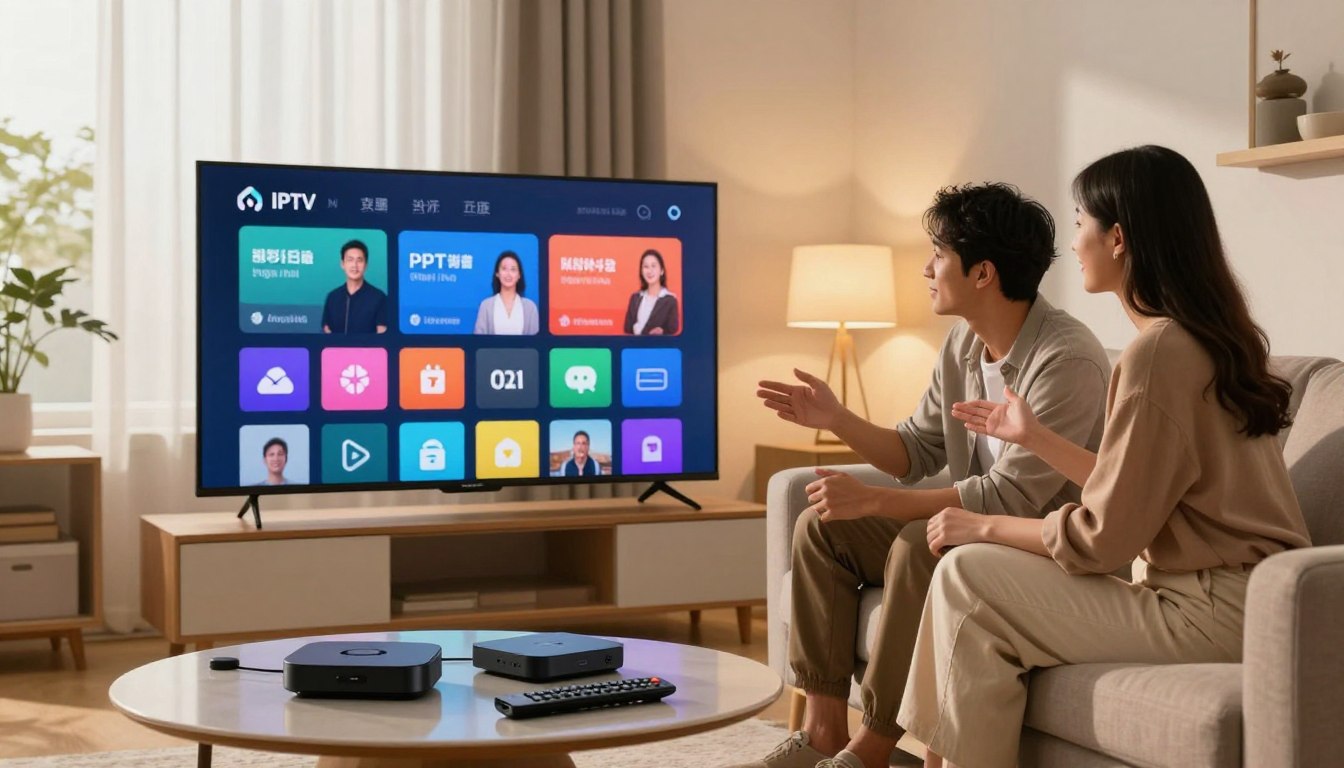
Curious whether your plan should let everyone watch at once or just you? In 2025 the streaming landscape has become the main cable replacement for many cord-cutters, and the real choice is about how many simultaneous streams you need — not how many gadgets you own.
By “single” and “multi” we mean the number of streams that run at the same time on your plan. You’ll want to avoid forced logouts, buffering during live sports, and household fights over who’s watching what. A good plan balances uptime, HD/4K options, EPG accuracy, and solid support.
Decide based on household use: solo, couple/roommates, or family. Your choice depends on both the plan and your home network, not just channel count. Check providers like GetMaxTV and learn more about plan sizing in this helpful guide: how to choose the best plan.
Key Takeaways
- Count simultaneous streams, not just your devices.
- Your home network matters as much as the plan.
- Look for uptime, HD/4K, and accurate EPG in any service.
- Avoid common pain points: buffering, forced logouts, and conflicts.
- Use a household framework — solo, couple, family — to decide.
Why IPTV connections matter in 2025 cord-cutting
Streaming services now deliver TV over your home internet, not through traditional coax or satellite. That shift means the internet protocol used to send channels changes how you access shows, sports, and news.
Internet protocol television gives you more device choice, on-demand menus, and flexible playback compared with traditional cable. The same content library often appears across plans, but rules from your providers set how many streams you can run at once.
How limits affect daily viewing
If a policy allows one stream and someone starts a live game, another person may get logged out or see buffering. That interruption harms the overall experience at key times like prime-time sports, evening news, or kids’ shows.
| Feature | Delivery | Typical benefit | What to watch for |
|---|---|---|---|
| Traditional cable | Coaxial/fiber | Stable linear channels | Less device flexibility |
| Protocol television | Broadband internet | On-demand & device choice | Provider stream policies |
| Service quality | Server uptime | Reliable viewing | Support & EPG accuracy |
For practical tips and to learn how it works, check a trusted guide before you pick a plan. Good uptime, HD/4K support, and quick support make the benefits real for U.S. cord-cutters.
What a “single connection” IPTV subscription really means
One active stream means your plan allows only a single simultaneous play, even when the app is installed on many devices. You can switch playback from a living-room TV to your phone, but you cannot reliably watch both at the same time.
In real life, that looks like pausing on the big screen and resuming on mobile. If someone else starts a stream, you may see sudden logouts, playback errors, or a spike in buffering.
“Overloading a plan causes forced logouts and poor playback during key shows.”
Remember the difference between being logged in and actively streaming. You can stay signed in on multiple devices, but simultaneous viewing is limited. That misunderstanding leads many people to buy the wrong plan for their household.
- Who it’s for: solo viewers, people who use background TV, or anyone with simple viewing habits.
- Common mistakes: trying to run two streams at once and blaming the home network instead of the plan limits.
- Buying tip: choose a lower-cost subscription if cost-value matters and your usage rarely overlaps.
- Try before you buy: use a trial to confirm stability, EPG accuracy, and how strict providers enforce limits.
For setup and trend context, see this guide on the future of streaming to match your household needs before committing.
What a “multi connection” IPTV service includes
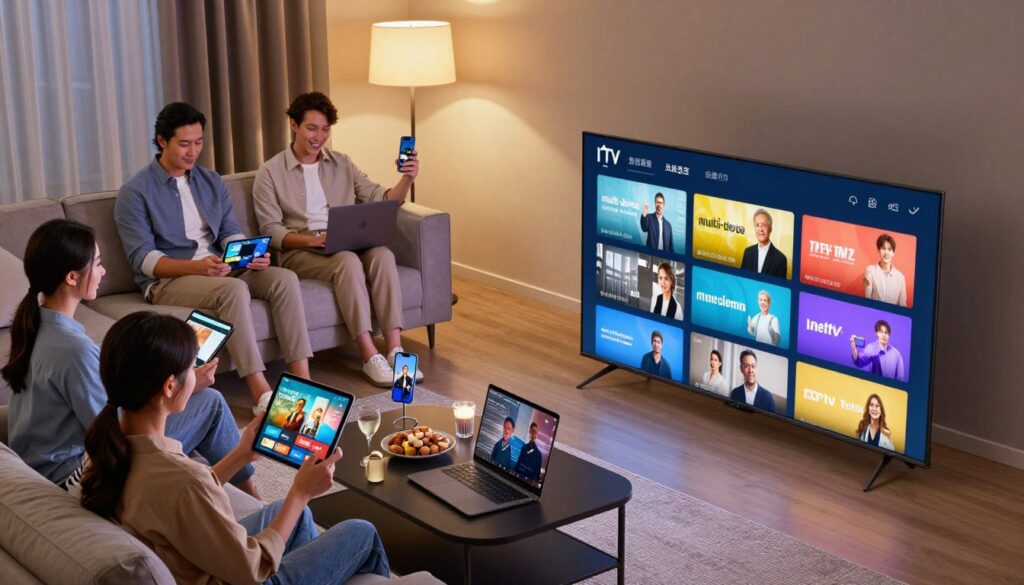
No one gets kicked off when a family member starts a different show. That simple benefit is the core of a multi-stream plan: several simultaneous plays under one account so everyone watches their pick without interruption.
Multiple simultaneous streams explained in plain English
In plain terms, the plan lets two, three, or five active streams run at the same time, depending on the package. That prevents one person’s viewing from stopping another’s playback.
Typical multi-device scenarios: smart TV + phone + tablet
Picture this: live sports on your smart TV, news on your phone, and cartoons on a tablet. Plans that support multiple devices make that routine easy and predictable.
How multi-connection plans improve flexibility for families
Less scheduling and fewer fights are obvious wins. Larger households enjoy smoother evenings, easier parental controls, and simpler device sharing.
Potential trade-offs: higher cost and more home network demand
More streams usually mean a higher monthly price and heavier bandwidth use. Even a top-rated service will buffer if your Wi‑Fi or broadband can’t keep up.
“Even great packages need solid home networking — Ethernet or mesh helps keep live sports and HD shows stable.”
| Feature | What it means | Why it matters |
|---|---|---|
| Number of streams | 2–5 simultaneous plays | Controls how many devices can watch at once |
| Device types | Smart TV, phone, tablet, set-top | Compatibility across devices reduces friction |
| Bandwidth needs | Higher with more HD/4K streams | Determines if your network can sustain quality |
| Support | Provider help and troubleshooting | Essential when multiple apps and devices are active |
For tips on sharing accounts responsibly and setup advice, see a practical guide on effective sharing and trends for 2025: how to share accounts effectively and 2025 trends.
iptv single vs multi connection comparison

Choosing the right plan comes down to how many people can watch at once, not how many devices you own.
Device count vs simultaneous viewing: the key difference
One active stream means only one person watches at a time. Multiple streams let several people view different shows together.
Content access stays the same, but the way you watch changes
Channels, VOD, and series rarely vary between plans. What shifts is who can watch and when.
If you need everyone watching live sports or kids’ shows at once, choose more connections. Otherwise, a single stream often suffices.
Quality factors: uptime, HD/4K availability, and EPG accuracy
Compare providers on three checks: uptime (look for 99%+), HD/4K availability, and how accurate the program guide is.
Support and reliability: what separates strong providers from shaky services
Cheap plans with extra streams can fail if peak performance is poor. Fast support, clear device rules, and a good player app matter.
“Stable servers and responsive support keep everyone’s viewing smooth.”
- Quick checklist: streams allowed, uptime record, HD/4K options, EPG accuracy, and support speed.
- Need help choosing? Use this short guide to local channels to match content access with your household needs.
How to choose based on your household and viewing habits
Deciding how many streams you need starts with a quick look at who watches and when. Use a simple household framework to match plans to real needs instead of marketing claims.
If you watch alone
If you mostly watch by yourself, a basic plan often covers your needs. You can switch between devices but rarely watch two things at once.
Quick tip: pick a low-cost subscription and use a trial to confirm uptime and EPG accuracy.
If you live with a partner or roommate
Two streams usually make sense when schedules or tastes differ. One person can watch sports while the other watches a show on a phone.
Benefits: fewer logouts and smoother evenings. Track a few nights to see if overlap is frequent.
If you have a family
Plan for overlap: after-school kids’ viewing, adults’ prime-time shows, and weekend sports often happen at the same time.
Action: count typical simultaneous viewers and add one spare stream for unexpected overlaps.
Travel and mobile viewing in the United States
If you need to watch while on the road, choose a package that supports viewing on phones or tablets. That flexibility often pushes households toward more streams.
When more is unnecessary (and how to avoid overpaying)
If simultaneous viewing is rare, extra streams are wasted value. Track who watches what and when for a week before upgrading.
“Start with a trial, log usage for a few days, then match your plan to real-life viewing.”
- Choose your household: solo, couple/roommate, or family.
- Track usage: note overlap during peak hours for 3–7 days.
- Get started with a trial from a reliable provider to test real performance: see a setup guide for beginners installation guide or advice on selecting plans here: how to choose the best plan.
Network and internet requirements for single vs multi streaming
Bandwidth headroom is the real limiter when several family members stream at once. Your internet plan and local network together shape the viewing experience.
Recommended internet speeds for HD vs 4K streaming
For one HD stream aim for about 15–25 Mbps. For a reliable 4K picture target 40+ Mbps.
If you add more streams, add that same headroom per active play and include extra for phones, gaming, and smart devices.
Wi‑Fi vs Ethernet: reduce buffering during live sports
Ethernet gives the most stable path and cuts buffering, which matters for live sports and fast action.
Use wired ports for your main TV or set-top device and keep Wi‑Fi for mobile viewing.
Router and mesh tips when several devices stream at once
Place the router centrally, prefer 5 GHz or Wi‑Fi 6/6E, and switch congested channels if needed.
For large homes or dead zones, a mesh system keeps multiple rooms streaming without drops.
- Quick checks: test speed at peak times, prioritize Ethernet for live events, and add 20–30% extra bandwidth for safety.
- Optional: a VPN can help privacy and sometimes avoid throttling, but it adds overhead—test before relying on it.
“Even the best service can’t fix a weak home network; optimize your setup before upgrading plans.”
Setup essentials on popular devices and IPTV apps
Getting your service running starts with knowing what files or logins your provider sends you after purchase. That info decides which app or player you use and how each device connects.
What you receive: M3U playlists vs Xtream Codes credentials
Most providers send either an M3U playlist URL or Xtream Codes-style credentials (server URL, username, password).
Why it matters: an M3U link is a simple playlist. Xtream API keys let player apps pull channels and EPG more cleanly.
Device-specific setup in plain steps
Smart TV or Android TV box: install a player app, enter the playlist or API fields, then test a channel.
Fire TV: sideload or get the app from the store, then add credentials and check EPG layout.
Phone/tablet or PC: install a supported app, paste the URL or login, and try HD playback.
Why your player app changes daily usability
A good player improves navigation, shows a clear EPG, and offers favorites and parental controls.
IPTV Smarters Pro is widely used, but the app is separate from your iptv subscription; other players may fit your needs better.
“Start with one primary device, then add others and test simultaneous playback.”
| What you get | Why it matters | Action |
|---|---|---|
| M3U playlist URL | Simple list of channels | Paste into player app and test |
| Xtream Codes credentials | EPG + smoother guide | Enter server, user, pass in app |
| App choice | Controls EPG, favorites, parental locks | Try IPTV Smarters Pro or alternatives |
- Common mistakes: using outdated apps, sharing credentials on too many active devices, and leaving streams running in background.
- Troubleshooting guardrails: update the app, reboot device/router, and confirm you haven’t exceeded your plan’s limit before blaming the service.
- To get started confidently, set up one primary device, test playback, then add each secondary device while testing simultaneous streams.
For a step-by-step setup guide, follow the linked walkthrough to get started.
Legal and trust checklist before you buy any IPTV subscription
Before you buy, verify that the service you pick is licensed to distribute the channels and shows you want.
Why legality depends on licensing, not the technology
The internet protocol used to deliver TV is legal. What matters is whether the provider has rights to the content it offers.
Trials, clear policies, and secure payments
Look for a 24–72 hour trial, visible refund terms, and secure checkout. These signals raise the odds you’ll get real value and quality service.
How to avoid hitting limits and the headaches they cause
Exceeding your allowed connections can cause forced logouts, buffering, or account flags. Fully close apps on unused devices and don’t leave streams running on tablets you’re not watching.
Support and where to start
Support speed and helpful troubleshooting separate good providers from risky ones. If you want a legal starting point, consider exploring GetMaxTV as a reputable option: https://getmaxtv.com.
“Check licensing, test a trial, and prioritize clear policies — it protects your experience.”
Conclusion
Your best plan matches moments when multiple family members watch together, like prime time or sports. Focus on simultaneous viewing needs, not on how many devices you can install an app on.
Match allowed connections to your household — solo, couple/roommates, or family — and test real routines (TV + phone + tablet) during a trial. Quality depends on provider reliability, uptime, and fast support, plus your home network for HD/4K streaming.
Start small and test: use a trial to confirm playback, EPG accuracy, and how the service handles peak times before you commit. That saves money and avoids overbuying features you don’t need compared with traditional cable.
When you’re ready to get started with a legal, affordable option, check GetMaxTV’s offer and trial details for an affordable, licensed service to match your viewing needs.
FAQ
What’s the difference between a single connection and multiple connections for streaming services?
A single connection lets one device stream at a time using your subscription credentials. Multiple connections allow several devices to play different channels or streams simultaneously under the same account. The content catalog usually stays the same; only the number of concurrent streams changes.
Why do connection limits matter if you’ve already cut the cord?
Limits shape how your household watches live TV and on-demand shows. If several people want to watch different programs at once, a one-stream plan forces scheduling or account sharing. Choosing the right plan prevents conflicts, reduces buffering, and keeps everyone happy during peak hours.
How does single-stream access work across devices?
You can install the service app on multiple devices, but only one can stream at a time. Switching devices usually logs the first device out or stops its stream. This works fine if you mostly watch alone or switch locations, but it’s restrictive for households with simultaneous viewers.
What are common limitations with single-stream plans?
Expect forced logouts when someone else starts watching, occasional buffering if the network is weak, and restrictions on simultaneous viewing. Providers may also limit picture quality or the number of registered devices tied to the account.
Who is a single-stream plan best for?
Solo viewers, frequent travelers who watch on one device at a time, and light streamers who rarely watch live TV alongside others. It’s usually the most budget-friendly option when you don’t need multiple feeds at once.
What does a multi-stream service include?
A multi-stream plan permits several concurrent streams, often two, three, or more, depending on the package. It supports different devices streaming different channels, offers better household flexibility, and typically includes the same channel lineup as a one-stream plan.
Can a multi-stream plan support a smart TV, phone, and tablet at once?
Yes. With enough concurrent streams, you can watch live sports on your smart TV while someone else watches a movie on a tablet and another person checks news on a phone, all at the same time—provided your home network has enough bandwidth.
How do multi-connection plans help families?
They reduce fights over who gets the remote, let kids stream educational apps while adults watch live events, and accommodate overlapping schedules during evenings and weekends. Multi-stream plans give each household member more freedom without needing separate subscriptions.
What trade-offs come with multi-stream packages?
Expect higher monthly costs and increased demand on your home network. More simultaneous streams require more upload and download capacity and can expose weaknesses in older routers or slow internet plans.
How should you compare device count and simultaneous viewing?
Device count refers to how many gadgets can register or use the app; simultaneous viewing is how many streams can run at once. Pick a plan based on peak concurrent viewers, not just how many devices you own.
Does content quality change between single and multi plans?
Content access and channel lineups generally remain the same. However, some providers throttle quality on lower-tier plans, so check if HD or 4K streams are limited by your subscription tier or by simultaneous stream counts.
What reliability and support should you expect from providers?
Look for providers with high uptime, responsive customer support, and clear troubleshooting guides. Reliable services offer stable streams, accurate electronic program guides, and apps that handle account switching smoothly.
How do I choose the right plan for my household?
Assess how many people watch at the same time, what kinds of content you stream (live sports vs. on-demand), and your budget. If you rarely overlap viewing, a single-stream plan may work. For partners or families, choose two or more concurrent streams.
When is a single-stream plan sufficient?
When you mostly watch alone, consume content at different times than others, or use one primary device for viewing. It’s also a good option if you want to test a service before upgrading.
When should you opt for two connections or more?
If you live with a partner or roommate who watches different channels at the same time, or if you want a dedicated stream for kids during prime time. Two streams often balance cost and convenience for couples or small households.
What should families consider when planning for kids and sports?
Count peak-time viewers, consider DVR or cloud-recording options, and prioritize higher bandwidth for live sports to avoid buffering. Choose plans that cover major channels for kids’ shows and sports packages that carry your teams.
What matters for travel and mobile viewing in the United States?
Check whether the service allows simultaneous streams outside your home network, and confirm geo-restrictions. Mobile-friendly apps and plans that include multiple concurrent streams make travel viewing easier for multiple household members on the go.
How do I avoid paying for more streams than I need?
Track your household’s peak concurrent viewing and try a lower-tier plan or short trial. Many providers let you upgrade or add temporary streams, so start small and scale only if required.
What internet speeds do you need for HD and 4K streaming?
For consistent HD streams, aim for at least 5–8 Mbps per stream. For 4K, plan on 25 Mbps or higher per stream. Multiply these figures by the number of simultaneous streams to size your broadband plan correctly.
Is Wi‑Fi good enough, or should I use Ethernet?
Ethernet gives the most stable performance, especially for live sports and 4K. Use 5 GHz Wi‑Fi or a mesh system for multiple wireless devices. When possible, connect the primary streaming device with a wired connection to reduce buffering.
What router or mesh features help when several devices stream at once?
Look for dual‑band or tri‑band routers, QoS (quality of service) settings to prioritize video traffic, and mesh systems to cover large homes. Upgrading old routers can significantly improve multi-device streaming.
What will my provider give me for setup—playlists or credentials?
Many providers supply M3U playlists or Xtream Codes credentials for app setup, along with streaming apps and EPG access. Follow provider instructions to add playlists or enter credentials into recommended player apps.
How does the choice of player app affect your experience?
The app determines usability, parental controls, EPG accuracy, and playback stability. Good apps offer clear program guides, reliable playback, and easy device management. Test a few recommended apps to find one that fits your household.
What are common setup mistakes that break multi-device streaming?
Registering too many devices on limited plans, mixing incompatible player apps, ignoring router limitations, and using weak Wi‑Fi are frequent problems. Follow provider instructions and check bandwidth before adding streams.
Is the technology legal, and how do I verify a provider?
The delivery method is legal; licensing determines whether content is authorized. Choose providers with transparent channel rights, clear terms, and proper payment methods to ensure you’re using a legal service.
What trust signals should you look for before buying a subscription?
Look for trial periods, transparent refund and privacy policies, secure payment options, and positive reviews from reputable sources. Good providers publish contact support, uptime stats, and clear channel lists.
How can I avoid exceeding connection limits?
Know your plan’s concurrent stream cap, educate household members about it, and upgrade temporarily for events like big sports games. Some services offer add‑on streams or family plans to prevent unexpected lockouts.
Where can you start with a legal option like GetMaxTV?
Visit the provider’s official site to review plans, trial offers, and channel lineups. Confirm device compatibility and read setup guides. Start with a short trial to test streaming quality and concurrent stream needs before committing.
The GetMaxTV Blog Team is a group of IPTV technology writers and cord-cutting researchers who have been reviewing streaming services since 2023. We publish independent device setup guides, troubleshooting articles, and honest service comparisons. Every tutorial on this blog is tested on real devices — Fire Stick 4K Max, Roku Ultra, Samsung Smart TV, Apple TV 4K, and Android phones. We verify every step before publishing and update our content quarterly.