
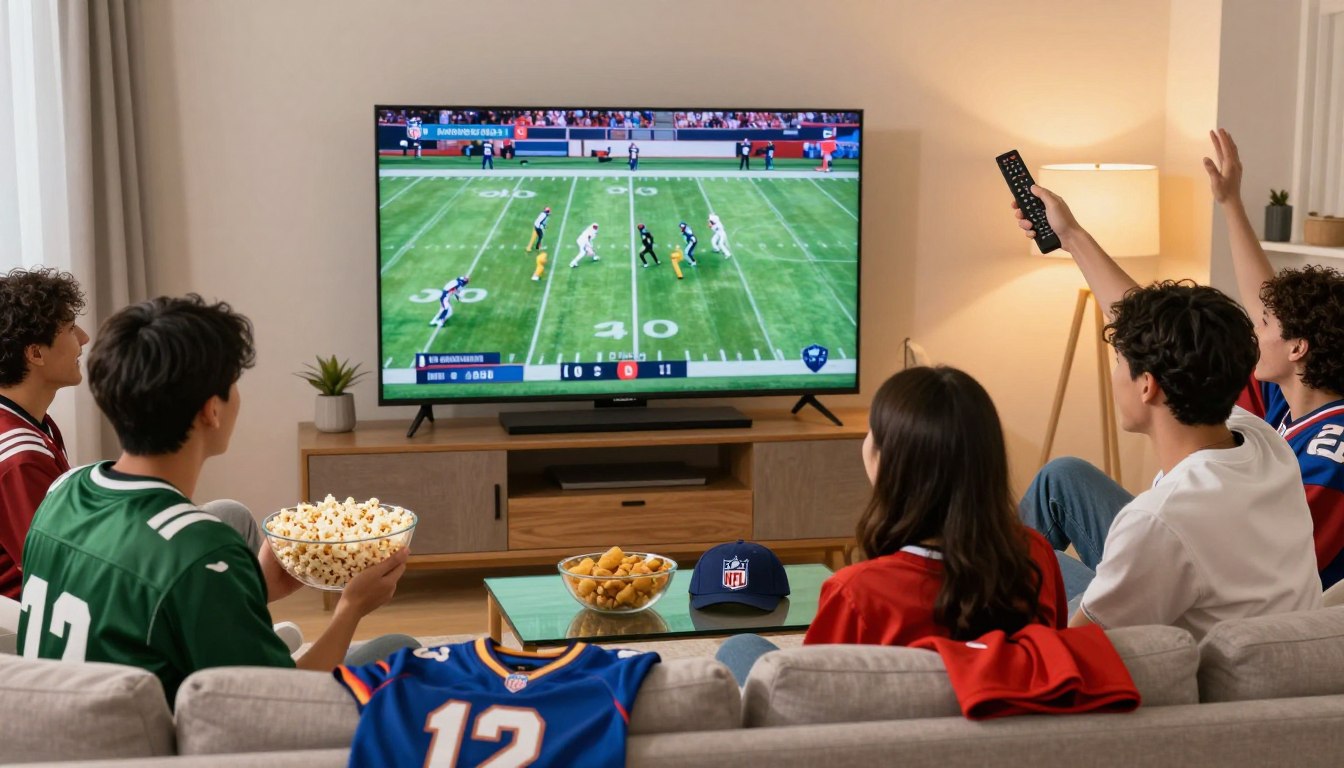
Can you really watch every out-of-market game without cable? If you’ve wondered whether a reliable streaming route exists, this guide answers that head-on for U.S. fans.
You want a steady way to watch nfl games on your phone, TV, or tablet without surprises. First, understand how broadcast rights work: FOX, CBS, NBC and ESPN often decide which games you can see, and regional rules or blackouts can block some streams.
This guide lays out the clear steps: which channels matter, how out-of-market access and Sunday Ticket usually operate, how to set up apps, and simple fixes to avoid game-day buffering.
I’ll be direct and practical. You’ll learn legal, stable options and device tips for watching across multiple screens. Later, I’ll mention GetMaxTV as one option and give a clear call to action if you want a fast setup.
Key Takeaways
- You’ll learn which broadcasters control access and why regional rules matter.
- Expectation-setting: “every game” can be limited by rights and blackouts.
- Step-by-step flow: choose channels → choose a service → pick an app → set up devices.
- Focus on stable, legal streaming options to avoid flaky streams on game day.
- Designed for U.S. fans, cord-cutters, and travelers using phones, smart TVs, and streaming boxes.
What you’re trying to achieve when you watch NFL on IPTV
Your goal is simple: live coverage, quick highlights, and full replays without jumping between many apps and logins.
Live games, replays, and highlights in one place
You want live broadcasts plus on-demand replays and short highlight clips in a single interface. Catchup and DVR-like tools let you pause, rewind, or watch a full game later.
How this differs from cable and standalone streaming
Internet-based services deliver channel feeds and on-demand content over your connection. That differs from cable bundles and league apps that may lock certain replays behind separate logins or subscriptions.
What “every game” really means in the U.S.
“Every game” can mean local Sunday afternoon matchups, primetime national broadcasts, and out-of-market contests that need special packages. Your real coverage depends on the channels the service carries and the app features it supports.
- Common pain points: blackouts, missing channels, unreliable streams, no replays.
- Map your needs: local-team fans prioritize local network access; multi-team fans prioritize out-of-market coverage and highlight channels.
- Key features to check: EPG, catchup, DVR, and clear channel lists.
| Need | What to check | Why it matters |
|---|---|---|
| Live coverage | Channel lineup includes local and national networks | Ensures you can watch each scheduled nfl game live |
| Replays | Catchup or DVR support | Watch missed games on demand |
| Highlights | Fast clips and RedZone-style channels | Quick updates when you can’t watch full content |
| Reliability | Server quality and uptime | Reduces buffering and stream drops |
The channels and broadcast rights that determine which NFL games you can access
If your service lacks the right networks, you’ll miss games even with a perfect player. For most U.S. viewers the issue is simple: channels decide access. A lineup without the correct broadcasters leaves gaps no app can fix.
Broadcast networks that matter most
FOX and CBS carry the bulk of regional Sunday afternoon matchups. If you follow a local team, those two channels are essential.
NBC handles Sunday Night, and ESPN carries Monday Night, so include them if you need primetime access and national games.
NFL Network and year‑round coverage
NFL Network is more than sporadic games. It offers replays, analysis, draft coverage, and original programming that many fans want all season long.
That makes the network a key part of a sports-focused channel lineup and a strong signal that a provider supports serious viewers.
Quick international context
Traveling or outside the U.S.? In the UK, Sky Sports NFL is a major option. In many countries, DAZN or NFL Game Pass is the official route, but regional rights vary.
Always confirm what a package includes for your country before you subscribe.
- Why this is a channels problem: missing networks = missed games.
- What to check: local team coverage, primetime windows, and year‑round channels like NFL Network.
- Legal note: verify licensed packages and clear terms to avoid unreliable offers.
| Need | Which channel | Why it matters | What to confirm |
|---|---|---|---|
| Regional Sunday games | FOX / CBS | Most afternoon local matchups | Channel included in your package for your market |
| Primetime national games | NBC / ESPN | Sunday Night & Monday Night national broadcasts | Streaming rights and blackout rules |
| Year‑round content | NFL Network | Replays, draft & analysis | DVR/catchup availability |
| International viewers | Sky Sports / DAZN / Game Pass | Country-specific official feeds | Region availability and subscription rules |
Simple checklist: list your teams, note the primetime windows you care about, then match those needs to the channels a provider lists. If you want a straightforward option that checks common boxes, consider this guide at GetMaxTV.
iptv nfl football: how to set up a reliable stream from start to kickoff
Begin your setup with a clear checklist: channels, plan, app, device, and a dry run. This order keeps you focused and prevents last-minute fixes on game day.
Choose a service by channel coverage first
Verify channels you need (FOX, CBS, NBC, ESPN, NFL Network) before comparing prices. Pick an iptv service that lists your local and national networks so you don’t miss key games.
Pick the right plan and add-ons
Look for sports content options, RedZone-style add-ons, and whether replays or catchup cost extra. A slightly higher plan with DVR can save headaches later.
Install the app on your preferred devices
Install a compatible app on your streaming device, smart tvs, or phone. Device choice affects stability—use a box or a smart TV where possible for the main screen.
Load your playlist and organize channels
Sign in, then load your M3U/XTREAM playlist inside the app. Create a favorites list for your nfl channels, a sports folder, and a backup channel list so you switch quickly.
Test before kickoff
Run a pre-game test at least a day before. Check HD vs SD, audio sync, subtitles, and how streams behave under load. If you see issues, switch device, lower bitrate, or contact the service support.
- Quick flow: verify channels → subscribe → install app → load playlist → organize → test.
- Pro tip: Always test the exact channels you plan to watch during peak hours.
How to watch Sunday Ticket and out-of-market NFL games via IPTV
When you follow teams outside your area, you need a way to watch games that your local channels don’t carry. Out‑of‑market means the matchups not shown by your local FOX or CBS on Sunday afternoons.
What Sunday Ticket-style coverage usually includes
Typical focus: live out‑of‑market Sunday afternoon games only. It gives you choices when your local feed shows a different matchup.
What it does not replace: local broadcasts or primetime national windows (Sunday Night, Monday Night).
How to vet packages that promise Sunday Ticket or RedZone
- Confirm which feeds and channels are listed.
- Ask about licensing and geo‑restrictions before you buy.
- Check for uptime guarantees and weekend support during peak games.
- Verify refund rules and clear terms in the contract.
Buyer‑beware: avoid offers that promise “every game” with no proof of rights, no support, and no refunds. You still need FOX/CBS/NBC/ESPN for full weekly coverage; add the out‑of‑market plan on top if required.
| Coverage type | What it gives | When you need it |
|---|---|---|
| Local broadcast | Home/away market game for your city | Watch your primary regional matchups |
| Sunday Ticket-style | Multiple out‑of‑market Sunday afternoon games | Follow teams outside your region |
| Primetime packages | National Sunday/Monday night games | Catch the marquee national broadcasts |
For clarity on local channel access, check a reliable guide to confirm your market and options: local channel access.
Best IPTV apps and players for NFL streaming on popular devices
A good player means fewer pauses, faster channel changes, and less hunting for the game you want.
Common choices: IPTV Smarters Pro, TiviMate, Smart IPTV (SIPTV), Kodi (PVR IPTV Simple Client), and VLC cover most use cases. Each app supports different features, so match one to how you watch.
Compatibility in plain terms
Compatibility means the player accepts your provider’s login method (M3U playlist or Xtream Codes API) and runs well on your device OS. If the app can’t load the playlist, you lose access, no matter how polished its interface looks.
Choose by viewing habits and features
- EPG & favorites: TiviMate and IPTV Smarters offer strong guides and easy favorites for quick access.
- Multi‑screen: Pick an app that supports simultaneous streams if you watch multiple games.
- Catchup/DVR: Confirm whether your provider and the player support catchup—some apps only display live feeds.
Tradeoffs and a Kodi note
VLC is great as a quick backup on laptops. TiviMate is superior for living‑room navigation. No single player wins every test; you trade advanced guides for simplicity or vice versa.
“Pick the app that matches your routine: fast channel switching and a usable EPG beat flashy skins on game day.”
| Player | Strength | Best use |
|---|---|---|
| IPTV Smarters Pro | Good EPG, user profiles | Main TV or set-top box |
| TiviMate | Fast channel switching, favorites | Living-room Android boxes |
| Smart IPTV (SIPTV) | Simple, stable playback | Smart TVs as a primary player |
| Kodi (PVR) | Flexible add-ons, legal PVR use | Advanced users who prefer customization |
| VLC | Quick backup, low overhead | Laptops and emergency viewing |
Short setup goal: load one app, pin favorites, and jump straight to the game. For a deeper app comparison and Android recommendations, see the best apps for Android.
Device-by-device setup so you can stream NFL anywhere you watch

Get your main TV and a backup device primed so game day runs smoothly. Start by picking one primary device and one backup, then test both on the channels you need.
Smart TVs and streaming boxes for the living room experience
For most viewers, a smart tv or streaming device should be your primary screen. Install your chosen app, sign in, and create a favorites list so you jump to games fast.
Pro tip: Use Ethernet when possible for stability and enable the EPG so you see schedules at a glance.
Fire TV / Android boxes for flexible app installs
Fire TV and Android boxes are popular because they accept more apps and let you control updates. If you want extra players or advanced guides, use one of these as your main box.
Need a quick guide? See this walkthrough on converting a Fire stick into a full streaming device: Fire TV setup tips.
Mobile devices and tablets for watching on the go
Set up mobile devices with lower bitrate or SD streams to save data and keep playback smooth on cellular networks.
Pin your accounts and favorites on the phone so you can check scores and join a live game instantly.
Laptops and browsers for quick access and backup viewing
Keep a laptop logged in as your emergency backup. If the living-room app fails, you can stream in a browser without reconfiguring devices.
Simple redundancy: one primary device + one backup device, both tested on the same channels before kickoff.
Using a VPN for IPTV NFL streaming when you travel or hit restrictions
Travel and hotel Wi‑Fi can suddenly block the channels you expect to watch. Geo‑rules and licensed feeds cause most access limits. You’ll notice this when you leave the U.S., use a hotel or airport network, or run into a provider that enforces region locks.
How a VPN helps and what it actually does
A vpn changes your visible IP address and encrypts your traffic. That can make your device appear to be in the U.S. and provide more consistent access to your subscribed channels.
Important: use a vpn for lawful, privacy-focused purposes only. It’s not a guaranteed bypass for licensing rules.
Simple, repeatable workflow
- Open your vpn app and pick a nearby U.S. server.
- Confirm the vpn shows as active, then launch your player and load channels.
- Run a quick test stream before kickoff to check speed and quality.
Privacy and public Wi‑Fi
On airport, hotel, or café networks, vpn encryption protects login details and payment info while you watch. This reduces risk when you use public Wi‑Fi to join live streams.
Tradeoffs, troubleshooting, and performance tips
A vpn can lower throughput and add latency. If you see buffering, try a different U.S. server or a wired connection.
Common fixes: restart the app after connecting, test several servers, and avoid running downloads during games.
“Choose a low‑latency server and test it before game day.”
For a step‑by‑step vpn walkthrough and safe setup tips, see how to watch with a VPN. If you want device setup reminders for travel, check this setup guide.
Watch NFL International Games on IPTV with fewer headaches

Travel can change how you watch big games, but a few simple steps keep your streams reliable.
2025 host cities fans are tracking
London, Berlin, Dublin, Madrid, and São Paulo are on the 2025 schedule. These sites draw huge attention and push demand for multiple live feeds.
Why your access can change when you leave the U.S.
Licensing and geo‑rules often block the feeds you get at home. Even if you pay at home, local rights in another country can limit what you see.
Quick travel checklist
- Update apps and test your credentials before you go.
- Confirm a vpn works from the destination and connect to a reliable U.S. server.
- Save favorites and carry a backup device with your player installed.
Consistency and quick fixes
Stick to one or two low‑latency vpn servers and keep them saved. If streams fail, switch servers, restart the app, lower bitrate, and check device limits.
“Plan your network steps before departure to avoid missing key moments.”
Final note: choose providers that clearly state rights and terms. That helps you follow nfl games abroad without surprises.
NFL Week 14 2025 streaming snapshot: what to expect and where to watch
With 16 matchups across five days, Week 14 demands a simple readiness check so you don’t miss the action.
Key dates and scale
When: December 4–8, 2025. Expect 16 total games across the slate.
Why it matters: a compact schedule increases load on services and local networks during peak hours.
Broadcasters to verify in your lineup
You should confirm these channels ahead of kickoff: FOX and CBS for Sunday daytime, NBC for Sunday night, and ESPN for Monday night.
Week 14 readiness checklist
- Open your EPG and confirm timezone settings.
- Test your top must-watch matchups in HD; have SD as a fallback.
- Update device apps and pin favorites for quick access.
- Check bandwidth and close background downloads before games.
“Verify channels and test streams now—peak demand reveals weak links fast.”
| Item | Action | Why |
|---|---|---|
| EPG | Confirm schedules & favorites | Find each nfl games quickly |
| Quality | Test HD then SD | Fallback when traffic spikes |
| Devices | Update and reboot | Reduce app crashes on game day |
Catchup and replays: how to never miss a game even if you can’t watch live
Catchup and replays let you watch past broadcasts without being tied to kickoff. Before you buy, confirm which channels and how long they keep replays. Some services keep content for 24 hours, others 72 hours or longer.
How catchup works and what to check
Catchup is provided by the service, not by the player app alone. A polished app can show a tidy guide, but it cannot create replays if the provider hasn’t recorded them.
- Which channels have replays (ask about NFL Network and RedZone-style blocks).
- Replay window: 24–72 hours is common; confirm the exact duration.
- Controls: can you fast-forward, skip ads, or only watch linear playback?
- Any extra fees for catchup or DVR storage.
Where you’ll commonly find missed games
Missed matchups often reappear in curated shows on NFL Network and in highlight blocks that mimic RedZone. Your package must include those channels and their recorded content for you to access them.
Rewind, pause, and replay workflows
Workflows vary. Typical steps:
- Open the EPG and switch the time filter to “past” or “catchup.”
- Select the game or program and choose “play from start” or “resume.”
- Use the app’s timeline to skip to key moments; if skipping is blocked, try another feed.
“Confirm catchup windows and playback controls before you subscribe.”
Common issues and quick fixes
- Replay not loading: try a different stream or reload the playlist from your service.
- Audio lag in catchup: switch decoder or player within your device.
- Buffering on replays: lower bitrate or use a wired connection.
| Question to ask | Why it matters | Action before buying |
|---|---|---|
| Which channels offer replays? | Shows whether missed games will be available | Request a channel list and catchup notes |
| How long are replays kept? | Determines how quickly you must watch | Confirm hours or days in writing |
| Can I fast‑forward or skip ads? | Speeds up finding key highlights | Test the app on a trial or request a demo |
| Is catchup included or extra? | Cost affects subscription value | Compare total price for services that include replays |
Always confirm before you buy that the service supports the replays and features you need. If you want a straightforward package that lists channel replays and DVR options, check this option at GetMaxTV game-day package.
How to choose an IPTV service for NFL that’s stable, legal, and worth paying for
Think of your streaming plan like insurance: reliability matters more than flashy extras. Pick a provider that proves uptime, lists clear rights, and supports the devices you use.
Reliability checklist
Score a service by uptime history, peak‑time tests on Sundays, and responsive support when issues occur.
Check whether the provider posts maintenance windows and real uptime numbers.
Why server quality matters
One congested server shows up as buffering at kickoff. Choose services that use multiple load‑balanced servers for live sports.
Channel checklist you can copy
- Confirm: nfl network, ESPN, FOX / FOX Sports, CBS / CBS Sports, NBC / NBC Sports.
- Verify catchup and DVR availability for key games.
Legal checklist
Insist on licensed rights, transparent terms, realistic claims, and a verifiable business presence.
“Legal clarity and real uptime beat a huge channel count every time.”
| Need | What to check | Why it matters | Quick action |
|---|---|---|---|
| Live games | Channel list + primetime feeds | Ensures access to scheduled matchups | Request a market check or trial |
| Peak stability | Uptime & load tests | Prevents buffering during big games | Test at Sunday peak |
| Replays | Catchup/DVR terms | Watch missed games on demand | Verify replay window |
| Support | 24/7 or weekend help | Quick fixes on game day | Open a support ticket before you buy |
What “worth paying for” means: stable HD, a usable EPG, clear support, and legitimate terms — not just the longest channel list.
For a straightforward, legal option that focuses on transparency and uptime, consider GetMaxTV. When trials are available, test your top channels at primetime and confirm device compatibility before you commit.
Streaming quality and troubleshooting tips for game day
Most streaming problems are fixable in under a minute with the right steps. Stay calm and work through a short checklist before you panic. These tips focus on fast fixes and simple prevention so you keep watching.
First 60 seconds buffering fix
- Switch to wired Ethernet if available — it often restores quality instantly.
- Restart the app or reload the stream to clear transient glitches.
- Lower bitrate or choose SD temporarily to stop interruptions.
- Pause household downloads and streaming on other devices.
Strengthen Wi‑Fi the right way
Move the device closer to the router or remove obstacles between them.
Use 5 GHz when possible; it offers less interference for high‑quality streams.
If the room is far from the router, add a mesh node or extender to stabilize access.
Stability habits that prevent issues
Keep your streaming device and apps updated. Updates fix bugs and improve performance.
Close background apps that steal CPU and memory during live content. Reboot devices before big games.
VPN and server performance
If you use a vpn, try a different nearby server when speeds dip. Test the vpn and stream speed before kickoff so you are not guessing at game time.
Common issues and quick fixes
- Audio out of sync — change player/decoder or restart the stream.
- App crashes — clear the cache or reinstall the app; keep a second app ready.
- Service outages — switch to a backup feed or another device (laptop, phone).
“Test your full setup on Friday or Saturday — not five minutes before kickoff.”
| Problem | Quick fix | Prevention | Backup option |
|---|---|---|---|
| Buffering | Switch to Ethernet, lower bitrate | Use wired connection or mesh Wi‑Fi | Open the stream on a laptop |
| Audio lag | Restart player or change decoder | Keep apps updated | Try an alternate app/feed |
| App crash | Clear cache, reinstall | Reboot device before game | Have a second app installed |
| Slow VPN | Switch to a nearby server | Test servers ahead of time | Connect without VPN or use another server |
Best way to avoid panic: run a full test on Friday or Saturday, save alternative channel entries in favorites, and keep a laptop or phone logged in as a fallback. For a practical read on avoiding buffering, see avoid the buffer ditch.
Conclusion
Finish strong: align your channel lineup, pick a legal service, and test your devices early.
Core takeaway: the best way to watch nfl games is to start with the channels you need (FOX, CBS, NBC, ESPN, NFL Network), choose a stable, licensed service, and set up a reliable app and device.
What “every game” means in the U.S. depends on local coverage, primetime windows, and out‑of‑market packages. Test streams before kickoff, keep a backup device, and optimize your network for smooth streaming.
If you travel, a VPN can help with consistency, but you still need legitimate access and low‑latency servers.
For a straightforward, legal subscription option, check GetMaxTV at https://getmaxtv.com to review packages and device compatibility.
FAQ
How can you watch every NFL game, including Sunday Ticket, using streaming services?
You can combine services that carry local and national broadcasts—such as FOX, CBS, NBC, and ESPN—with a licensed out-of-market package like NFL Sunday Ticket or NFL Game Pass where available. Choose a sports-focused streaming plan that lists those channels, add any RedZone or NFL Network options, and verify access on your streaming device before kickoff.
What should you expect when you want live games, replays, and highlights in one place?
Look for a service that offers live channels plus catchup or DVR. The best packages include on-demand replays, condensed games, and highlight clips via apps or built-in DVR. Confirm the provider supports multiple devices and has an EPG so you can navigate live and archived content easily.
How does this streaming approach differ from cable and standard league apps?
A curated streaming plan replaces a cable bundle by delivering broadcast and cable channels over the internet. Unlike single-league apps, it can carry multiple networks at once (FOX, CBS, NBC, ESPN, NFL Network), so you don’t have to switch subscriptions to follow different teams or primetime windows.
What does “every game” mean for viewers in the U.S.?
“Every game” typically refers to local market matchups, national primetime games, and out-of-market contests via a Sunday Ticket or Game Pass-style product. Blackout rules and regional rights still apply, so out-of-market access is the key element that completes the lineup.
Which channels matter most for accessing the most games?
Prioritize FOX, CBS, NBC, and ESPN for weekly national and local broadcasts. Add NFL Network for year-round coverage and RedZone for live scoring highlights. Depending on where you are, international services like Sky Sports or DAZN may complement your lineup.
Why should you add NFL Network to your package?
NFL Network provides exclusive studio shows, weekly specials, and some live games across the season. It’s also a hub for replays and analysis, making it valuable if you want full-season coverage beyond just game broadcasts.
How do you set up a reliable stream from start to kickoff?
Pick a provider that lists the channels your teams play on, choose a sports-friendly plan or add-on, install a compatible app on your Smart TV, streaming box, or phone, and load your playlist if required. Test streams ahead of game time to check bitrate and latency and to avoid buffering.
What should you look for in packages that claim Sunday Ticket or RedZone access?
Verify the package is licensed, lists specific RedZone and out-of-market game access, and supports simultaneous streams if you watch with others. Check device compatibility, DVR or catchup features, and refund or trial policies before you commit.
Which apps and players work best for sports streaming on common devices?
Popular choices include IPTV Smarters Pro, TiviMate, Smart IPTV, Kodi with PVR add-ons, and VLC for standalone streams. Pick an app that supports EPG, multi-screen viewing, favorites, and DVR or catchup if you value those features.
How do you choose the right app for your playlist and device?
Ensure the player accepts your playlist format (M3U or XTREAM), runs smoothly on your device, and offers the features you need like an electronic program guide and multi-channel viewing. Check user reviews and test free versions when possible.
What devices should you use for a living-room experience?
Smart TVs, Roku, Apple TV, Android TV boxes, Amazon Fire TV, and dedicated streaming boxes give the best living-room experience. Use a wired Ethernet connection for the most reliable picture quality during peak times.
How do you watch games on mobile devices when you’re away from home?
Install the provider’s supported app on your phone or tablet, sign in with your account, and stream over Wi‑Fi or cellular. Consider a VPN and a US-based server if you travel internationally and need to maintain access to U.S. rights-restricted content.
Why do geo-restrictions affect sports streams and how do you handle them?
Rights holders limit where content can stream, so you may face geo-blocks when outside authorized regions. Using a reputable VPN to connect to an appropriate server can restore access, but verify terms of service and performance before game day.
How can a VPN improve privacy on public Wi‑Fi during game day?
A VPN encrypts your connection, protecting login credentials and streaming data on unsecured networks. Choose a provider with fast U.S. servers to minimize impact on video quality and avoid added lag.
What should you watch for when streaming international NFL games?
Confirm which local broadcasters hold rights in the host country—broadcasters in London, Berlin, Dublin, Madrid, and São Paulo may vary. Use region-appropriate services or a licensed global pass like NFL Game Pass International to maintain consistent access.
What channels do you need for Week 14 of the 2025 season?
For the December 4–8 slate, make sure you have FOX, CBS, NBC, and ESPN in your lineup. Those networks will carry the bulk of the 16 scheduled games and national windows.
How does catchup and replay functionality usually work?
Catchup often appears as on-demand replays in the app or via DVR. Confirm recording windows, storage limits, and whether condensed or full-game replays are included. Some services also host missed games on channels like NFL Network for later viewing.
What reliability and legal checks should you perform before subscribing?
Test server stability, read uptime and peak-time performance reports, and confirm the provider lists licensed channels (NFL Network, ESPN, FOX Sports, CBS Sports, NBC Sports). Review terms for transparency and avoid services that promise unrealistic access without clear rights.
How do you fix buffering or audio sync issues fast during a game?
Try a wired Ethernet connection, reduce stream bitrate in the app, restart the router or device, and close background apps. For audio sync, reboot the app or device and check for available updates; most issues resolve after a quick app restart.
What features matter most if you want multi-screen and DVR for game day?
Look for simultaneous-stream allowances, cloud DVR or local recording, an EPG to schedule recordings, multi-view or split-screen support, and user profiles so everyone can save favorites and recordings independently.
The GetMaxTV Blog Team is a group of IPTV technology writers and cord-cutting researchers who have been reviewing streaming services since 2023. We publish independent device setup guides, troubleshooting articles, and honest service comparisons. Every tutorial on this blog is tested on real devices — Fire Stick 4K Max, Roku Ultra, Samsung Smart TV, Apple TV 4K, and Android phones. We verify every step before publishing and update our content quarterly.