
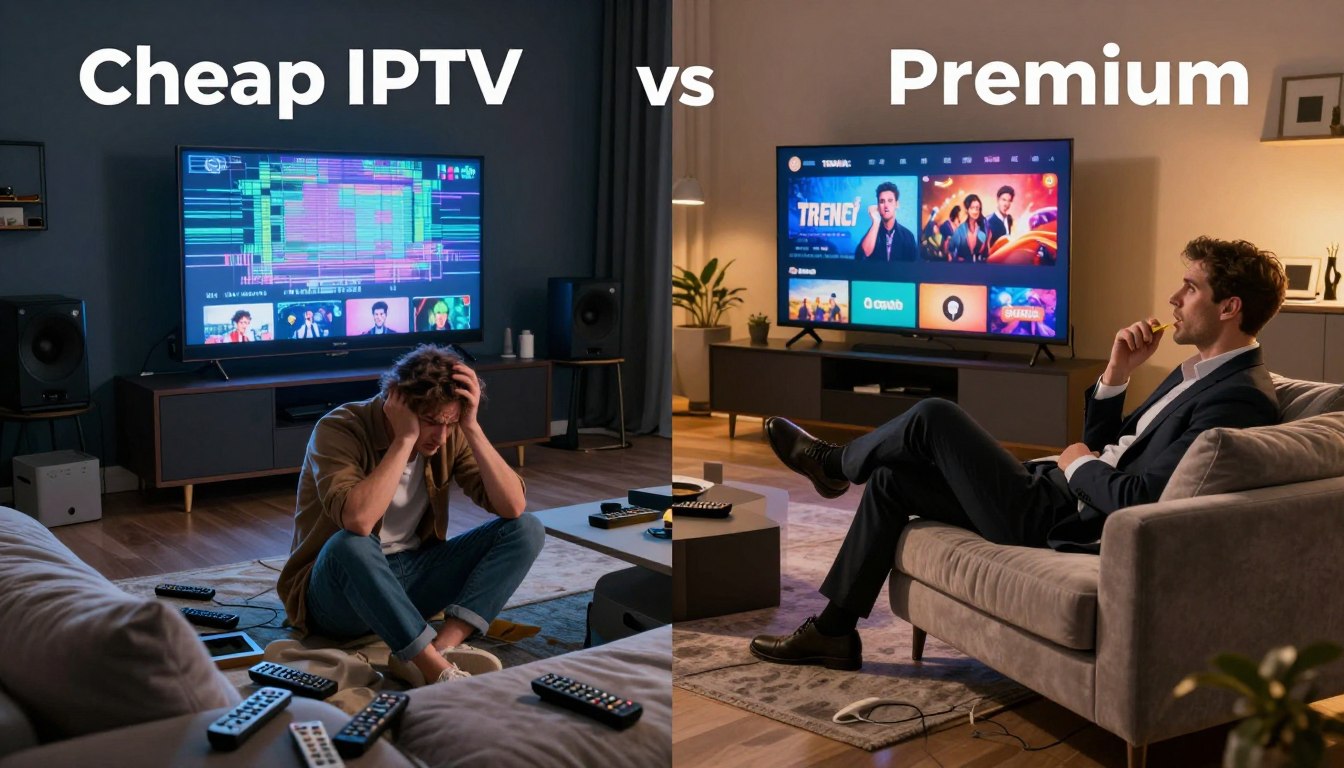
Can saving a few dollars today make your big game night a buffering mess tomorrow?
You rely on streaming for sports, family movie nights, and weekend shows. In 2025, the streaming market treats IPTV as a mainstream cable alternative. Some plans list a low sticker price near $5/month while others charge $15–$20.
How those numbers translate to your total cost depends on stability, peak-time performance, and support. Low-cost offers can hide frequent outages, slow stream starts, and time spent troubleshooting.
In this piece you’ll get a practical “cheap iptv vs premium” breakdown that focuses on daily experience: stream quality, uptime, device support, security risk, and value over a season.
Legality hinges on licensing and provider practices, so we’ll show how to evaluate providers responsibly. As a reference, consider checking GetMaxTV for one example of a value-focused provider and read related trends at IPTV trends for 2025.
If you want a legal IPTV subscription, check GetMaxTV’s current offer at GetMaxTV.
Key Takeaways
- Sticker price isn’t the full story; uptime and support shape real value.
- Compare stream stability, peak performance, and multi-device support.
- Assess legal terms and licensing to avoid sudden shutdowns.
- Small monthly savings can cost more in frustration and lost time.
- Review reputable options like GetMaxTV when you want a compliant, reliable service.
What IPTV Is in 2025 and Why It Replaced Cable for Many Viewers
Internet protocol television sends video over your home internet instead of through a coax cable or a satellite dish. That change means your setup is app-based, not tied to a single box in the living room.
How internet protocol television works compared to cable and satellite
With protocol television you open an app on your smart TV, phone, or streaming stick and the stream arrives over your broadband. Cable and satellite use dedicated lines or dishes, often with rental boxes and long contracts.
Live channels and VOD for day-to-day viewing
Live channels are real-time programs like sports and news. VOD (video on demand) gives you movies and series to play anytime. In an app you toggle between a live guide and an on-demand library.
Why viewers want more choice and device flexibility
You can watch global content and niche sports on the same apps across multiple devices. That extra choice and easier access made many US households switch from cable.
- Use apps on TVs and mobile devices you already own.
- Find international channels and deeper libraries.
- Remember: quality still depends on your provider and your network.
| Delivery | Typical Setup | Pros |
|---|---|---|
| Internet protocol television | App on smart TV, stick, phone | Flexible devices, global content |
| Cable | Coax line, set-top box | Stable hardware, local channels |
| Satellite | Dish and receiver | Wide coverage, live sports packages |
For a simple primer on how these services work, see how internet protocol television works.
Cheap IPTV vs Premium: What You Actually Get for the Price
Price labels tell part of the story; real viewing experience fills in the rest. In 2025, monthly plans commonly range from about $5/month up to $15–$20/month. The low end often comes with overloaded servers and minimal accountability, while higher-priced plans invest in infrastructure and support.
The typical price ranges and why very low prices are a red flag
If a plan is only a few dollars a month, expect trade-offs: crowded streams, weak support, and sudden outages. Spending a fraction more often buys better uptime and quicker fixes.
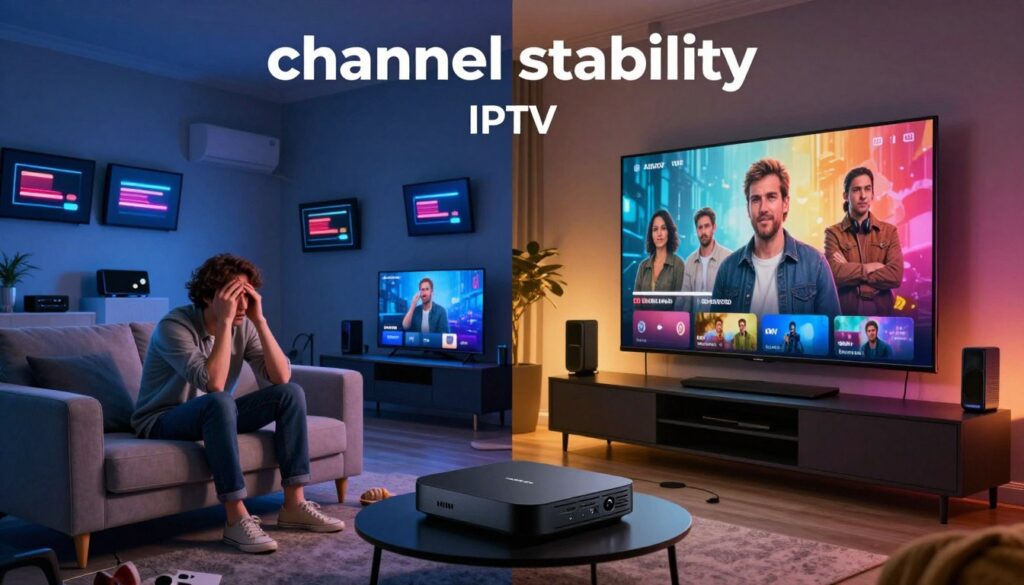
Channel count vs. channel stability
Marketing promises thousands of channels, but that number means little if your must-watch channel drops at kickoff. Stable providers focus on reliable channel delivery, not just big counts.
Stream quality reality check and bitrate basics
HD can mean 720p or a low-bitrate 1080p; FHD (1080p) is clearer, and true 4K requires a high-bitrate source. Upscaled 4K softens fast motion, which is obvious during live sports.
Bitrate is the simple reason two “HD” streams look different: higher bitrate keeps motion smooth and artifacts low.
Uptime expectations and testing tips
Claims of 99.5%+ uptime are common. Practically, that still allows several minutes of downtime each day—enough to miss a key play. Test services at peak hours, check EPG accuracy, and verify your key channels stay stable before committing.
- Quick checks: test at primetime, confirm EPG, and watch a live sports feed.
- For more provider comparisons, see this best services guide.
- For a value-oriented provider example, review this provider comparison.
| Price band | What to expect | When it matters |
|---|---|---|
| $5 / month | Large channel lists, low support | Peak sports and heavy households |
| $15–$20 / month | Better stability, higher bitrates | Live sports, multiple devices |
The Hidden Costs of Cheap IPTV Services That Add Up Fast
Saving a few dollars up front often means you pay in missed moments and extra effort later. That tradeoff shows up as buffering during big games, sudden downtime, and time lost troubleshooting instead of watching.
Buffering, downtime, and missed moments
Frequent buffering wrecks the live sports experience. A stalled stream can make you miss a key play or a season finale.
Those interruptions add real cost: you may buy a backup stream, subscribe elsewhere, or lose precious family time.
Zero customer support and what it feels like
When logins fail, a dead inbox or vague chat replies leave you on your own. No prompt customer support means longer outages and more hassle.
Security and risk factors
Unsafe apps and sketchy login portals can introduce malware or steal credentials. Stick to official app stores and avoid unknown installers.
Service shutdown risk and switching headaches
Providers can disappear mid-season. You then reconfigure apps, reset favorites, and explain changes to the household.
- Smart buys: use a short trial, avoid long prepayments, and choose transparent payment and subscription terms.
- For help finding a reliable option, see a guide to finding the best provider and recent market trends.
Premium IPTV Benefits That Matter in Real Life

When crowds peak and servers strain, the right architecture keeps your show running smoothly.
Robust infrastructure—like load-balanced servers—reduces buffering and keeps streams stable during primetime. That means fewer freezes at key moments and a more reliable live channels lineup for big games.
EPG and faster discovery
A usable EPG helps you find the right channel fast. Fewer dead listings and clearer program titles save time. You spend minutes watching, not scrolling.
Multi-device support for busy households
Good services allow several devices to stream at once. One person can watch live sports on the living room tv while another watches movies or series on a phone without being kicked off.
Regular updates keep content current
Frequent updates refresh channels, add movies and series, and keep apps compatible with new devices and OS patches. That protects your viewing over time.
Responsive customer support
Fast, clear support should include step-by-step setup, quick outage updates, and real fixes when streams fail. That level of help is the main reason many customers choose higher-tier plans.
If you want to compare legitimate offers, review GetMaxTV’s IPTV offer as one practical example.
| Benefit | What it does for you | Real-world result |
|---|---|---|
| Load-balanced servers | Distributes traffic under load | Fewer buffering events during primetime |
| Usable EPG | Accurate program listings | Faster discovery, less scrolling |
| Multi-device connections | Simultaneous streams | Household harmony—no conflicts |
| Regular updates | Fresh content and compatibility | Latest channels, movies, and series work |
| Responsive support | Quick troubleshooting | Reduced downtime and clear guidance |
Quality Checklist for Comparing IPTV Providers Before You Pay
Don’t buy on promises—use a simple test routine to prove a service meets your needs. A short checklist helps you compare stability, device support, trials, and billing before you commit to any subscription.
Stability benchmarks you can measure
Expect practical behavior, not marketing slogans. Look for providers that show 99.5%+ reliability in practice. Test at prime time and note patterns: nightly drops or weekend outages are red flags.
Compatibility across common devices
Confirm the service works on Firestick/Fire TV, Android TV, smart TVs, phones, and IPTV boxes. Try each device you own before you subscribe. A provider that favors one device over others can cost you extra hardware or frustration.
Use trials the right way
Good services offer a 24–48 hour trial. During that time:
- Test at primetime and during sports you care about.
- Play your top 10 channels and check EPG and VOD navigation.
- See if multiple devices stream simultaneously.
Payments and transparency
Choose providers with clear monthly pricing, receipts, and buyer-protected payment methods. Watch for hidden fees like extra device charges or automatic multi-month renewals.
Quick scoring method
- Stability: 1–5
- Stream quality: 1–5
- Content fit: 1–5
- Support: 1–5
- Device compatibility & payment safety: 1–5
Use this simple score to compare options side-by-side and start with a short trial month before longer subscriptions. For local channel access tips, see how to access local channels.
Setup and App Experience: Why the Player Matters as Much as the Service
The player you choose shapes how fast you find channels and whether live sports stay smooth. Even a solid provider can feel clumsy if the app is slow, has a poor EPG, or lacks reliable favorites. A better player speeds navigation, improves channel switching, and makes content discovery painless.
Which player fits your needs
IPTV Smarters Pro is easy to set up and works across familiar devices — good if you want simple login and basic features.
TiviMate shines for TV-style navigation and a polished guide; pick it if you use a big screen and want better UI control.
OTT Navigator suits power users who want advanced filtering and playlist control.
| App | Best for | Key strength |
|---|---|---|
| IPTV Smarters Pro | General users | Simple setup |
| TiviMate | Living room TVs | Clean EPG and favorites |
| OTT Navigator | Advanced users | Customization and filters |
M3U playlists vs. Xtream Codes logins
M3U is a playlist file or URL that lists channels and streams. Providers send you a playlist link and sometimes VOD entries.
Xtream Codes requires a username, password, and server URL. Many users find Xtream logins simpler because the app pulls channels and EPG automatically.
Safe setup and quick troubleshooting
Typical setup flow: install the app, enter credentials (M3U or Xtream), load channels/VOD, mark favorites, and test streams at prime time.
- Download only from official stores (Google Play, Amazon Appstore) or the developer site to reduce malware risk.
- If a stream stutters, refresh the playlist, check time zone settings for EPG, or restart the router and device.
- Try another app on the same device to isolate whether the issue is the service, the player, or the device itself.
If basic fixes fail, contact your provider’s support with device logs and the exact channel/time you tested. Clear, short reports help support resolve issues faster.
Performance in the Real World: Getting Buffer-Free HD and 4K Streaming
Your home network is the gatekeeper between an advertised stream and the movie-quality picture you expect.
Internet speed targets. For reliable 1080p HD, aim for a consistent 8–15 Mbps per stream. For true 4K, treat 25 Mbps as a bare minimum and 50+ Mbps as a safer target, especially for live sports and big movies.
Your internet speed targets for HD and 4K in the United States
One-off speed tests lie. You need steady throughput during peak hours. If your reported download dips during primetime, video players will rebuffer or downshift quality.
Home network fixes: Ethernet vs. 5GHz Wi‑Fi and router placement
Use Ethernet for the main TV when possible. It removes wireless interference and gives the most consistent bandwidth.
When wiring isn’t practical, switch your device to 5GHz Wi‑Fi and move the router to a central, elevated spot. Reduce interference by keeping microwaves, baby monitors, and cordless phones away.
Device capability: why older streaming sticks struggle with 4K decoding
Older sticks often lack the hardware decoder for modern 4K codecs. Symptoms include stutter, frame drops, and audio sync issues.
If you see frequent stalling only on 4K content, try the same stream on a newer device or app. Upgrading a streamer is often cheaper than constant troubleshooting.
How a VPN can affect routing, privacy, and stream stability (when it helps and when it doesn’t)
When to use a VPN: for privacy or when your ISP throttles streaming traffic; sometimes a VPN gives better routing to the provider’s servers.
When to avoid it: a VPN can add latency and reduce peak bandwidth, which hurts live sports and 4K movies. Test with and without the VPN to decide.
“A stable connection and the right device do more for your viewing experience than raw channel counts or flashy ads.”
- Test at game time before you commit for the month.
- Prefer Ethernet > 5GHz > 2.4GHz for consistent quality.
- Replace older streaming sticks if 4K is a must for your household.
- Try routing with and without a VPN to see which delivers better stability.
For practical provider reviews and troubleshooting steps that many US viewers use, see a detailed subscription review and a common streaming issue guide; check this service review and this fix guide from GetMaxTV: 78% of viewers experience this problem.
Conclusion
, The best test is the one you run: watch a service during the shows or games you care about and note stability and picture quality.
You often get what you pay for. Low upfront cost can cost you time, missed moments, and the hassle of switching subscriptions.
To choose wisely, list your must-have channels, test at peak hours, confirm device compatibility, and check support responsiveness. Favor transparent billing and responsible sourcing for long-term reliability.
If you want a legal IPTV subscription, check GetMaxTV’s current offer at https://getmaxtv.com for a compliant option that focuses on uptime and good customer support.
FAQ
What is internet protocol television and how does it differ from cable or satellite?
Internet protocol television delivers live channels and on-demand shows over your internet connection rather than through coaxial cable or a satellite dish. You get streams sent as data packets, which lets you watch on smart TVs, streaming sticks, phones, and set‑top boxes. Unlike traditional TV, you can pause, rewind, and often access a larger global content library, but quality depends on your provider’s servers and your home network.
What do “live channels” and VOD mean for everyday viewing?
Live channels are real-time broadcasts—news, sports, and scheduled programming—while VOD (video on demand) lets you pick movies, series, and specials whenever you like. Together they give you flexibility: tune into events as they air and catch up on releases on your own schedule. Check a provider’s electronic program guide (EPG) to see what’s updated regularly.
Why should you care about channel count versus channel stability?
A huge channel list looks attractive, but thousands of streams don’t help if many are offline, duplicated, or low quality. Stability matters more: consistent uptime, fast channel switching, and reliable streams during peak hours—especially for live sports—make for a better viewing experience than an inflated channel tally.
How do price ranges in today’s market reflect real value?
Price gives clues but not the whole picture. Lower-cost plans might save you money up front but often cut corners on server capacity, support, and legal licensing. Higher-priced services typically invest in infrastructure, app development, and customer care. Look at trial options, refund policies, and independent reviews before you subscribe.
What streaming quality should you expect—HD, FHD, or true 4K?
Providers may advertise HD or 4K, but actual quality depends on the original source, bitrate, and your connection. Many streams are upscaled rather than native 4K. For true clarity, check available bitrates, sample a 4K channel during a trial, and ensure your device supports the necessary codecs and decoding power.
How much internet speed do you need for reliable HD and 4K viewing?
Aim for at least 5 Mbps per stream for HD, 10–15 Mbps for Full HD that stays stable, and 25 Mbps or more for native 4K. If multiple household members stream simultaneously, add their needs together. Also consider overhead for other online activity and choose wired Ethernet when possible to reduce interruptions.
What causes buffering and downtime, and how can you reduce it?
Buffering typically comes from insufficient bandwidth, poor Wi‑Fi, overloaded provider servers, or misconfigured devices. Fixes include switching to Ethernet, using 5 GHz Wi‑Fi with a strong router, limiting other heavy internet uses during viewing, and choosing providers with load‑balanced servers and reliable uptime records.
How important is customer support and what should you expect?
Good support saves hours of frustration. Expect responsive channels—live chat, email, or phone—and helpful troubleshooting for app setup, subscription issues, and stream problems. Look for providers offering clear escalation paths and fast resolution during high‑profile events like playoff games.
What security or legal risks should you be aware of?
Some services use unsafe apps, sketchy login methods, or unlicensed streams that can expose you to malware, data leaks, or sudden shutdowns. Only download official apps from trusted stores, use strong passwords, and prefer providers with transparent licensing and secure payment methods to reduce risk.
How do app players and login methods affect your experience?
The player determines playback stability, EPG usability, and subtitle or audio track handling. Popular apps like IPTV Smarters or native Android TV clients tend to be more polished. Providers use M3U playlists, Xtream Codes, or proprietary logins—each has pros and cons for ease of setup and reliability. Choose apps from official sources and avoid unofficial clones.
What device compatibility should you check before subscribing?
Verify support for your smart TV brand, Fire TV, Android TV, Apple TV, phones, and streaming boxes. Make sure the provider’s app supports your device’s codecs and that the service allows multiple concurrent connections if your household watches on many screens.
Are free trials and short-term plans reliable ways to test a service?
Yes. Short trials and monthly plans let you evaluate stream stability, channel availability, and customer support without long commitments. Use the trial during busy hours and when your family watches sports or live shows to see real-world performance.
How can a VPN affect streaming and privacy?
A VPN can improve privacy and sometimes routing to a better server, but it can also add latency and reduce speeds—hurting quality, especially for HD and 4K. If you use one, pick a high‑speed provider, test performance, and only enable it when needed for privacy or geo-routing reasons.
What should you check in pricing and billing before paying?
Look for transparent monthly pricing, clear refund and cancellation policies, and trustworthy payment methods like credit cards or PayPal. Be wary of hidden setup fees, long-term auto‑renewals without notice, or payments through obscure services that make disputes difficult.
How do you avoid unsafe apps and malware when setting up your service?
Download apps from official app stores (Google Play, Amazon Appstore, Apple App Store) or from the provider’s verified site. Keep your device firmware updated, avoid sideloading unknown APKs, and run reputable mobile security tools if you frequently test different players.
What are common signs a provider may shut down or have reliability problems?
Warning signs include frequent channel drops, long outages with no status updates, poor customer response, and moving service domains or apps often. Providers with questionable licensing or unknown payment gateways also carry higher shutdown risk.
How do multi‑device connections work and what limits matter?
Most services limit concurrent streams per account—commonly two to five devices. Check your household needs, especially if several people watch different channels at once. Some plans offer add‑ons for more simultaneous connections at a reasonable cost.
What performance improvements can a home network deliver?
Use wired Ethernet for primary streaming devices, place your router centrally, switch to 5 GHz Wi‑Fi for compatible gear, and upgrade older routers that bottleneck throughput. Prioritize streaming devices in router QoS settings to reduce lag during peak usage.
When is it worth paying more for a higher‑quality service?
If you want consistent live sports, minimal buffering, native 4K content, reliable customer support, and secure payment options, investing in a higher‑quality provider often pays off. You’ll save time and avoid the frustration of repeated outages and poor streams.
The GetMaxTV Blog Team is a group of IPTV technology writers and cord-cutting researchers who have been reviewing streaming services since 2023. We publish independent device setup guides, troubleshooting articles, and honest service comparisons. Every tutorial on this blog is tested on real devices — Fire Stick 4K Max, Roku Ultra, Samsung Smart TV, Apple TV 4K, and Android phones. We verify every step before publishing and update our content quarterly.